
Why Illustrations Matter in UI/UX Design
Illustrations are not just decorative visuals.
When used correctly, they help:
Simplify communication
Add personality to products
Improve onboarding experiences
Make interfaces feel less intimidating
Strengthen branding
Increase emotional connection
Modern products often use illustrations in:
Empty states
Hero sections
Error states
Blogs
Product walkthroughs
Marketing pages
AI product interfaces
In many cases, illustrations improve user experience by making products feel more approachable.
Especially in complex SaaS and enterprise platforms where interfaces can otherwise feel highly technical.
DrawKit - Modern Illustrations for SaaS & Startups
One of the most popular resources among product designers is DrawKit.
DrawKit provides:
Free illustration packs
Editable SVG assets
Startup-style illustrations
SaaS-friendly visual systems
The illustration style is modern, clean, and highly adaptable for:
Landing pages
Mobile apps
Product marketing
Onboarding screens
Many UI/UX designers prefer DrawKit because its visuals align well with modern startup aesthetics.
The illustrations also work effectively inside Figma workflows.
For SaaS products aiming for a professional yet approachable feel, DrawKit becomes a strong resource.

Transhumans - Experimental & Creative Character Illustrations
Transhumans offers a very different style compared to traditional illustration libraries.
Its visuals are more artistic, experimental, and expressive.
This makes it useful for:
Creative portfolios
Experimental product websites
Branding projects
Editorial experiences
The illustrations often feature unique compositions, bold poses, and stylized characters.
For designers trying to avoid generic corporate visuals, Transhumans provides a refreshing alternative.
Products targeting younger audiences or creative industries can especially benefit from these illustration styles.

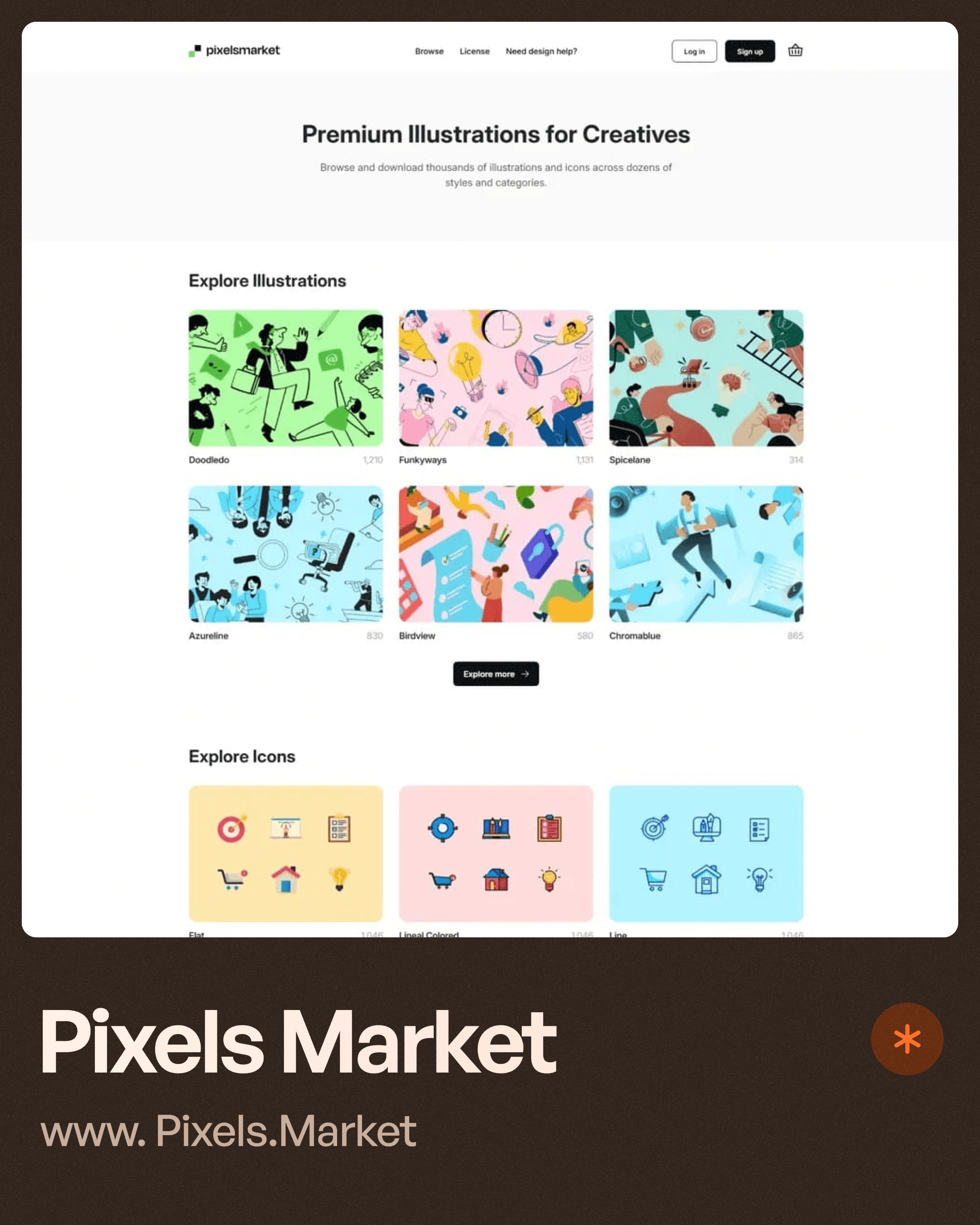
Pixels Market - Premium-Style Illustrations & Icons
Pixels Market combines:
Illustrations
Icons
Creative assets
UI resources
The platform is useful for designers looking to maintain consistency between:
Product visuals
Iconography
Brand identity
One major challenge in UI design is mismatched visual systems.
For example:
Using one illustration style and completely different icon styles creates inconsistency.
Resources like Pixels Market help designers build more unified visual experiences.
This becomes important in large-scale design systems and product ecosystems.
Blush Illustration - Customizable Character Illustrations
Blush Illustration became highly popular because it introduced customization into illustration workflows.
Instead of static assets, designers can:
Change characters
Adjust colors
Modify poses
Create variations quickly
This flexibility helps products avoid repetitive stock visuals.
Customizable illustration systems are particularly useful in:
Healthcare products
Educational platforms
HR software
AI onboarding flows
Because products can better represent diverse users and brand personalities.
Blush also integrates smoothly with modern product design tools.

Doodle Ipsum - Hand-Drawn Illustration Style
Not every product needs polished corporate visuals.
Sometimes brands benefit from more casual, playful illustration systems.
Doodle Ipsum focuses on hand-drawn and doodle-style visuals.
This style works well for:
Creative products
Blogs
Educational websites
Fun onboarding flows
Youth-focused applications
Hand-drawn illustrations often create a softer emotional tone.
This can make products feel less rigid and more welcoming.
Especially for brands trying to appear approachable instead of highly corporate.

Choosing the Right Illustration Style for Your Product
One common mistake many designers make is randomly mixing illustration styles.
Illustrations should align with:
Brand personality
Product audience
Industry context
Interface tone
Emotional intent
For example:
A fintech platform may require cleaner and more trustworthy visuals.
While a creative learning app may benefit from playful illustrations.
At Upslide Design Studio, illustration selection is usually tied closely to:
Product positioning
User psychology
Brand communication
Interface clarity
Because illustrations influence how users emotionally perceive products.
Illustrations vs UI Clarity
While illustrations improve engagement, they should never overpower usability.
Too many decorative visuals can:
Distract users
Slow interfaces
Reduce clarity
Increase cognitive load
Good UI design balances:
Visual expression.
Functional usability.
The best illustrations support communication instead of competing with the interface.
Why SaaS Products Use More Illustrations Today
Modern SaaS products increasingly rely on illustrations because software has become more competitive.
Products no longer compete only on features.
They compete on:
Experience
Branding
Emotional connection
Simplicity
Onboarding quality
Illustrations help products feel:
Friendly
Modern
Human
Innovative
This is especially important in AI products and enterprise tools where interfaces may otherwise feel intimidating.
The Future of Illustration in Product Design
As AI-generated visuals continue evolving, illustration workflows are also changing.
Designers now combine:
Custom illustrations
AI-generated concepts
Editable vector systems
Motion graphics
3D visuals
The future likely involves more adaptive and personalized illustration systems integrated directly into product experiences.
But regardless of technology, the goal remains the same:
Helping users understand, trust, and emotionally connect with digital products.
Final Thoughts
Illustrations are no longer optional decoration in modern product design.
They have become a communication tool.
The right illustration style can improve onboarding, strengthen branding, simplify complex ideas, and make products feel significantly more engaging.
Platforms like DrawKit, Transhumans, Pixels Market, Blush Illustration, and Doodle Ipsum provide valuable resources for designers looking to create better digital experiences without starting every visual from scratch.
At the same time, good UI/UX design still depends on balance.
Illustrations should enhance usability—not replace it.
Because the best product experiences combine both:
Clear functionality.
And meaningful visual storytelling.




