Electricity Bill Application
Electricity Bill Application
Product Design
Product Design
Redesigning the
Redesigning the
Redesigning the

Electricity Bill Application to
Electricity
Electricity Bill
Improve Accessibility and User Experience
Bill Application to
Application to Improve
Accessibility and User
Experience
Improve
Accessibility and User
Experience
The redesign focuses on simplifying workflows, improving clarity, and making essential services easy to access for all users.
The redesign focuses on simplifying workflows, improving clarity, and making essential services easy to access for all users.
The redesign focuses on simplifying workflows, improving clarity, and making essential services easy to access for all users.
About Project
About Project
About Project
In a typical household, managing electricity bills involves checking usage, making timely payments, and raising complaints when issues arise. These tasks are part of everyday life, yet they often require effort and time when the experience is not straightforward.
The Telangana Electricity Bill application was built to bring all these services into one place allowing users to view bills, make payments, track complaints, and access their history with ease.
However, over time, the experience became fragmented and difficult to navigate. Important actions were spread across the app, and simple tasks like paying a bill or raising an issue began to feel more complex and time-consuming than they should be.
In a typical household, managing electricity bills involves checking usage, making timely payments, and raising complaints when issues arise. These tasks are part of everyday life, yet they often require effort and time when the experience is not straightforward.
The Telangana Electricity Bill application was built to bring all these services into one place allowing users to view bills, make payments, track complaints, and access their history with ease.
However, over time, the experience became fragmented and difficult to navigate. Important actions were spread across the app, and simple tasks like paying a bill or raising an issue began to feel more complex and time-consuming than they should be.
In a typical household, managing electricity bills involves checking usage, making timely payments, and raising complaints when issues arise. These tasks are part of everyday life, yet they often require effort and time when the experience is not straightforward.
The Telangana Electricity Bill application was built to bring all these services into one place allowing users to view bills, make payments, track complaints, and access their history with ease.
However, over time, the experience became fragmented and difficult to navigate. Important actions were spread across the app, and simple tasks like paying a bill or raising an issue began to feel more complex and time-consuming than they should be.
Industry
Industry
Industry
Electricity Bill
Electricity Bill
Team
Team
Team
Varun, Madhumala, Kishor, Anush, Srinivas, Abhishek
Varun, Madhumala, Kishor, Anush, Srinivas, Abhishek
Subscription Category
Subscription Category
Subscription Category
Quick Win
Quick Win
Project Start Year
Project Start Year
Project Start Year
Febraury 2026
Febraury 2026
Business Challenges
Business Challenges
Business Challenges
Slower Task Completion
Slower Task Completion
Slower Task Completion
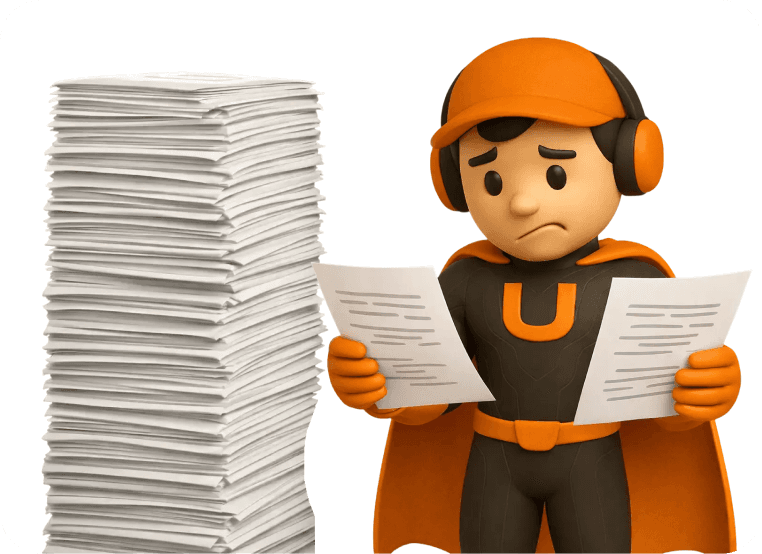
Users had to navigate through multiple steps to complete basic actions like bill payment.
Users had to navigate through multiple steps to complete basic actions like bill payment.
Users had to navigate through multiple steps to complete basic actions like bill payment.

Confusing Navigation
Confusing Navigation
Confusing Navigation
Users often had to navigate through different sections to locate key actions, increasing effort and slowing down tasks.
Users often had to navigate through different sections to locate key actions, increasing effort and slowing down tasks.
Users often had to navigate through different sections to locate key actions, increasing effort and slowing down tasks.
Fragmented user experience
Fragmented user experience
Fragmented user experience
From entry to task completion, the experience lacked structure, making it difficult for users to navigate and complete actions efficiently.
From entry to task completion, the experience lacked structure, making it difficult for users to navigate and complete actions efficiently.
From entry to task completion, the experience lacked structure, making it difficult for users to navigate and complete actions efficiently.
Our Approach
Our Approach
Our Approach
We analyzed how users interacted with the existing application and identified gaps in navigation, workflow clarity, and accessibility. Most tasks required moving across multiple sections, making simple actions feel longer than necessary. Users often had to spend extra time locating key features and understanding what to do next, which increased effort and made the experience less intuitive.
We analyzed how users interacted with the existing application and identified gaps in navigation, workflow clarity, and accessibility. Most tasks required moving across multiple sections, making simple actions feel longer than necessary. Users often had to spend extra time locating key features and understanding what to do next, which increased effort and made the experience less intuitive.
We analyzed how users interacted with the existing application and identified gaps in navigation, workflow clarity, and accessibility. Most tasks required moving across multiple sections, making simple actions feel longer than necessary. Users often had to spend extra time locating key features and understanding what to do next, which increased effort and made the experience less intuitive.
Visual Userflow
BMC
Audit
User Persona
Design System
Wireframes
UI
Visual Userflow
BMC
Audit
User Persona
Design System
Wireframes
UI
Visual Userflow
BMC
Audit
User Persona
Design System
Wireframes
UI
Problems in the Existing Software
Problems in the Existing Software
Problems in the Existing Software
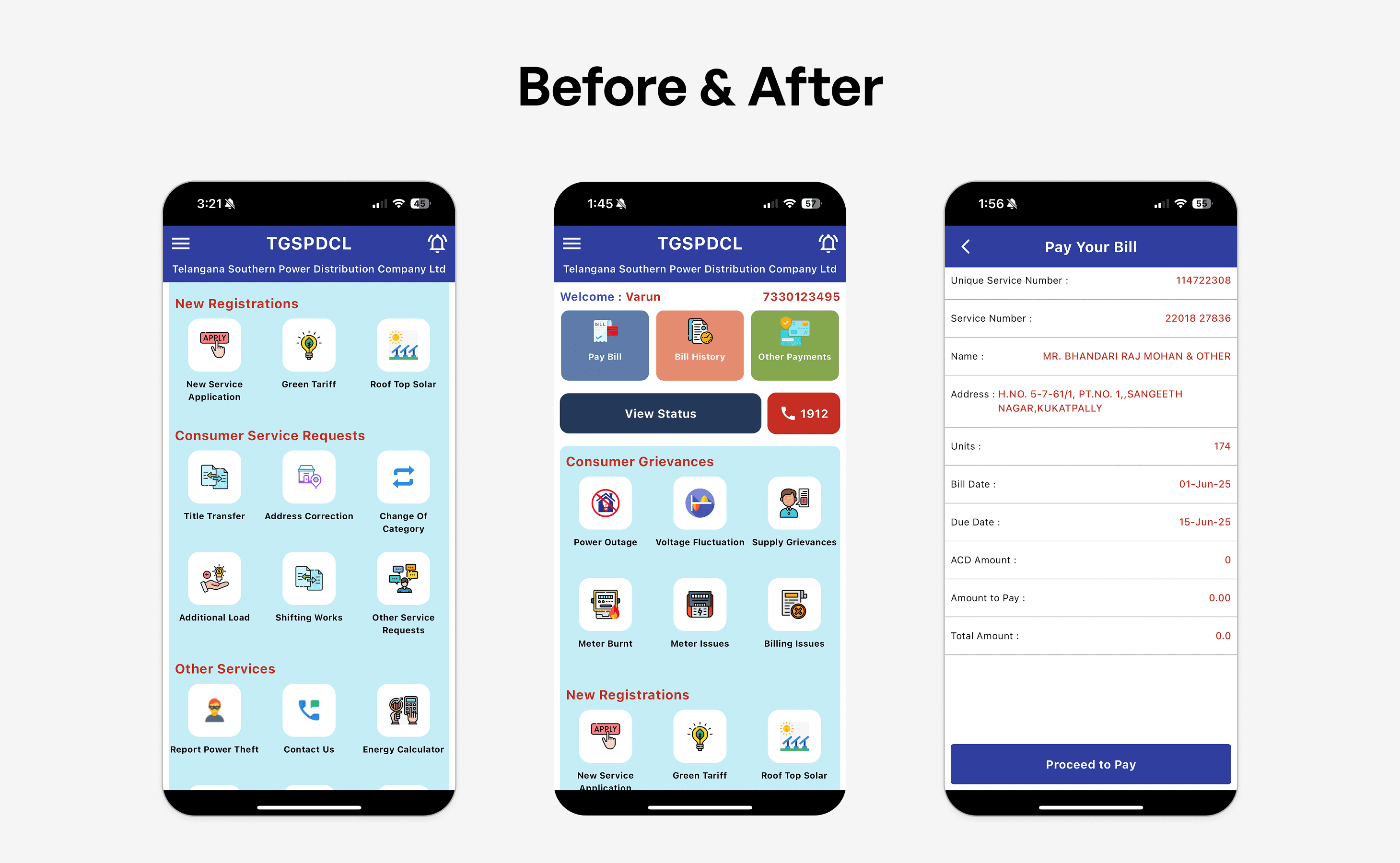
As we explored the application, we identified several usability issues that made everyday tasks more complex, time-consuming, and harder to navigate.
As we explored the application, we identified several usability issues that made everyday tasks more complex, time-consuming, and harder to navigate.
As we explored the application, we identified several usability issues that made everyday tasks more complex, time-consuming, and harder to navigate.
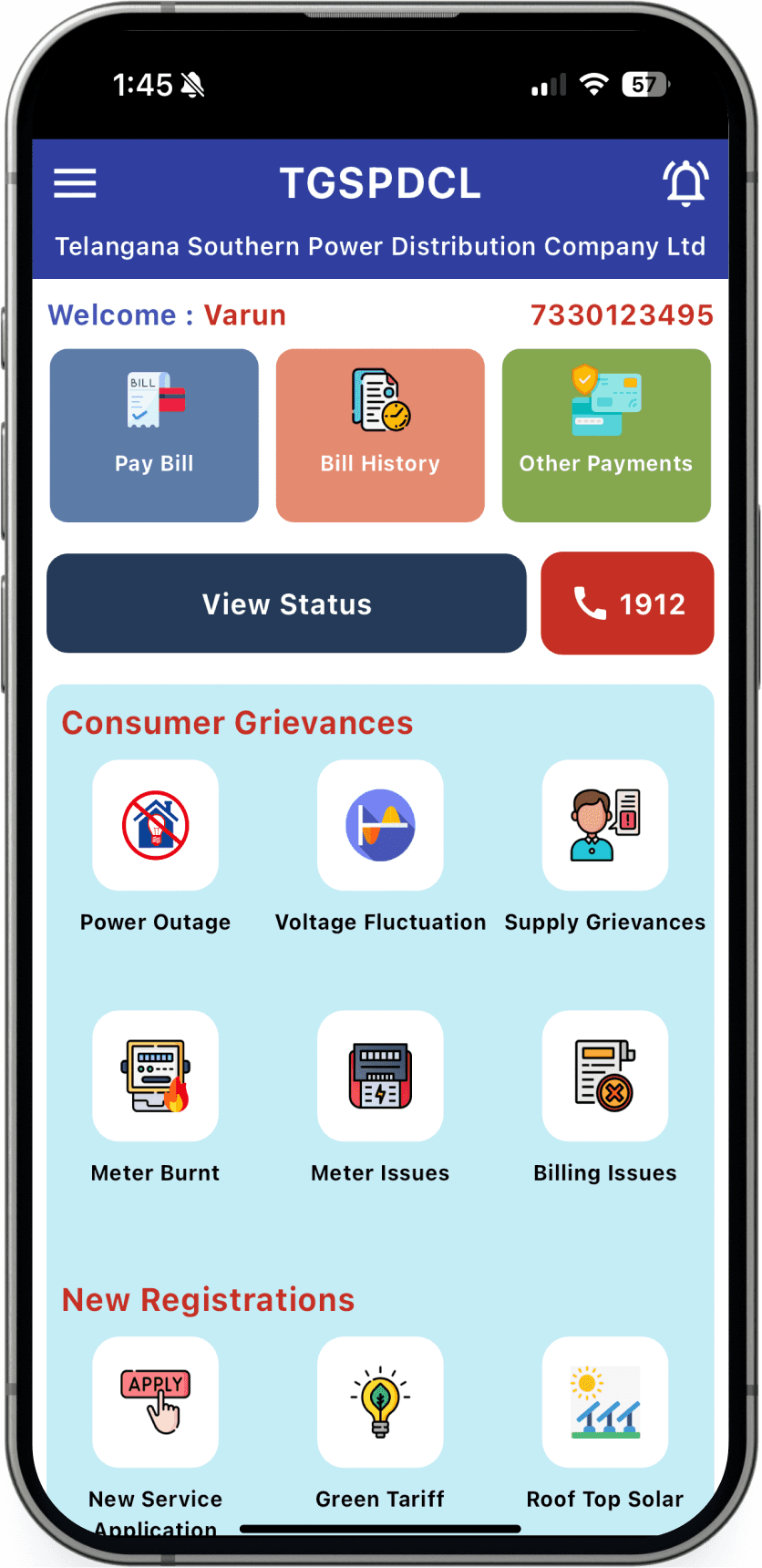
Problem - 1
Primary Action Lacks Clear Priority
The main task Pay Bill is placed alongside options like Bill History and Other Payments, all designed with equal visual weight. As a result, nothing stands out as the primary action.
Users who open the app to quickly pay their bill are not guided toward it. Instead, they have to pause, scan through options, and decide where to tap, making a simple task feel less direct and more time-consuming.

Problem - 2
Too Many Options on a Single Screen
The home screen presents multiple sections like Payments, View Status, Consumer Grievances, and New Registrations all at once, without a clear structure or grouping.
Users are exposed to too many choices at the same time, making it difficult to decide where to begin. Instead of guiding them, the screen demands attention across everything, which can feel overwhelming especially for users who are not very familiar with digital apps.
Problem - 3
Unclear Navigation and Flow
Actions like Pay Bill, View Status, and complaint-related options are placed in different sections without a clear connection between them.
Users are not guided through a logical flow and often have to figure out the next step on their own. This makes navigation feel inconsistent and increases the effort required to complete even simple tasks.
Problem - 1
Problem - 1
Primary Action Lacks Clear Priority
Primary Action Lacks Clear Priority
The main task Pay Bill is placed alongside options like Bill History and Other Payments, all designed with equal visual weight. As a result, nothing stands out as the primary action.
Users who open the app to quickly pay their bill are not guided toward it. Instead, they have to pause, scan through options, and decide where to tap, making a simple task feel less direct and more time-consuming.
The main task Pay Bill is placed alongside options like Bill History and Other Payments, all designed with equal visual weight. As a result, nothing stands out as the primary action.
Users who open the app to quickly pay their bill are not guided toward it. Instead, they have to pause, scan through options, and decide where to tap, making a simple task feel less direct and more time-consuming.
Problem - 2
Problem - 2
Too Many Options on a Single Screen
Too Many Options on a Single Screen
The home screen presents multiple sections like Payments, View Status, Consumer Grievances, and New Registrations all at once, without a clear structure or grouping.
Users are exposed to too many choices at the same time, making it difficult to decide where to begin. Instead of guiding them, the screen demands attention across everything, which can feel overwhelming especially for users who are not very familiar with digital apps.
The home screen presents multiple sections like Payments, View Status, Consumer Grievances, and New Registrations all at once, without a clear structure or grouping.
Users are exposed to too many choices at the same time, making it difficult to decide where to begin. Instead of guiding them, the screen demands attention across everything, which can feel overwhelming especially for users who are not very familiar with digital apps.
Problem - 3
Problem - 3
Unclear Navigation and Flow
Unclear Navigation and Flow
Actions like Pay Bill, View Status, and complaint-related options are placed in different sections without a clear connection between them.
Users are not guided through a logical flow and often have to figure out the next step on their own. This makes navigation feel inconsistent and increases the effort required to complete even simple tasks.
Actions like Pay Bill, View Status, and complaint-related options are placed in different sections without a clear connection between them.
Users are not guided through a logical flow and often have to figure out the next step on their own. This makes navigation feel inconsistent and increases the effort required to complete even simple tasks.
The Solutions We Crafted
The Solutions We Crafted
The Solutions We Crafted
We designed focused solutions to simplify workflows, reduce complexity, and help users complete tasks faster and with more clarity.
We designed focused solutions to simplify workflows, reduce complexity, and help users complete tasks faster and with more clarity.
We designed focused solutions to simplify workflows, reduce complexity, and help users complete tasks faster and with more clarity.
Solution - 1
Solution - 1
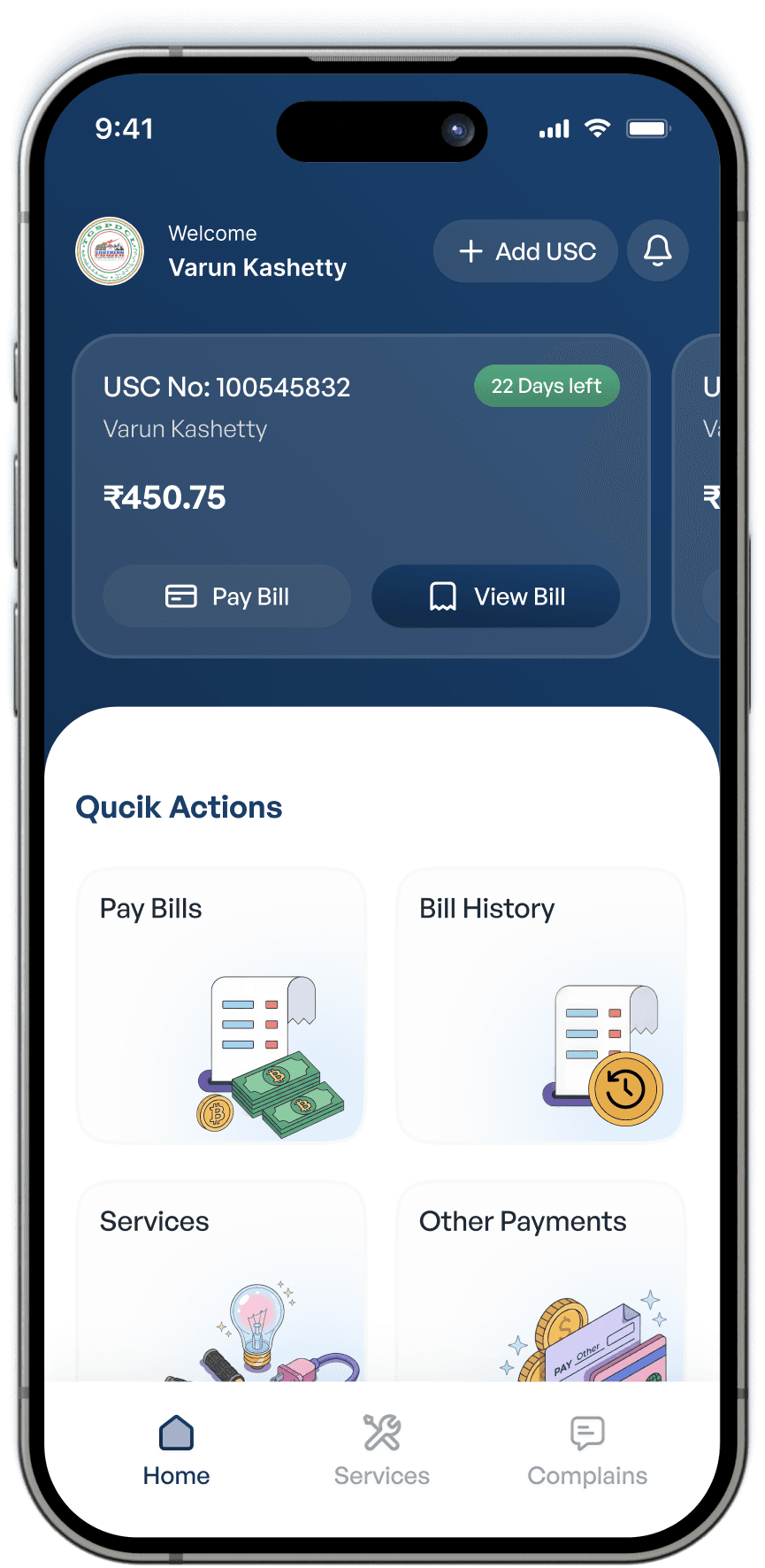
Clear Priority for the Primary Action
Clear Priority for the Primary Action
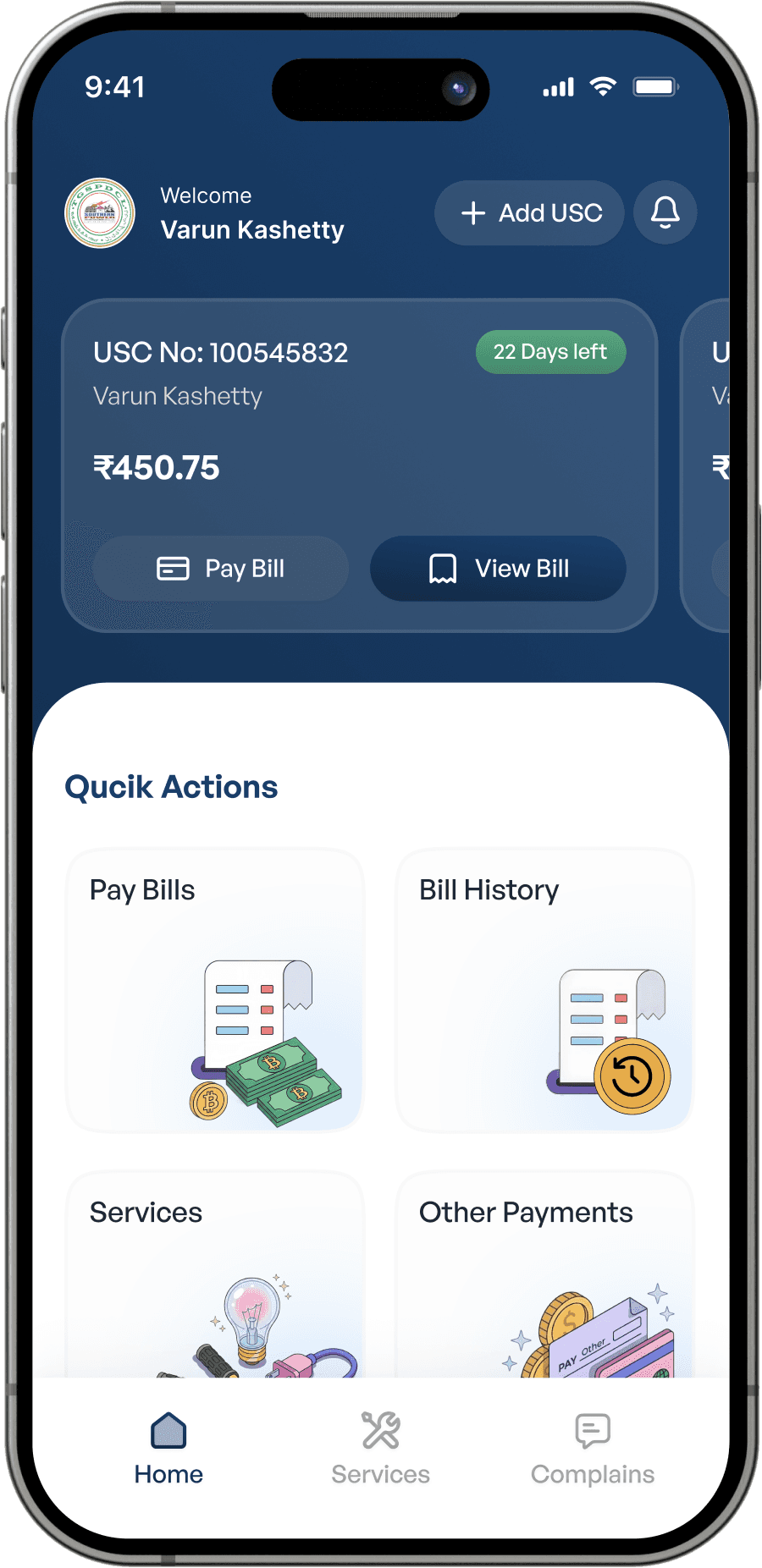
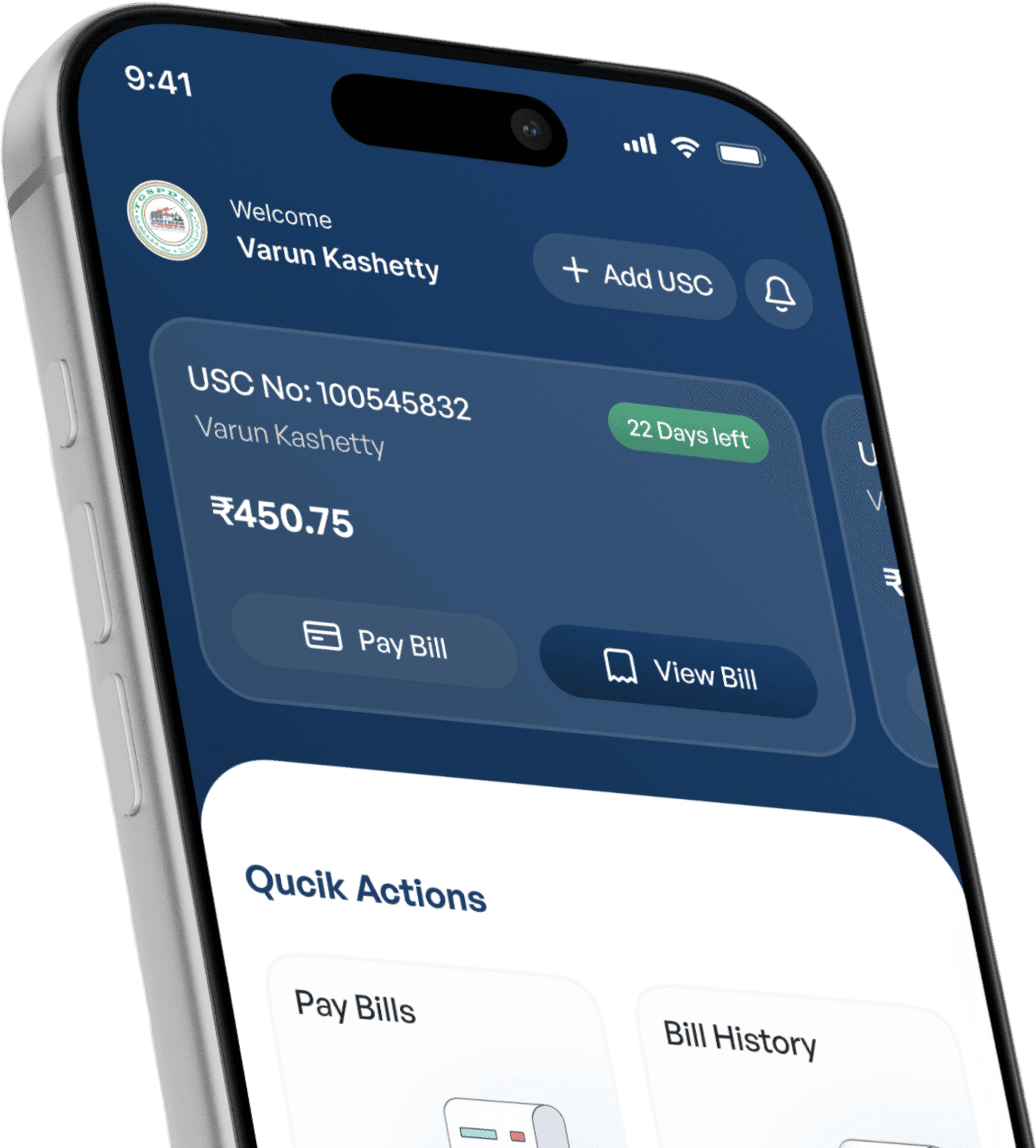
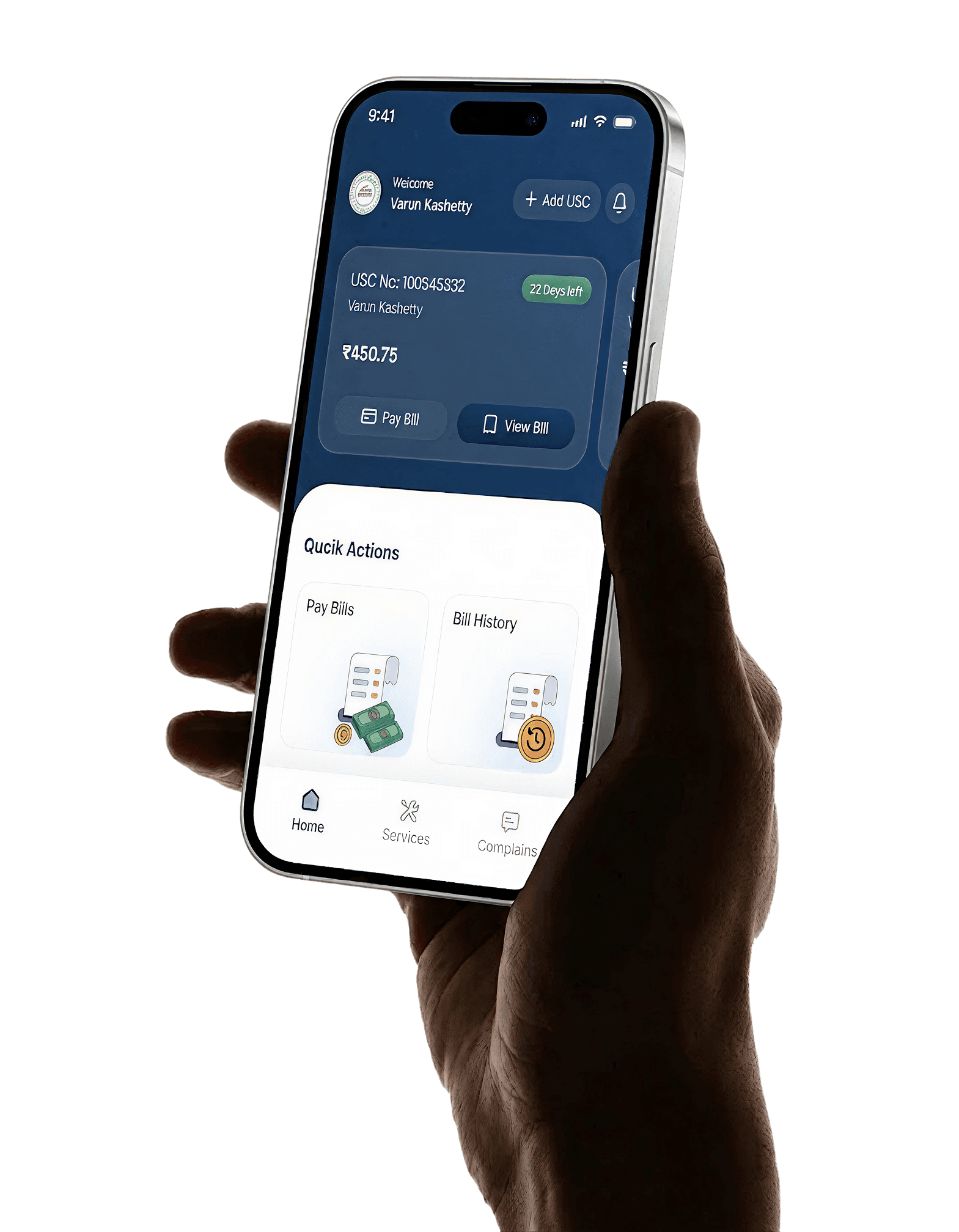
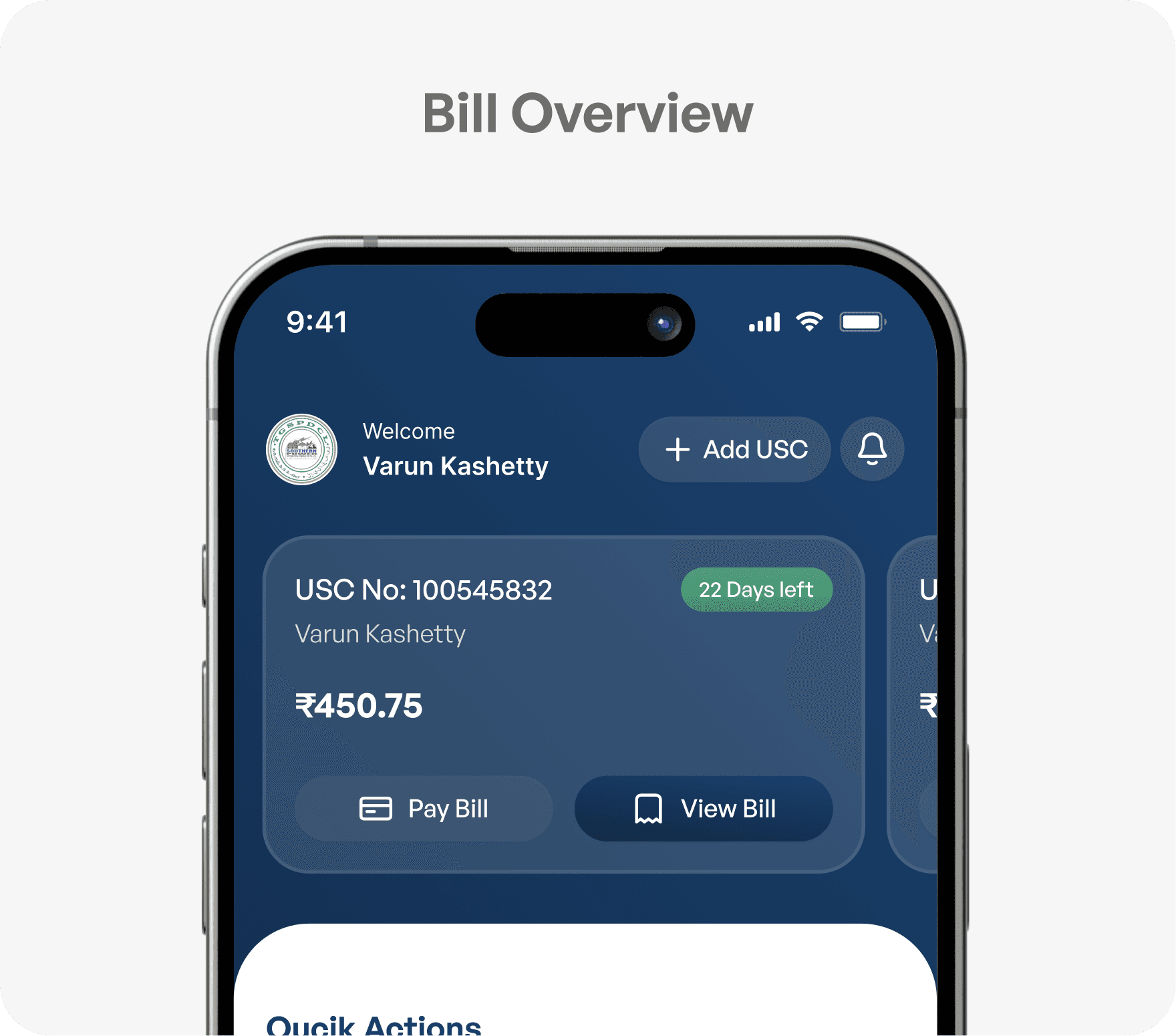
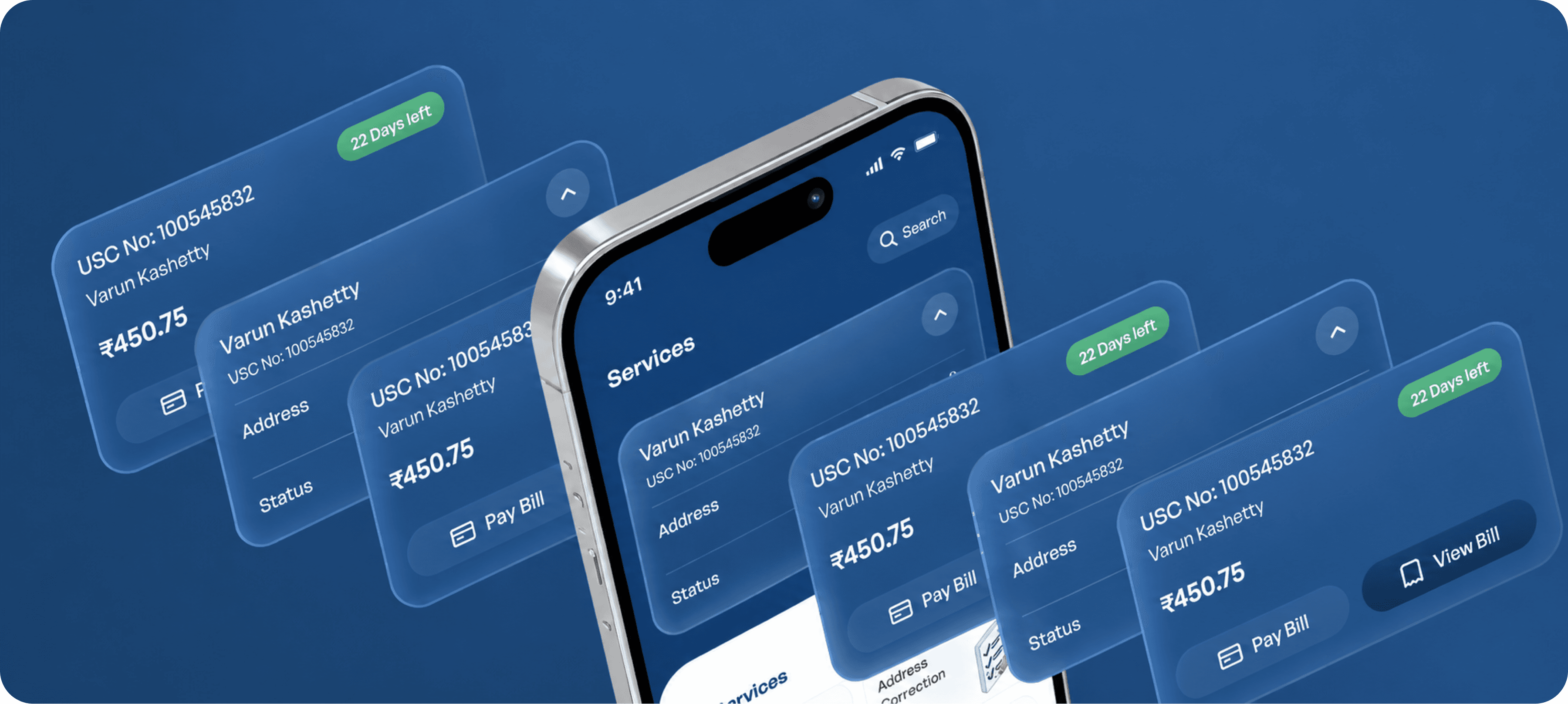
The most important task Pay Bill is now prominently placed within the bill card, making it immediately visible as the primary action. Unlike before, it is no longer competing with other options on the screen.
By positioning it close to the bill amount and highlighting it clearly, users are naturally guided toward the action they intend to perform. This reduces the need to search and makes the experience feel direct and effortless.
The most important task Pay Bill is now prominently placed within the bill card, making it immediately visible as the primary action. Unlike before, it is no longer competing with other options on the screen.
By positioning it close to the bill amount and highlighting it clearly, users are naturally guided toward the action they intend to perform. This reduces the need to search and makes the experience feel direct and effortless.

Solution - 2
Solution - 2
Structured and Simplified Layout
Structured and Simplified Layout
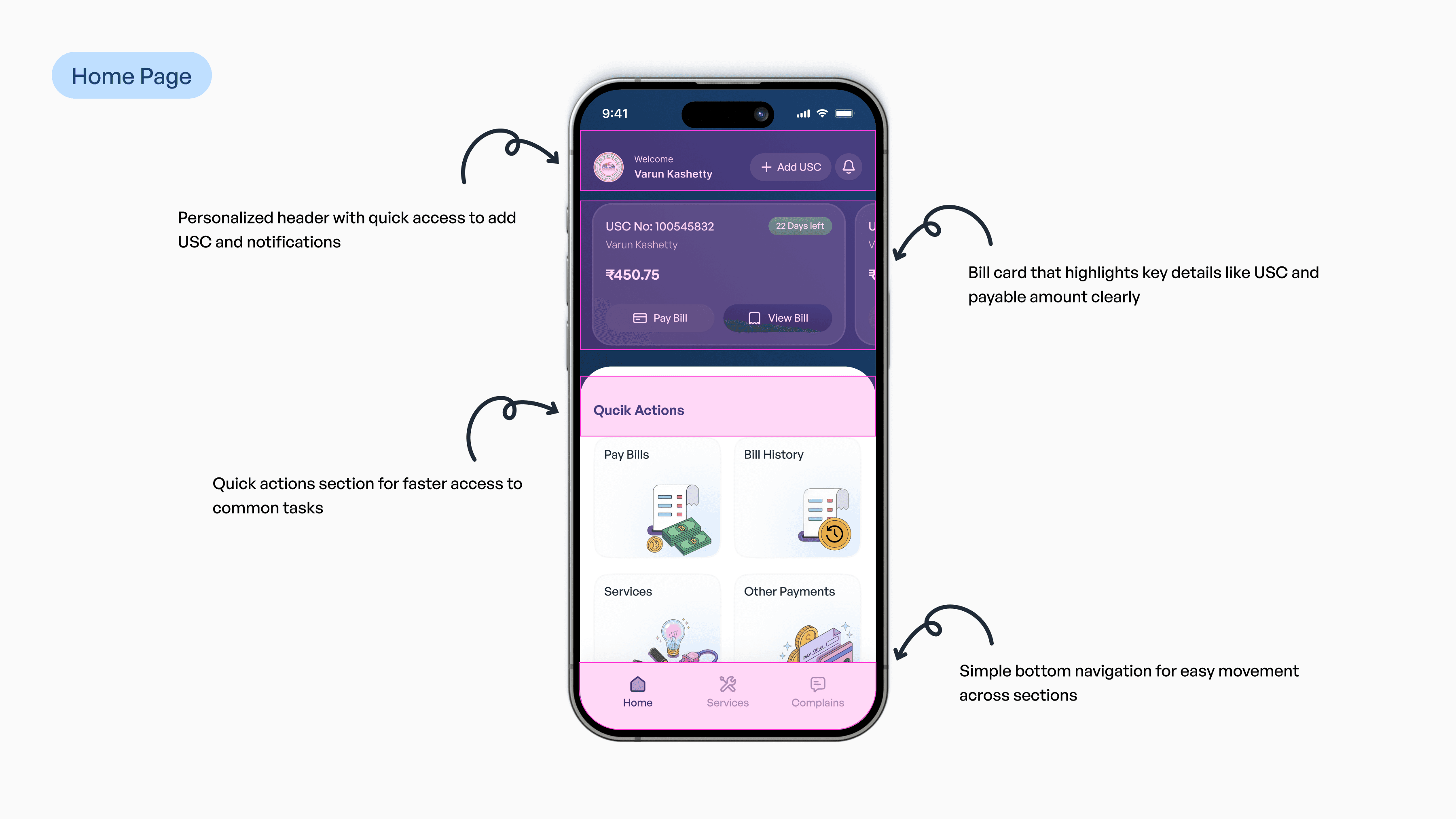
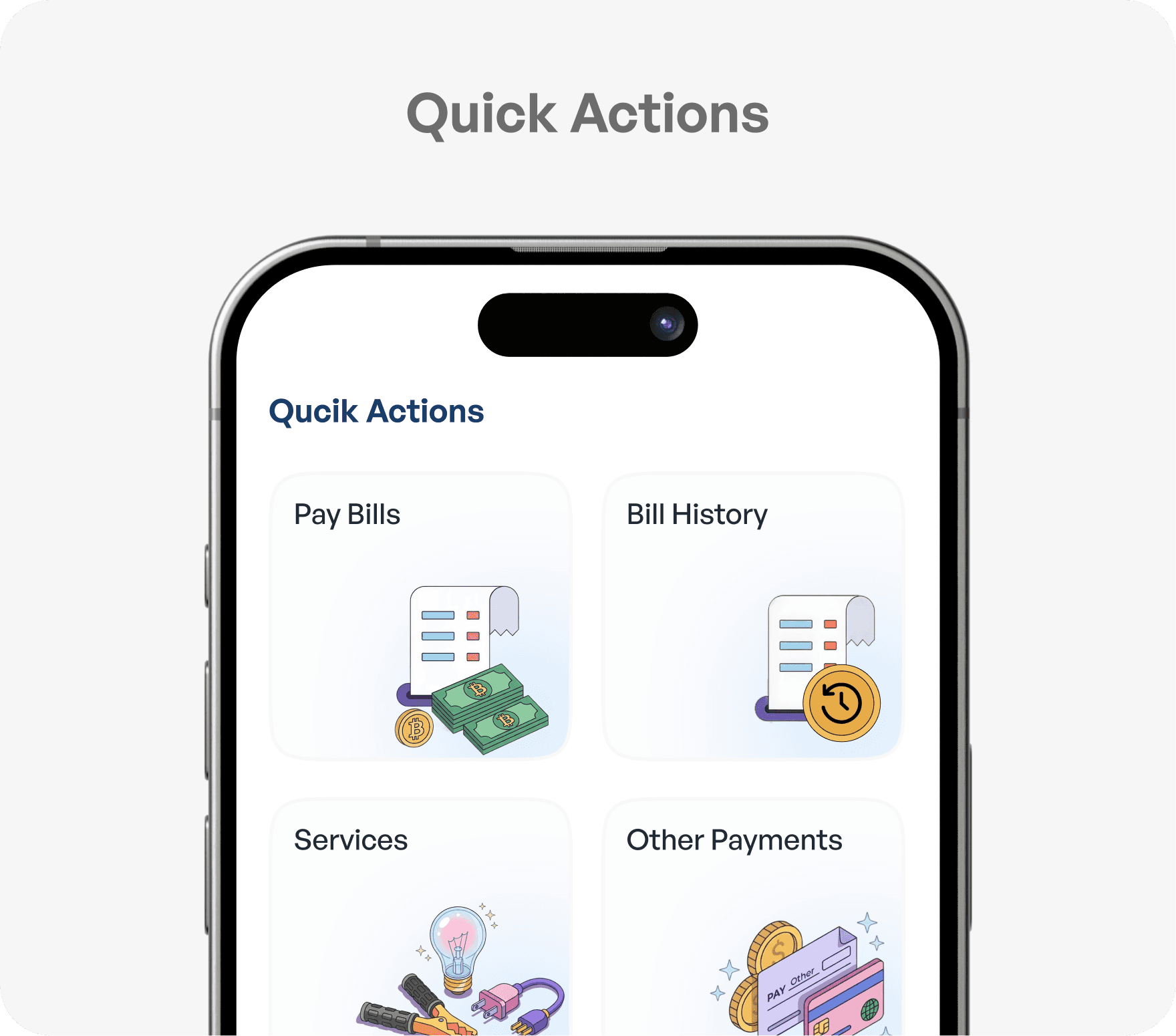
The screen is now organized into clearly defined sections such as the bill overview and quick actions, creating a more structured and easy-to-scan layout.
Instead of showing everything at once, related features are grouped together, reducing visual clutter. This helps users understand the interface faster and makes navigation feel more intuitive, especially for users with varying levels of digital familiarity.
The screen is now organized into clearly defined sections such as the bill overview and quick actions, creating a more structured and easy-to-scan layout.
Instead of showing everything at once, related features are grouped together, reducing visual clutter. This helps users understand the interface faster and makes navigation feel more intuitive, especially for users with varying levels of digital familiarity.
Solution - 3
Solution - 3
Simple and Easy to Follow Flow
Simple and Easy to Follow Flow
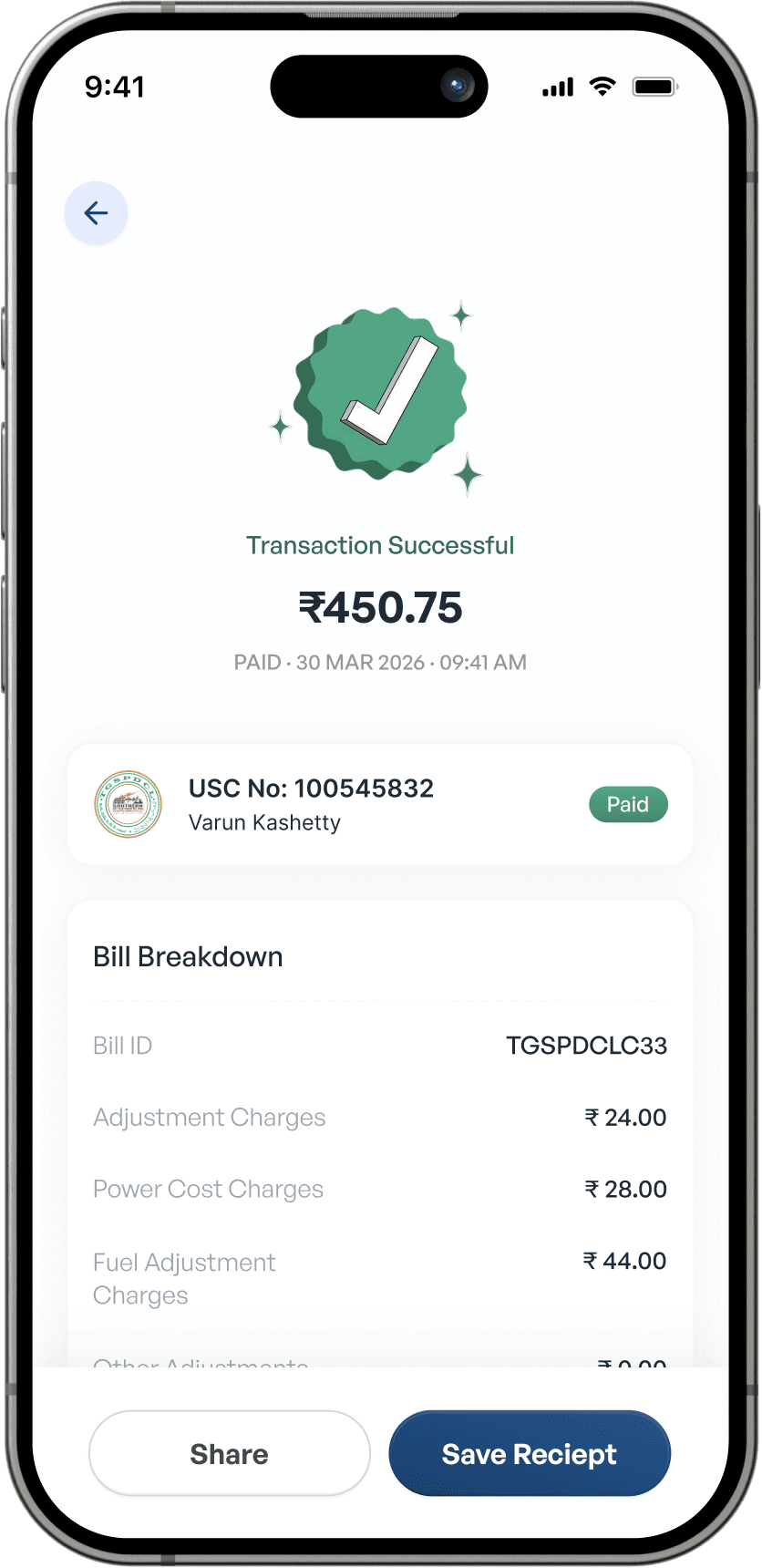
Actions like Pay Bill and View Bill are now placed within the same context, allowing users to move seamlessly from understanding their bill to taking action.
The flow feels more natural, as users are guided step-by-step within a single screen rather than being forced to navigate across multiple sections. This reduces confusion and makes completing tasks quicker and more predictable.
Actions like Pay Bill and View Bill are now placed within the same context, allowing users to move seamlessly from understanding their bill to taking action.
The flow feels more natural, as users are guided step-by-step within a single screen rather than being forced to navigate across multiple sections. This reduces confusion and makes completing tasks quicker and more predictable.
Solution - 1
Clear Priority for the Primary Action
The most important task Pay Bill is now prominently placed within the bill card, making it immediately visible as the primary action. Unlike before, it is no longer competing with other options on the screen.
By positioning it close to the bill amount and highlighting it clearly, users are naturally guided toward the action they intend to perform. This reduces the need to search and makes the experience feel direct and effortless.
Solution - 2
Structured and Simplified Layout
The screen is now organized into clearly defined sections such as the bill overview and quick actions, creating a more structured and easy-to-scan layout.
Instead of showing everything at once, related features are grouped together, reducing visual clutter. This helps users understand the interface faster and makes navigation feel more intuitive, especially for users with varying levels of digital familiarity.
Solution - 3
Simple and Easy to Follow Flow
Actions like Pay Bill and View Bill are now placed within the same context, allowing users to move seamlessly from understanding their bill to taking action.
The flow feels more natural, as users are guided step-by-step within a single screen rather than being forced to navigate across multiple sections. This reduces confusion and makes completing tasks quicker and more predictable.
Designed for People, Not Just Screens
Designed for People, Not Just Screens
Designed for People, Not Just Screens
Design That Works for Everyone
Design That Works for Everyone
Design That Works for Everyone
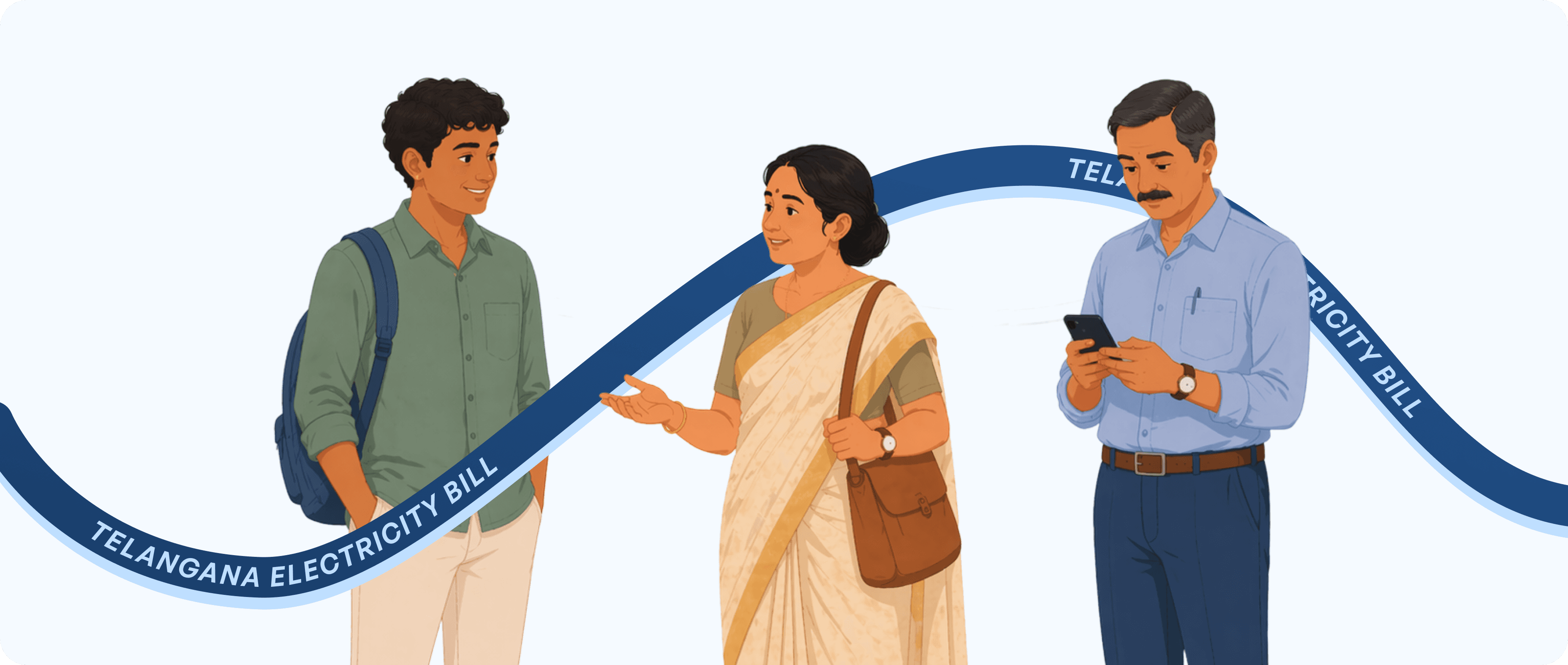
We designed the experience by keeping real users in mind people from different age groups, with varying levels of digital familiarity.
From users who are comfortable with apps to those who use them occasionally, the goal was to make the interface simple, clear, and easy to understand for everyone.
By focusing on familiar patterns, clear actions, and minimal steps, we ensured that users could complete tasks like paying bills or raising complaints without confusion or hesitation.
We designed the experience by keeping real users in mind people from different age groups, with varying levels of digital familiarity.
From users who are comfortable with apps to those who use them occasionally, the goal was to make the interface simple, clear, and easy to understand for everyone.
By focusing on familiar patterns, clear actions, and minimal steps, we ensured that users could complete tasks like paying bills or raising complaints without confusion or hesitation.
We designed the experience by keeping real users in mind people from different age groups, with varying levels of digital familiarity.
From users who are comfortable with apps to those who use them occasionally, the goal was to make the interface simple, clear, and easy to understand for everyone.
By focusing on familiar patterns, clear actions, and minimal steps, we ensured that users could complete tasks like paying bills or raising complaints without confusion or hesitation.
Base of Final UI Design with UX Explanation
Base of Final UI Design with UX Explanation
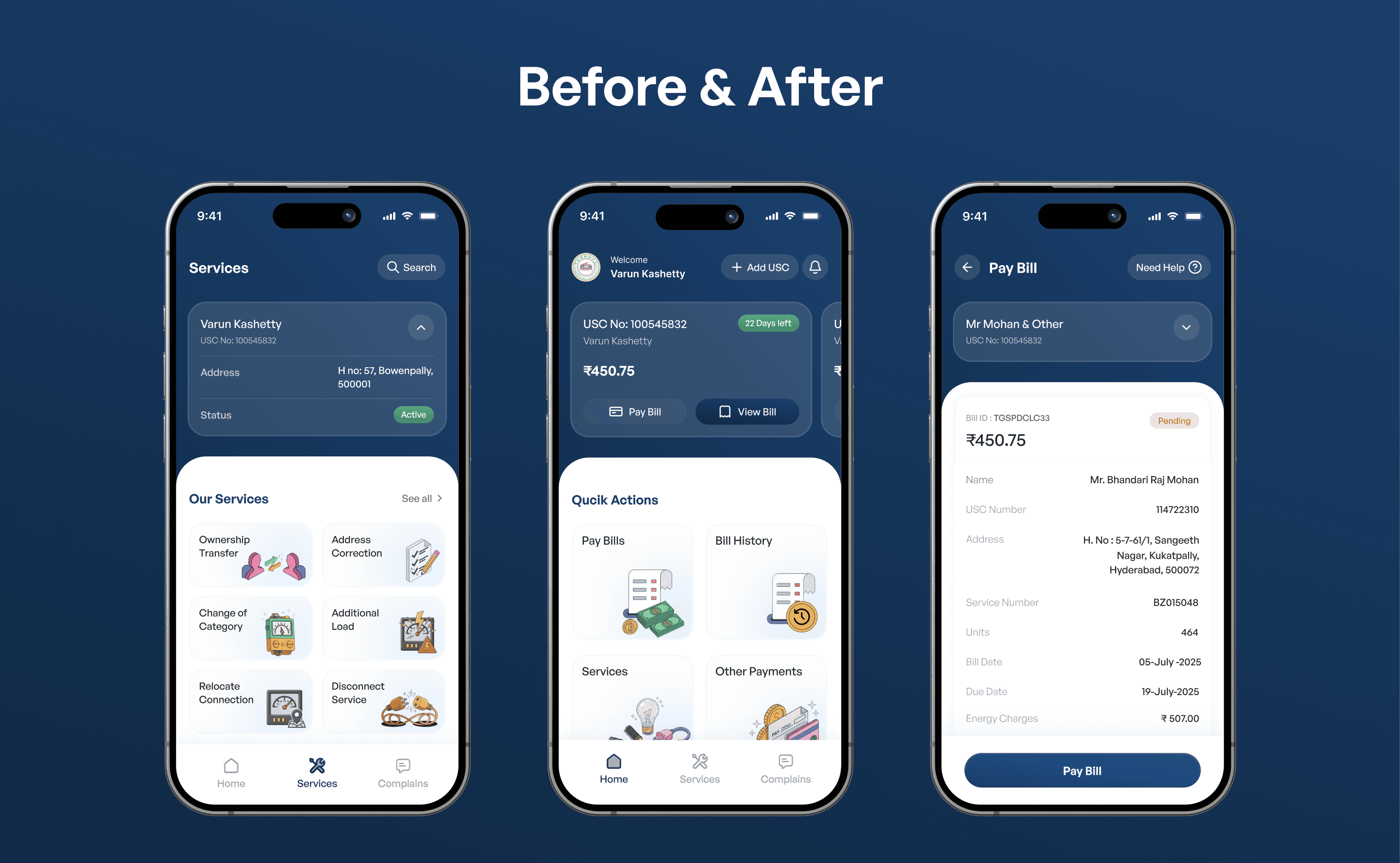
We redesigned the experience around how users actually interact with the app in daily life simplifying the structure, bringing key actions into one place, and making the flow easier to follow. Every element guides users from understanding their bill to taking action, making the experience faster, clearer, and more comfortable to use.
We redesigned the experience around how users actually interact with the app in daily life simplifying the structure, bringing key actions into one place, and making the flow easier to follow. Every element guides users from understanding their bill to taking action, making the experience faster, clearer, and more comfortable to use.
Simplified and Guided User Flows
Simplified and Guided User Flows
Simplified and Guided User Flows
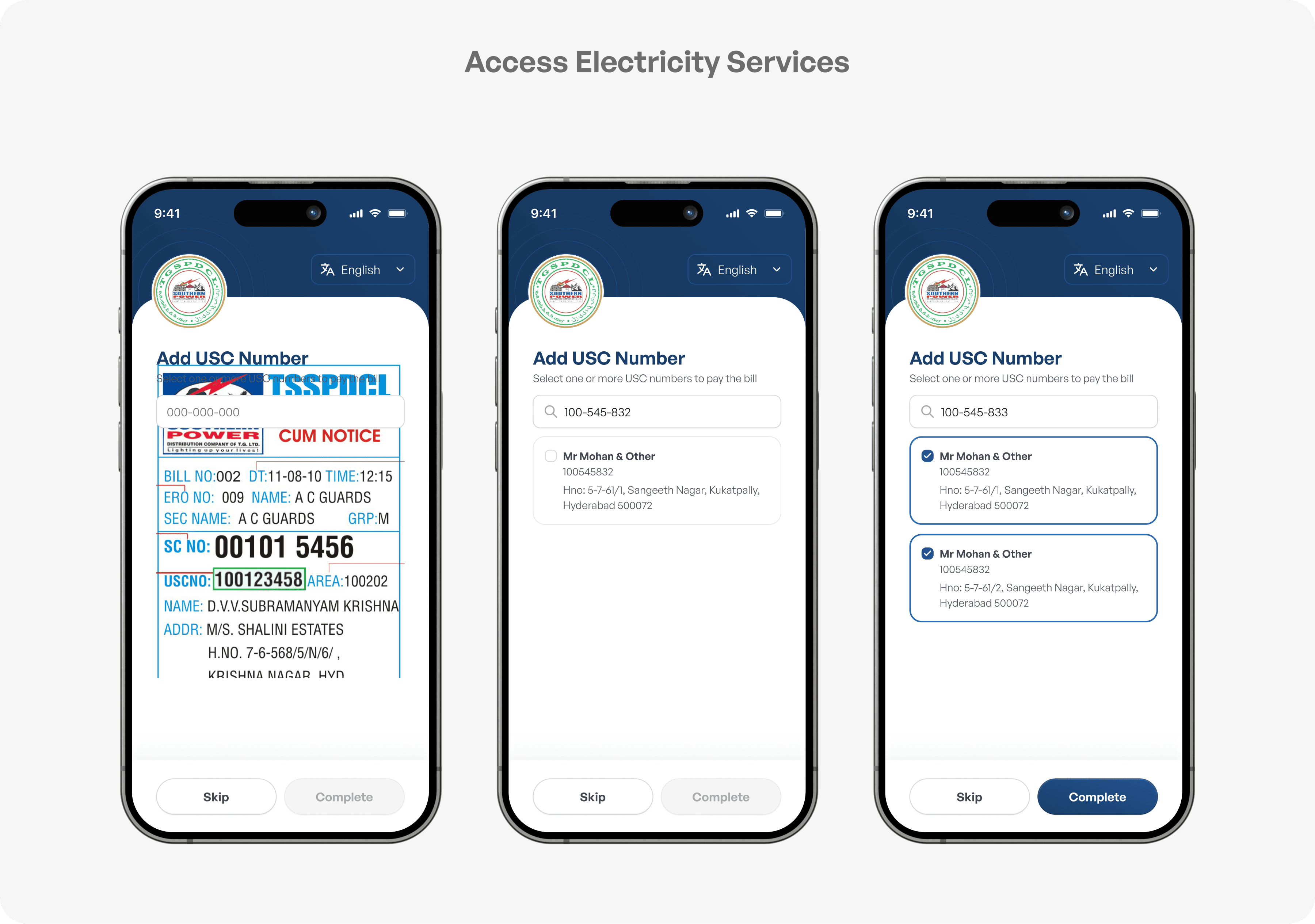
We redesigned each flow to be simple, clear, and easy to follow by reducing unnecessary steps and guiding users at every stage. Tasks like login, bill payment, and complaint tracking are now faster and more intuitive, with the system naturally leading users through each step with clarity and confidence.
We redesigned each flow to be simple, clear, and easy to follow by reducing unnecessary steps and guiding users at every stage. Tasks like login, bill payment, and complaint tracking are now faster and more intuitive, with the system naturally leading users through each step with clarity and confidence.
We redesigned each flow to be simple, clear, and easy to follow by reducing unnecessary steps and guiding users at every stage. Tasks like login, bill payment, and complaint tracking are now faster and more intuitive, with the system naturally leading users through each step with clarity and confidence.
Login & Adding USC Number flow
Home Screen
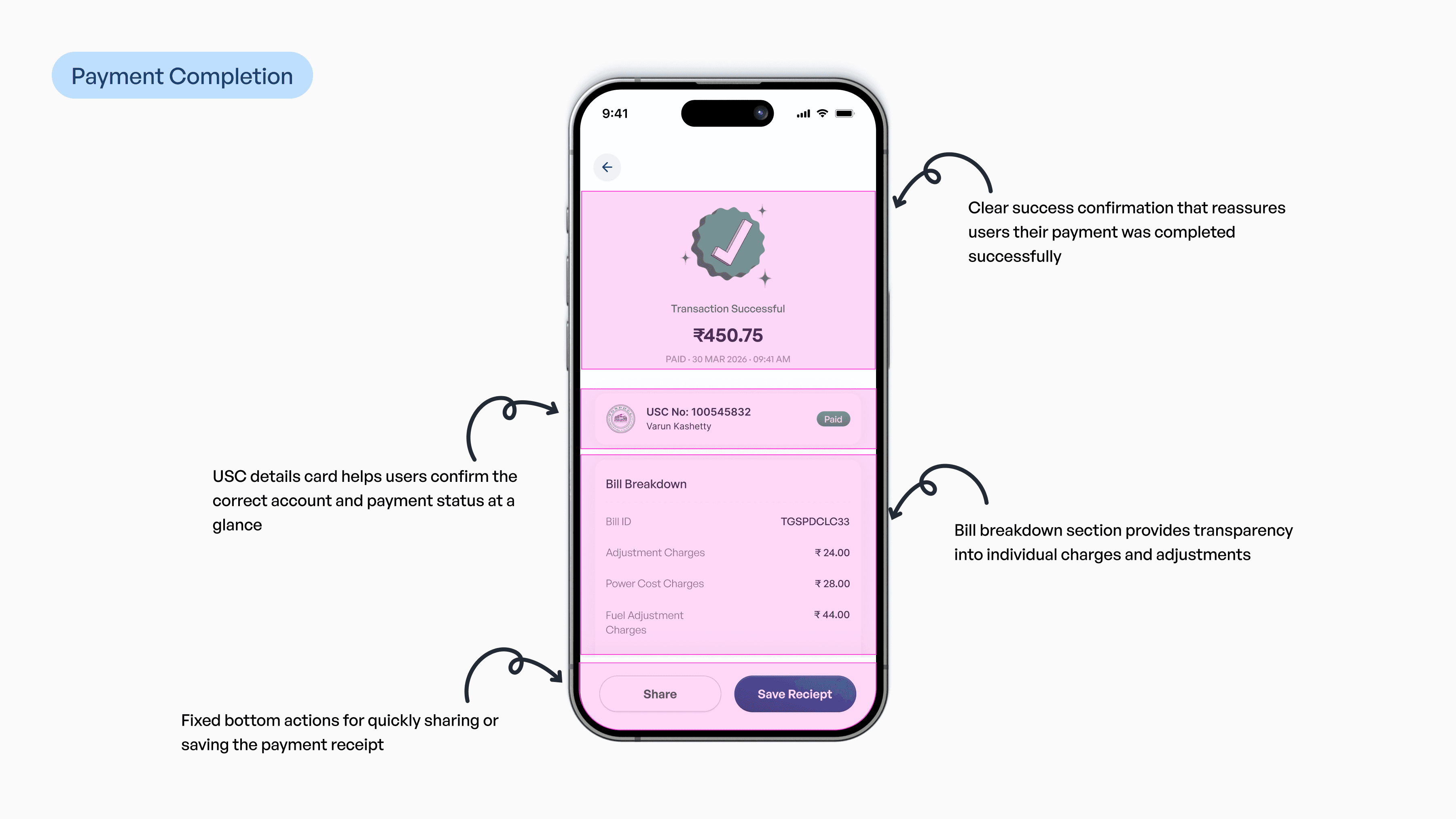
Pay Bill
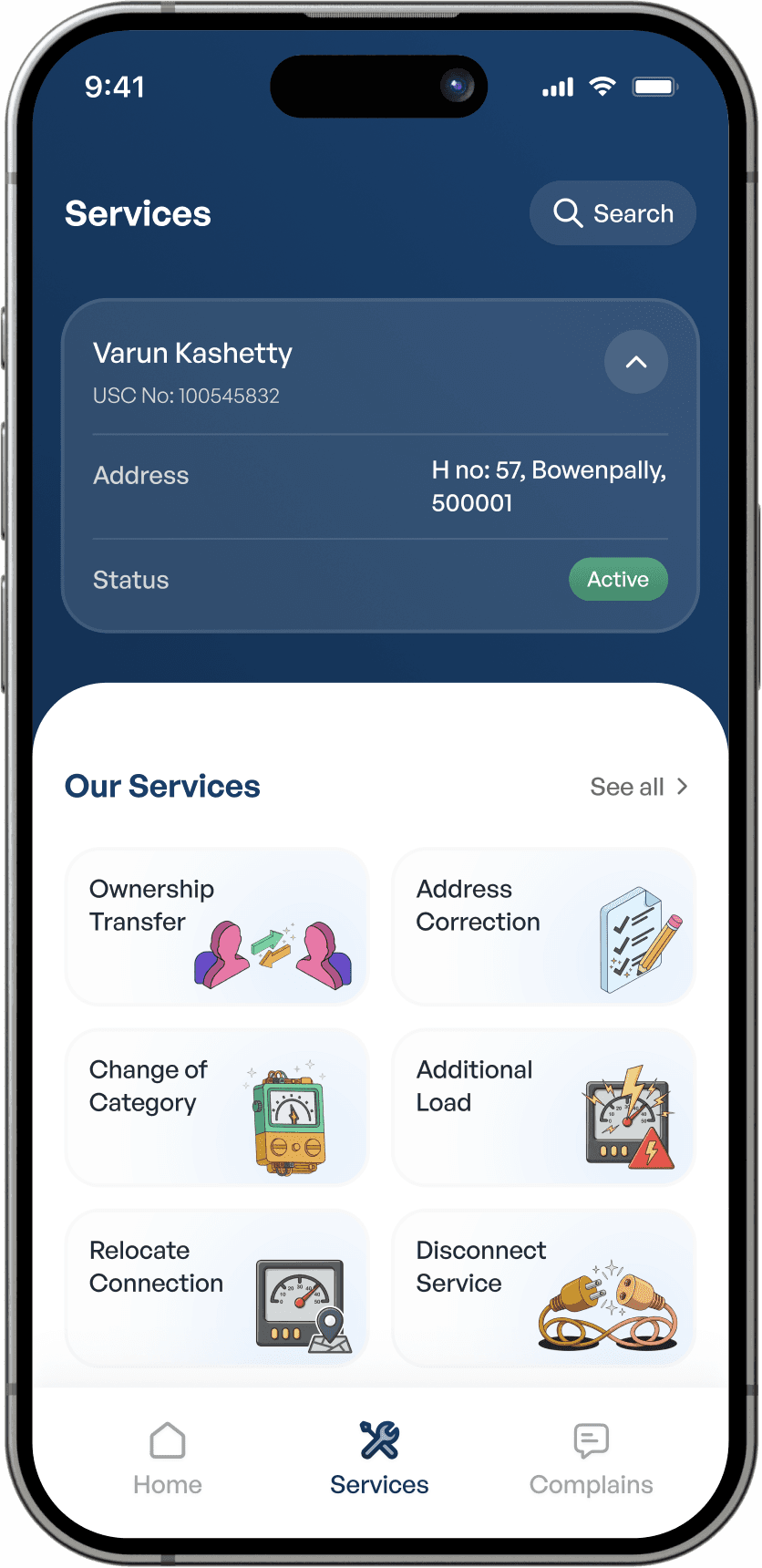
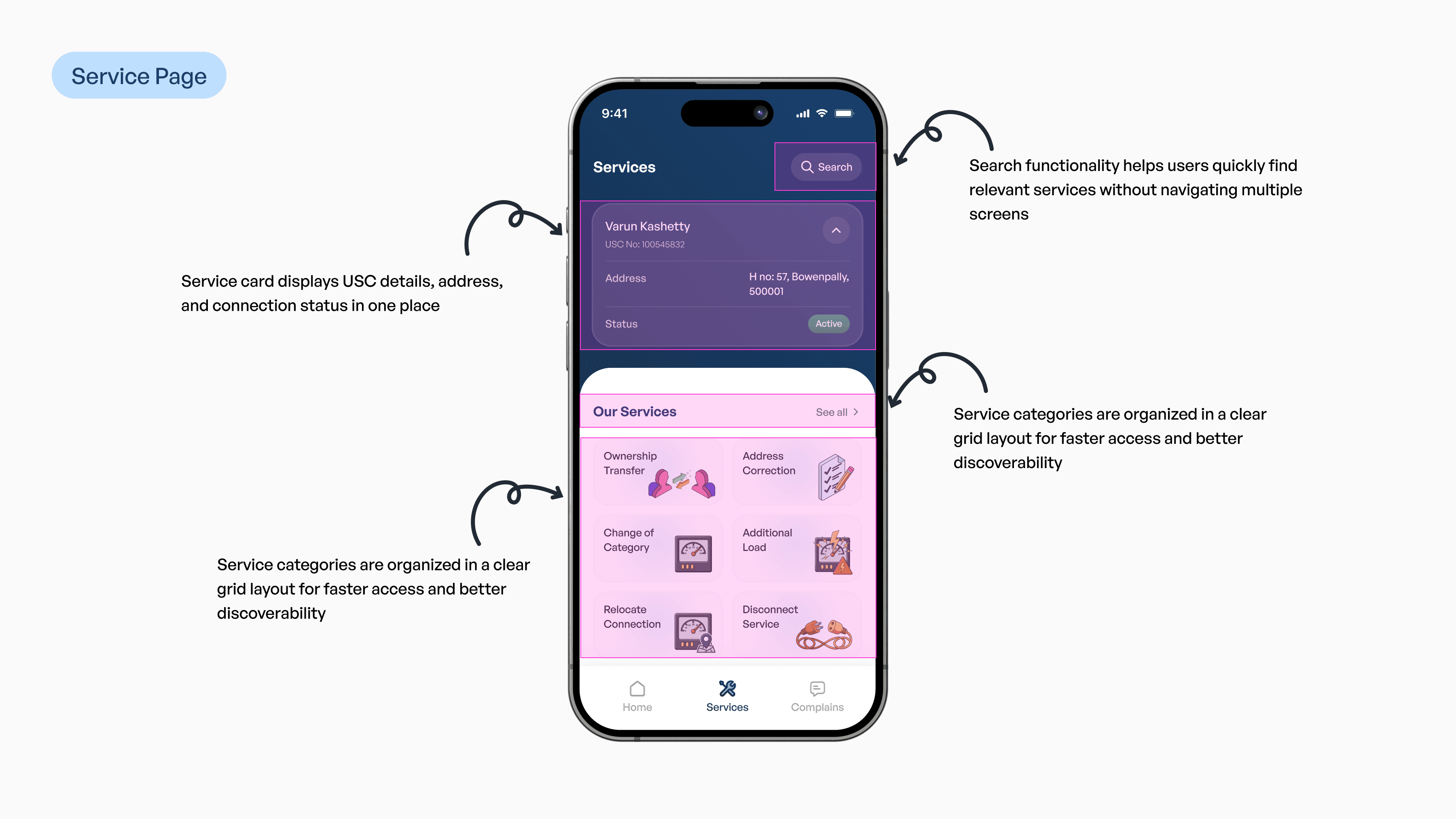
Services
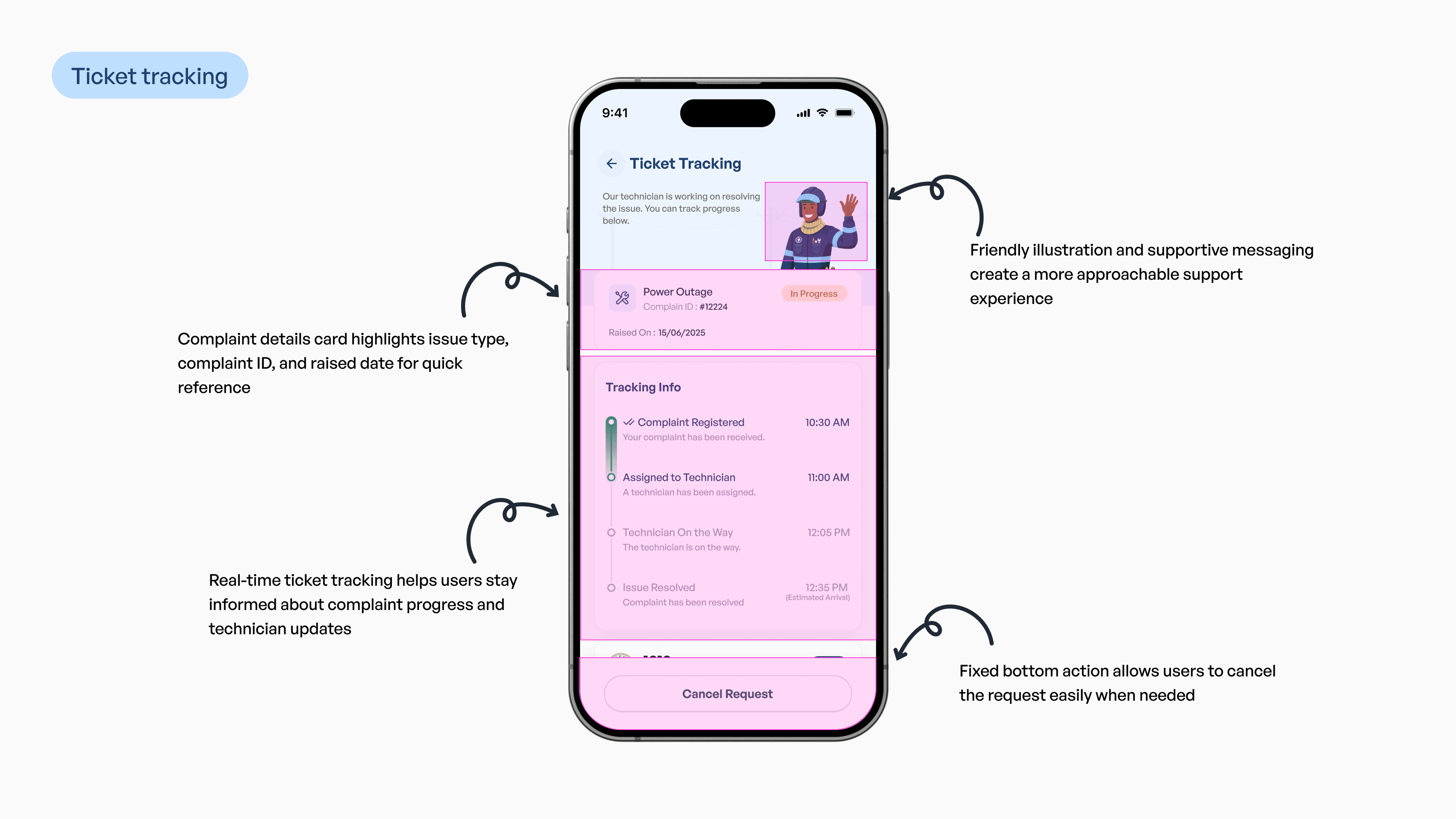
Complaint Rasing & Tracking
Profile
Login & Adding USC Number flow
Home Screen
Pay Bill
Services
Complaint Rasing & Tracking
Profile
Login & Adding USC Number flow
Home Screen
Pay Bill
Services
Complaint Rasing & Tracking
Profile
Services Provided by the Application
Services Provided by the Application
Services Provided by the Application
The redesigned application brings essential services into one simple experience from bill payments to complaints built for speed and ease of use.
The redesigned application brings essential services into one simple experience from bill payments to complaints built for speed and ease of use.
The redesigned application brings essential services into one simple experience from bill payments to complaints built for speed and ease of use.

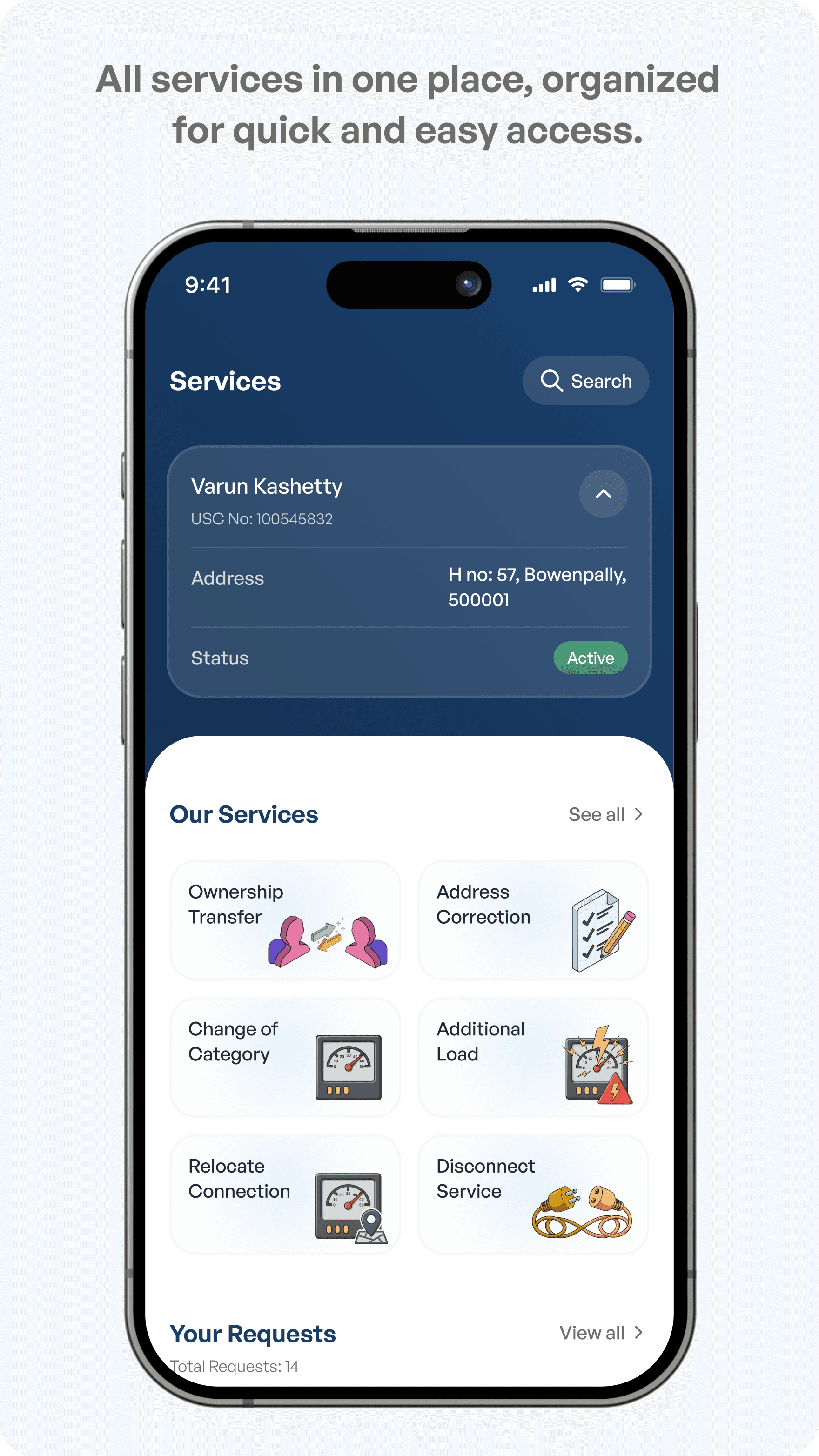
Services
All services in one place, organized for quick and easy access.
Services
All services in one place, organized for quick and easy access.
Services
All services in one place, organized for quick and easy access.
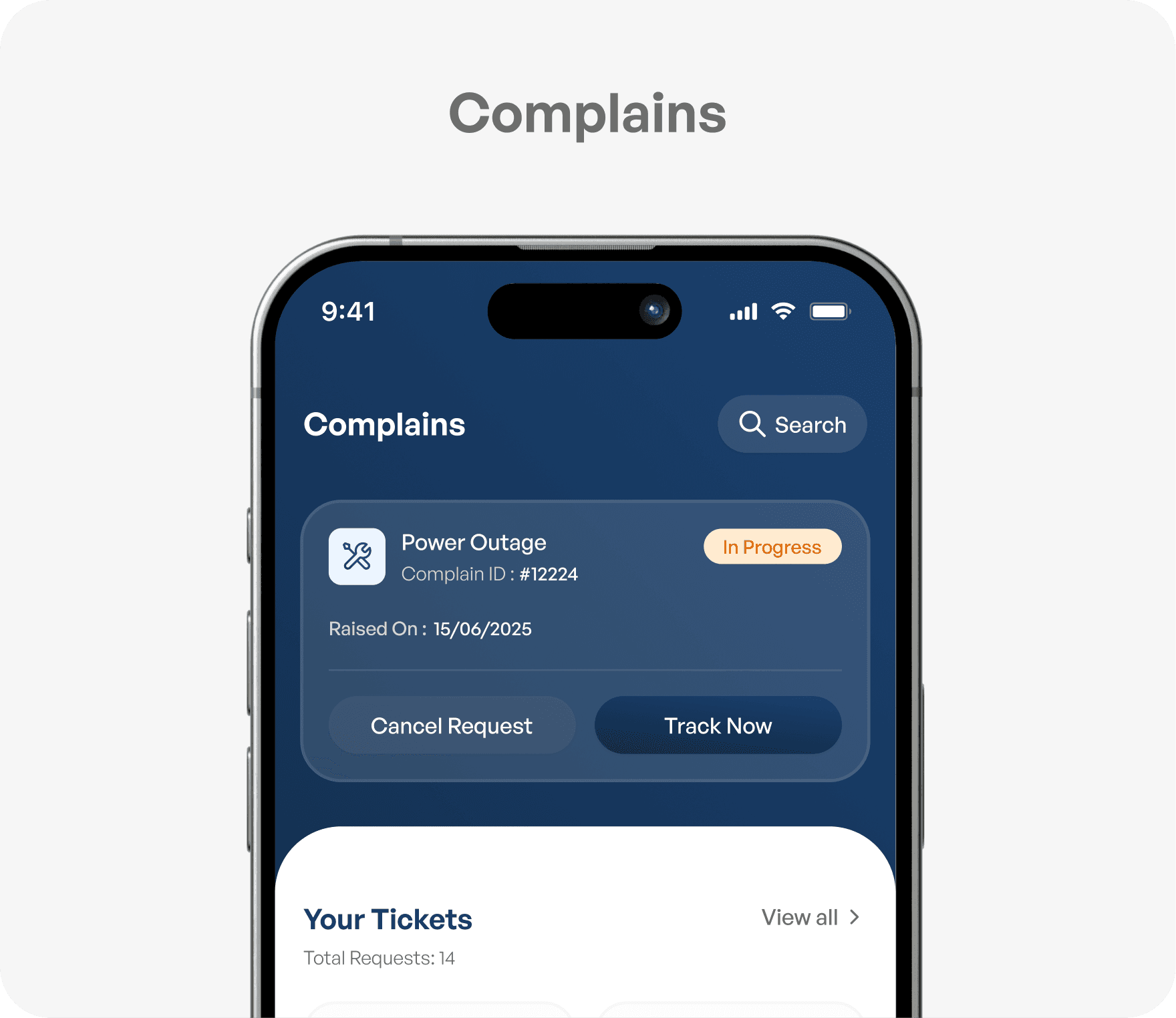
Complaints
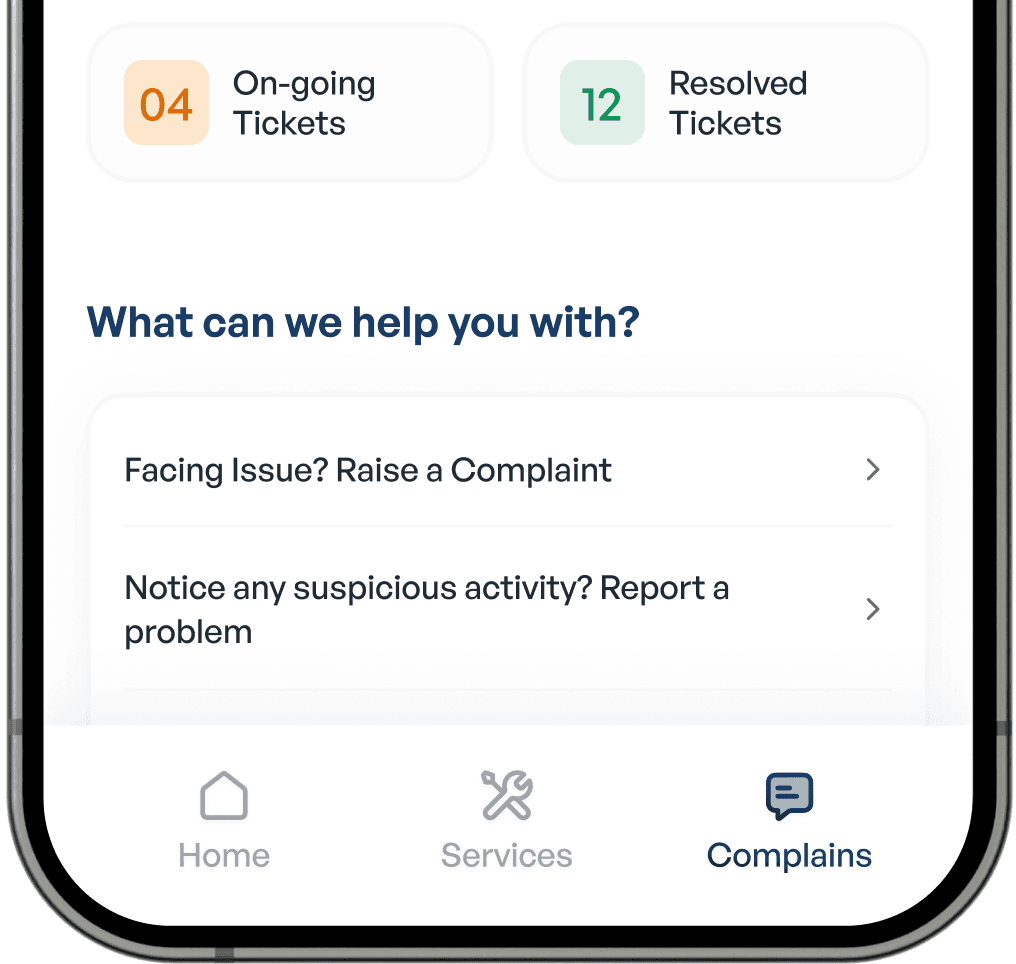
Raise and track complaints easily, without calls or office visits.
Complaints
Raise and track complaints easily, without calls or office visits.
Complaints
Raise and track complaints easily, without calls or office visits.
Pay Bills
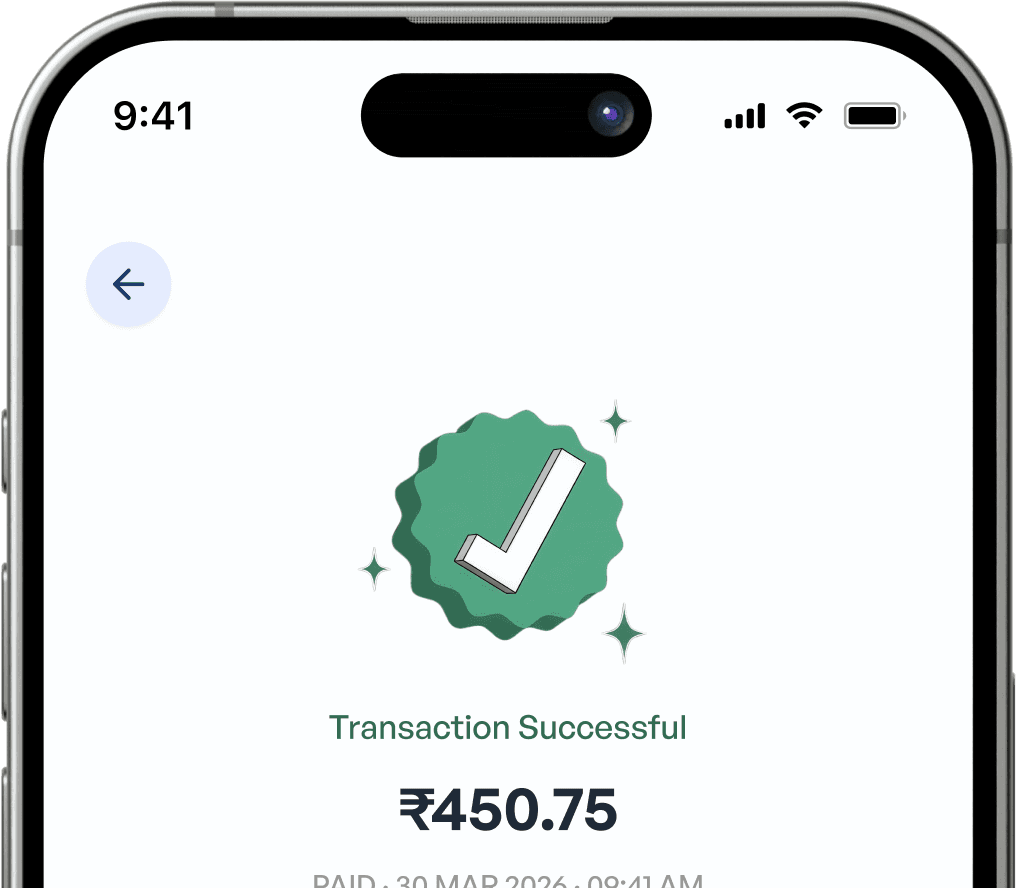
View and pay your bill in a fast, guided flow.
Pay Bills
View and pay your bill in a fast, guided flow.
Pay Bills
View and pay your bill in a fast, guided flow.
Payment History
Track and manage payments with a complete transaction history.
Payment History
Track and manage payments with a complete transaction history.
Payment History
Track and manage payments with a complete transaction history.
Designing for Clarity and Usability
Designing for Clarity and Usability
Designing for Clarity and Usability
The UI was designed to prioritize clarity, simplicity, and ease of use, ensuring users can quickly understand and complete tasks without confusion.
The UI was designed to prioritize clarity, simplicity, and ease of use, ensuring users can quickly understand and complete tasks without confusion.
The UI was designed to prioritize clarity, simplicity, and ease of use, ensuring users can quickly understand and complete tasks without confusion.
Friendly and Relatable Visual Language
Friendly and Relatable Visual Language
Friendly and Relatable Visual Language
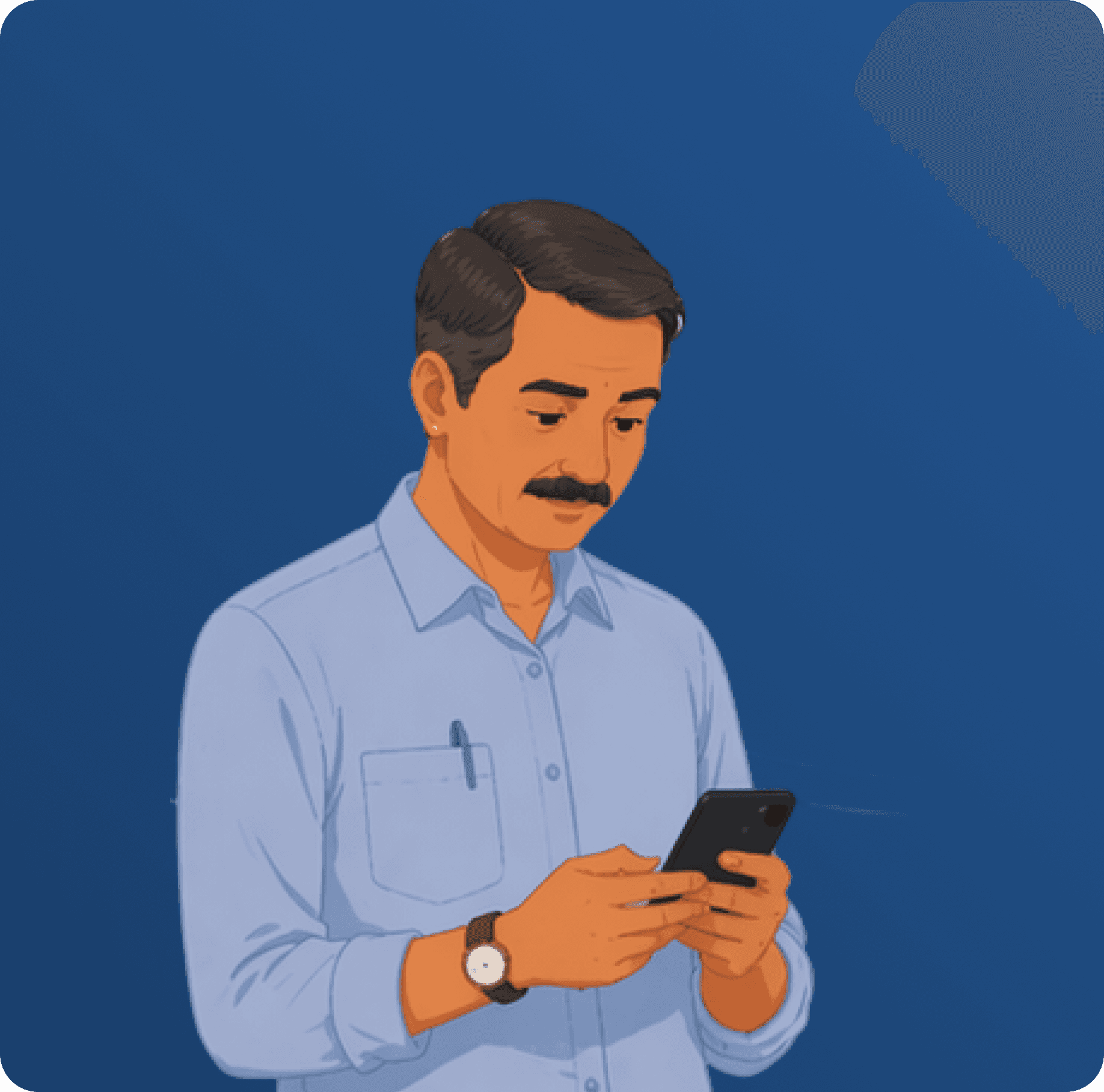
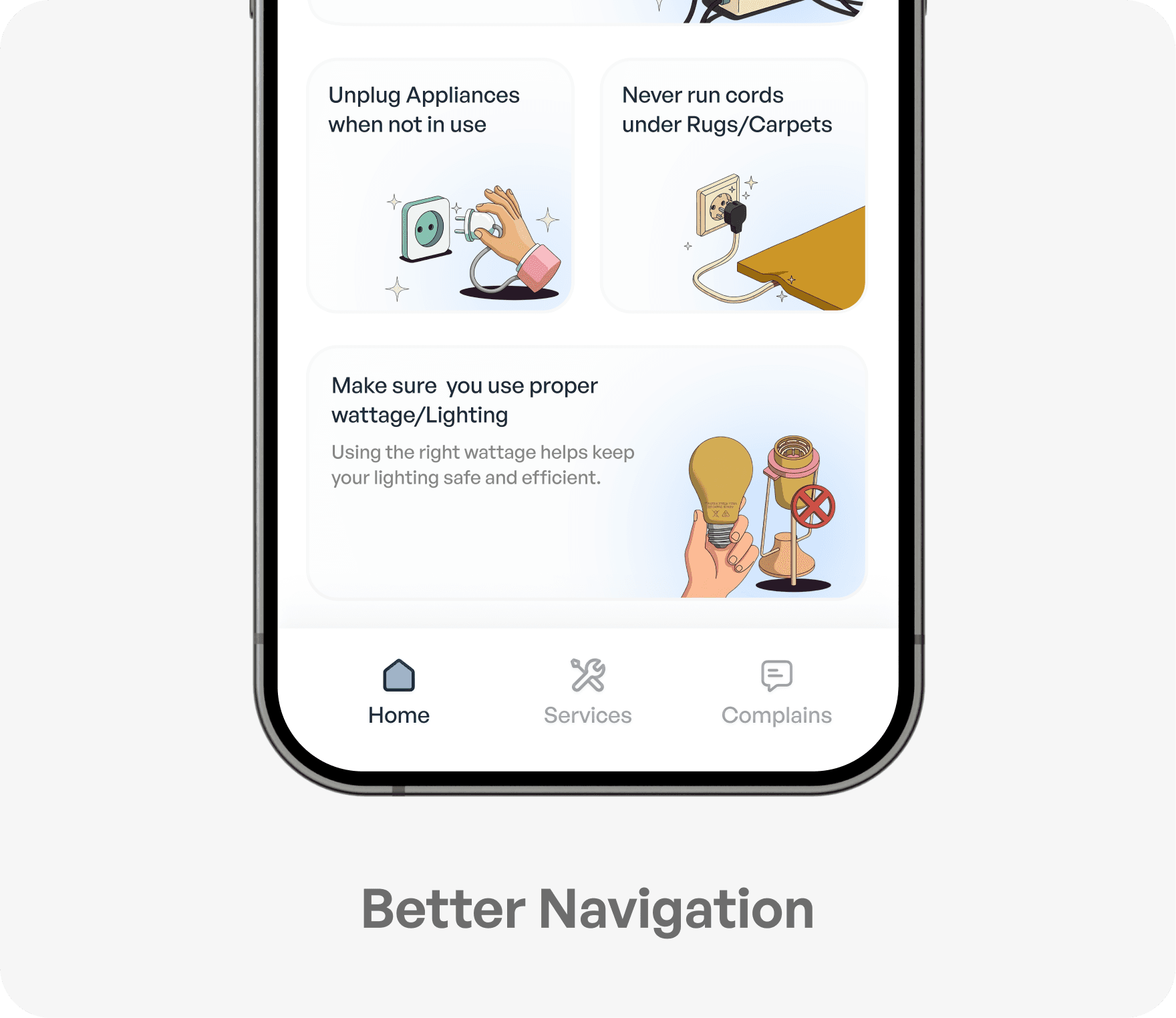
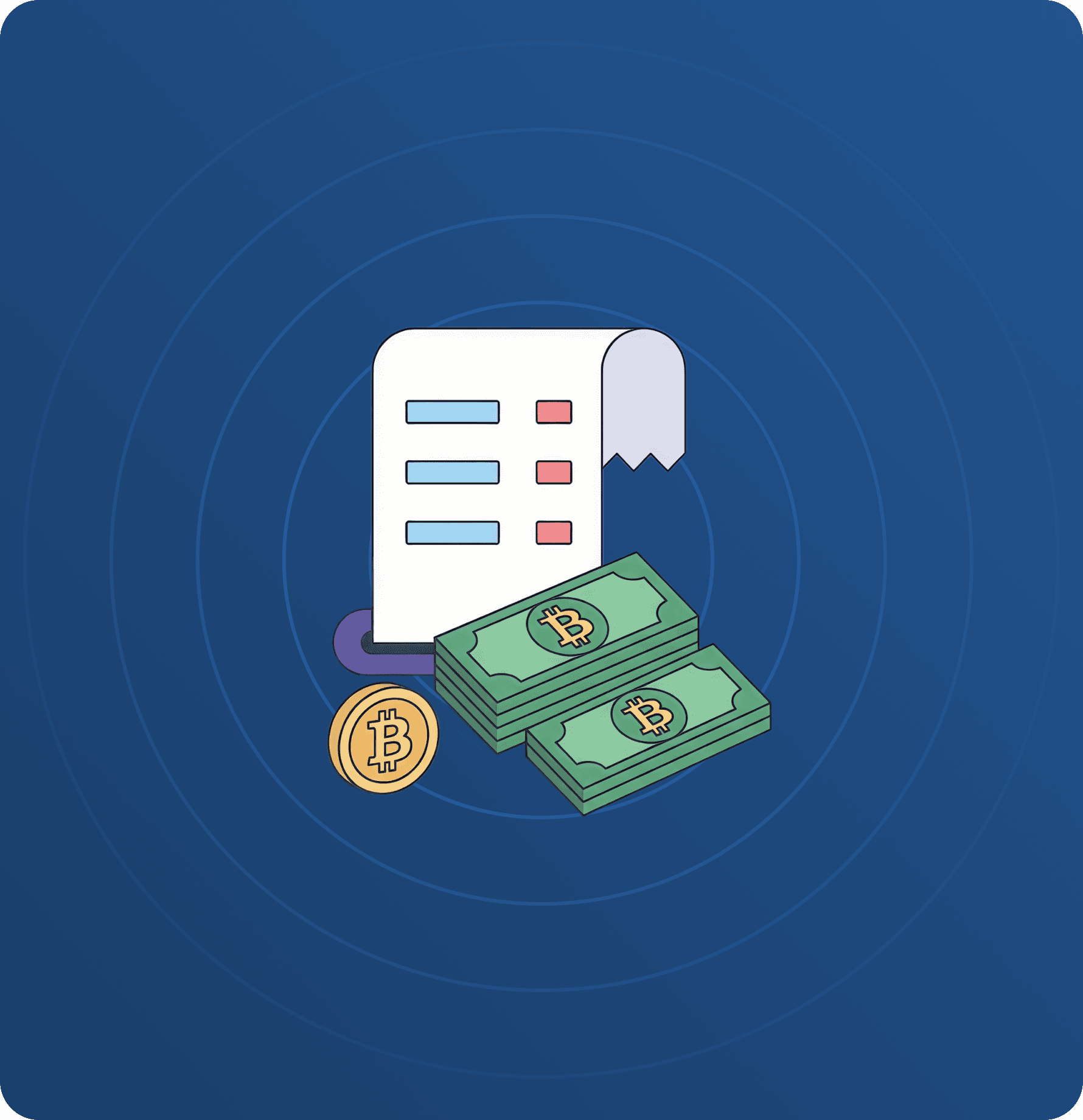
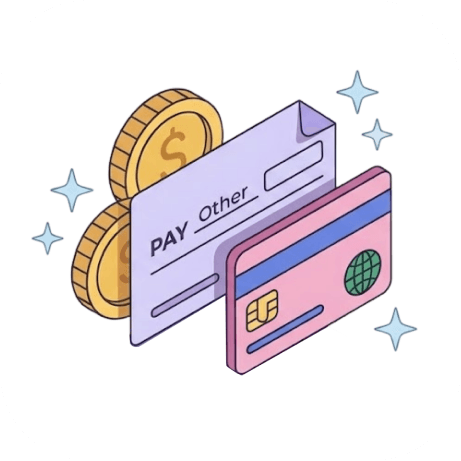
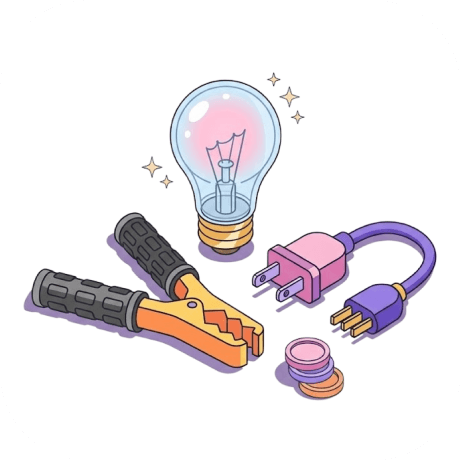
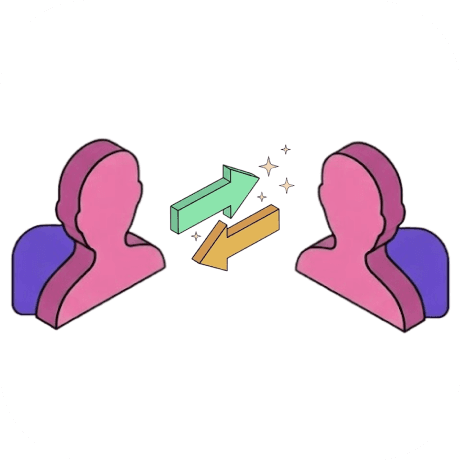
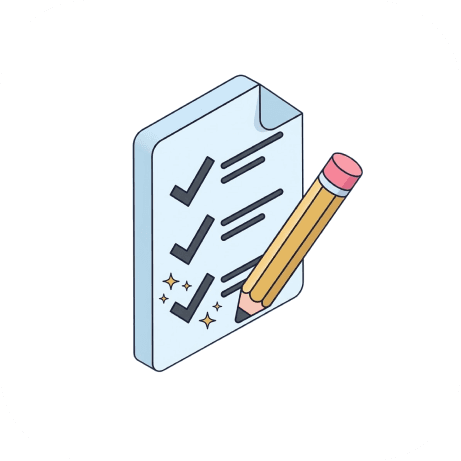
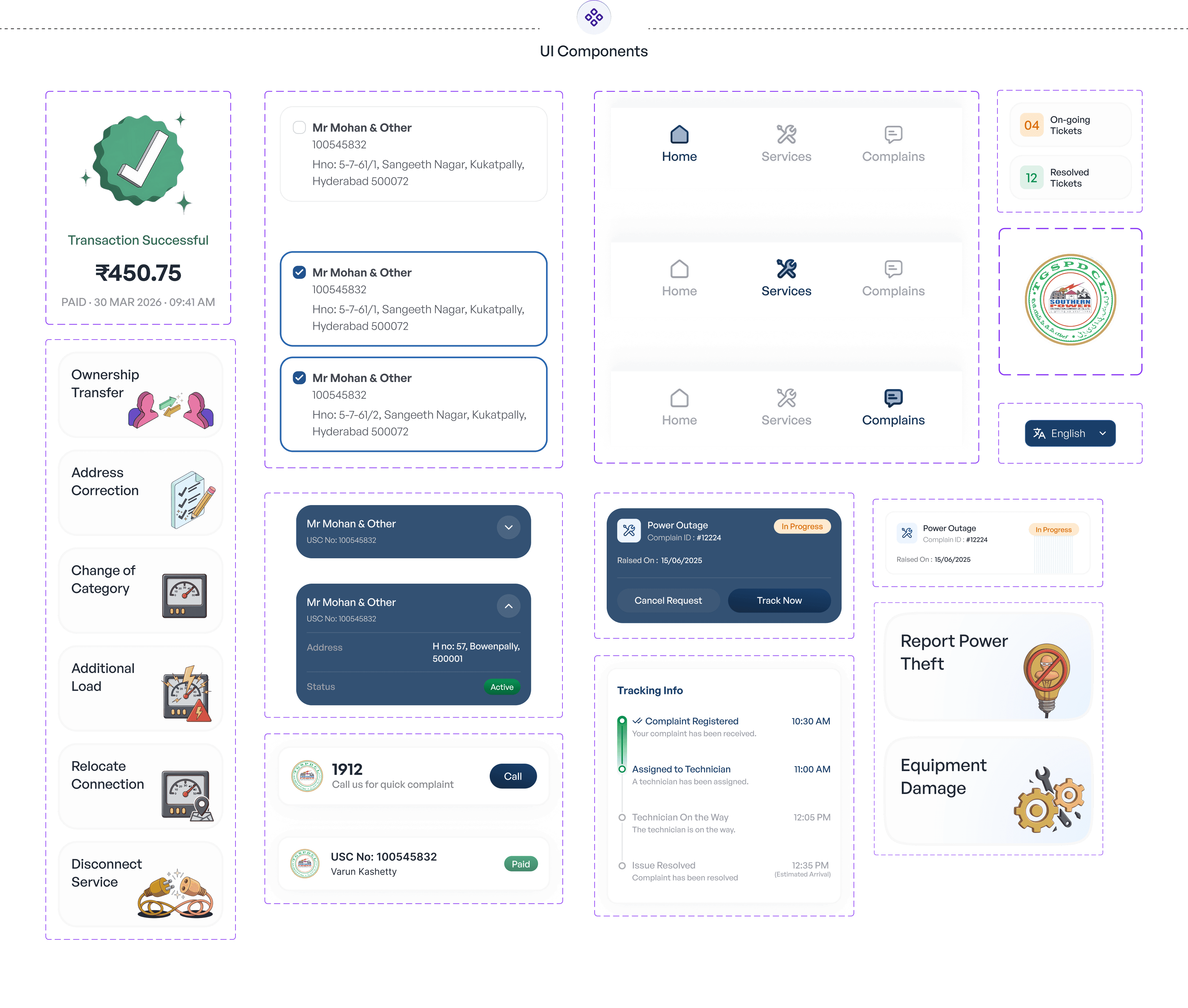
To make the experience more approachable, we introduced simple, friendly illustrations inspired by real-world electricity workers, helping bridge the gap between a technical service and everyday users. These visuals add a human touch, making the application feel more familiar, trustworthy, and easier to engage with.
To make the experience more approachable, we introduced simple, friendly illustrations inspired by real-world electricity workers, helping bridge the gap between a technical service and everyday users. These visuals add a human touch, making the application feel more familiar, trustworthy, and easier to engage with.
To make the experience more approachable, we introduced simple, friendly illustrations inspired by real-world electricity workers, helping bridge the gap between a technical service and everyday users. These visuals add a human touch, making the application feel more familiar, trustworthy, and easier to engage with.

Visual Foundations &
Components
Visual Foundations &
Components
Visual Foundations & Components
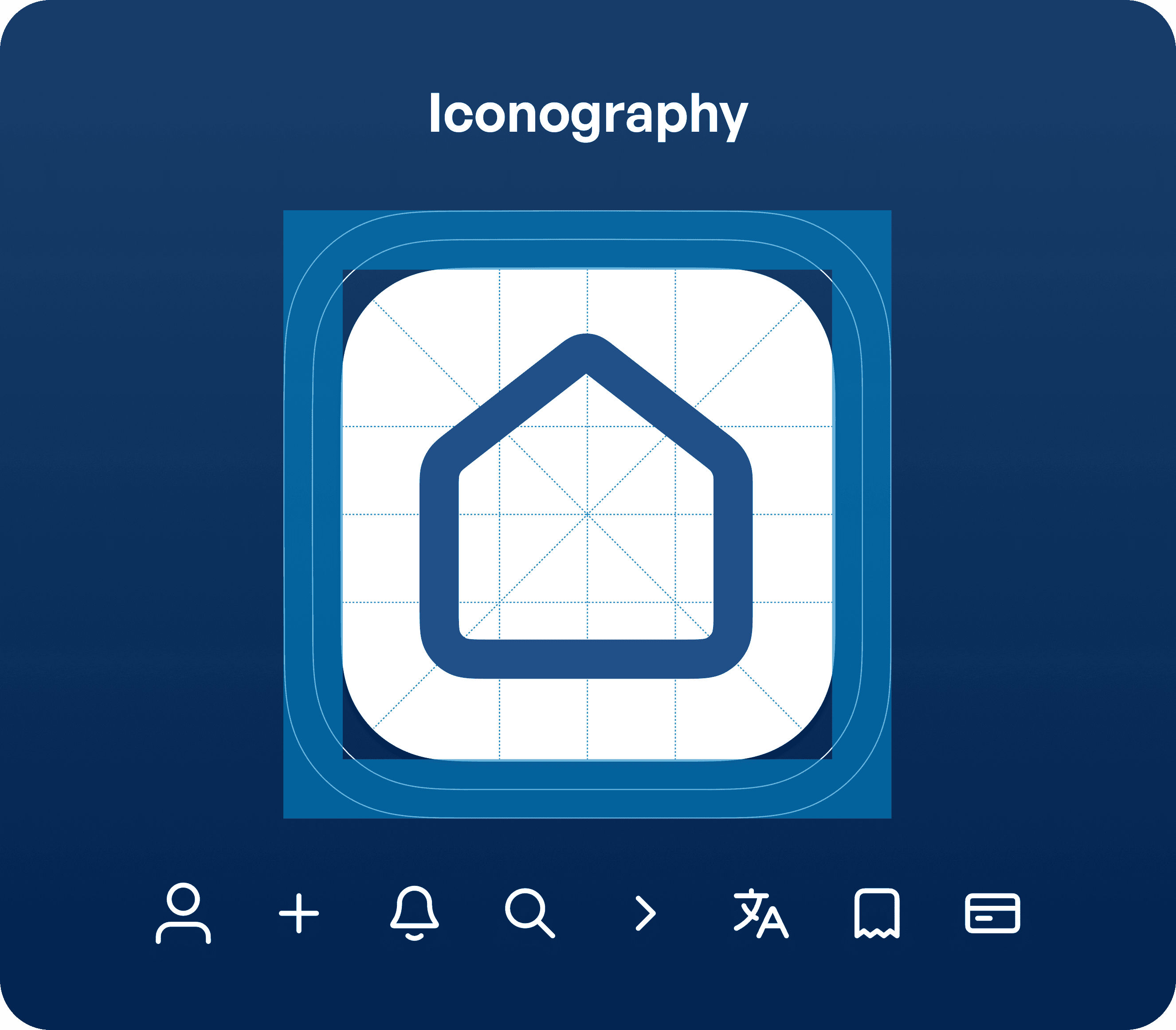
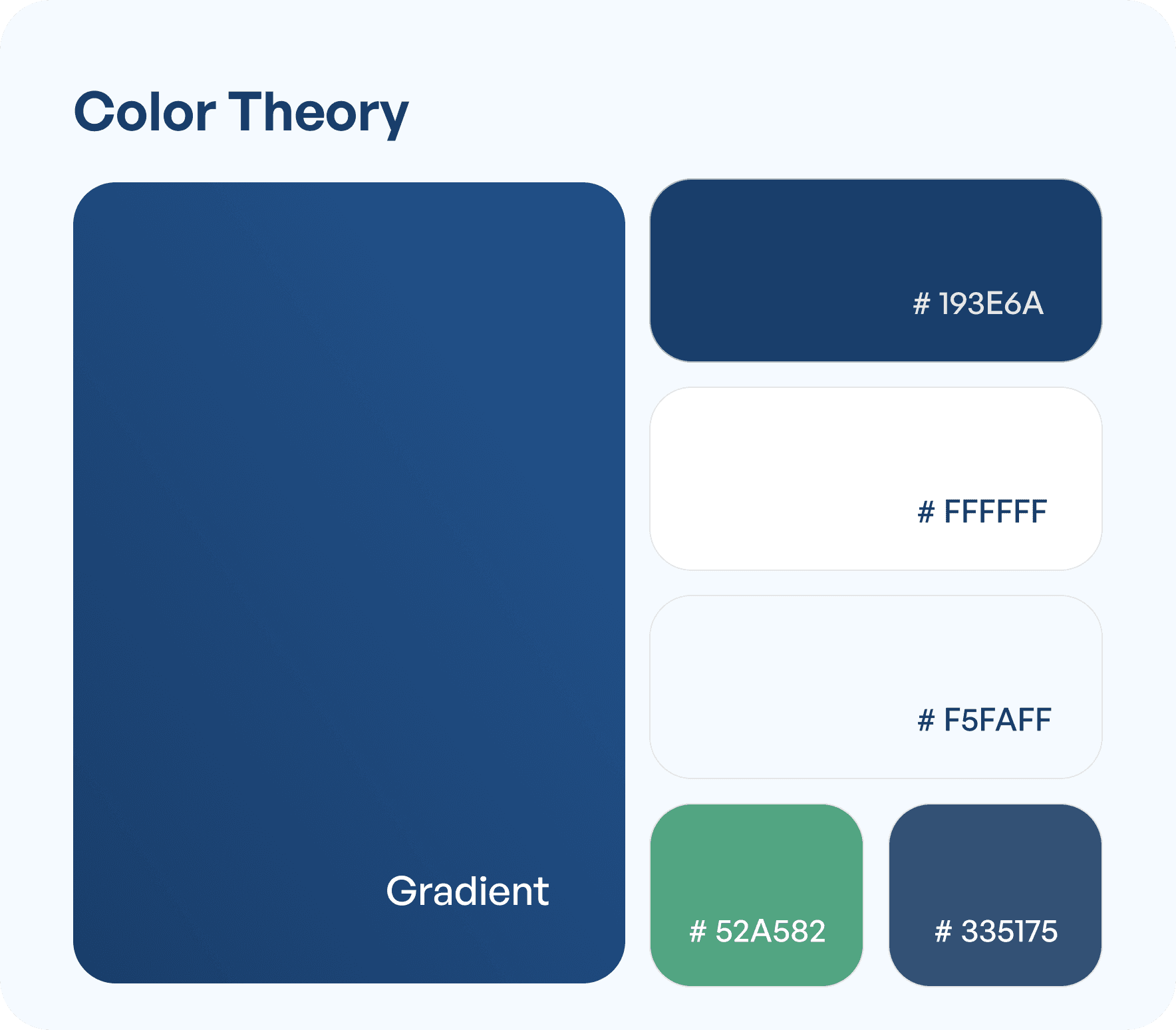
The interface uses a simple and consistent visual system with a balanced color palette, clear typography, and intuitive components. Colors highlight key actions and statuses, while familiar icons reduce confusion—helping users understand the interface quickly and navigate with ease.
The interface uses a simple and consistent visual system with a balanced color palette, clear typography, and intuitive components. Colors highlight key actions and statuses, while familiar icons reduce confusion—helping users understand the interface quickly and navigate with ease.
Typography
Typography
SANS
SANS
SANS
General Sans Variable
General Sans Variable
12
12
14
14
16
16
20
20
24
24
28
28
32
32
12
14
16
20
24
28
32
Impact Created
Impact Created
The redesign set out to make a government utility app feel as effortless as any modern consumer app. Here's what that shift translates to in practice.
The redesign set out to make a government utility app feel as effortless as any modern consumer app. Here's what that shift translates to in practice.

More accessible experience
Simplified UI and language support users with varying levels of digital familiarity.


Faster task completion
Users can complete actions like bill payment with fewer steps and less effort.
Reduced user confusion
Clear structure and simplified flows make the application easier to understand.
More accessible experience
Simplified UI and language support users with varying levels of digital familiarity.
Faster task completion
Users can complete actions like bill payment with fewer steps and less effort.
Reduced user confusion
Clear structure and simplified flows make the application easier to understand.
Want results like these for your Product ?
Talk to us or see how our process works before you decide.
Want results like these for your Product ?
Talk to us or see how our process works before you decide.
Want results like these for your Product ?
Talk to us or see how our process works before you decide.
Impact Created
By reducing complexity and bringing everything into one place, the software helps users work faster, make better decisions, and deliver outcomes with confidence.
More accessible experience
Simplified UI and language support users with varying levels of digital familiarity.
Faster task completion
Users can complete actions like bill payment with fewer steps and less effort.
Reduced user confusion
Clear structure and simplified flows make the application easier to understand.