Redesigning the Way Users Control and Automate Their Homes
Redesigning the Way Users Control and Automate Their Homes
Redesigning the Way Users Control and Automate Their Homes


About Project
About Project
About Project
IoTCasa is a smart home automation app that allows users to control and monitor all connected devices from a single interface.
Over time, an outdated and confusing UI led to low adoption, with users avoiding the app despite having advanced automation capabilities.
IoTCasa approached us to redesign the experience simplifying navigation, reducing everyday friction, and restoring user trust through an intuitive smart home interface.
IoTCasa is a smart home automation app that allows users to control and monitor all connected devices from a single interface.
Over time, an outdated and confusing UI led to low adoption, with users avoiding the app despite having advanced automation capabilities.
IoTCasa approached us to redesign the experience simplifying navigation, reducing everyday friction, and restoring user trust through an intuitive smart home interface.
About Project
Home Automation
Team
Varun kashetty, S.Madhumala
Subscription Category
Quick win
Project start Year
July 2025
Business Challenges
Business Challenges
Business Challenges
Unable to Attract Clients
Unable to Attract Clients
Unable to Attract Clients
An outdated, frustrating interface made it difficult to attract new clients. Poor usability drove drop-offs, reduced referrals, and limited organic customer acquisition.
An outdated, frustrating interface made it difficult to attract new clients. Poor usability drove drop-offs, reduced referrals, and limited organic customer acquisition.
An outdated, frustrating interface made it difficult to attract new clients. Poor usability drove drop-offs, reduced referrals, and limited organic customer acquisition.
Stuck in a Loop, Growth Stagnation
Stuck in a Loop, Growth Stagnation
Stuck in a Loop, Growth Stagnation
Teams reverted to Excel and manual logs because the UI was inconsistent and hard to follow leading to poor adoption.
Teams reverted to Excel and manual logs because the UI was inconsistent and hard to follow leading to poor adoption.
Teams reverted to Excel and manual logs because the UI was inconsistent and hard to follow leading to poor adoption.
Heavy training Requirement
Heavy training Requirement
IoT Casa relied heavily on training and on-site support, requiring constant guidance and repeated fixes that drained resources and reduced efficiency.
IoT Casa relied heavily on training and on-site support, requiring constant guidance and repeated fixes that drained resources and reduced efficiency.
Heavy training Requirement
IoT Casa relied heavily on training and on-site support, requiring constant guidance and repeated fixes that drained resources and reduced efficiency.
Our Approach
Our Approach
Our Approach
User Flow
We mapped every journey across device registration, scene creation, guest access, and daily control. The walkthrough exposed recurring friction points like a setup process spread across multiple screens and menus leaving users confused and dependent on support.
User Flow
We mapped every journey across device registration, scene creation, guest access, and daily control. The walkthrough exposed recurring friction points like a setup process spread across multiple screens and menus leaving users confused and dependent on support.
User Flow
We mapped every journey across device registration, scene creation, guest access, and daily control. The walkthrough exposed recurring friction points like a setup process spread across multiple screens and menus leaving users confused and dependent on support.
Old Screens
Old Screens
Old Screens
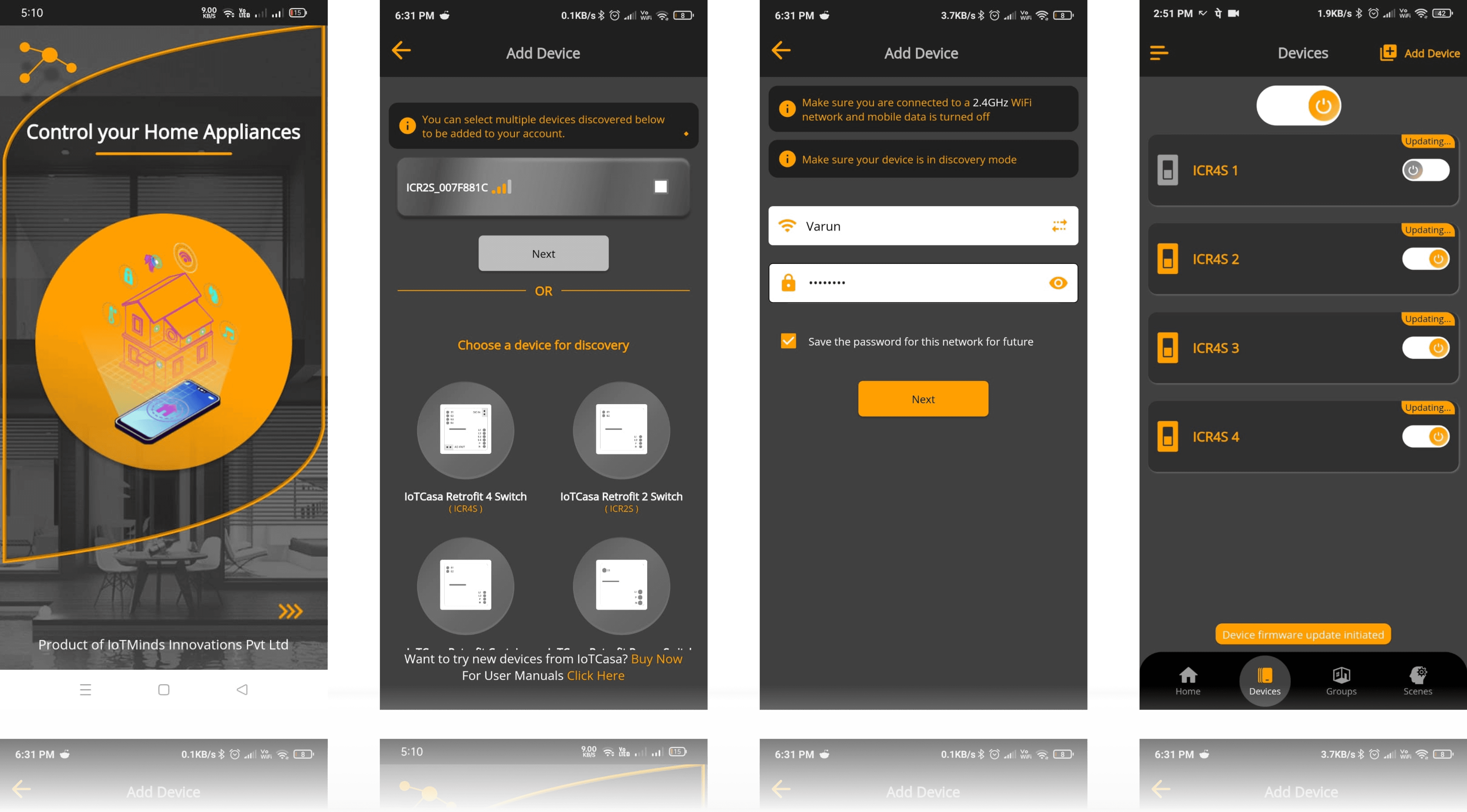
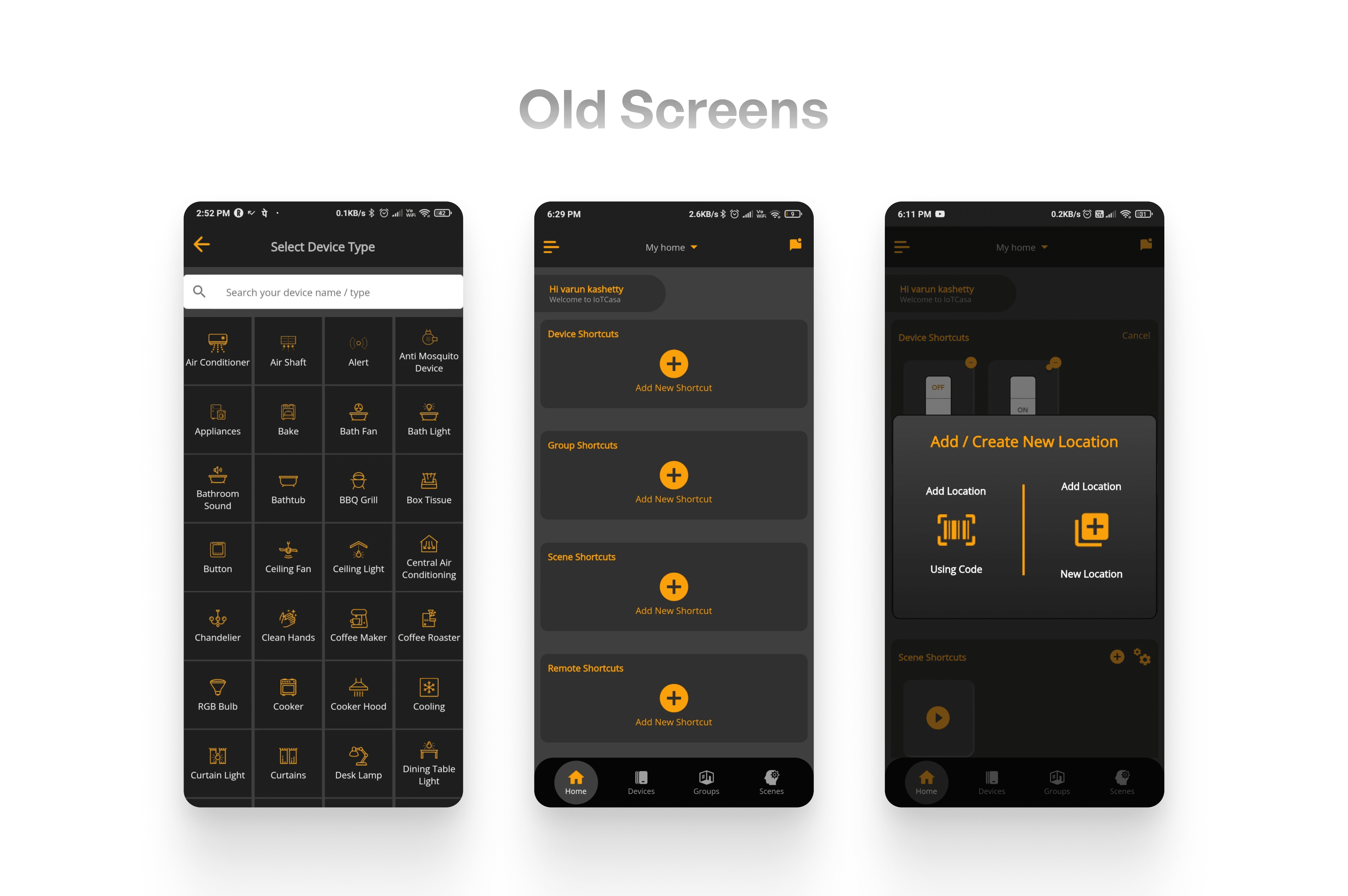
The old IoT Casa screens were cluttered and difficult to navigate, with key device controls and automation options hard to find. Setup flows were long, actions were scattered, and users relied heavily on training and on-site support to manage even basic smart home tasks.
The old IoT Casa screens were cluttered and difficult to navigate, with key device controls and automation options hard to find. Setup flows were long, actions were scattered, and users relied heavily on training and on-site support to manage even basic smart home tasks.
Key Problems
Key Problems
Key Problems
Device Setup
Device Setup
Device Setup
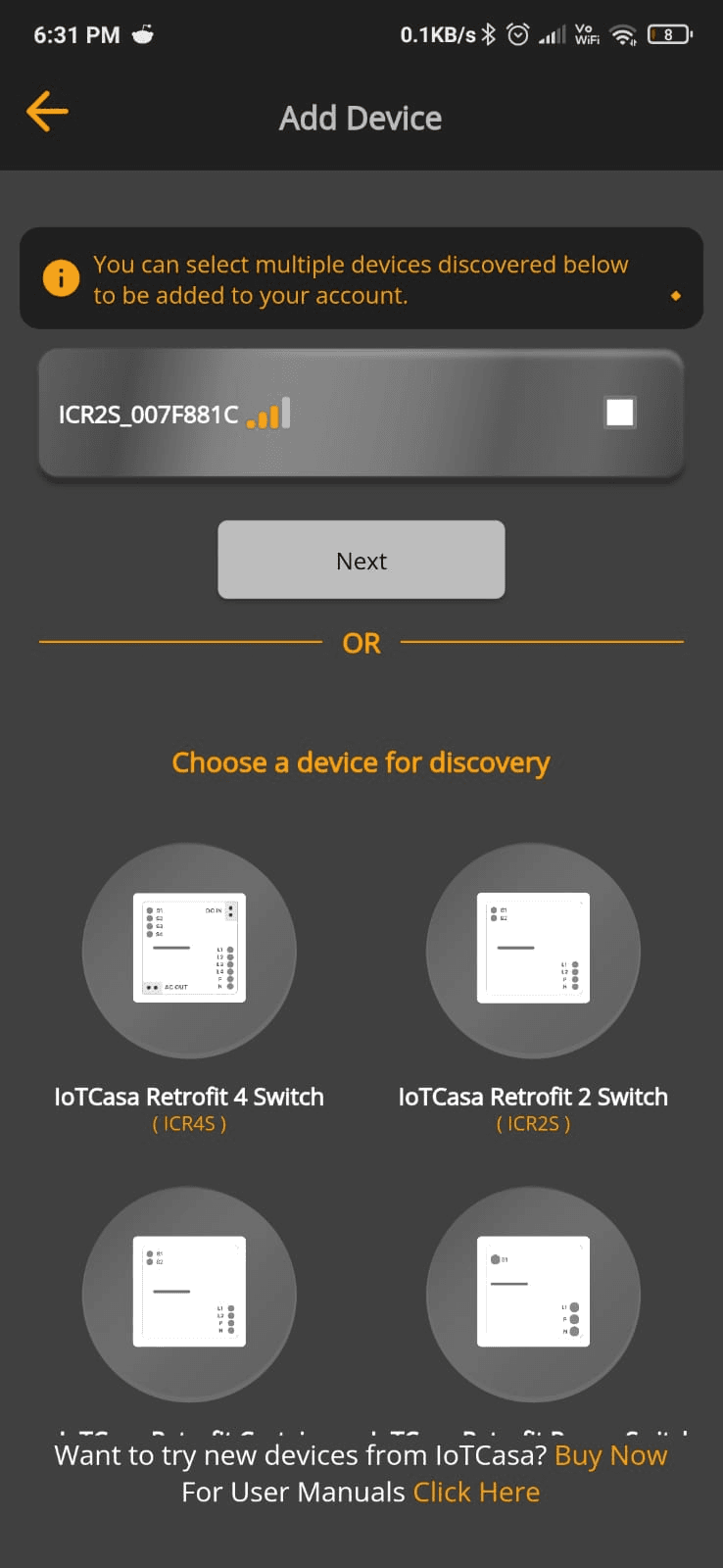
Complex Device Setup & Navigation
Complex Device Setup & Navigation
Complex Device Setup & Navigation
Users struggled to set up devices and move between rooms and controls due to confusing navigation and scattered actions.
Users struggled to set up devices and move between rooms and controls due to confusing navigation and scattered actions.
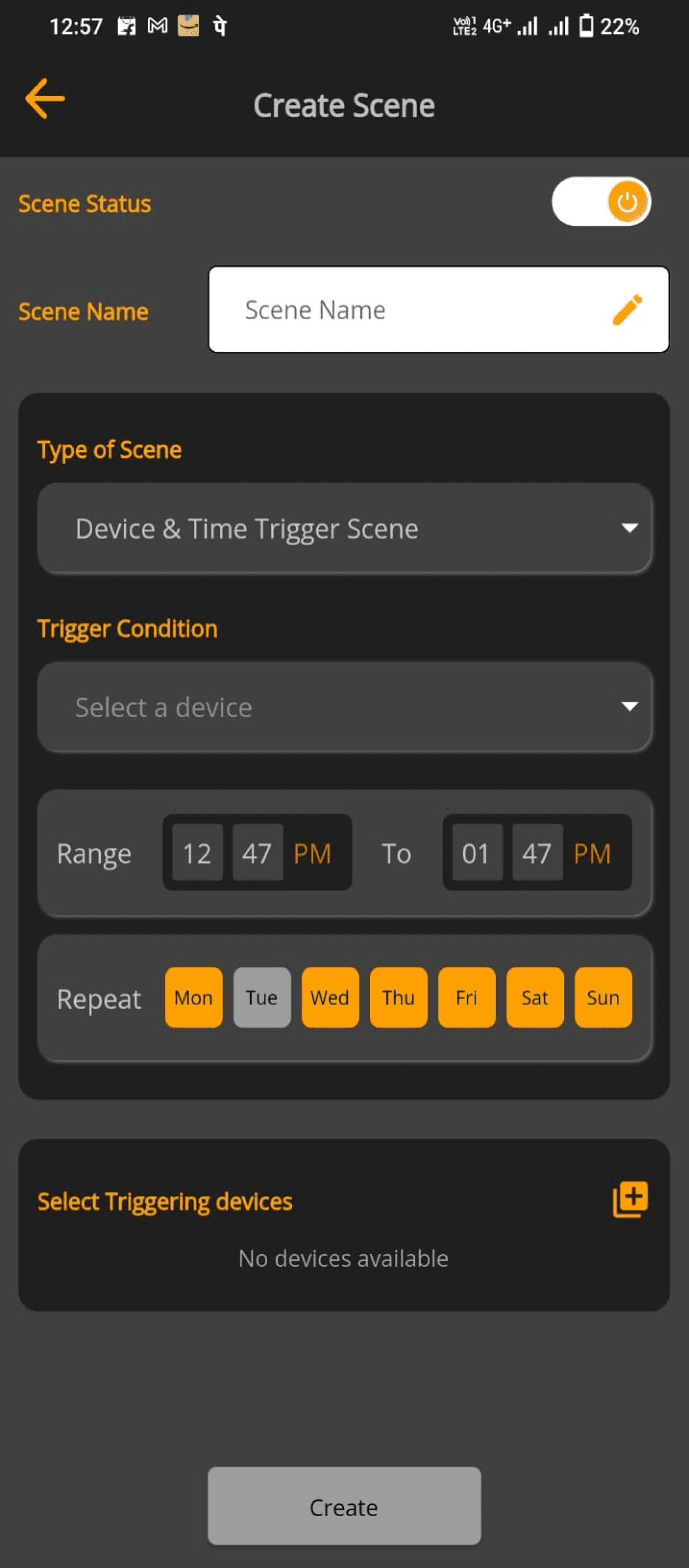
Information Overload on Screens
Information Overload on Screens
Information Overload on Screens
Unclear Flow Progression
Unclear Flow Progression
Unclear Flow Progression
Users could not easily understand what the next step was while creating a scene, as screens looked similar and lacked clear progression cues.
Users could not easily understand what the next step was while creating a scene, as screens looked similar and lacked clear progression cues.
Scenes and Automations
Scenes and Automations
Scenes and Automations
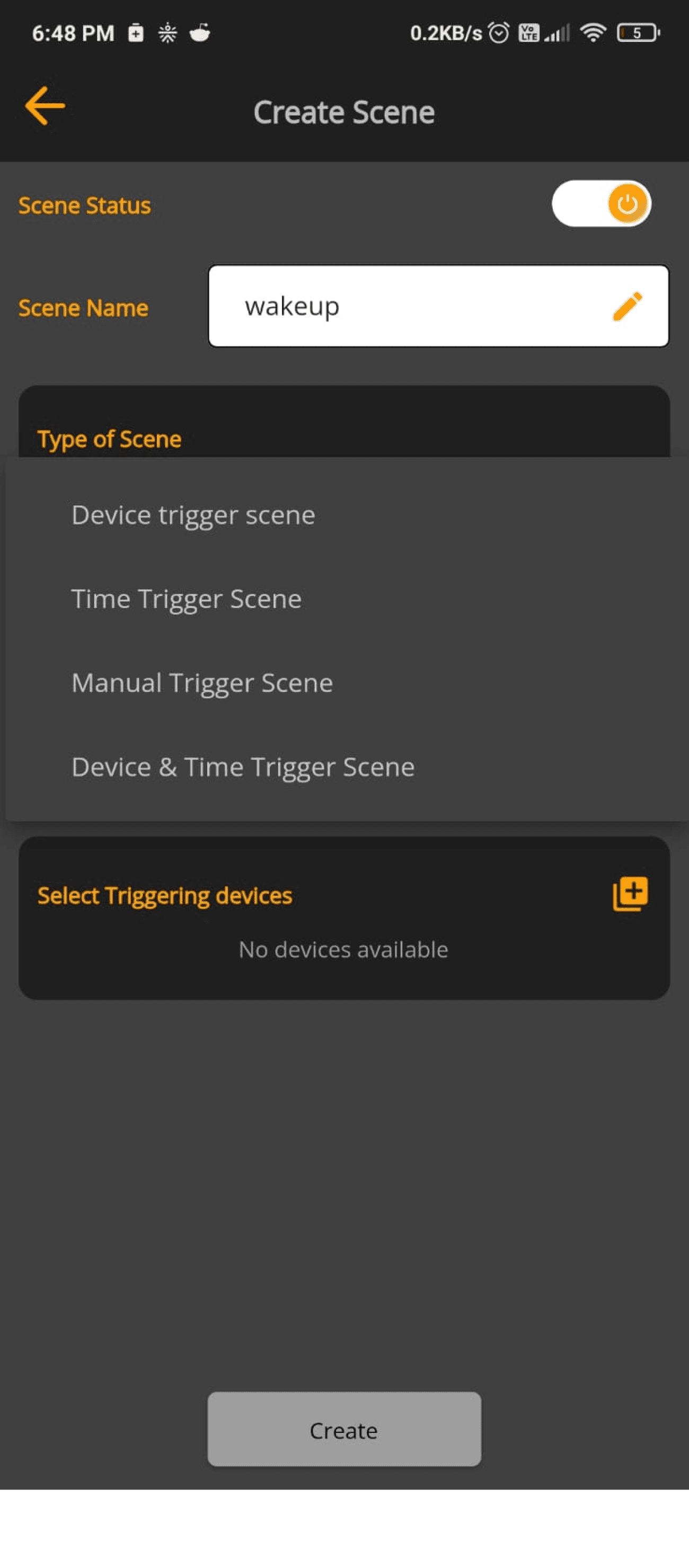
Automation Features Were Overlooked
Automation Features Were Overlooked
Automation Features Were Overlooked
Users find it difficult to understand each setting because the screen lacks clear explanations and intuitive guidance.
Users find it difficult to understand each setting because the screen lacks clear explanations and intuitive guidance.
Key Solutions
Key Solutions
Key Solutions
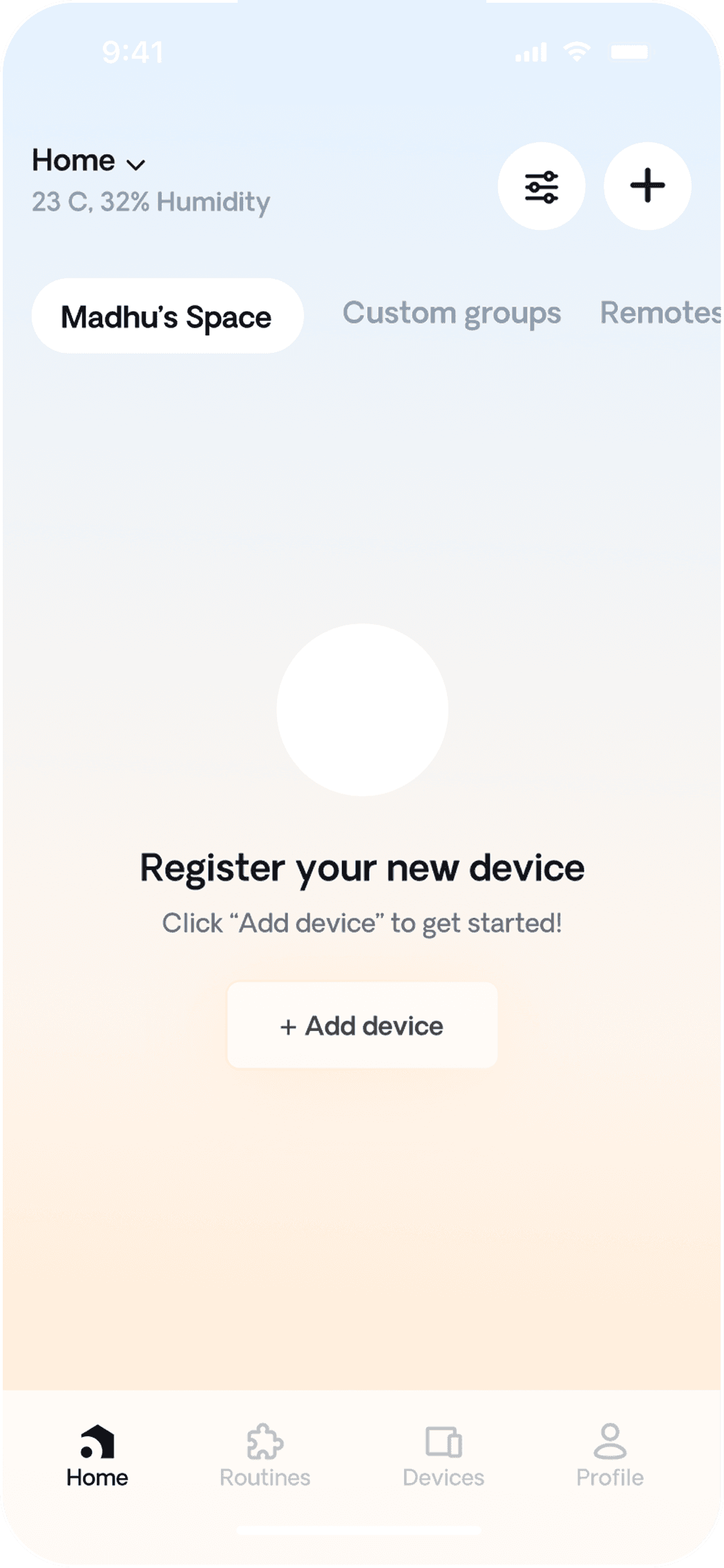
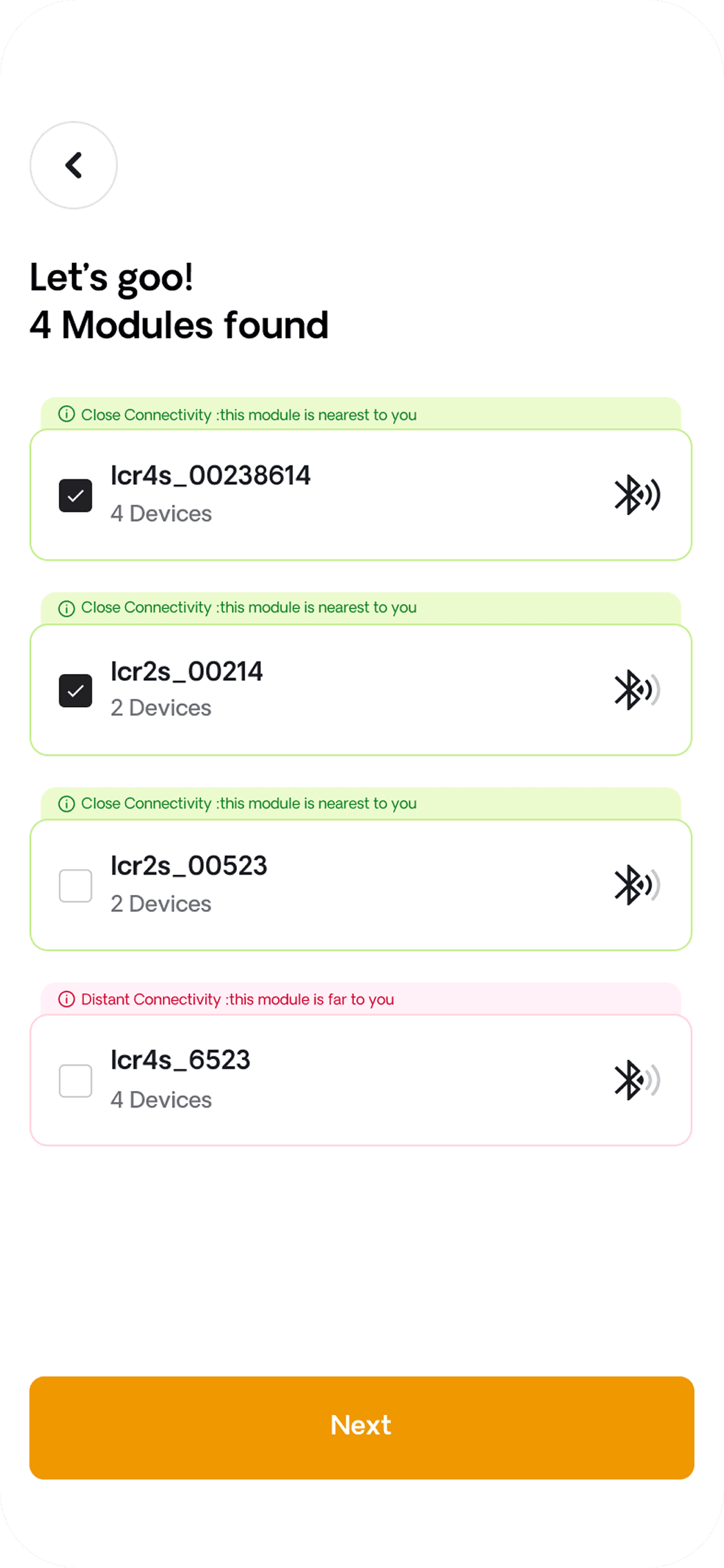
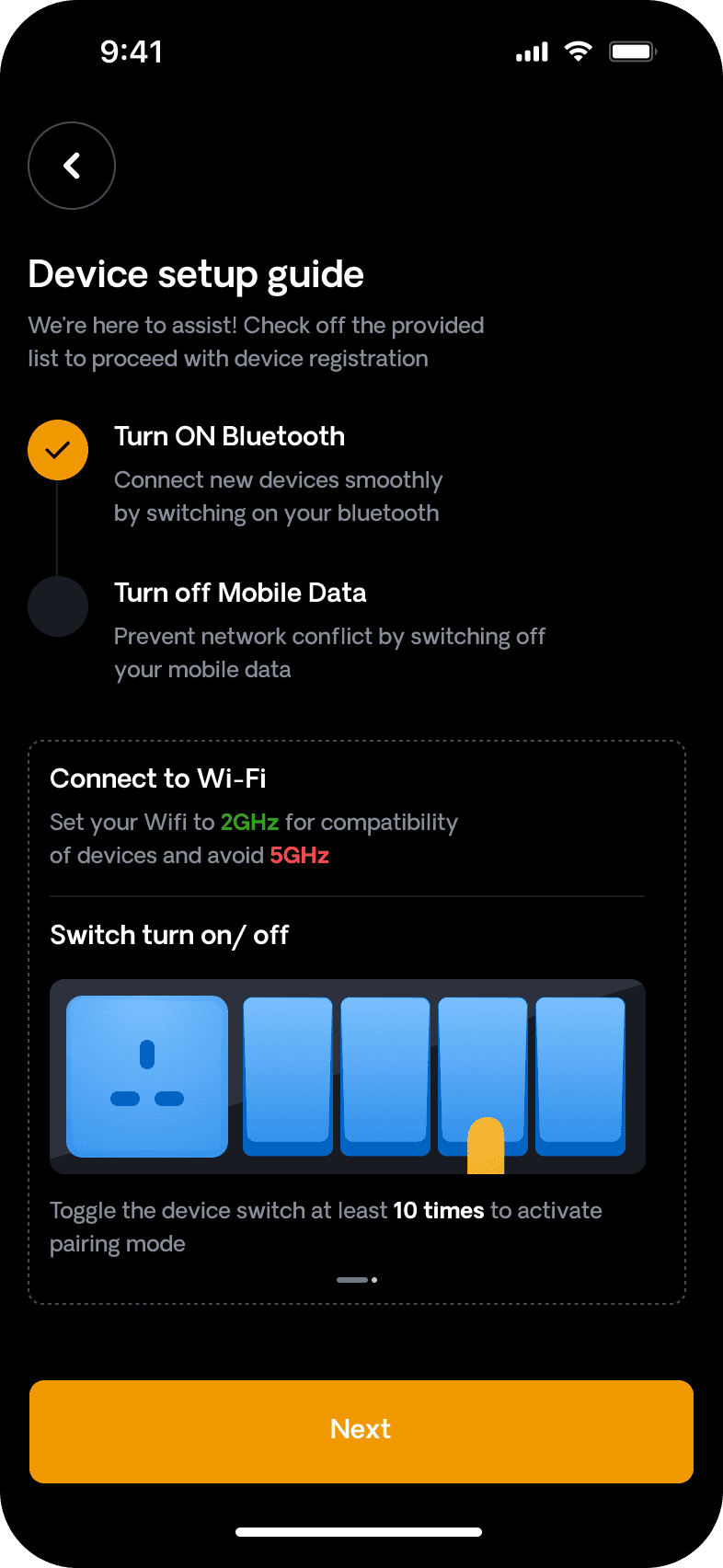
Device Setup
Device Setup
Device Setup
Simplified Device Setup Flow
Simplified Device Setup Flow
Simplified Device Setup Flow
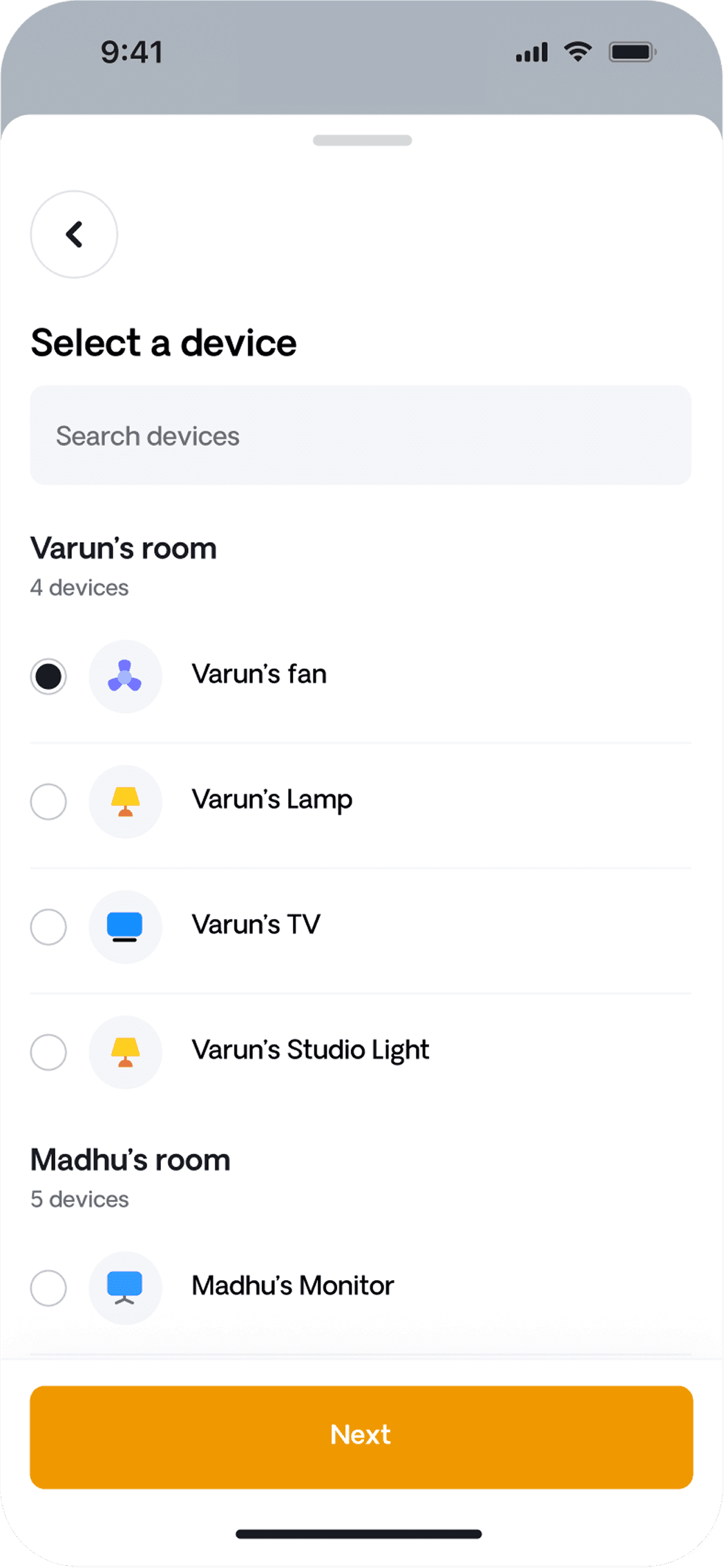
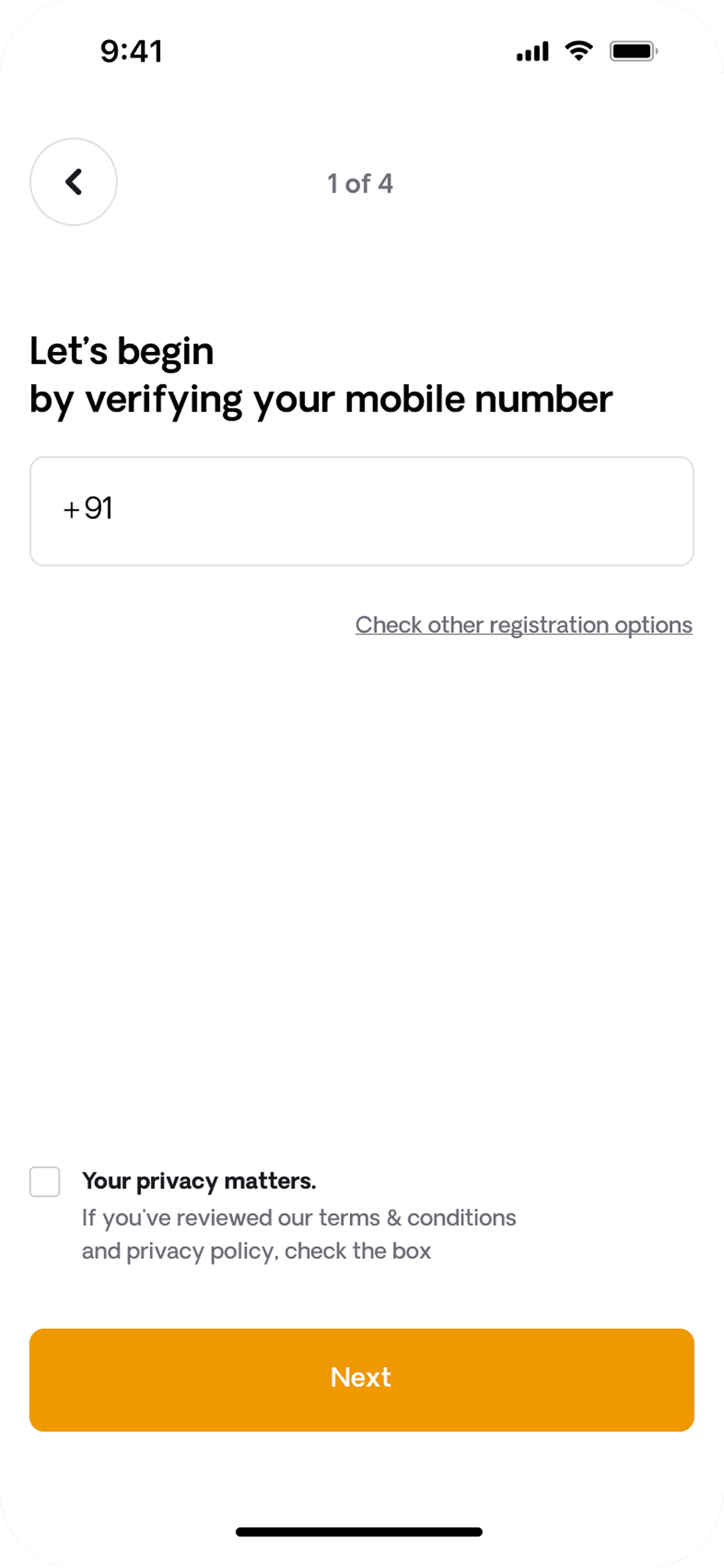
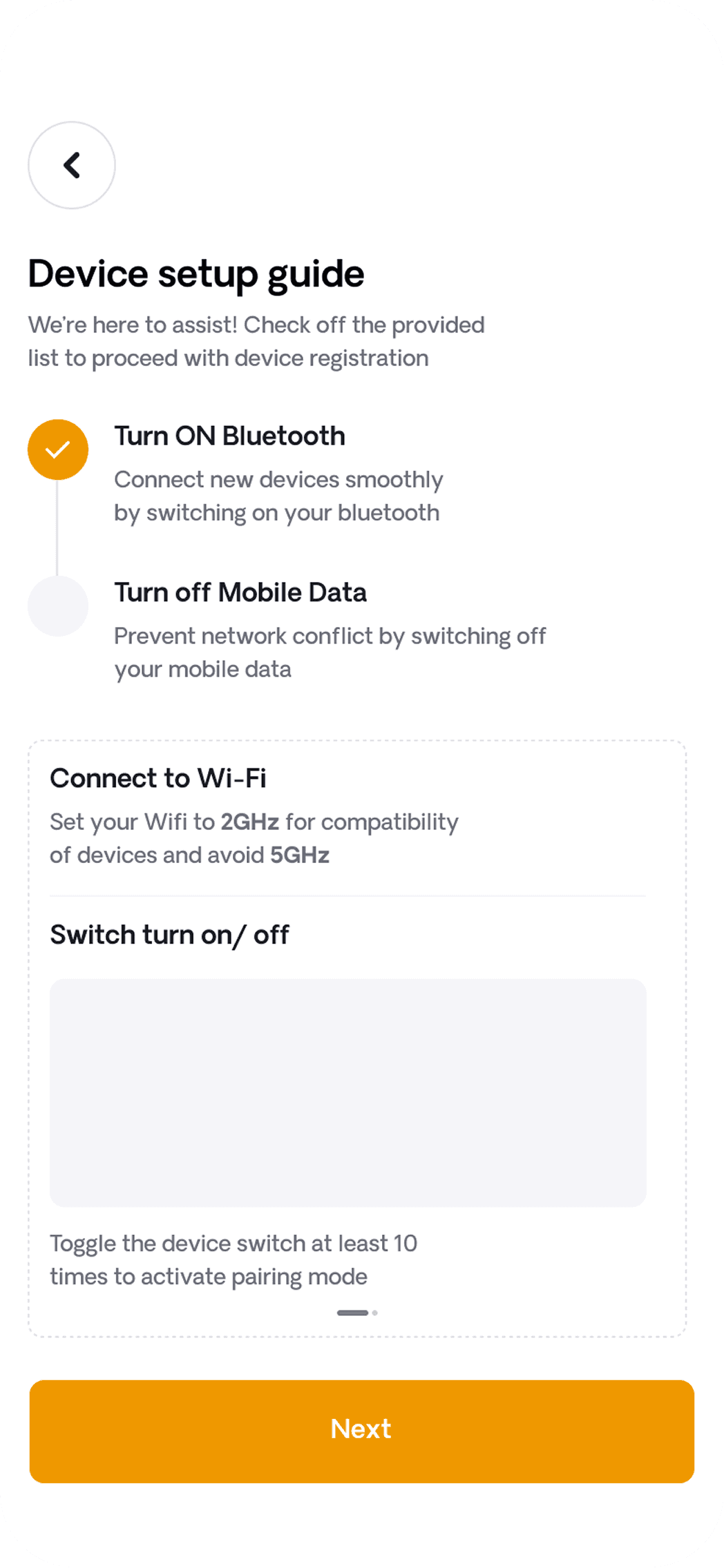
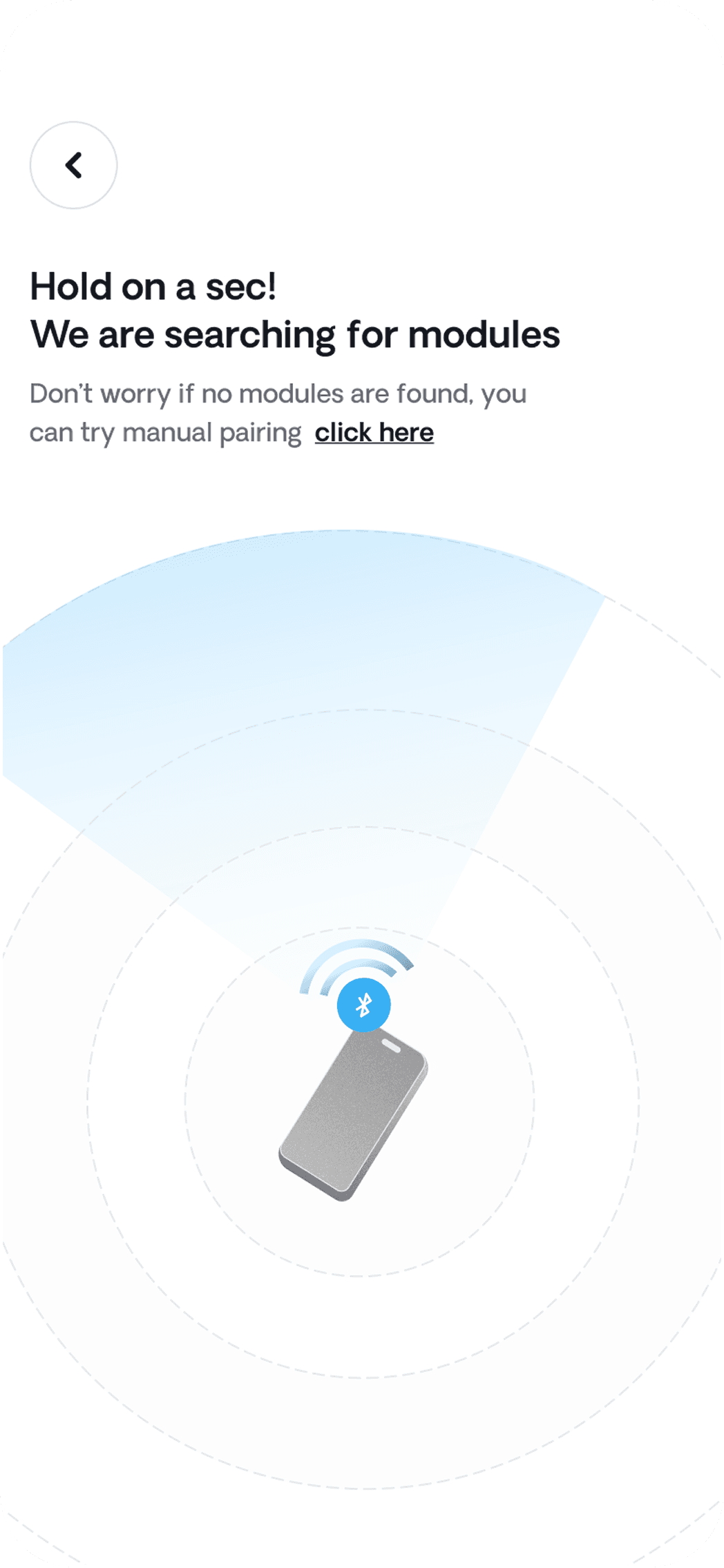
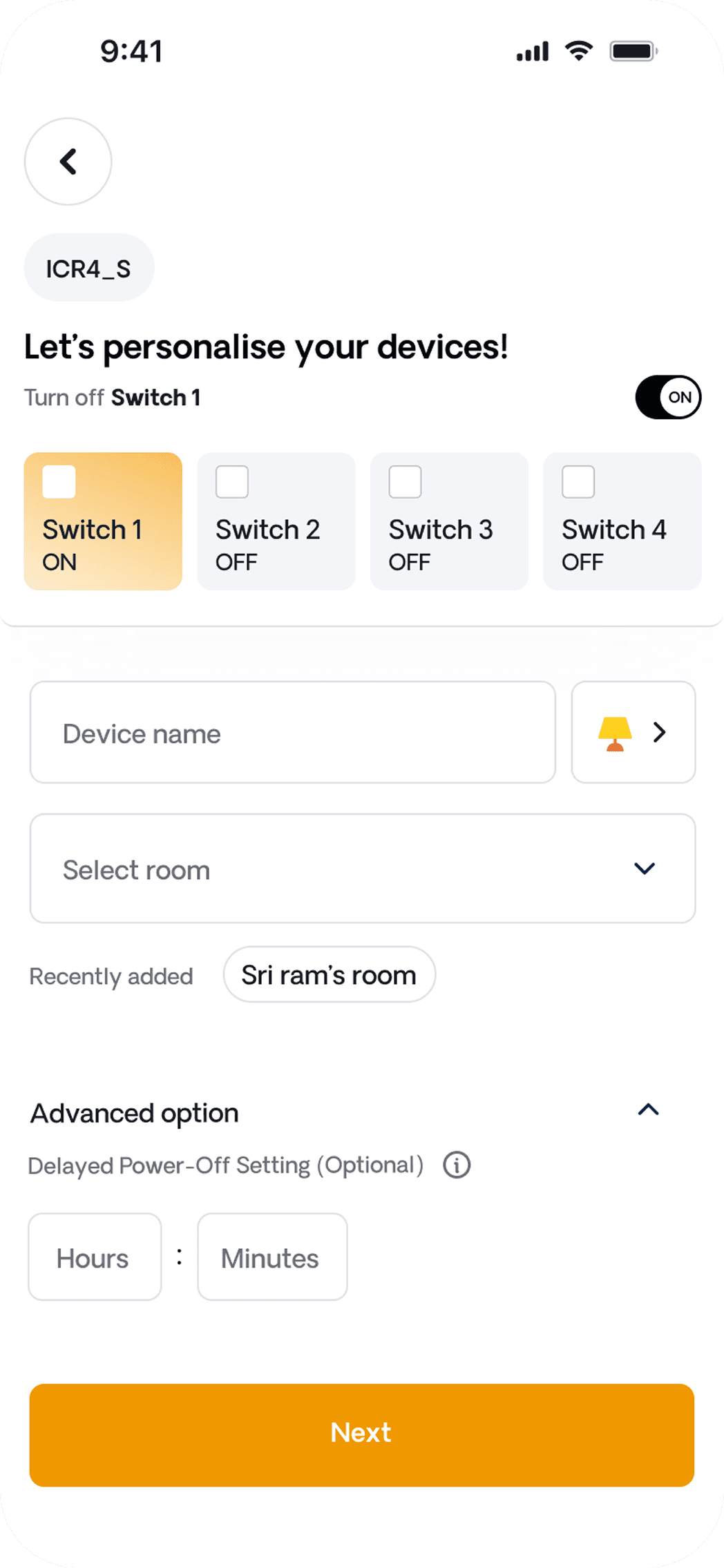
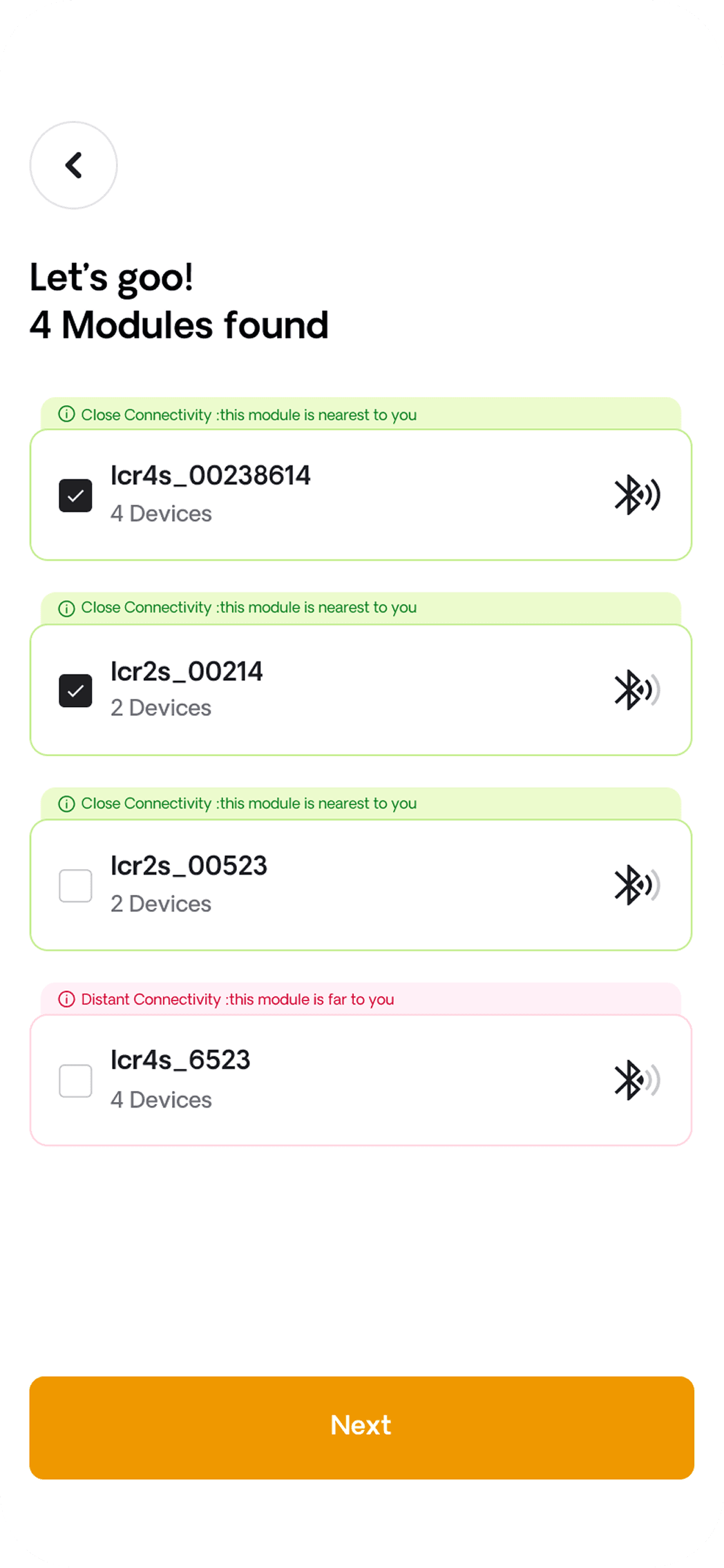
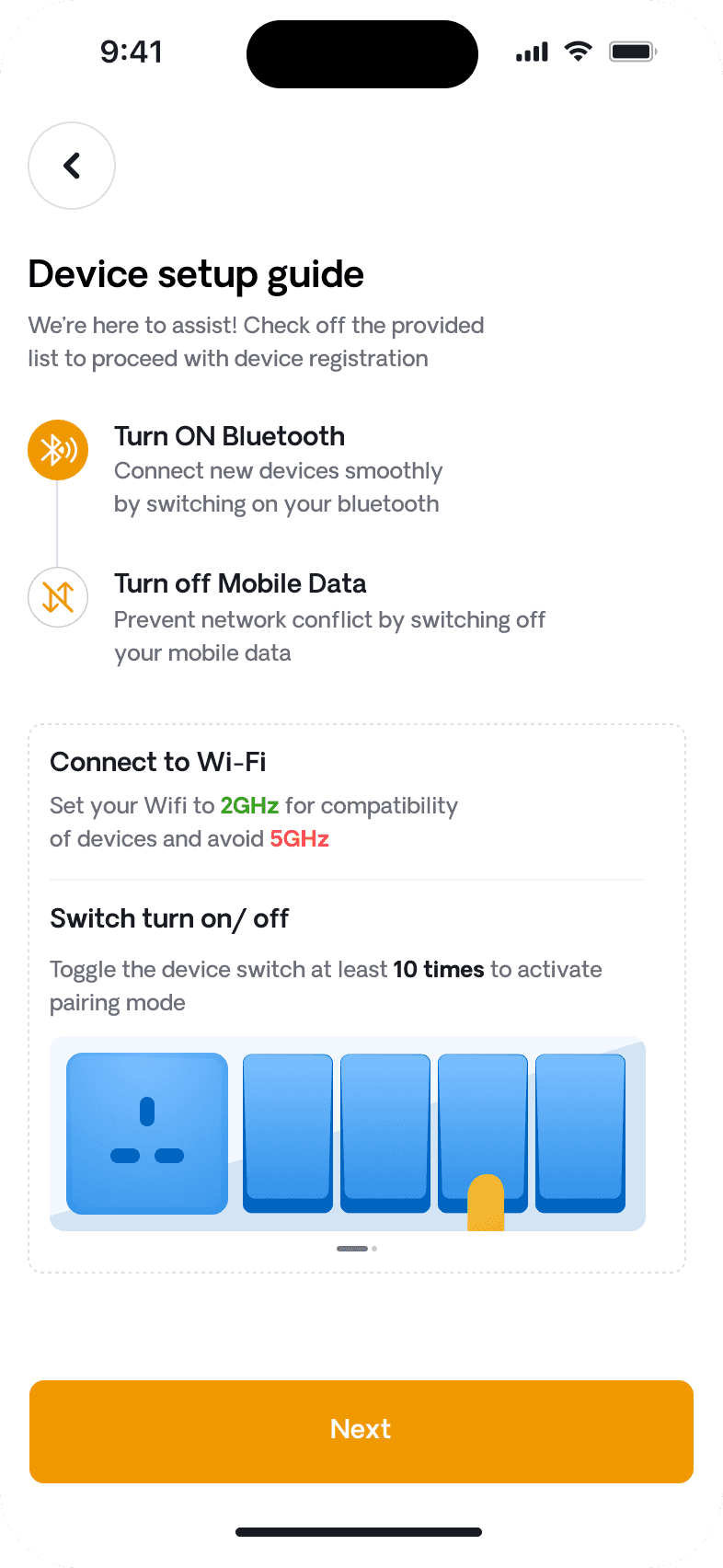
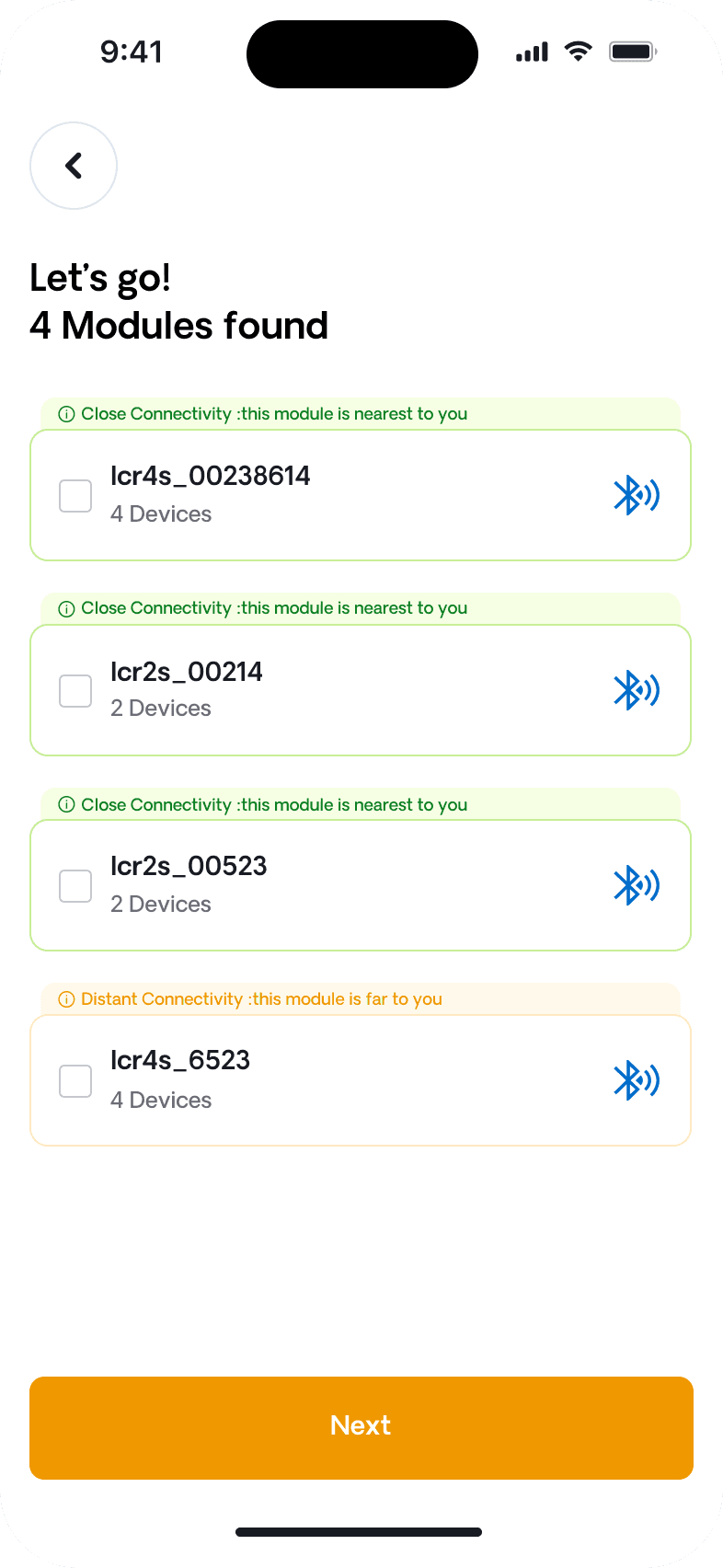
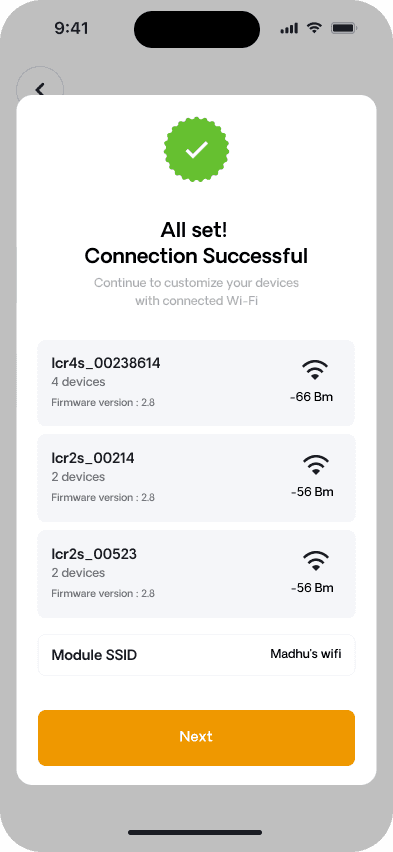
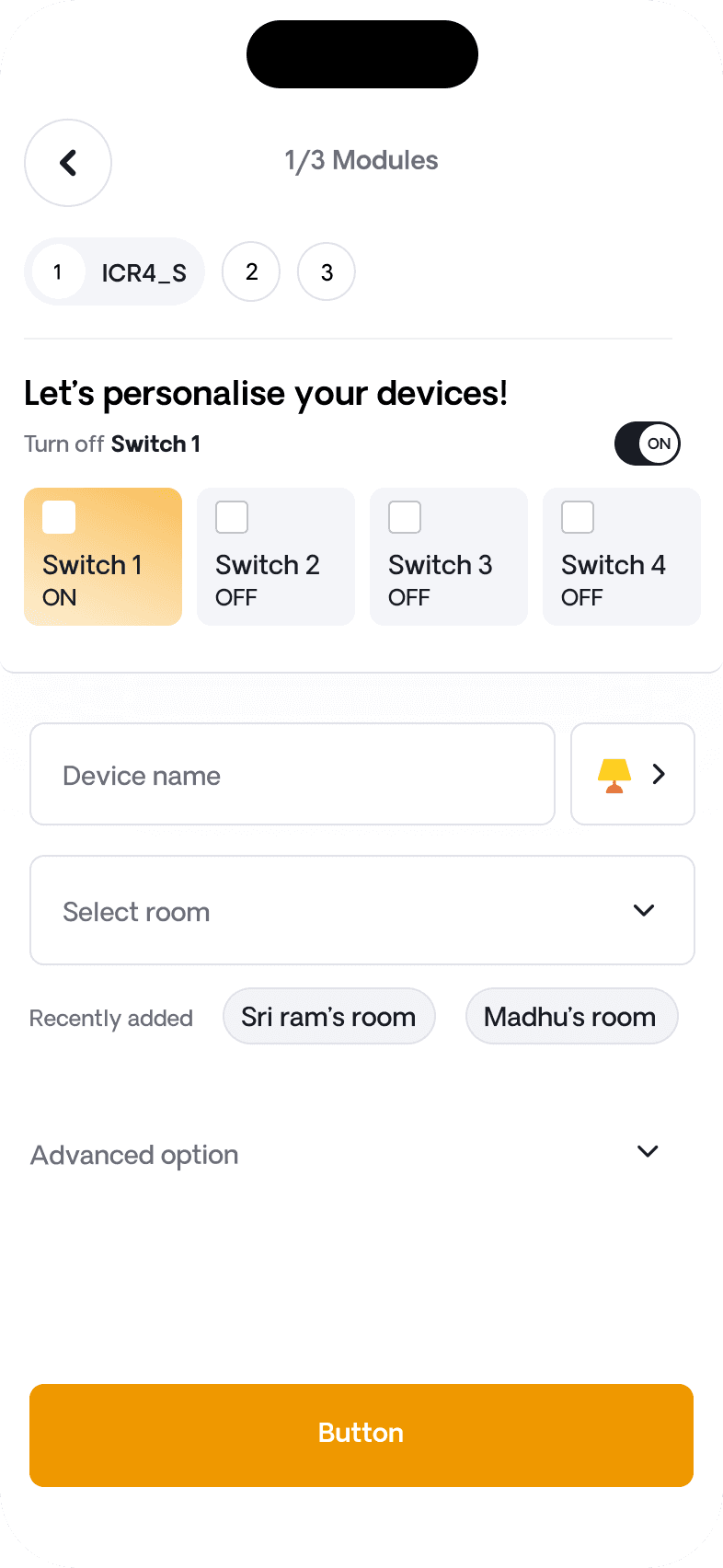
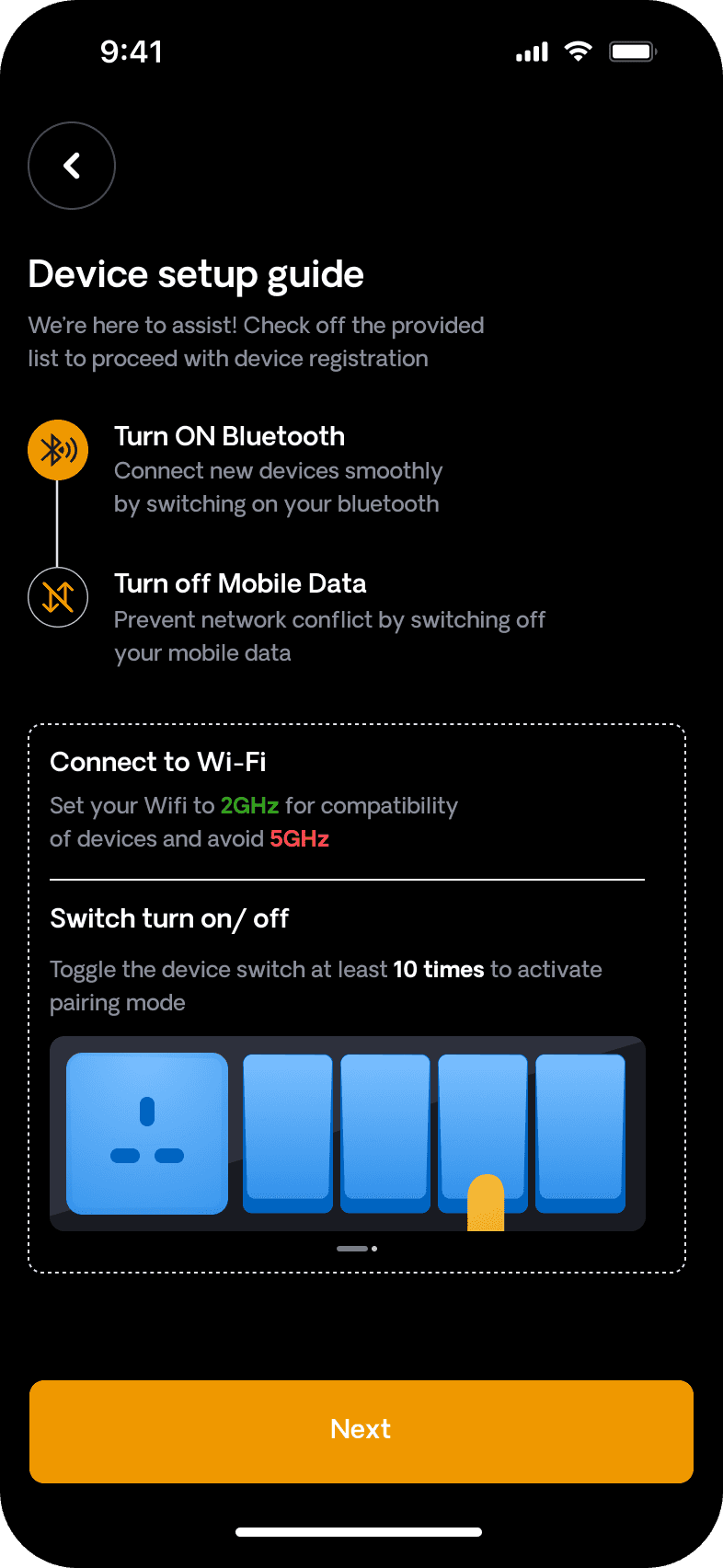
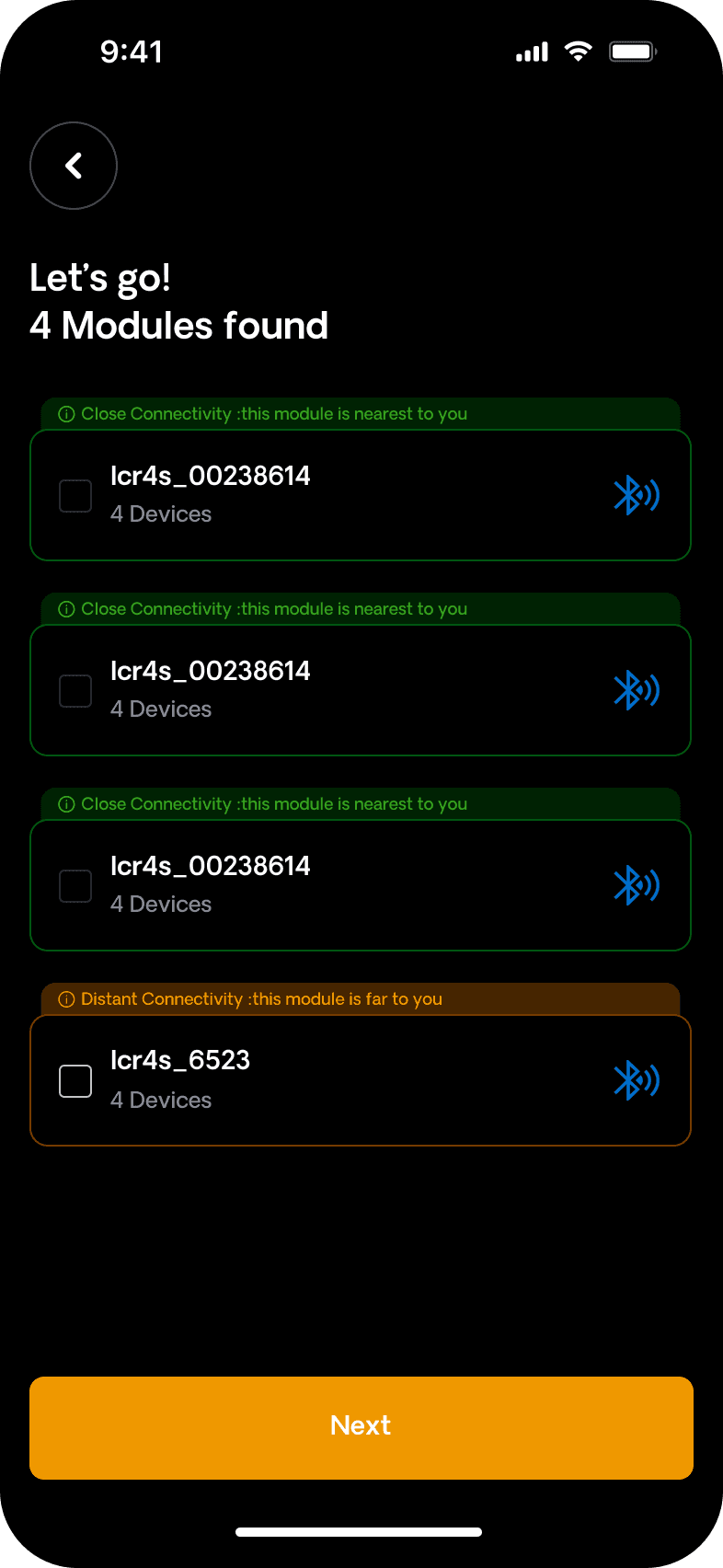
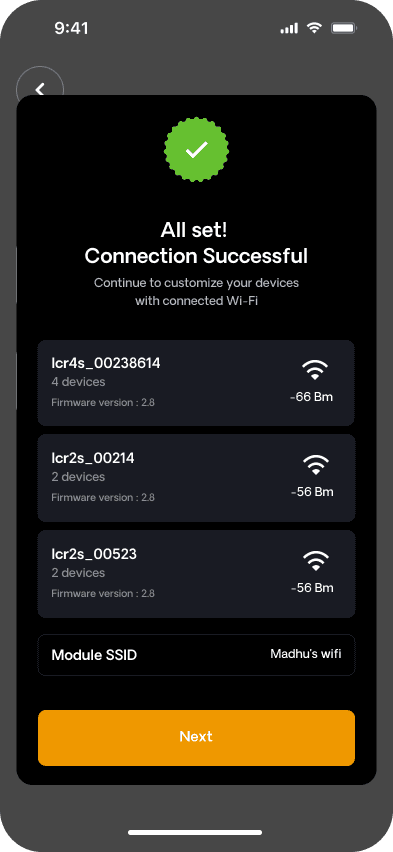
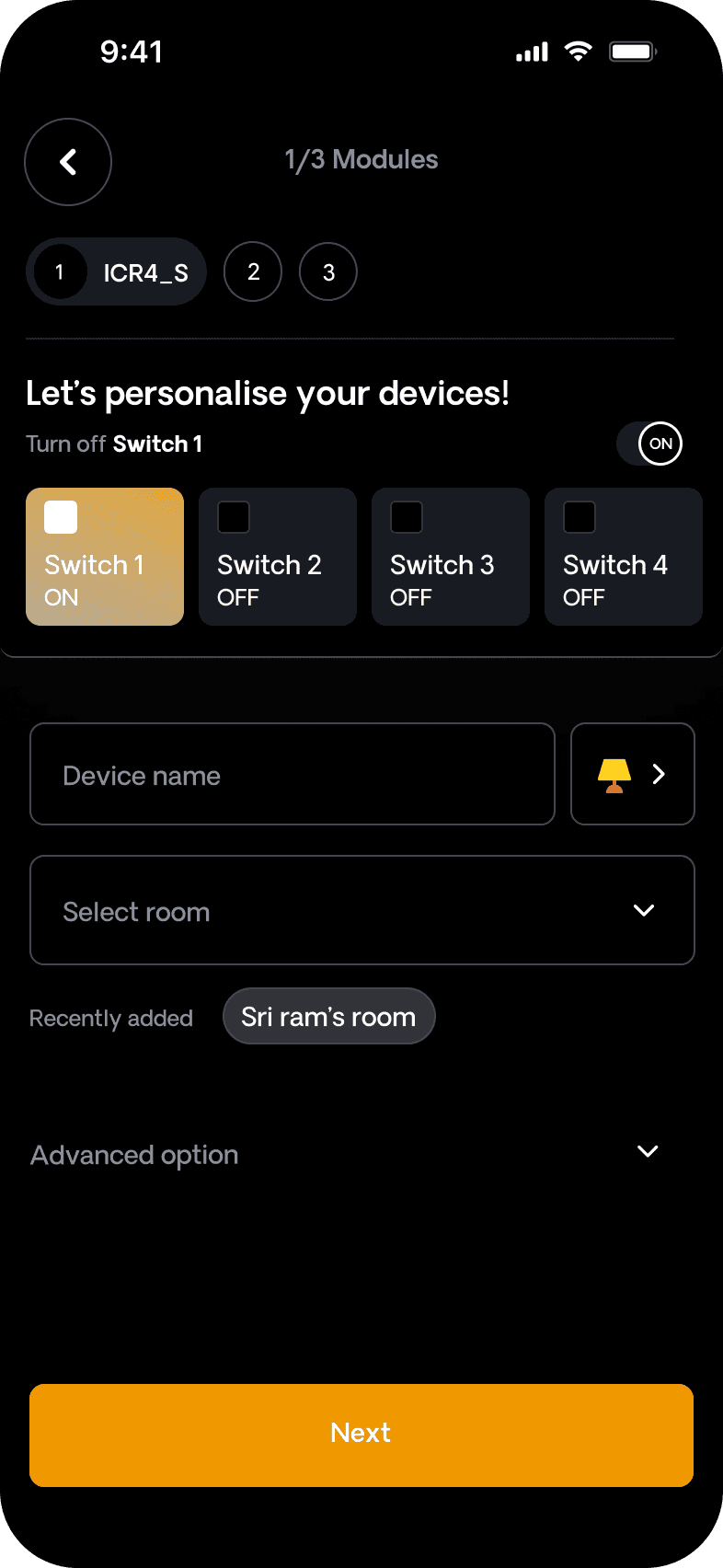
We redesigned device setup into a clear, step-by-step flow, reducing navigation friction and making it easier to add and manage devices.
We redesigned device setup into a clear, step-by-step flow, reducing navigation friction and making it easier to add and manage devices.
Information Overload on Screens
Information Overload on Screens
Information Overload on Screens
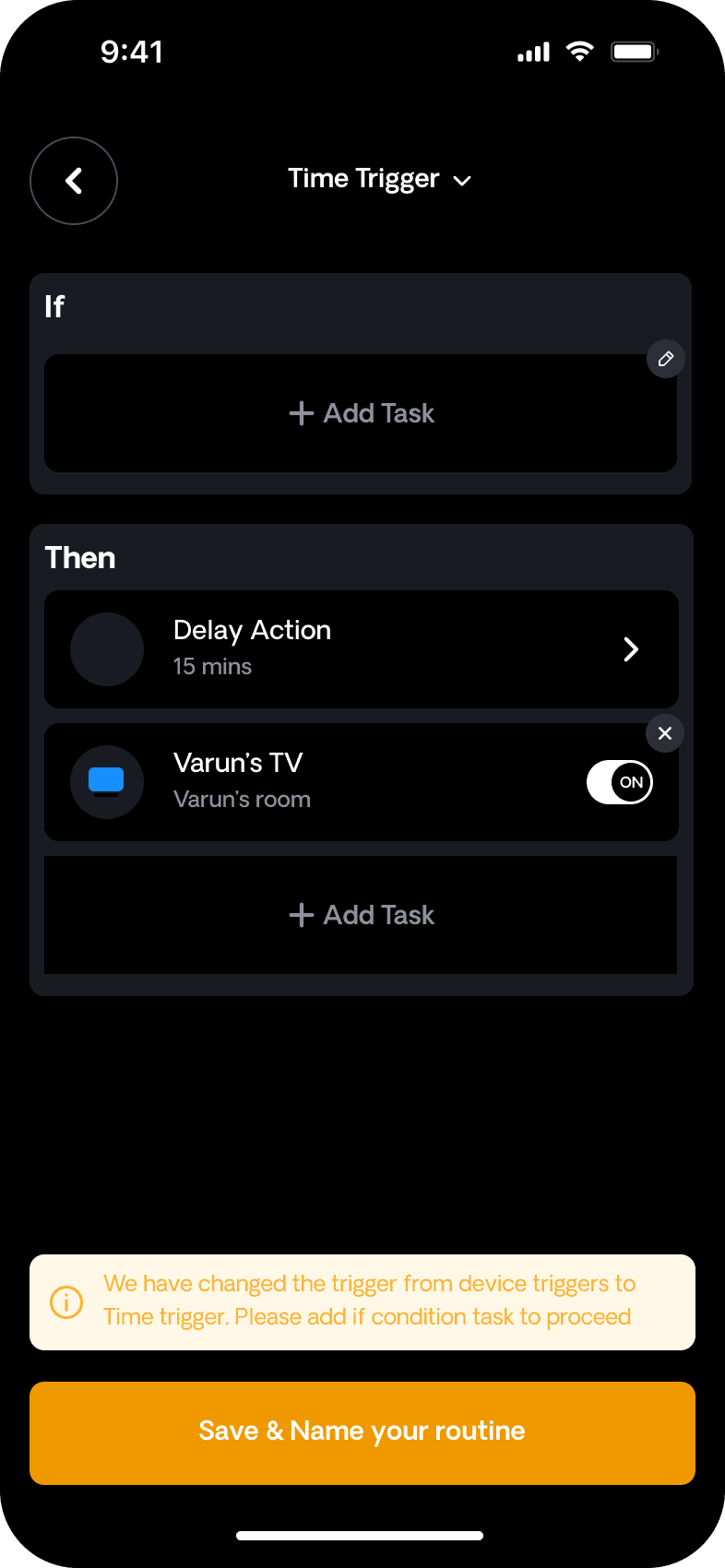
Improved Flow Progression & Guidance
Improved Flow Progression & Guidance
Improved Flow Progression & Guidance
Subtle cues and consistent layouts were added to clearly indicate progress, next steps, and completion during scene creation.
Subtle cues and consistent layouts were added to clearly indicate progress, next steps, and completion during scene creation.
Scenes and Automations
Scenes and Automations
Scenes and Automations
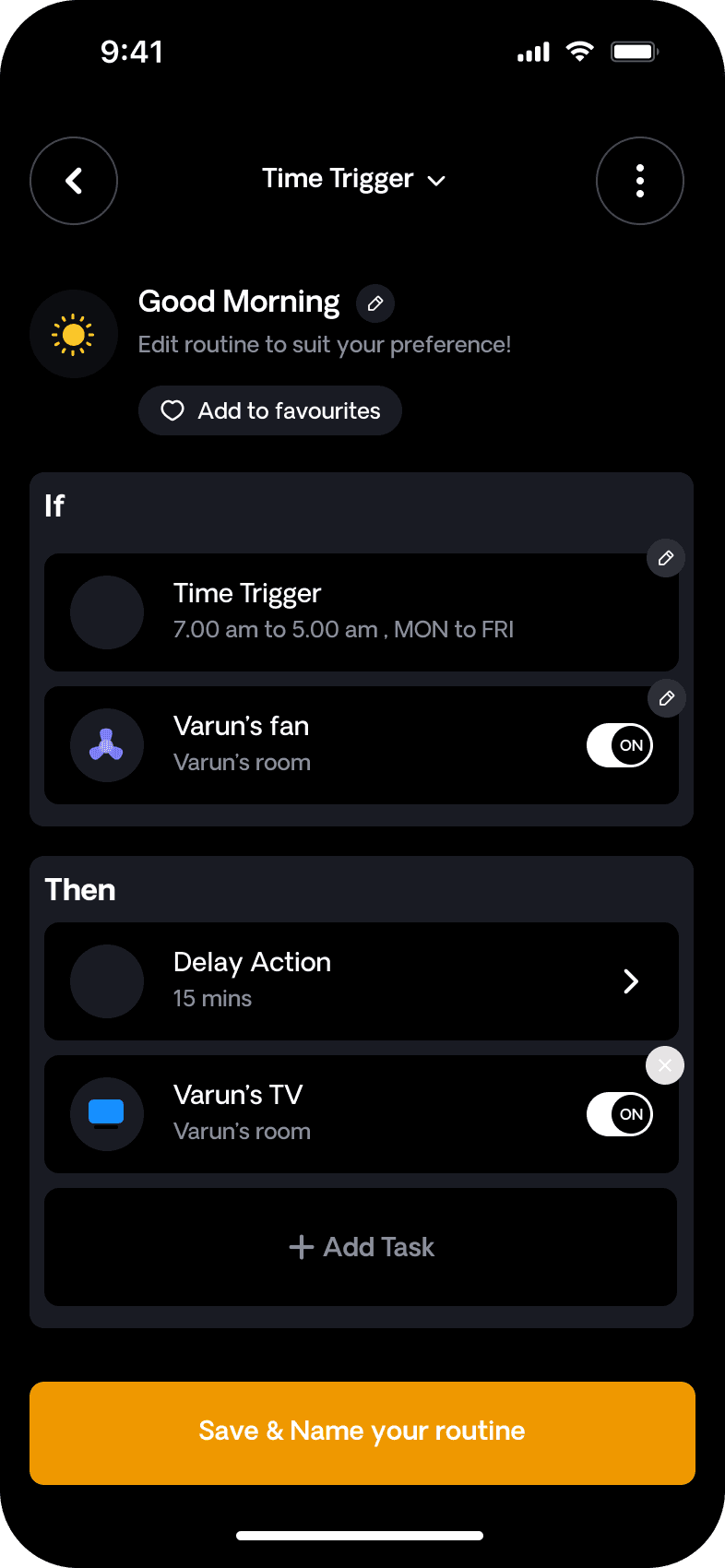
Structured Scene Creation Experience
Structured Scene Creation Experience
Structured Scene Creation Experience
Users find it difficult to understand each setting because the screen lacks clear explanations and intuitive guidance.
Users find it difficult to understand each setting because the screen lacks clear explanations and intuitive guidance.
Improved Screens
Improved Screens
Improved Screens
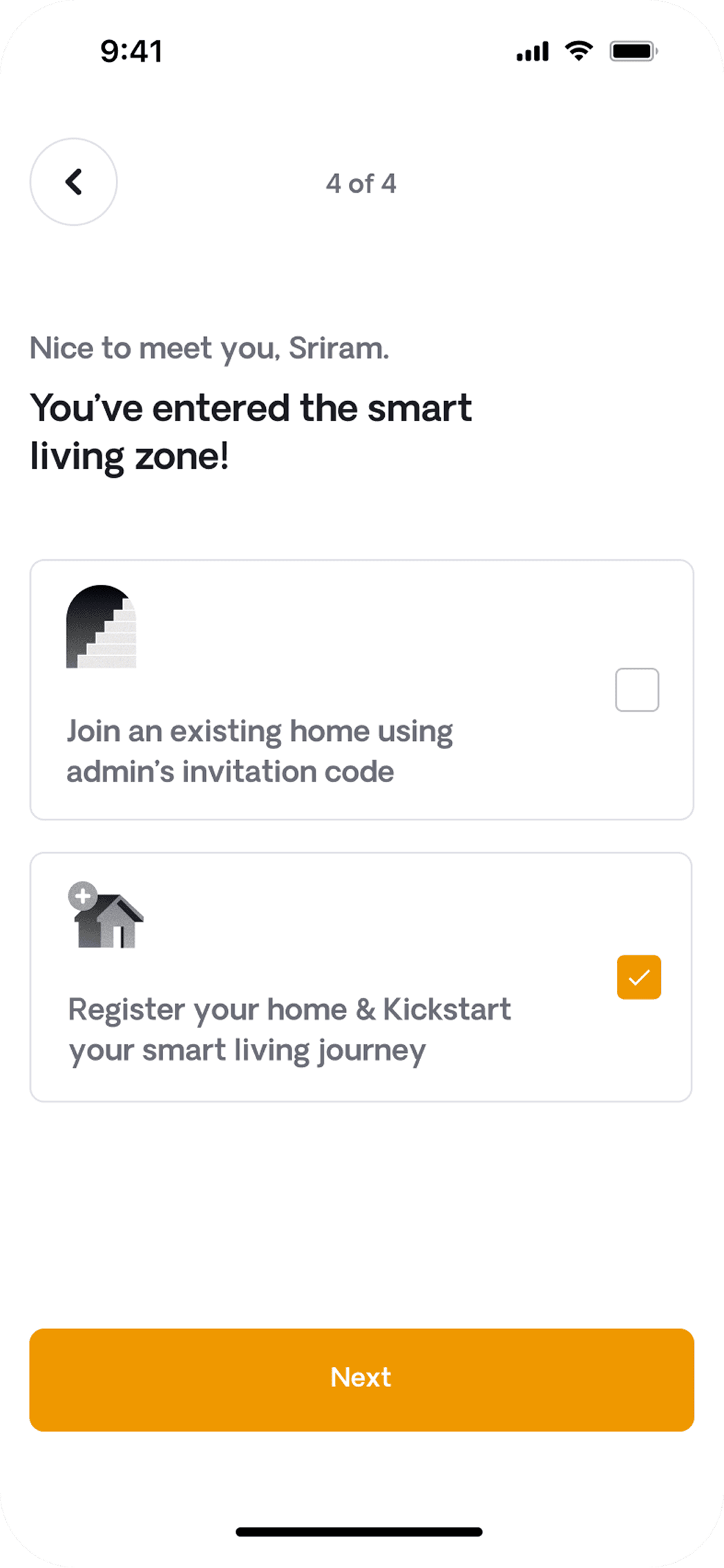
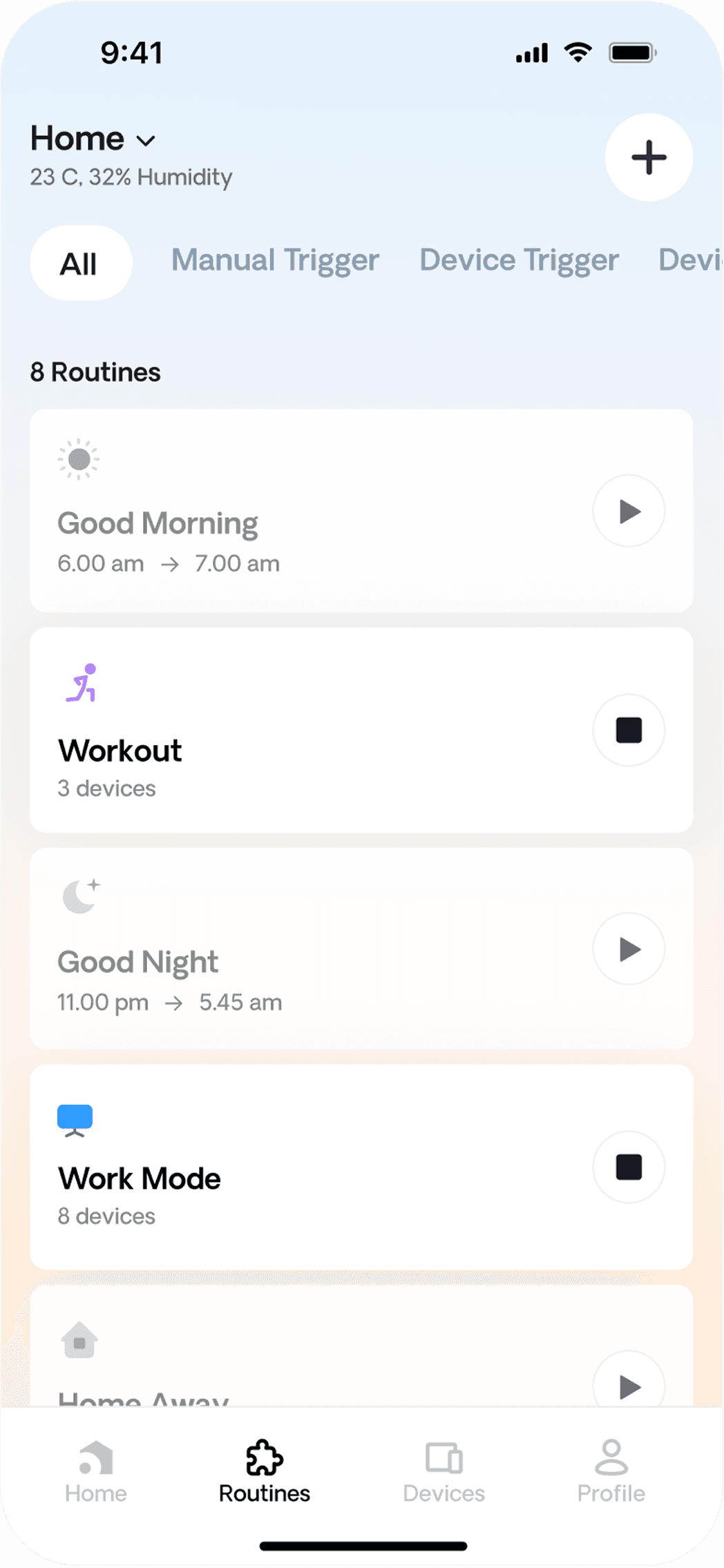
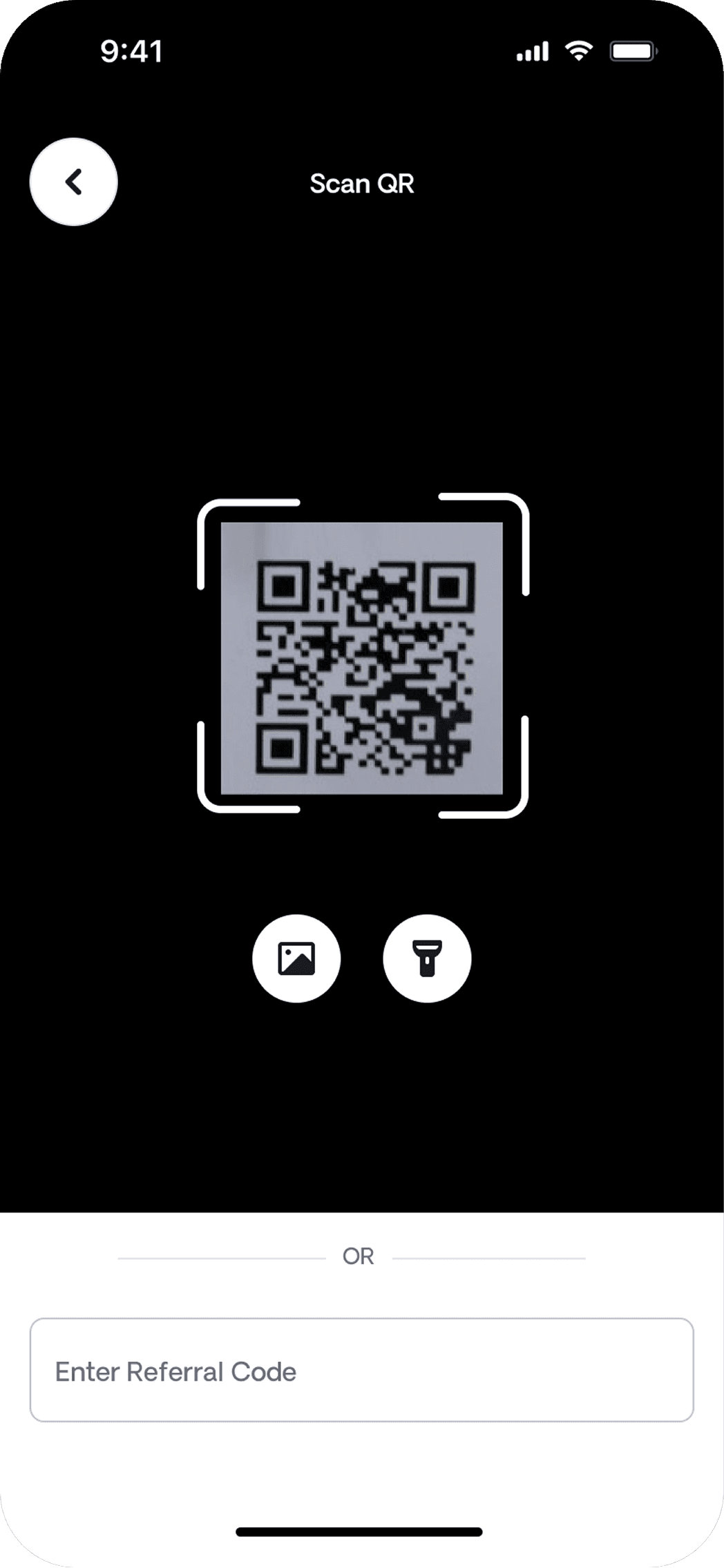
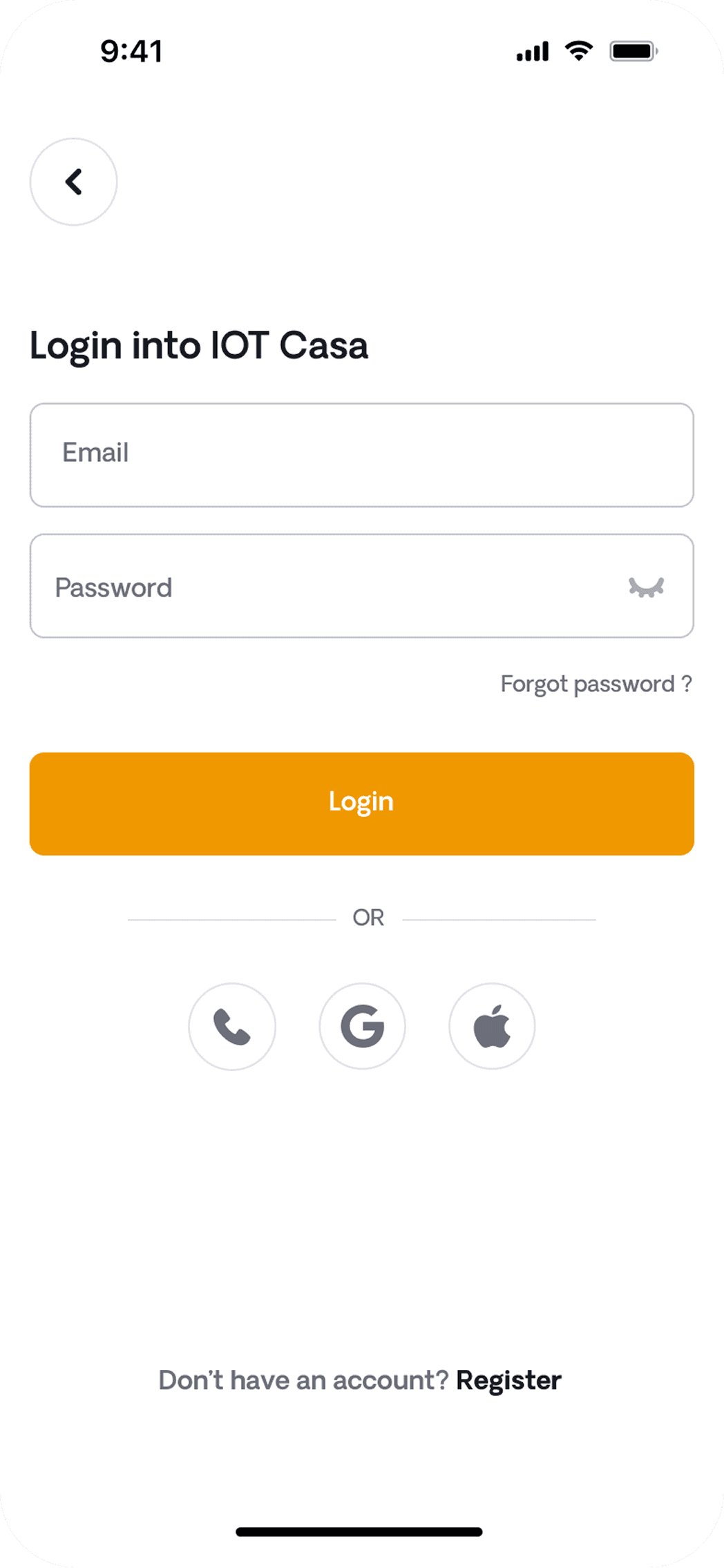
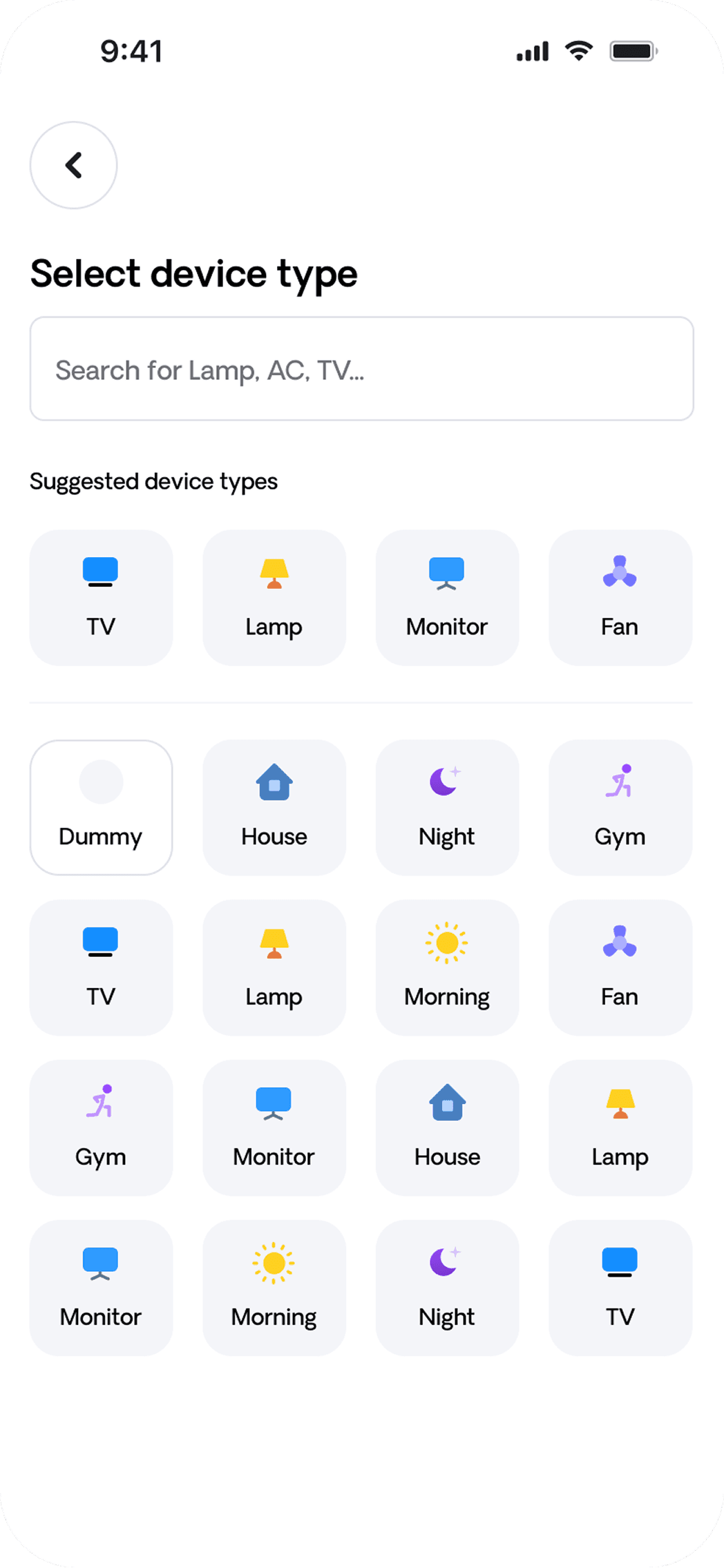
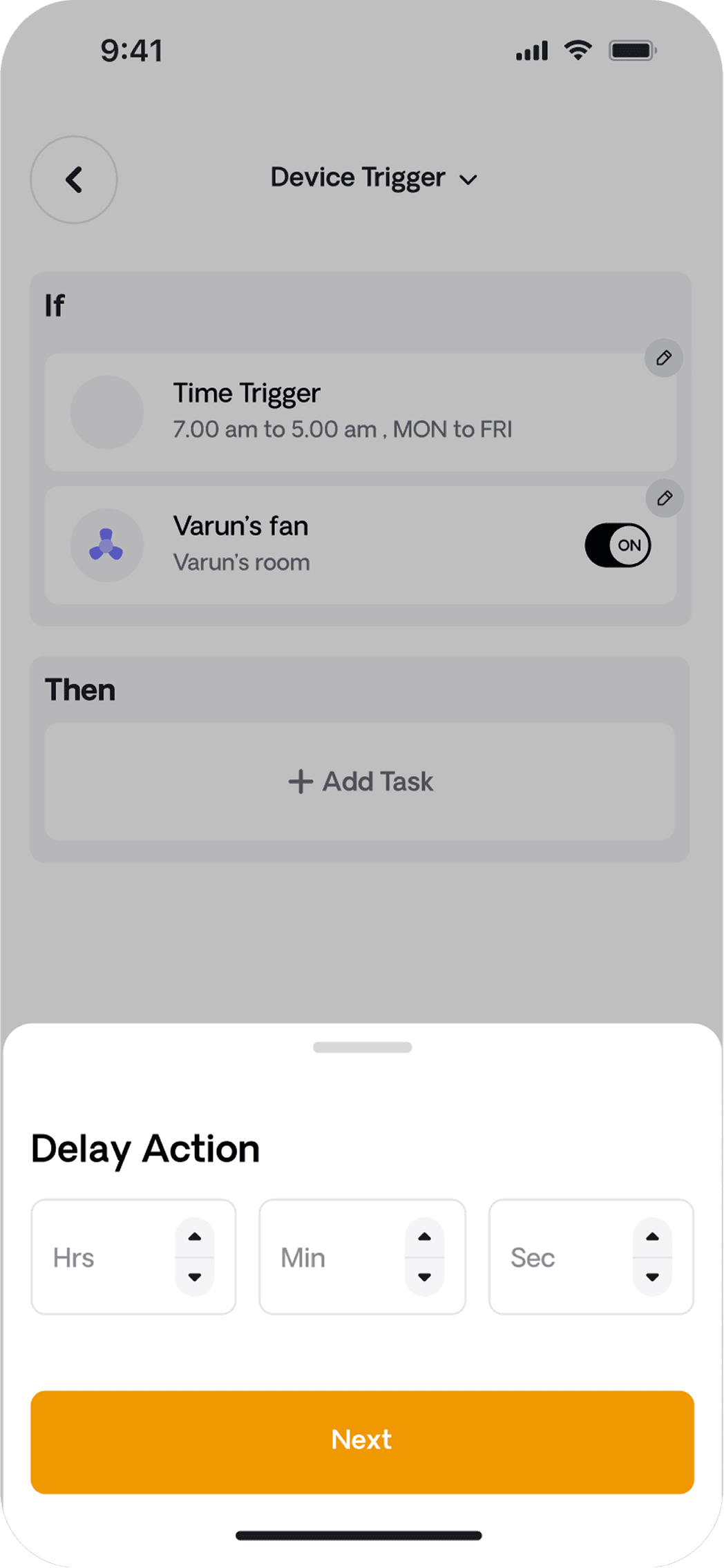
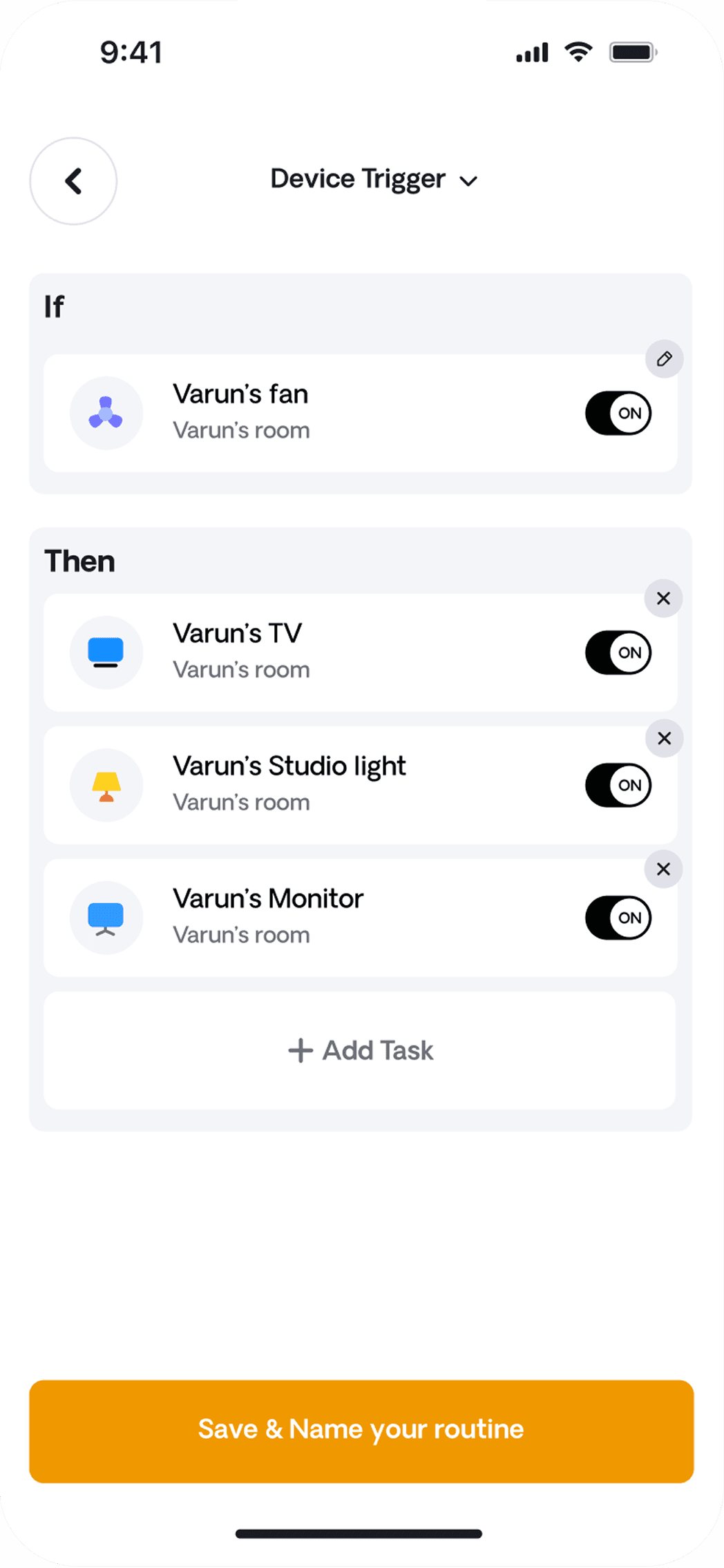
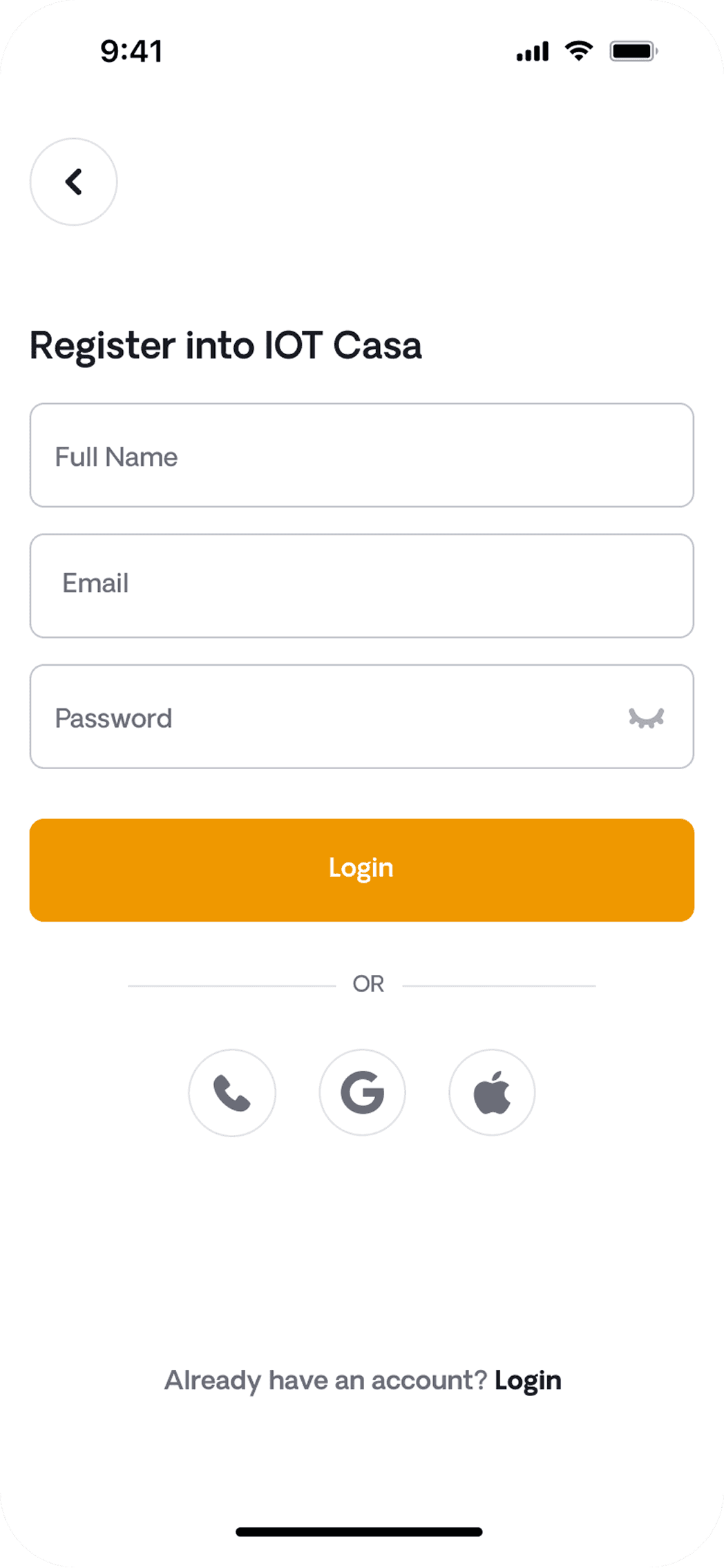
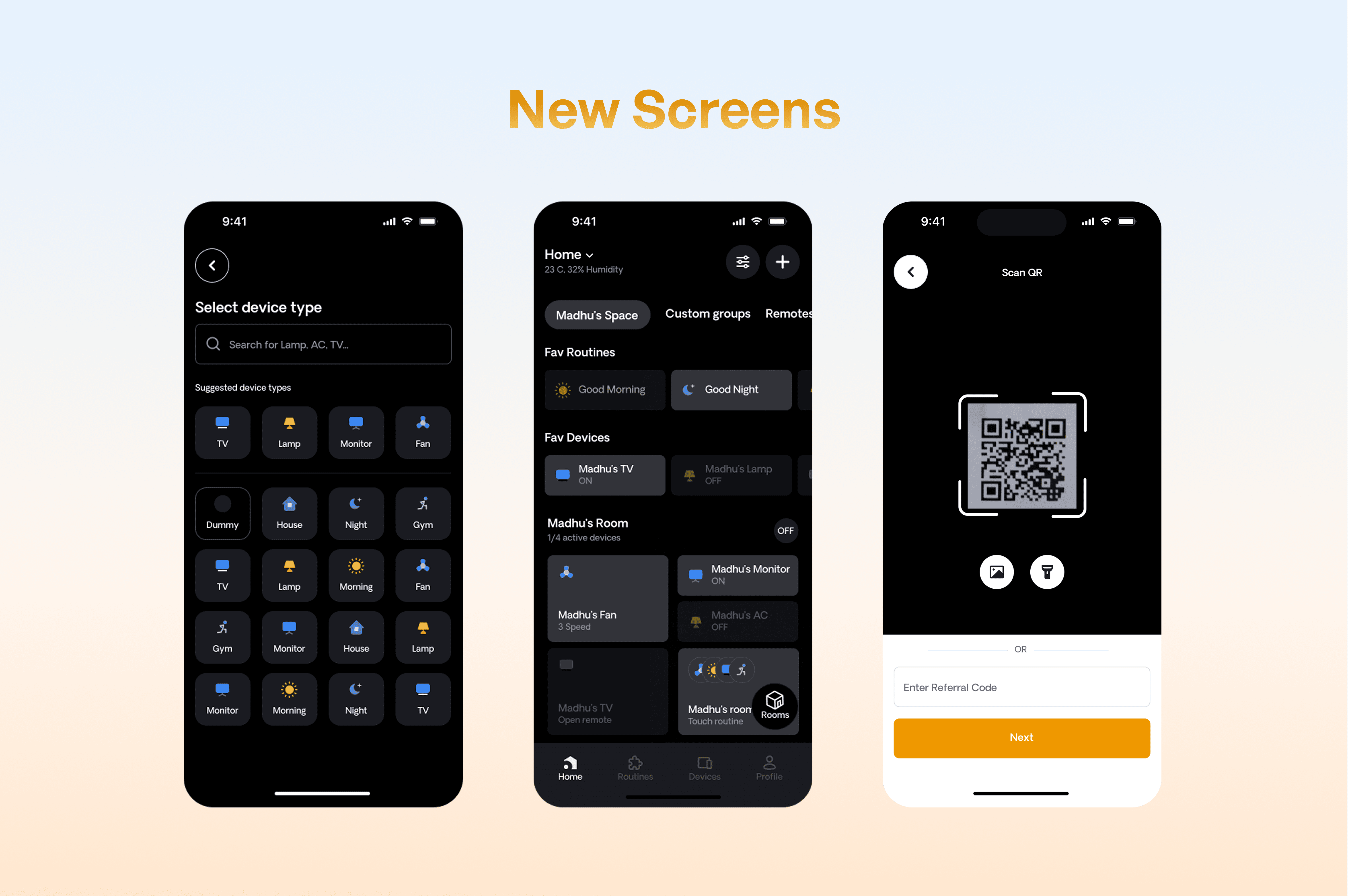
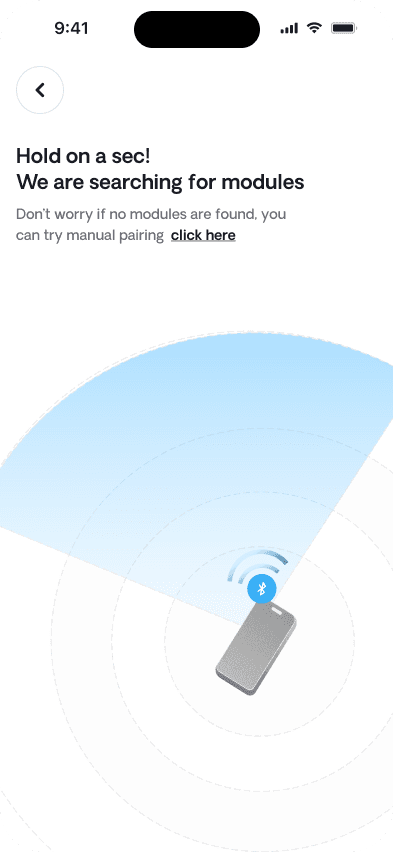
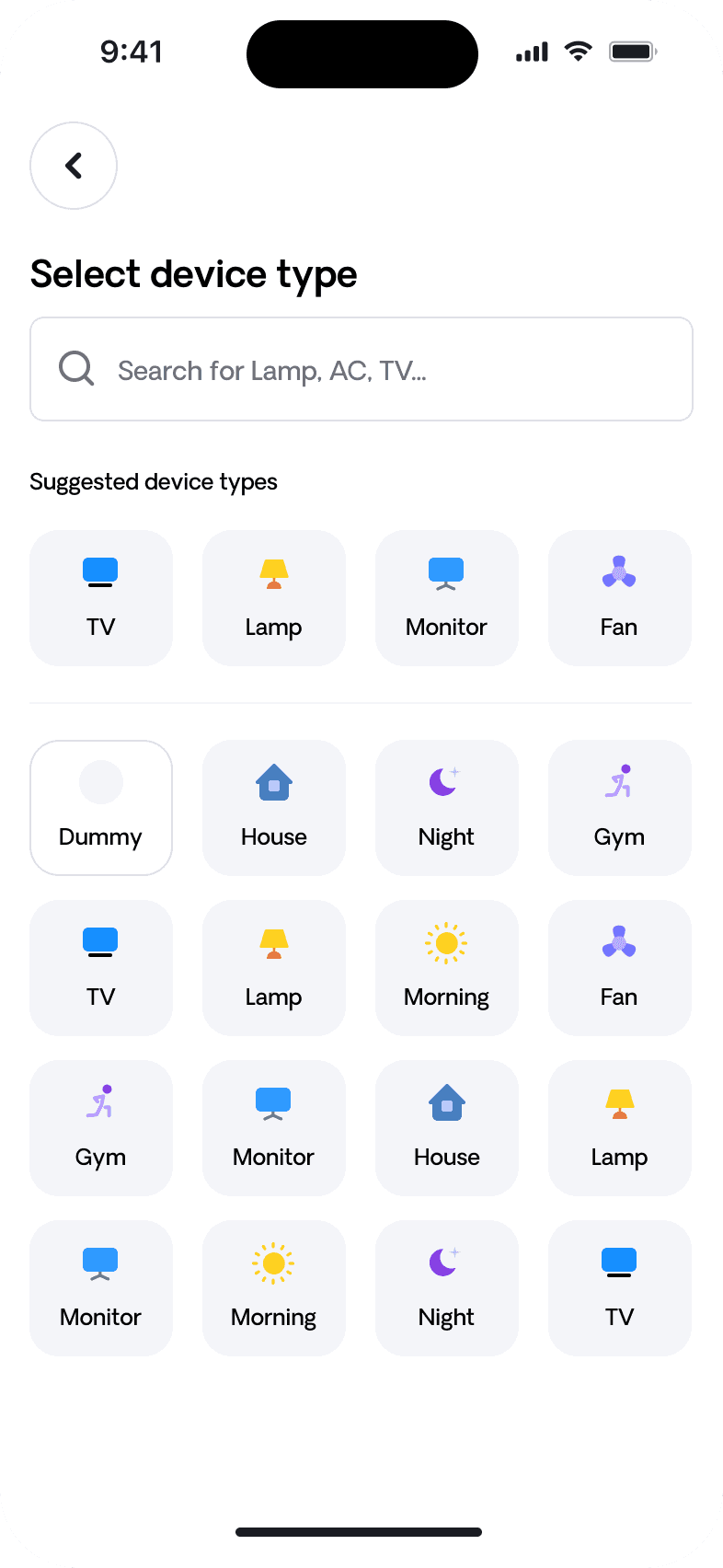
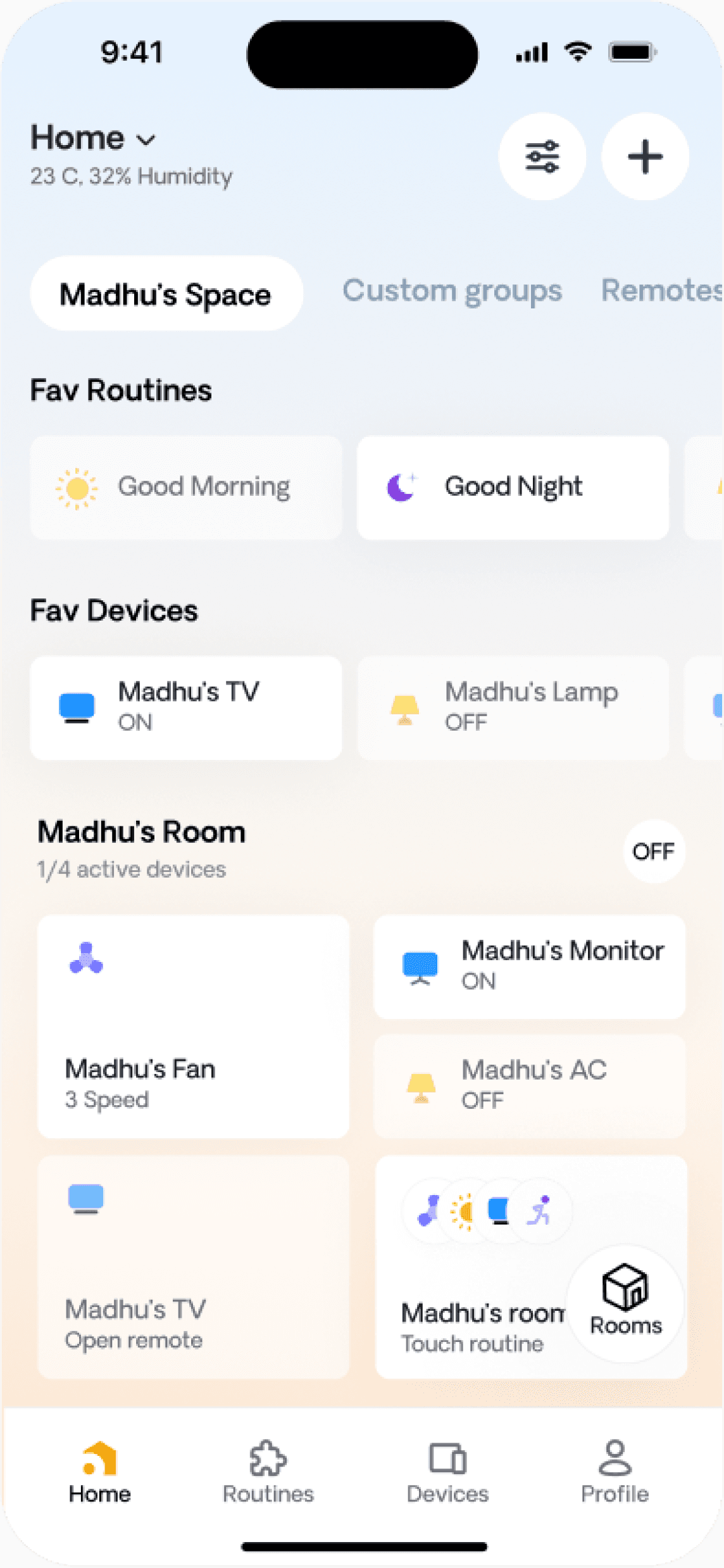
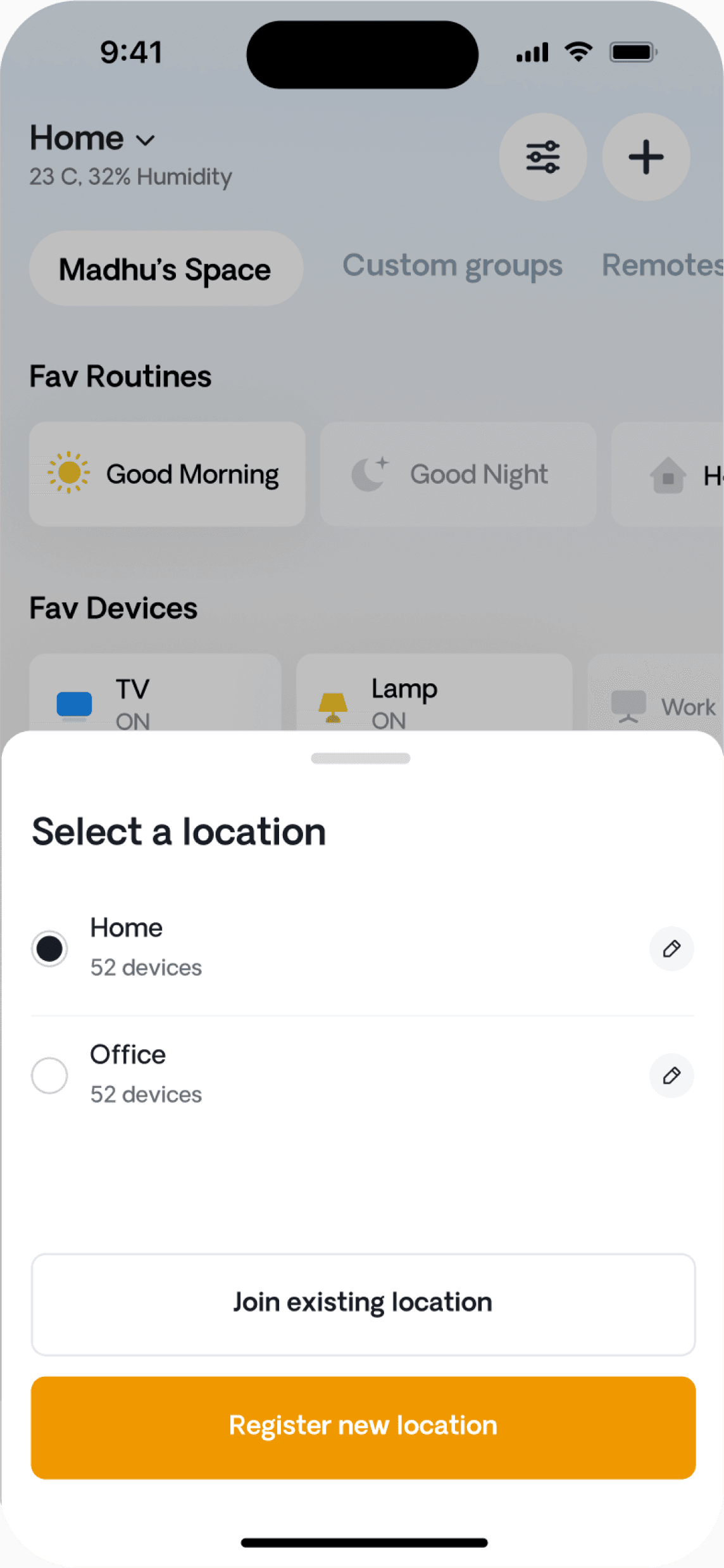
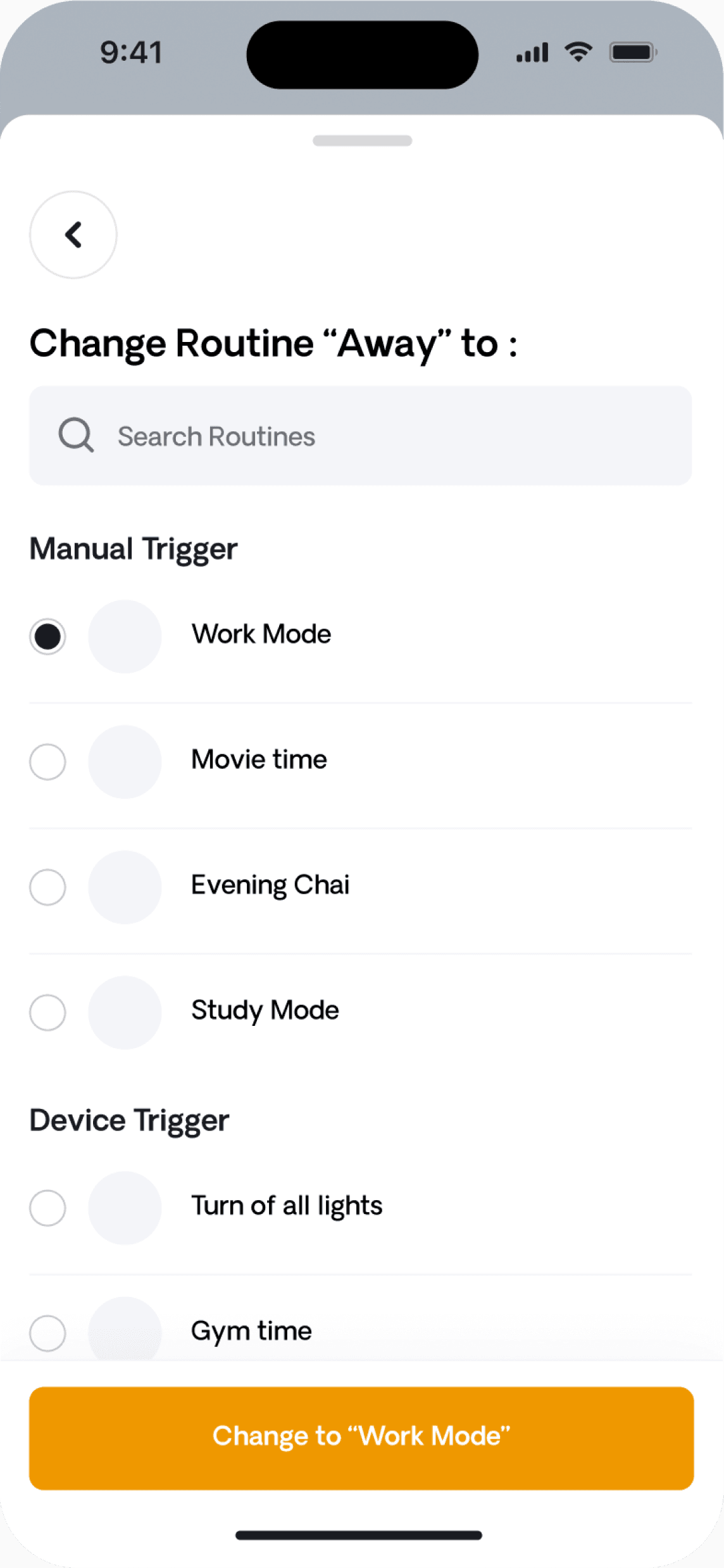
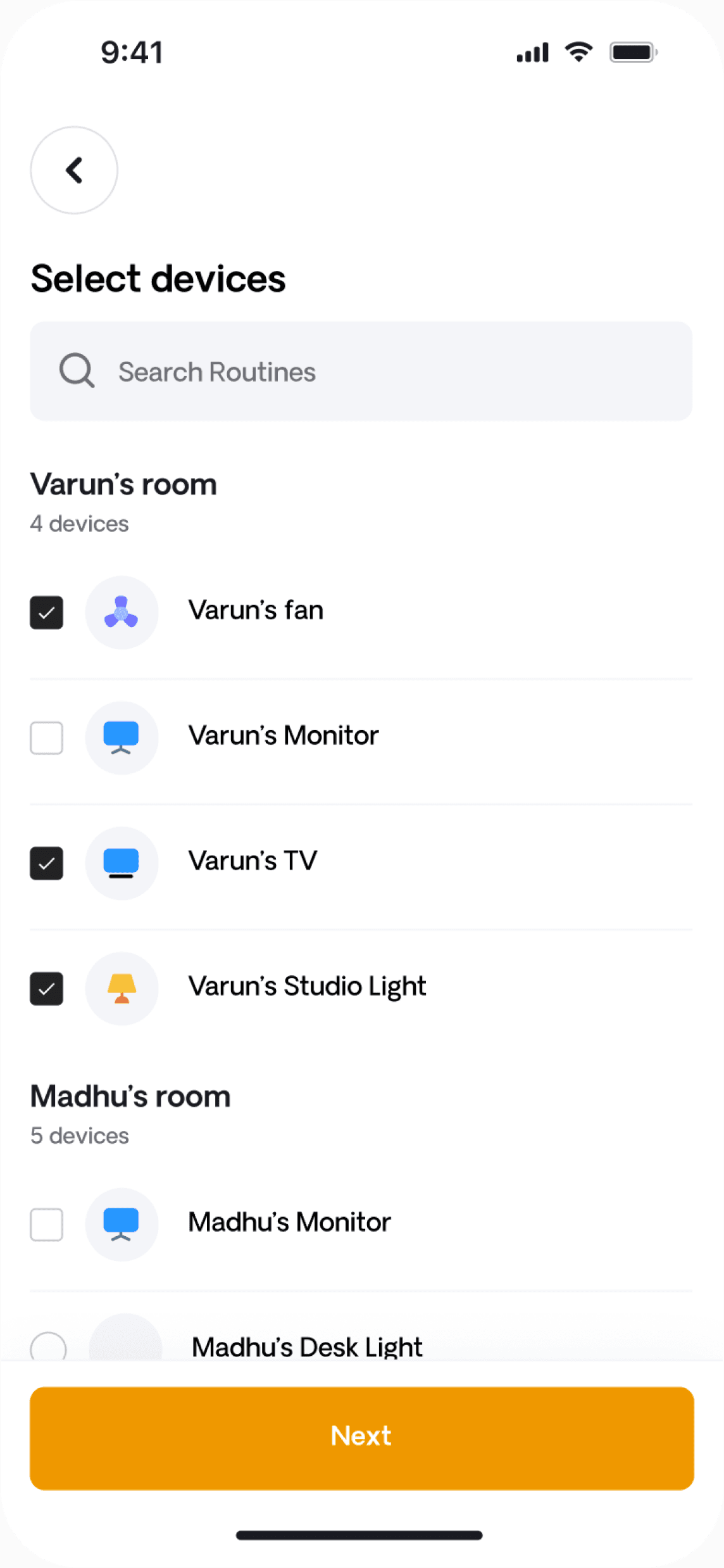
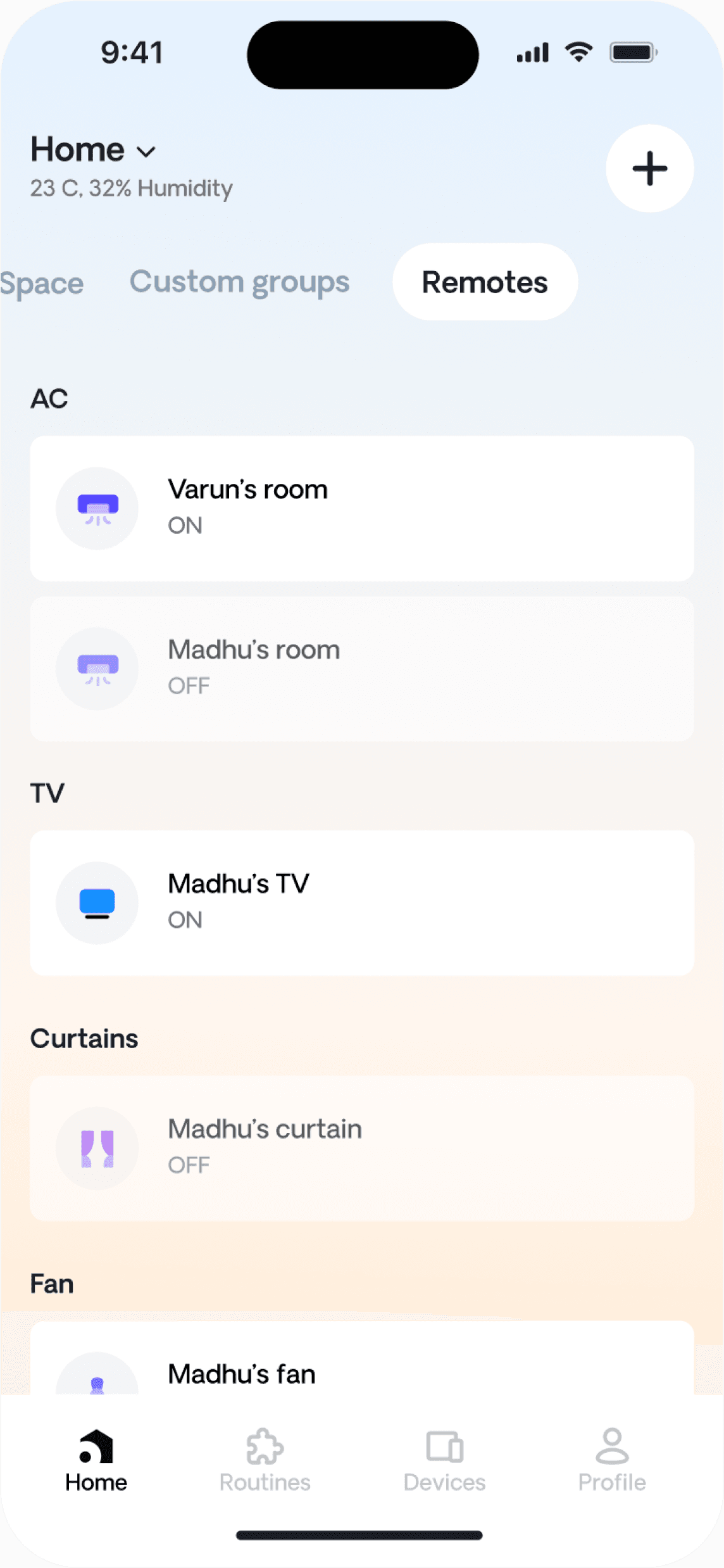
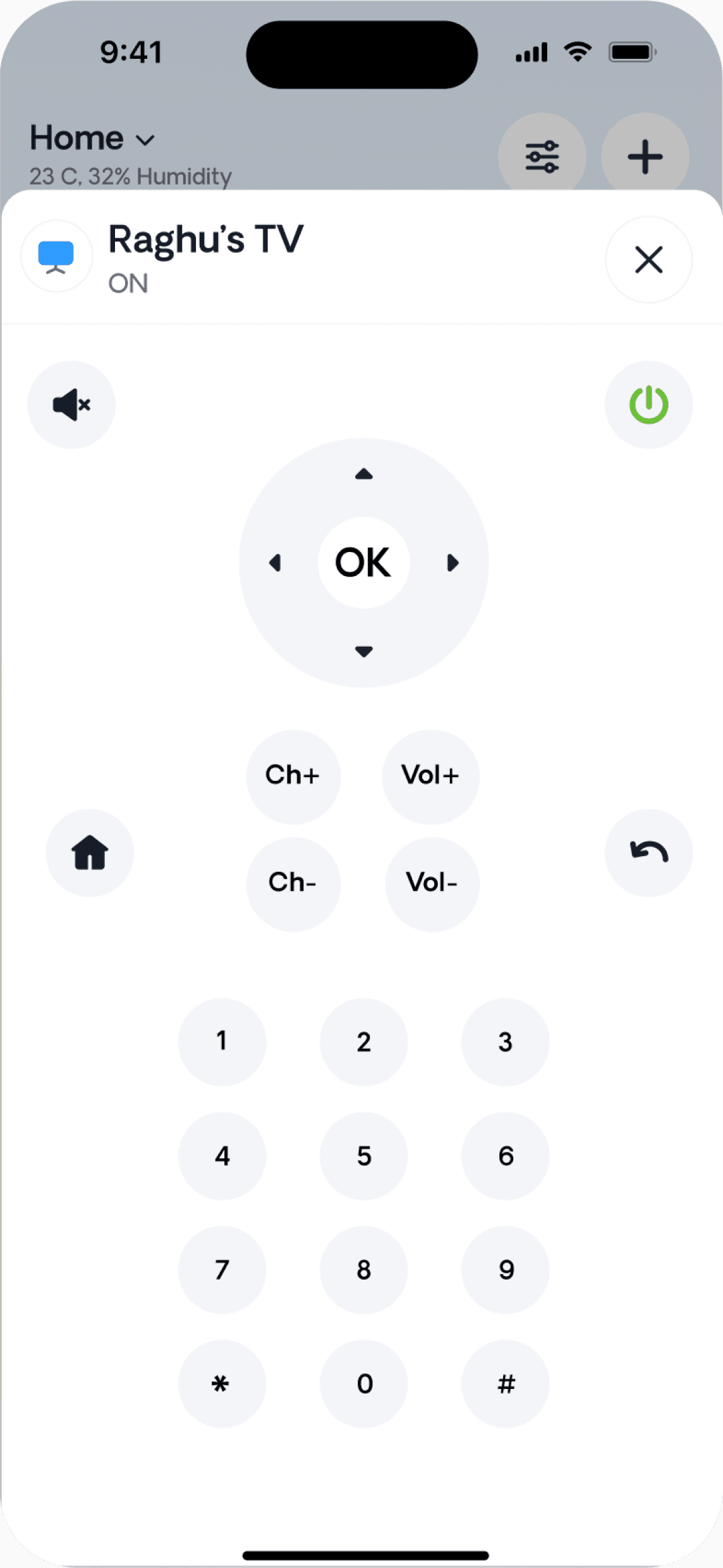
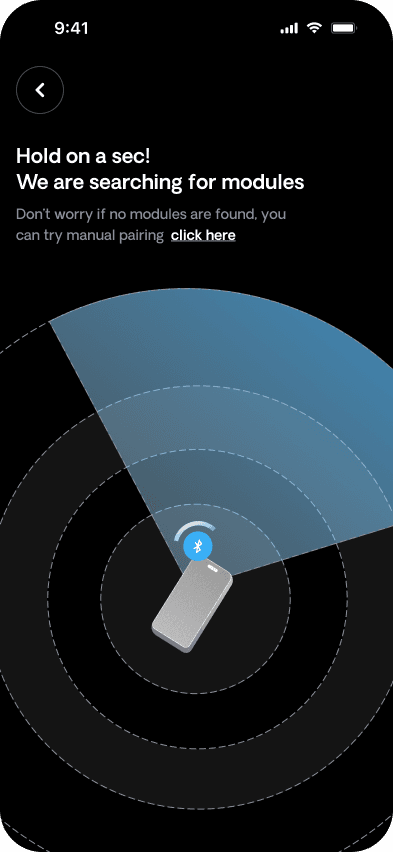
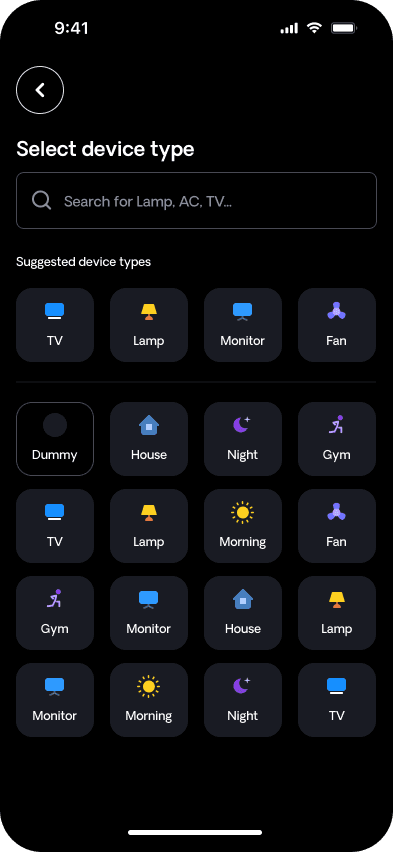
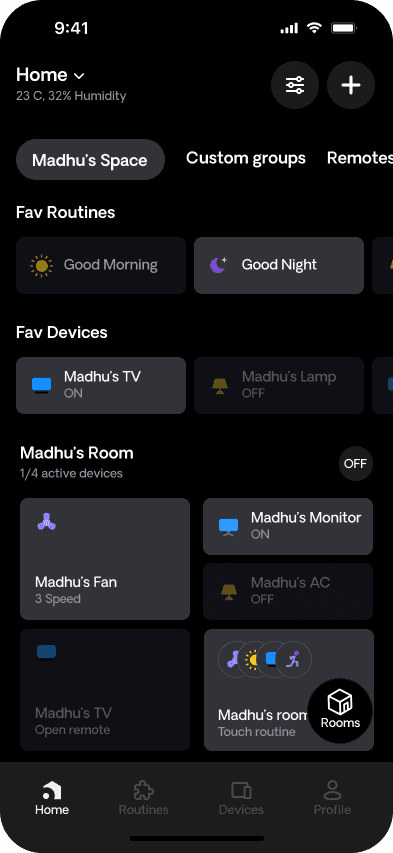
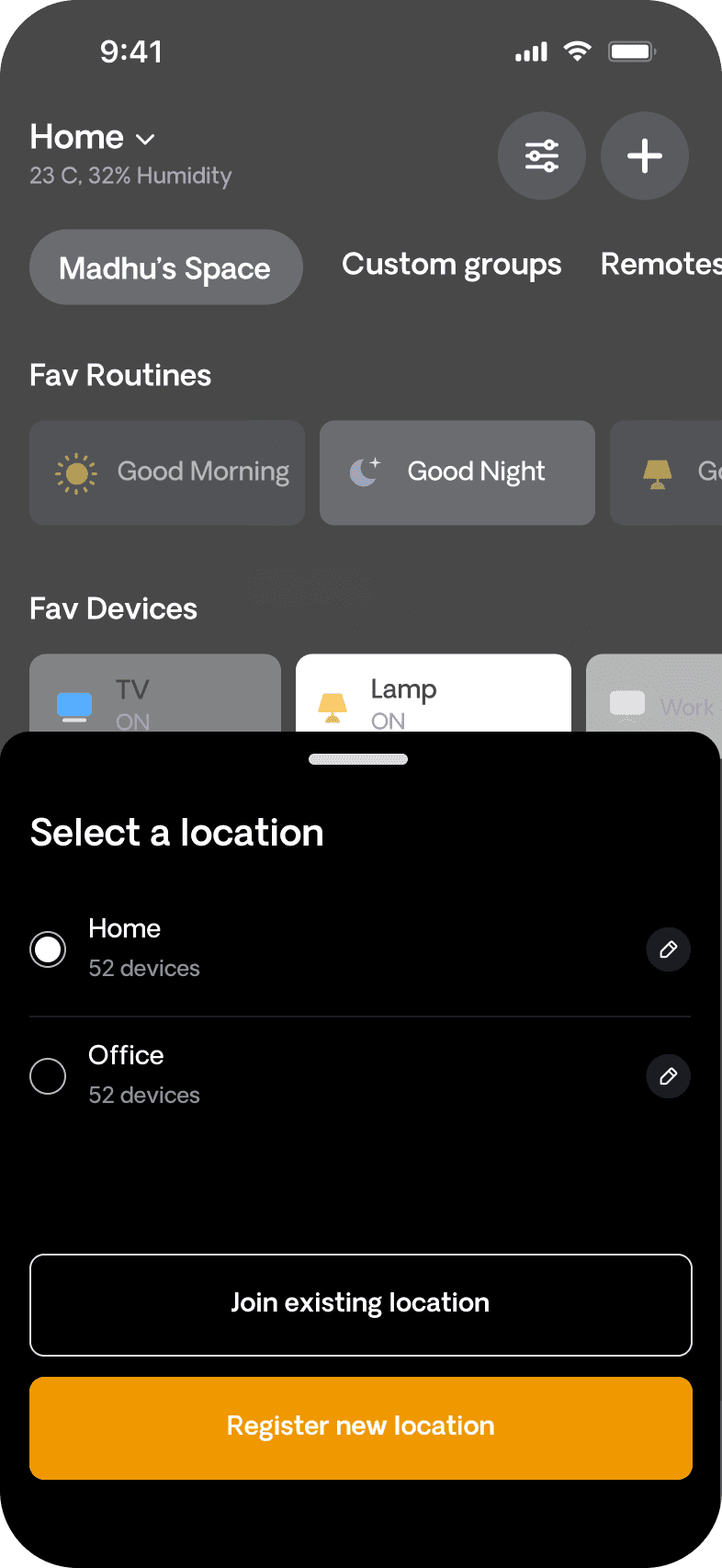
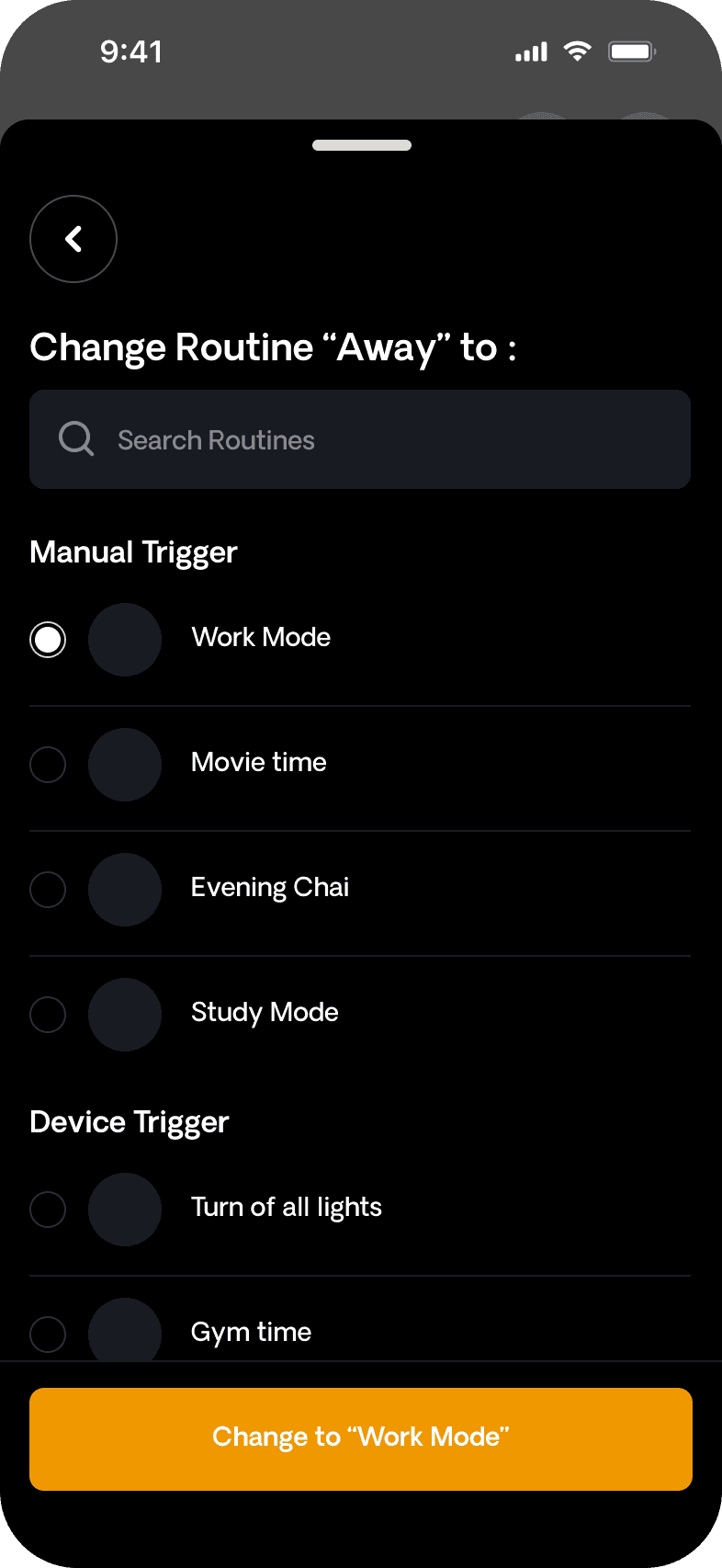
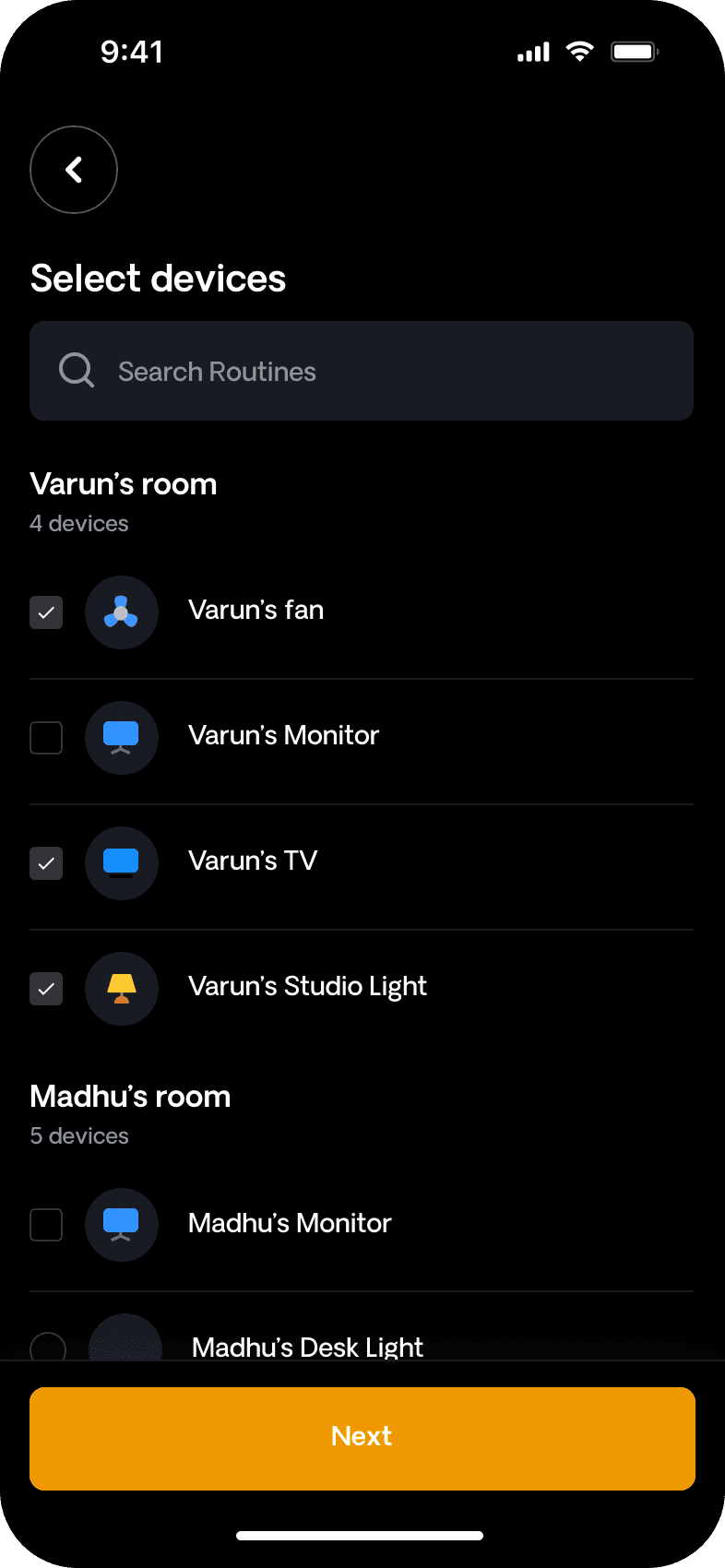
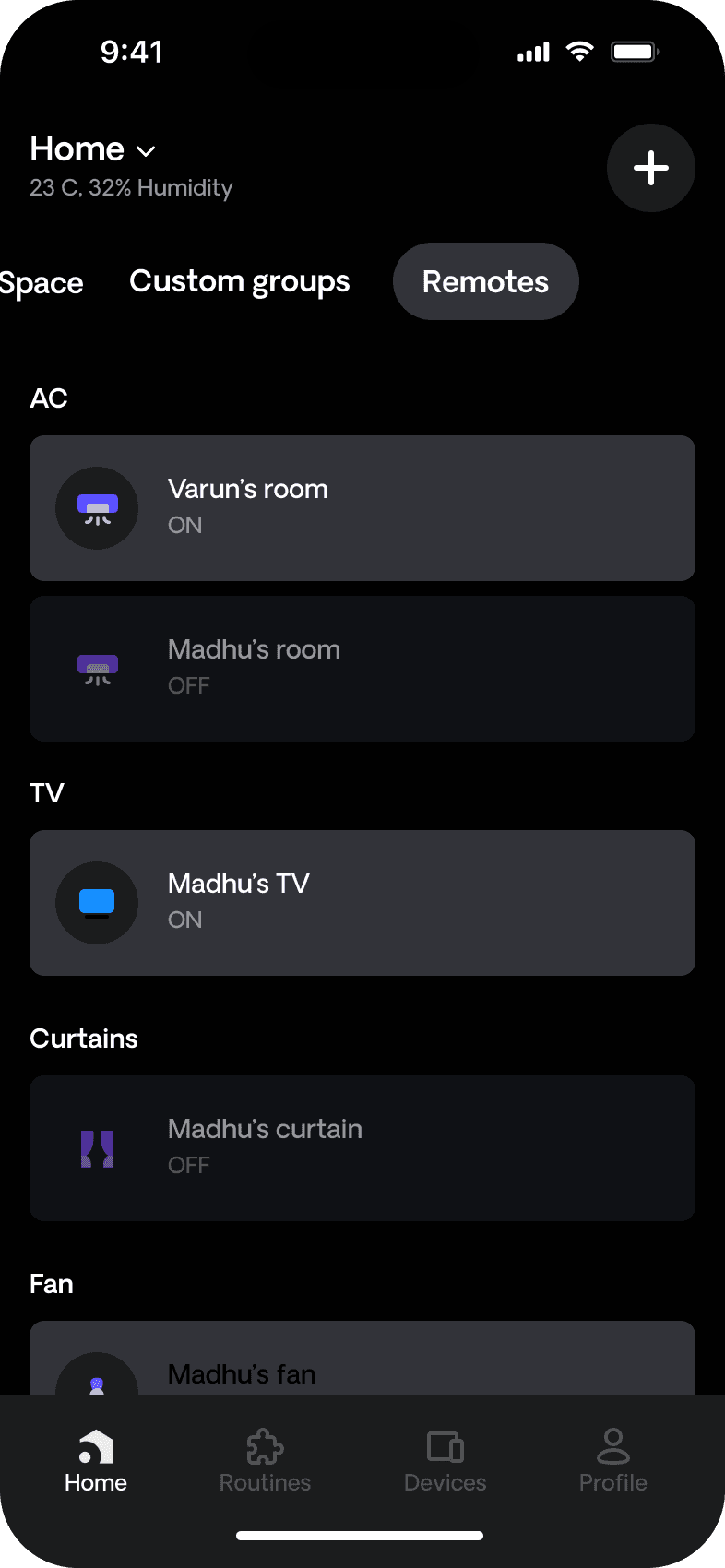
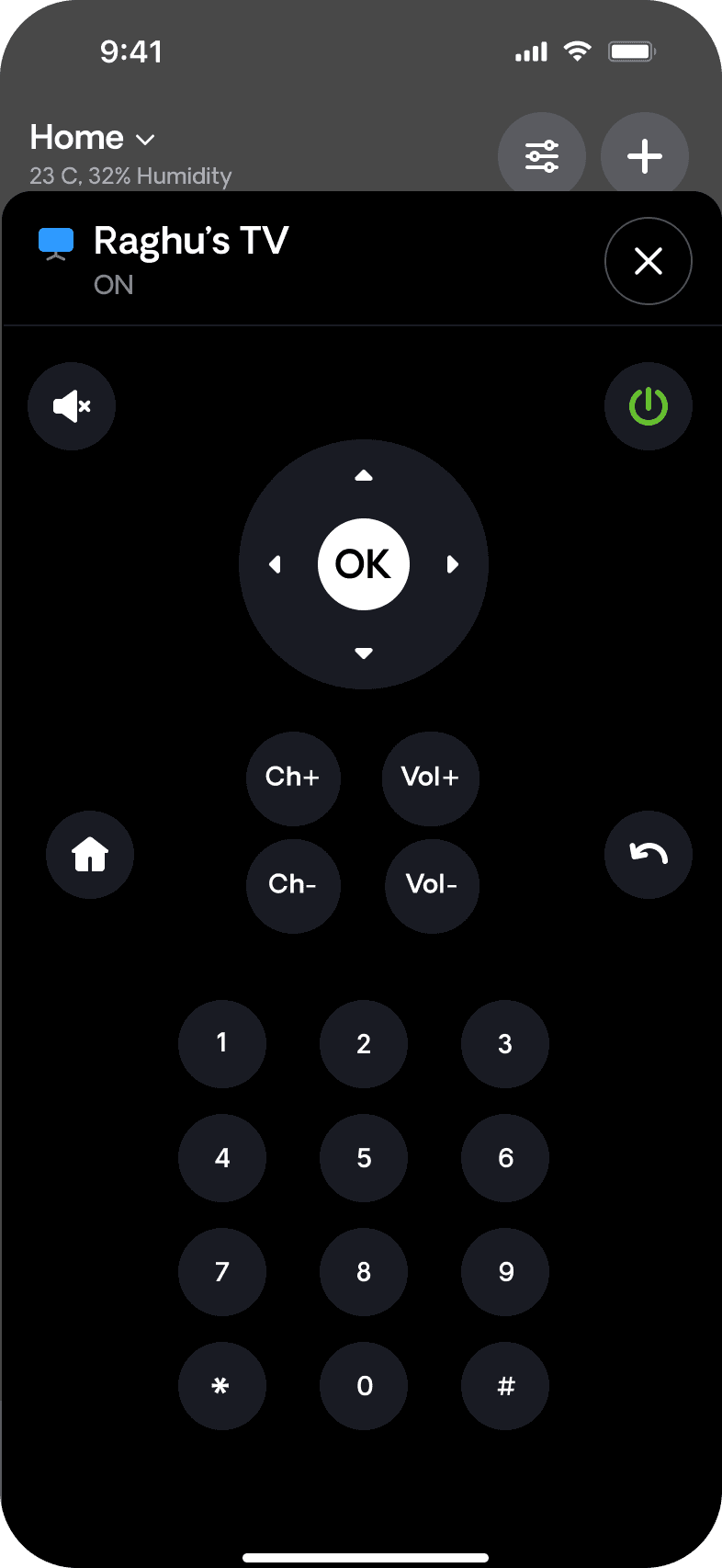
The new IoT Casa screens are cleaner, more structured, and easier to navigate. Clear device controls, consistent layouts, and simplified automation flows make it intuitive for users to manage their smart homes confidently without relying on training or support.
The new IoT Casa screens are cleaner, more structured, and easier to navigate. Clear device controls, consistent layouts, and simplified automation flows make it intuitive for users to manage their smart homes confidently without relying on training or support.
LIGHT MODE
DARK MODE
LIGHT MODE
DARK MODE
Visual Foundations
Visual Foundations
Visual Foundations
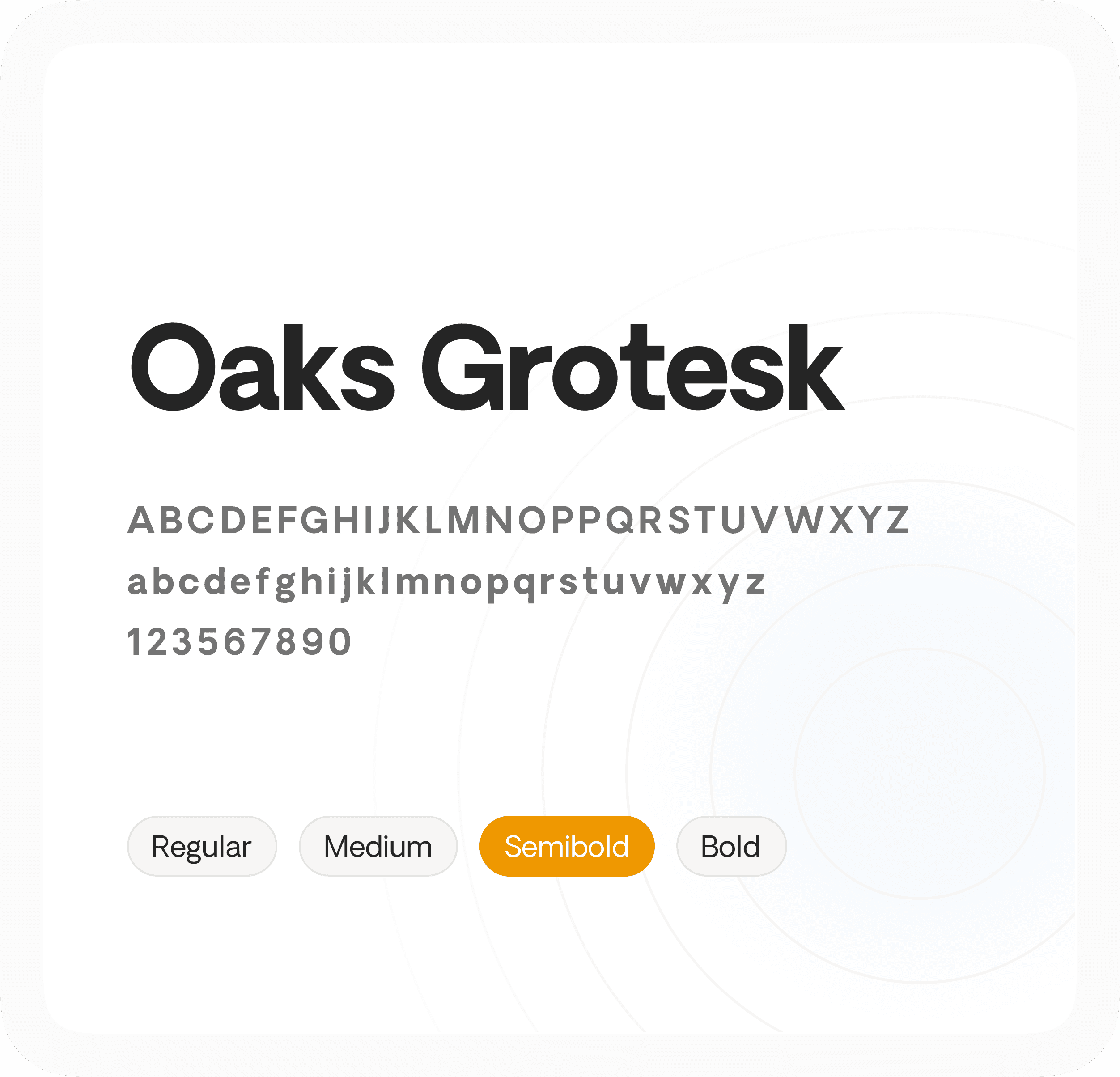
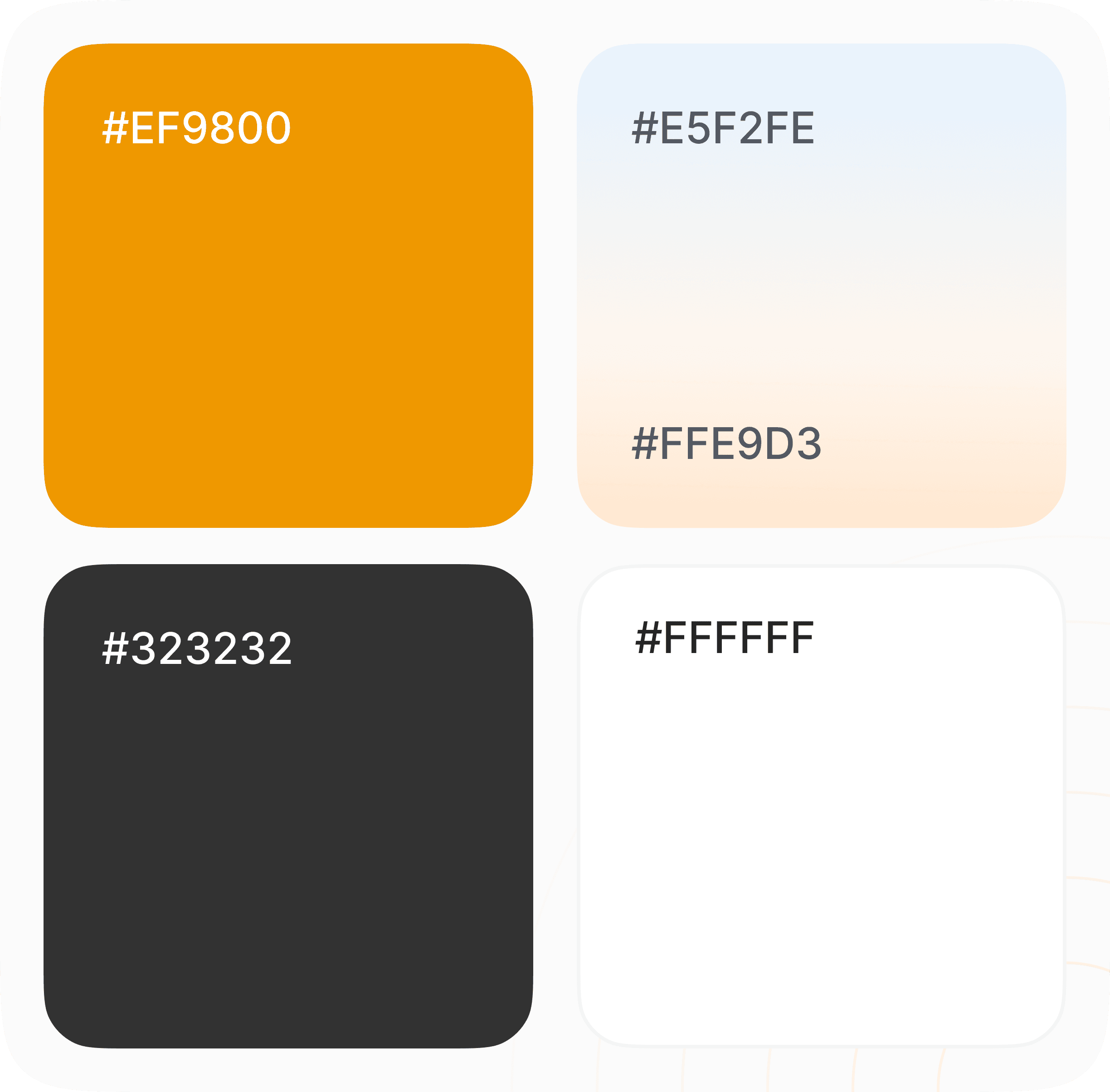
We chose Oaks Grotesk for its modern look and clear legibility across control-heavy screens. Warm accent colors add energy, while neutral tones maintain clarity creating a friendly, intuitive smart home interface.
We chose Oaks Grotesk for its modern look and clear legibility across control-heavy screens. Warm accent colors add energy, while neutral tones maintain clarity creating a friendly, intuitive smart home interface.
Impact Created
Impact Created
Impact Created
The redesign improved how users interact with IoT Casa by simplifying device control, clarifying navigation, and reducing reliance on training and support. Users can now manage their homes faster and more confidently in their daily routines.
The redesign improved how users interact with IoT Casa by simplifying device control, clarifying navigation, and reducing reliance on training and support. Users can now manage their homes faster and more confidently in their daily routines.
Improved Feature Visibility
Improved Feature Visibility
Simplified layouts and clearer controls made it easier for users to manage devices and automations quickly and confidently.
Simplified layouts and clearer controls made it easier for users to manage devices and automations quickly and confidently.
Simplified layouts and clearer controls made it easier for users to manage devices and automations quickly and confidently.

Faster Adoption
Simplified workflows and predictable navigation made it easier for users to start using IoT Casa confidently, with less time spent on setup and learning.
Reduced Training Effort
Clear actions, consistent patterns, and guided flows reduced confusion and the need for training and on-site support.
Faster Adoption
Faster Adoption
Simplified workflows and predictable navigation made it easier for users to start using IoT Casa confidently, with less time spent on setup and learning.
Simplified workflows and predictable navigation made it easier for users to start using IoT Casa confidently, with less time spent on setup and learning.
Reduced Training Effort
Reduced Training Effort
Clear actions, consistent patterns, and guided flows reduced confusion and the need for training and on-site support.
Clear actions, consistent patterns, and guided flows reduced confusion and the need for training and on-site support.
Want results like these for your Product ?
Talk to us or see how our process works before you decide.
Want results like these for your Product ?
Talk to us or see how our process works before you decide.
Want results like these for your Product ?
Talk to us or see how our process works before you decide.