

A one-page UX strategy canvas
Canvas field | Illustrative workspace example |
|---|---|
Audience and context | Administrators inviting colleagues during initial setup. |
Business goal | Help eligible teams reach a usable shared workspace; establish a baseline before setting a numerical target. |
User problem / evidence | Assumption: administrators cannot distinguish an invitation awaiting delivery from one blocked by access rules. Validate with events and observed tasks. |
Design principle | Explain state and responsibility before asking the administrator to repeat an action. |
Product bet | A visible invitation-status view with a precise recovery path. |
Rejected option | A new welcome animation: it does not address the hypothesized blocked invitation. |
Measures | Authorized setup completion, invitation recovery, repeated sends and support contacts classified by cause. |
Review cadence | Review after a defined observation window and enough eligible attempts to interpret the result; name the product manager as owner. |
Turn the canvas into a roadmap decision
First verify invitation events and classify failures. Next prototype the status-and-recovery view. Then observe administrators completing a realistic task before committing to implementation. The sequence makes instrumentation and evidence dependencies explicit rather than treating every design idea as ready for delivery.
Now: confirm the problem and establish the baseline.
Next: compare a status explanation with a recovery control on the same task.
Later: consider onboarding guidance only if evidence shows a discovery problem remains.
Stop or revise: if policy restrictions explain the failure and the new interface cannot change them, focus on explaining responsibility and legitimate next steps.
Keep the goal stable long enough to learn, but revise the bet when the evidence contradicts it. A strategy is not a promise to ship every item originally written on a workshop board.
A useful strategy makes the rejected option and its reason visible.

What UX Strategy Actually Means (System-Level View)
UX strategy is not merely about designing interfaces; it's about creating a decision-making framework that aligns user needs, business goals, and product decisions. This alignment ensures that every design choice contributes to overarching business objectives, rather than just fulfilling immediate design requirements.
Consider it a system-level approach, where UX strategy serves as the connective tissue between product decisions and business outcomes. The strategy is about setting a course for your product that is informed by a deep understanding of the market and user requirements, ensuring that every tactical decision is in service of a broader vision.
Deep Table:
Layer | Without UX Strategy | With UX Strategy | Business Impact |
Decision-making | Reactive | Structured | Better alignment |
Product direction | Feature-driven | Outcome-driven | Higher adoption |
UX consistency | Fragmented | Unified | Better usability |
Growth | Unpredictable | Scalable | Sustainable growth |
UX strategy ultimately creates a unified experience that aligns with business goals, facilitating sustainable growth and ensuring that design efforts translate into meaningful business outcomes.
The Core Industry Mistake: Treating UX as Design, Not Strategy
A common mistake in the industry is the reduction of UX to a series of design deliverables and UI improvements, without addressing the strategic layer. This approach focuses on surface-level fixes, leaving systemic issues unresolved. As a result, teams often find themselves trapped in a cycle of reactive adjustments that fail to address underlying problems.
Without a strategic foundation, efforts to improve UX become fragmented. For example, focusing solely on individual feature designs can lead to a lack of consistency across the product. This results in a disjointed experience that confuses users and undermines the product's value proposition.
Diagnostic Table:
What Teams Do | Why It Fails | What Should Happen | Result |
Focus on UI | Surface-level fixes | Fix workflows | Real improvement |
Design per feature | No system thinking | Unified UX direction | Consistency |
Short-term fixes | No long-term vision | Strategic planning | Scalable UX |
The key insight here is that without a UX strategy, design becomes reactive, addressing symptoms rather than causes, and leading to inconsistent products.
Why UX Strategy Directly Impacts Business
UX strategy is not merely a design investment; it’s a business investment that directly impacts product adoption, retention, operational efficiency, and cost reduction. A well-executed UX strategy can transform a product from a collection of features into a cohesive, user-friendly system that meets business objectives.
When there's a gap in UX strategy, the product often suffers from inconsistent user experiences, leading to low adoption and growth stagnation. Conversely, a strategic approach ensures that each feature aligns with the overall product vision, enhancing usability and reducing churn.
Business Impact Table:
UX Gap | Product Impact | Business Outcome | Long-Term Effect |
No UX direction | Inconsistent experience | Low adoption | Growth stagnation |
Feature overload | Cluttered product | Poor usability | High churn |
Reactive fixes | Rework cycles | Increased cost | Inefficiency |
Poor alignment | Misaligned product | Lost opportunities | Weak positioning |
Thus, a strong UX strategy is fundamental to achieving predictable growth and maintaining a competitive edge in the market.
Key Components of UX Strategy (Core Framework)
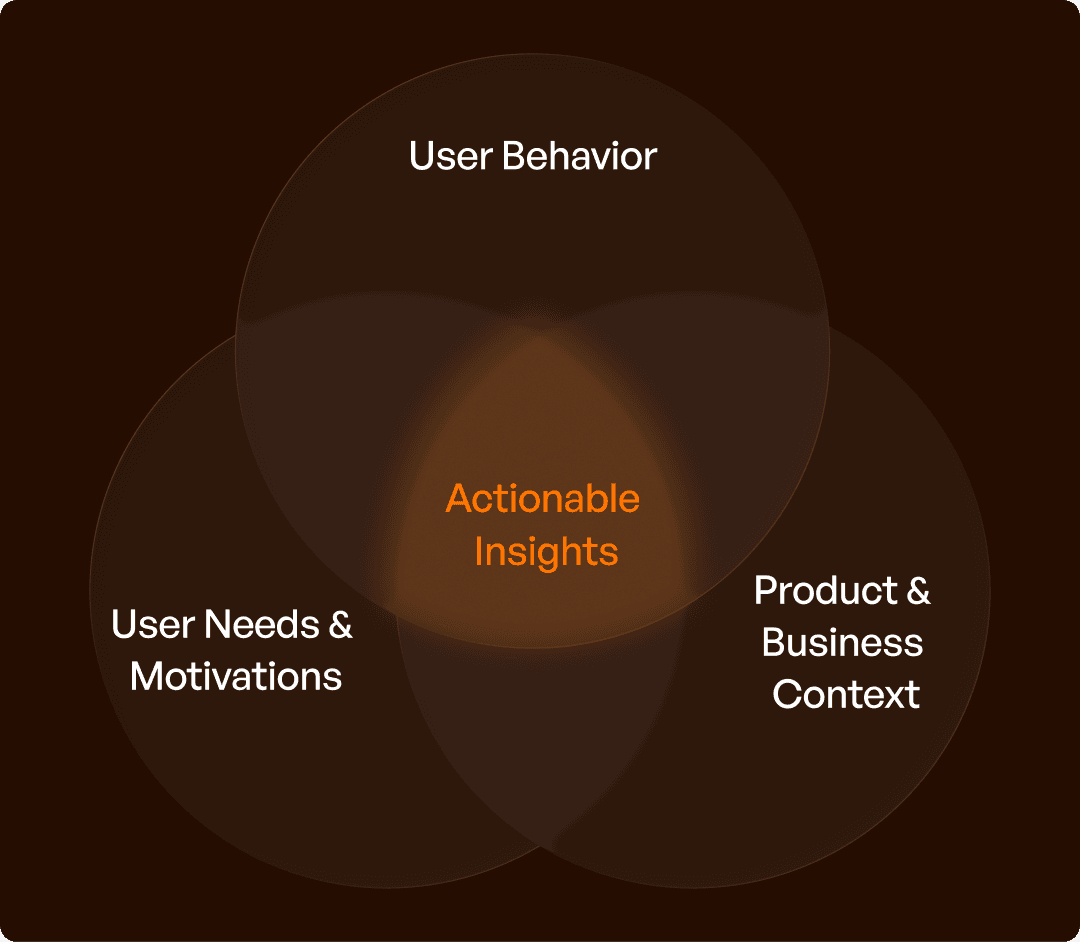
A robust UX strategy is built on several key components that together form a cohesive framework: business goals alignment, user understanding, product vision, experience principles, and a prioritization framework. Each of these components plays a critical role in ensuring that the product not only meets user needs but also contributes to business success.
Aligning UX with business goals ensures that the product’s existence is justified and its value proposition is clear. User understanding involves deep research to accurately define the target audience, avoiding assumptions that lead to misguided solutions.
With a clear product vision, decision-makers can steer the product in a consistent direction, avoiding random shifts based on short-term pressures. Experience principles establish design rules that ensure cohesive and user-friendly experiences, while a prioritization framework helps in making informed decisions about which features to build first.
Framework Table:
Component | What It Defines | Mistake When Missing | Impact |
Business Alignment | Why the product exists | Disconnected UX | Poor ROI |
User Understanding | Who you're designing for | Assumptions | Wrong solutions |
Product Vision | Where product is going | Random decisions | Inconsistency |
UX Principles | Design rules | Ad-hoc UX | Poor usability |
Prioritization | What to build first | Feature overload | Inefficiency |
Each component is crucial in constructing a UX strategy that is not assumed but deliberately built to foster business success.
How UX Strategy Works in SaaS (Practical View)
In the context of SaaS, a UX strategy plays a pivotal role in aligning features with workflows, reducing complexity, and optimizing user journeys. This strategic alignment ensures that features do not merely add complexity but enhance the overall usability and adoption of the product.
For instance, a well-structured onboarding process with clear flows can substantially increase user activation rates. Similarly, when rolling out new features, a UX strategy ensures that these additions fit seamlessly into the existing system rather than creating unnecessary clutter.
SaaS Application Table:
Scenario | Without UX Strategy | With UX Strategy | Outcome |
Onboarding | Confusing steps | Clear flow | Better activation |
Feature rollout | Adds complexity | Fits into system | Better adoption |
Dashboard design | Data overload | Structured insights | Better usability |
By turning features into usable systems, a UX strategy helps SaaS products achieve their potential and drive business outcomes.
Place the decision within a repeatable workflow using the UI/UX design process.
The Upslide Approach
Upslide adopts a unique approach by aligning UX with business outcomes, focusing on redesigning workflows rather than just the UI, and building scalable UX systems. This strategy-first approach ensures that the design is not merely about aesthetics but about enhancing usability and achieving higher adoption.
Unlike typical UI-first designs that are often feature-driven, Upslide prioritizes outcome-driven strategies that lead to better usability. By employing scalable systems instead of one-time redesigns, Upslide helps businesses achieve long-term efficiency.
Positioning Table:
Typical Approach | Upslide Approach | Business Outcome |
UI-first design | Strategy-first UX | Better usability |
Feature-driven | Outcome-driven | Higher adoption |
One-time redesign | Scalable systems | Long-term efficiency |
Having redesigned over 50 enterprise software products across the globe, including work with governments, enterprises, and startups, Upslide ensures that design is about running businesses better, not just looking better.
For changes to an established product, consider enterprise UX modernization.

Final Insight
UX strategy is central to how products evolve over time. Without it, products risk becoming complex and inefficient, leading to low user satisfaction and retention. A strategic approach to UX ensures that every design decision is purposeful and aligned with business objectives, driving measurable outcomes.
For SaaS companies looking to build UX strategies that foster growth and reduce costs, partnering with Upslide can provide the necessary expertise and insights. With a proven track record in creating scalable, efficient software, Upslide positions itself as the ideal partner to help your product grow in the right direction.
Remember, UX strategy is not about design; it's about how your product grows.
Frequently asked questions
How is UX strategy different from a design roadmap?
UX strategy explains which user and business problems matter, the desired outcomes and the principles guiding decisions. A design roadmap sequences the work. Without a strategy, a roadmap can become a list of deliverables without a clear reason to prioritize them.
What should a one-page UX strategy include?
Include the target users, evidence of their main problem, the desired business and user outcomes, scope, constraints and a way to measure progress. Add explicit tradeoffs so the document helps the team decide what to pursue and what to defer.

