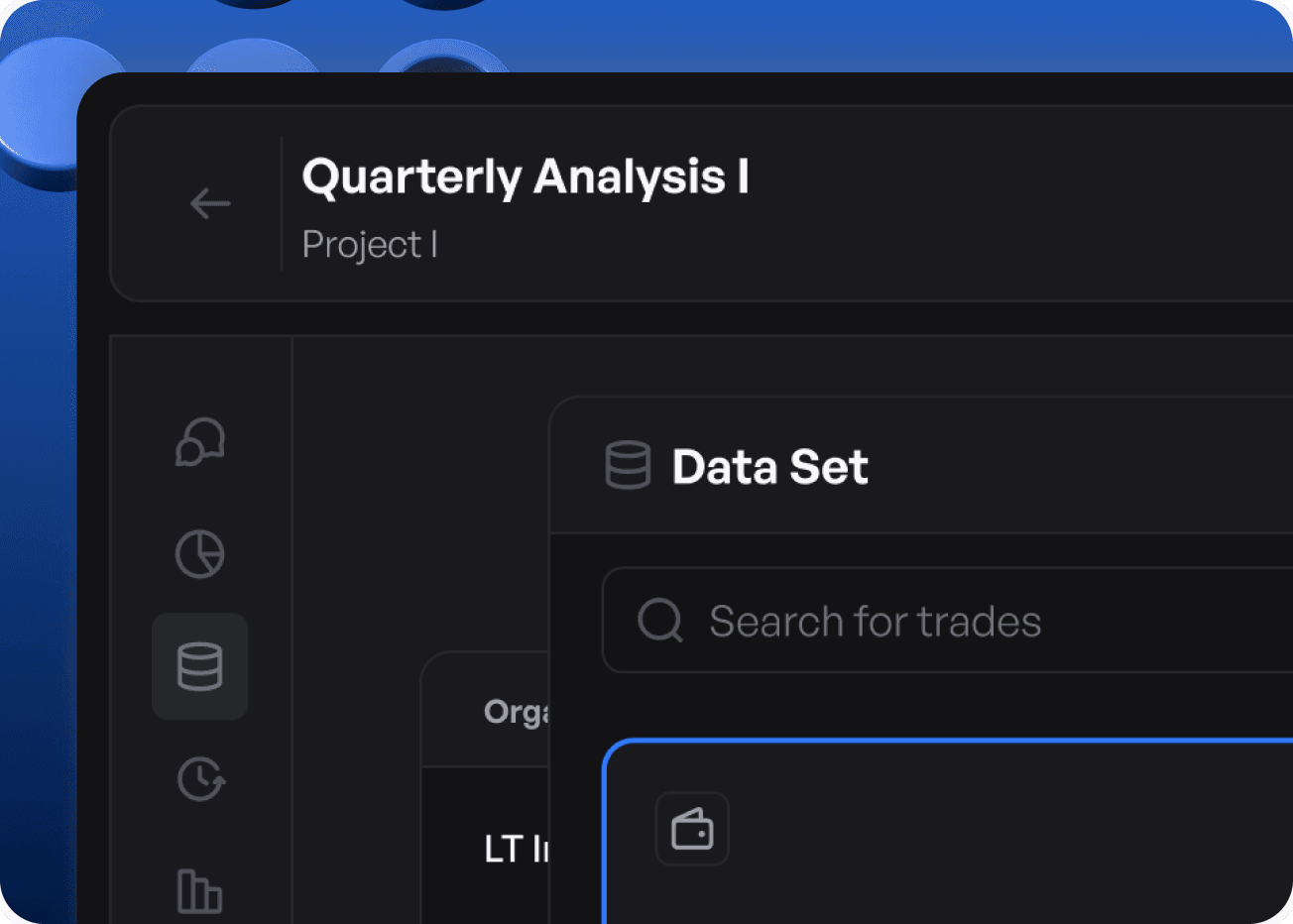
Data Analytics Platform
Product Design
Redesigning Avaloka’s Product & Website for Better Usability
Redesigning Avaloka’s Product & Website for Better Usability
Avaloka helps teams transform raw datasets into actionable insights using AI-driven analytics and intelligent data exploration.
Avaloka helps teams transform raw datasets into actionable insights using AI-driven analytics and intelligent data exploration.
About Avaloka
About Avaloka
Avaloka is an AI-powered data intelligence platform designed to help analyze data, uncover insights, and make faster, informed decisions.
The platform enables users to upload datasets, connect SQL warehouses and cloud data sources, run AI-driven analysis, and ask questions about their data using natural language.
It also allows users to generate insights, visualizations, and reports from their datasets. Instead of relying on multiple tools for data storage, analysis, and modeling, Avaloka brings everything into a single ecosystem making it easier to move from raw data to actionable intelligence.
Avaloka is an AI-powered data intelligence platform designed to help analyze data, uncover insights, and make faster, informed decisions.
The platform enables users to upload datasets, connect SQL warehouses and cloud data sources, run AI-driven analysis, and ask questions about their data using natural language.
It also allows users to generate insights, visualizations, and reports from their datasets. Instead of relying on multiple tools for data storage, analysis, and modeling, Avaloka brings everything into a single ecosystem making it easier to move from raw data to actionable intelligence.
Avaloka is an AI-powered data intelligence platform designed to help analyze data, uncover insights, and make faster, informed decisions.
The platform enables users to upload datasets, connect SQL warehouses and cloud data sources, run AI-driven analysis, and ask questions about their data using natural language.
It also allows users to generate insights, visualizations, and reports from their datasets. Instead of relying on multiple tools for data storage, analysis, and modeling, Avaloka brings everything into a single ecosystem making it easier to move from raw data to actionable intelligence.
Industry
Artificial Intelligence
Team
Kishor, Anush Reddy
Subscription Category
Quick Win
Project Start Year
Febraury 2026
Business Challenges
Business Challenges

Manual Data Querying
Manual Data Querying
Traditional analytics tools require users to write complex queries to explore datasets, making the analysis process slow and dependent on technical expertise.
Traditional analytics tools require users to write complex queries to explore datasets, making the analysis process slow and dependent on technical expertise.

Delayed Insoght Discovery
Delayed Insoght Discovery
Users must manually explore large datasets to identify patterns, trends, or anomalies, which often delays decision-making.
Users must manually explore large datasets to identify patterns, trends, or anomalies, which often delays decision-making.


Fragmented Data Workflows
Fragmented Data Workflows
Data storage, analysis, and reporting are usually handled across multiple tools, creating inefficient workflows and making collaboration difficult.
Data storage, analysis, and reporting are usually handled across multiple tools, creating inefficient workflows and making collaboration difficult.
Business Challenges
Traditional analytics tools require users to write complex queries to explore datasets, making the analysis process slow and dependent on technical expertise.
Manual Data Querying
Users must manually explore large datasets to identify patterns, trends, or anomalies, which often delays decision-making.
Delayed Insight Discovery
Data storage, analysis, and reporting are usually handled across multiple tools, creating inefficient workflows and making collaboration difficult.
Fragmented Data Workflows
Our Approach
Our Approach
We analyzed how users interact with traditional analytics tools, identifying gaps in accessibility, speed, and insight discovery. Most workflows relied on manual queries and fragmented tools, creating friction in exploration and decision-making. We addressed this by designing a unified, AI-native experience that simplifies data interaction and enables faster insights through natural language and streamlined workflows.
We analyzed how users interact with traditional analytics tools, identifying gaps in accessibility, speed, and insight discovery. Most workflows relied on manual queries and fragmented tools, creating friction in exploration and decision-making. We addressed this by designing a unified, AI-native experience that simplifies data interaction and enables faster insights through natural language and streamlined workflows.
We analyzed how users interact with traditional analytics tools, identifying gaps in accessibility, speed, and insight discovery. Most workflows relied on manual queries and fragmented tools, creating friction in exploration and decision-making. We addressed this by designing a unified, AI-native experience that simplifies data interaction and enables faster insights through natural language and streamlined workflows.
We began by understanding the product, business goals, and user roles through detailed discussions. This helped us align design decisions with real-world workflows and expectations.
Knowledge Transfer
Information Architecture
BMC
User Persona
Design System
Wireframes
UI
We began by understanding the product, business goals, and user roles through detailed discussions. This helped us align design decisions with real-world workflows and expectations.
Knowledge Transfer
Information Architecture
BMC
User Persona
Design System
Wireframes
Ui
We began by understanding the product, business goals, and user roles through detailed discussions. This helped us align design decisions with real-world workflows and expectations.
Knowledge Transfer
Information Architecture
BMC
User Persona
Design System
Wireframes
Ui
Problems in the Existing Software
Problems in the Existing Software
We analyzed the existing experience to identify areas that increased effort, broke workflows, and reduced efficiency.
Problem - 1
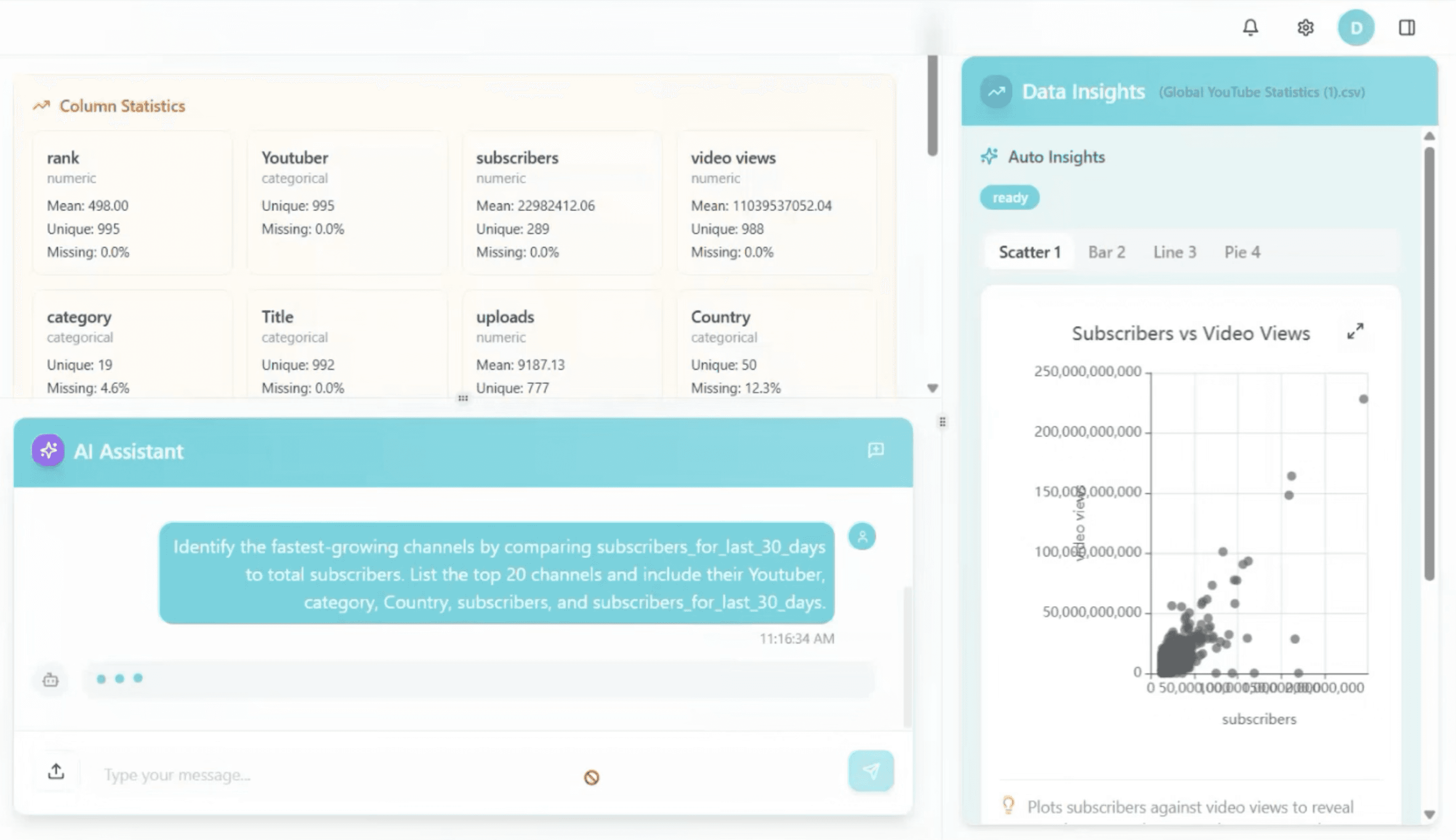
AI Insights Were Not Easily Actionable
Although AI-generated insights were available, they were not presented with enough clarity or context. Users had to interpret what the insights meant, how they were derived, and why they were relevant before taking action.
The lack of structured presentation and visual guidance made it difficult to quickly trust and apply these insights. As a result, users spent additional time validating information manually, slowing down decision-making and reducing the overall effectiveness of the AI.

Problem - 2
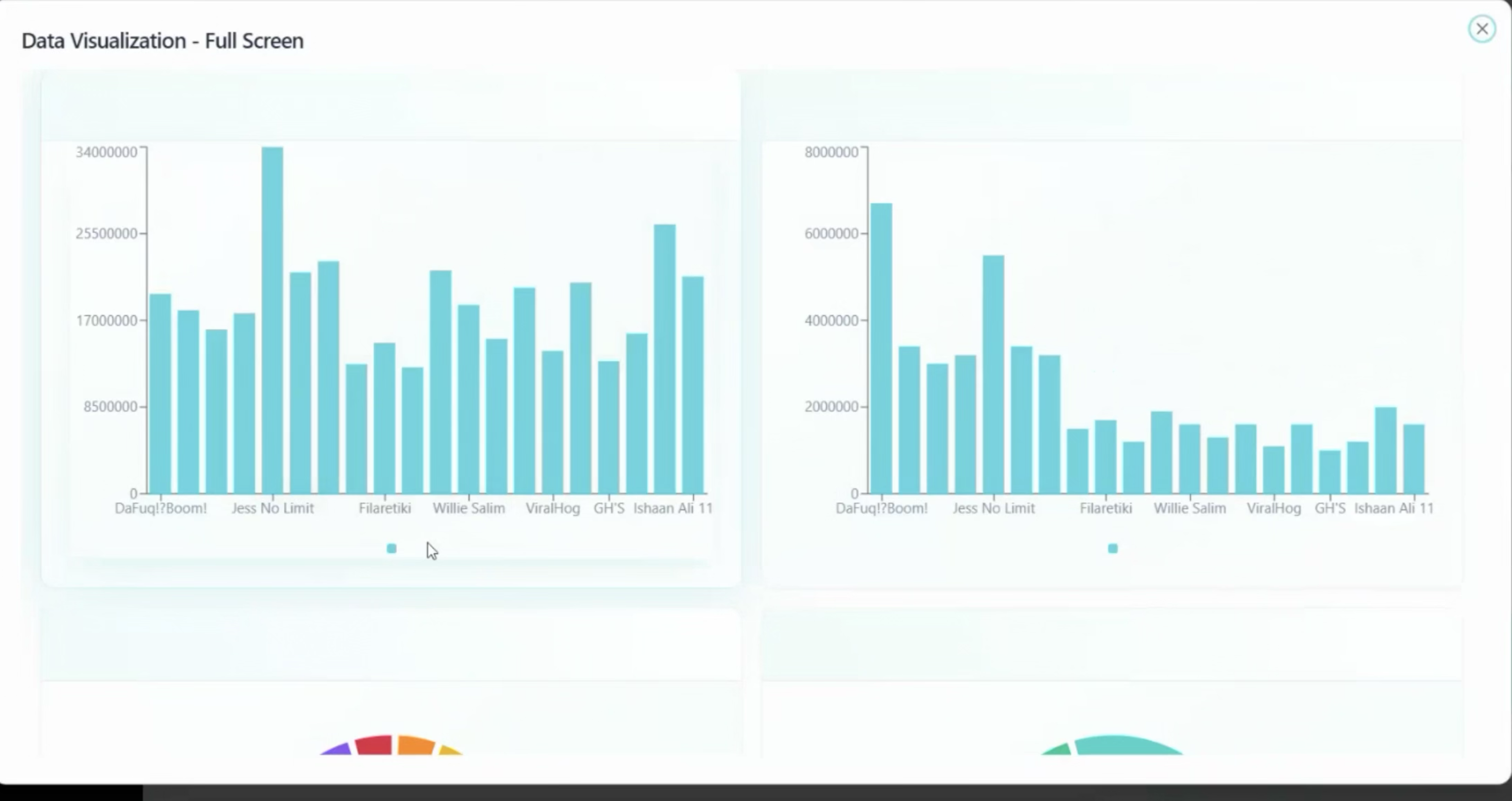
No Clear Entry Point to Start Analysis
Users were not guided on how to begin their analysis, whether it was uploading data, exploring datasets, or interacting with AI. This lack of a clear starting point created confusion and hesitation, especially for new users.
Without a defined entry flow, users had to figure out the process on their own, often navigating through multiple screens to get started. This increased effort, slowed down initial interactions, and made the overall experience feel less intuitive and harder to follow.
Problem - 3
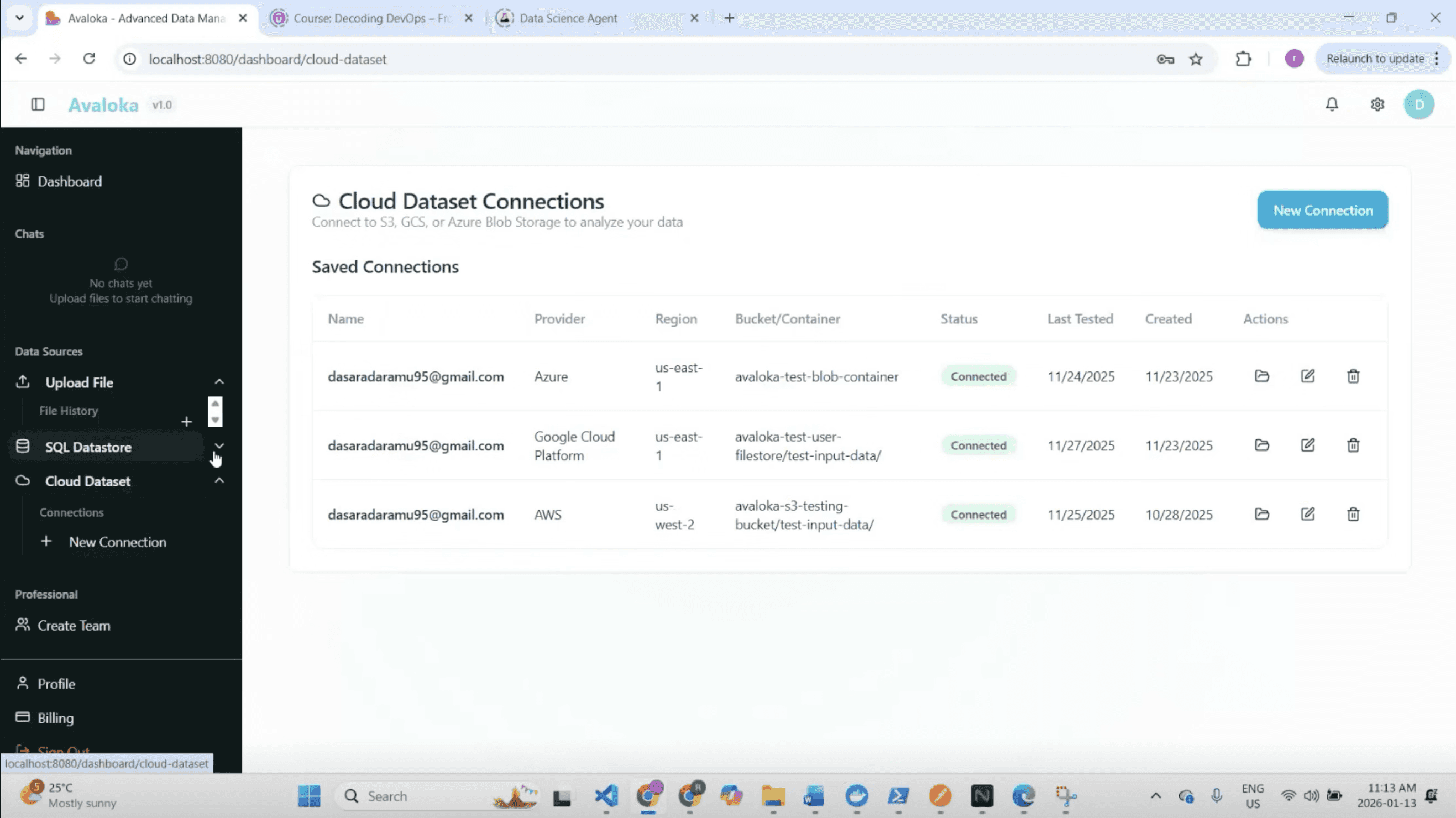
Frequent Screen Switching
Exploring data required users to move across multiple screens and views to complete a single task. Each action whether accessing datasets, viewing insights, or adjusting parameters often led to a different screen, interrupting the natural flow of analysis.
This constant switching made it difficult to maintain context and track progress. As a result, users had to spend more time navigating the interface, slowing down workflows and making the overall experience feel fragmented and less efficient.
The Solutions We Crafted
We redesigned the experience to streamline workflows, reduce manual effort, and enable faster, more intuitive data exploration.
Solution - 1
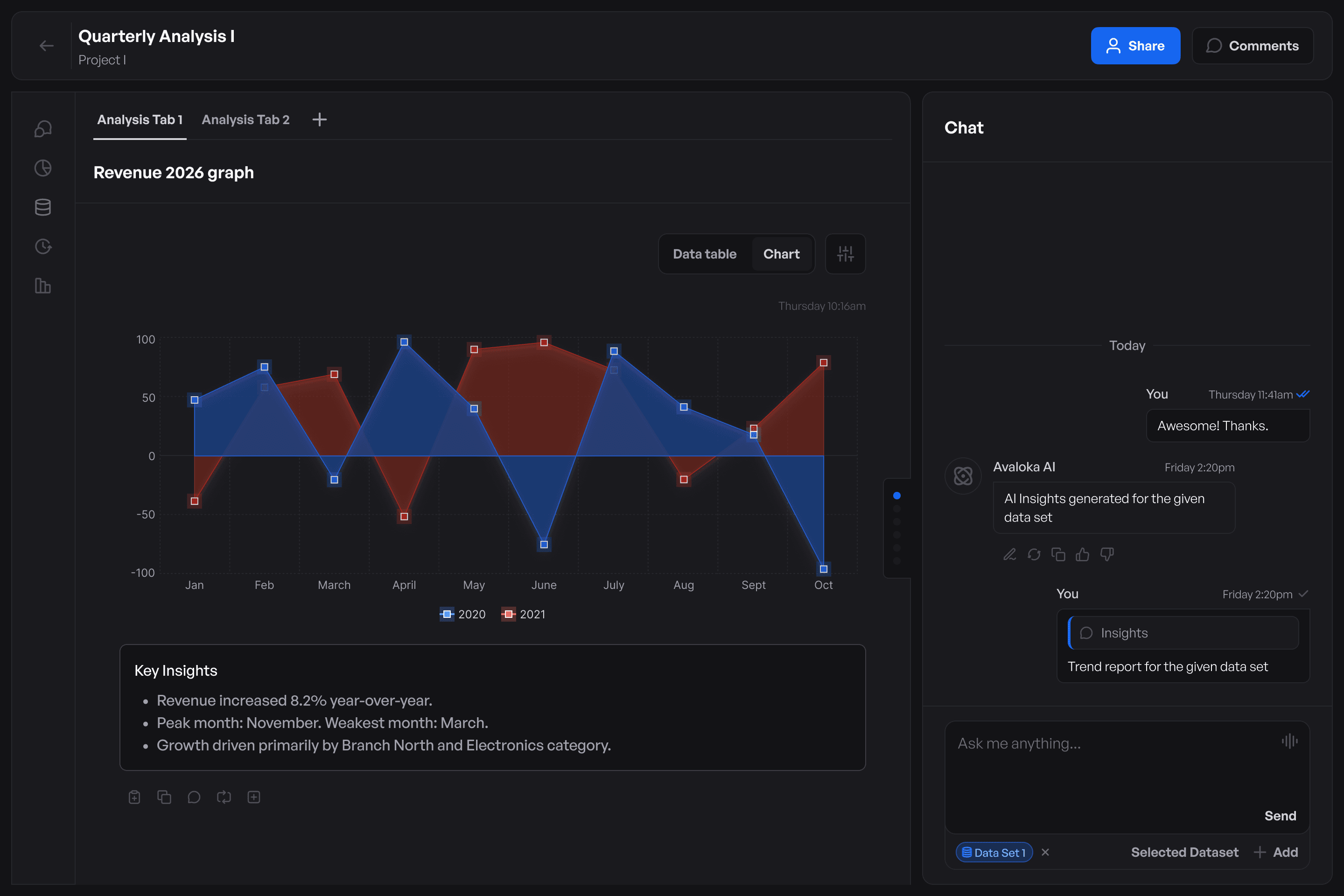
Clear Action Hierarchy and Simplified Interface
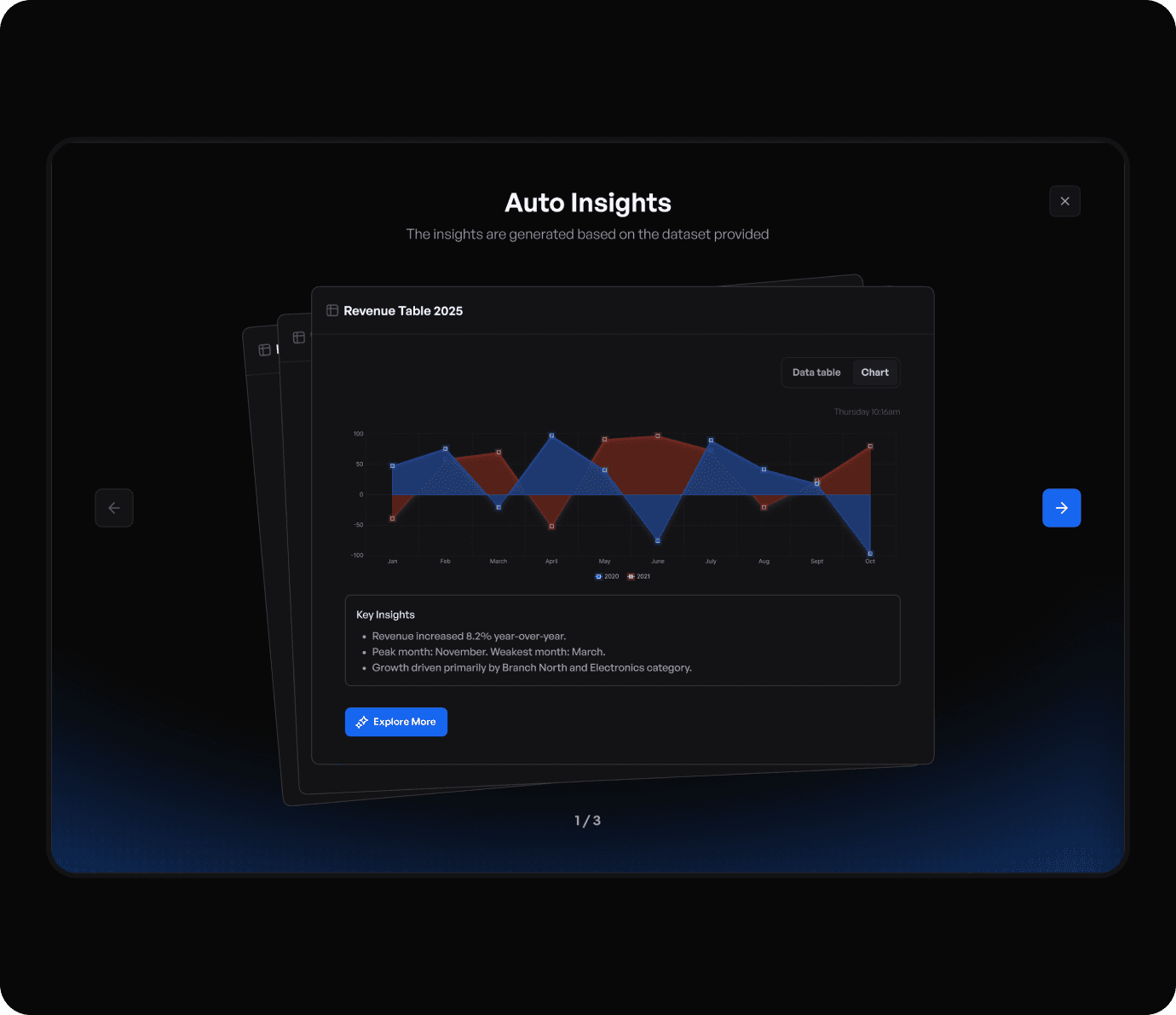
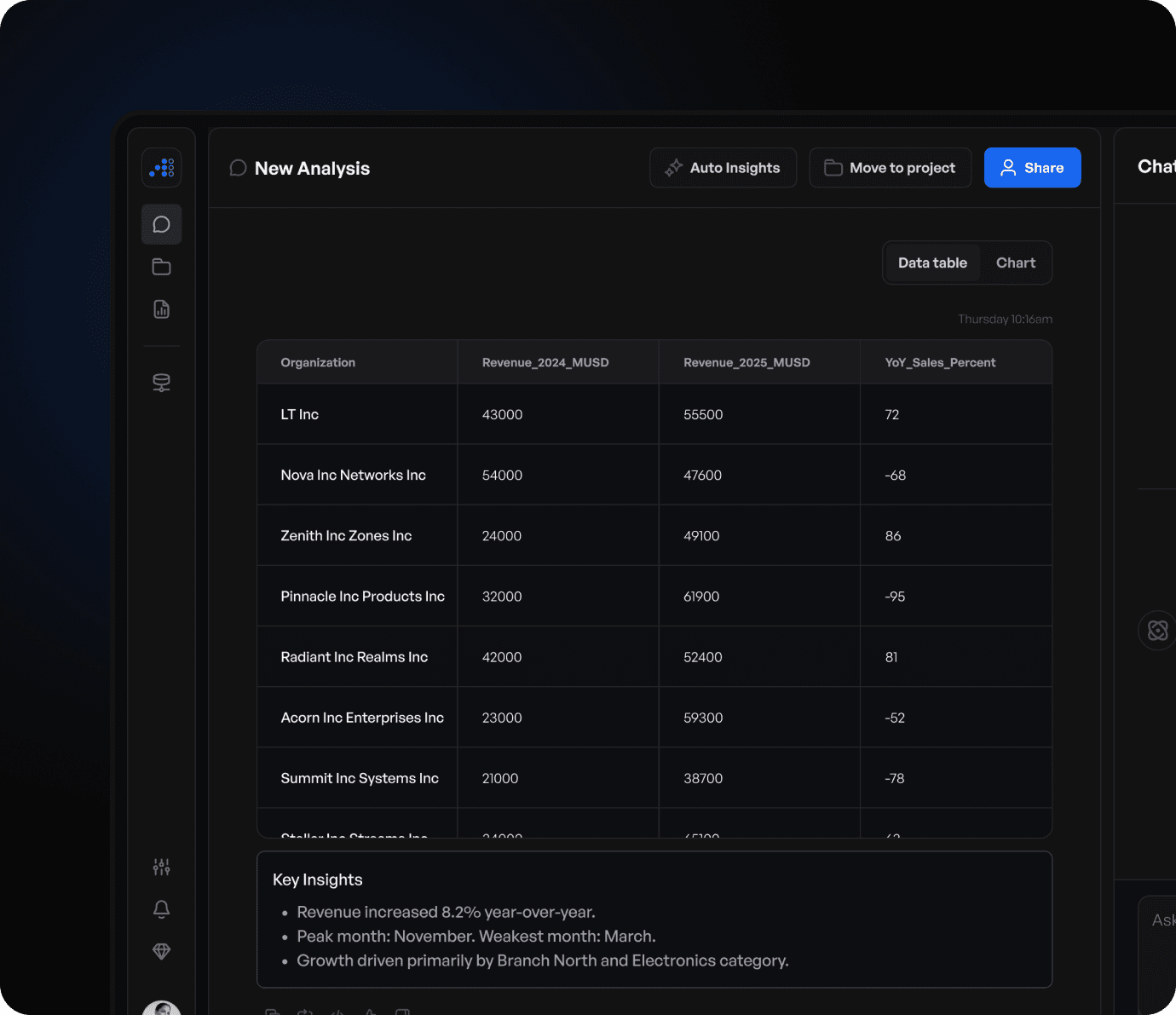
We redesigned how insights and actions are presented, bringing clarity to what matters most. Instead of overwhelming users with multiple options, the interface now prioritizes key actions and structures information in a more meaningful way.
AI-generated insights are supported with better context, visual clarity, and clear next steps, making them easier to understand and act upon. This reduces the need for manual interpretation and allows users to move from insight to decision more confidently and efficiently.

Solution - 2
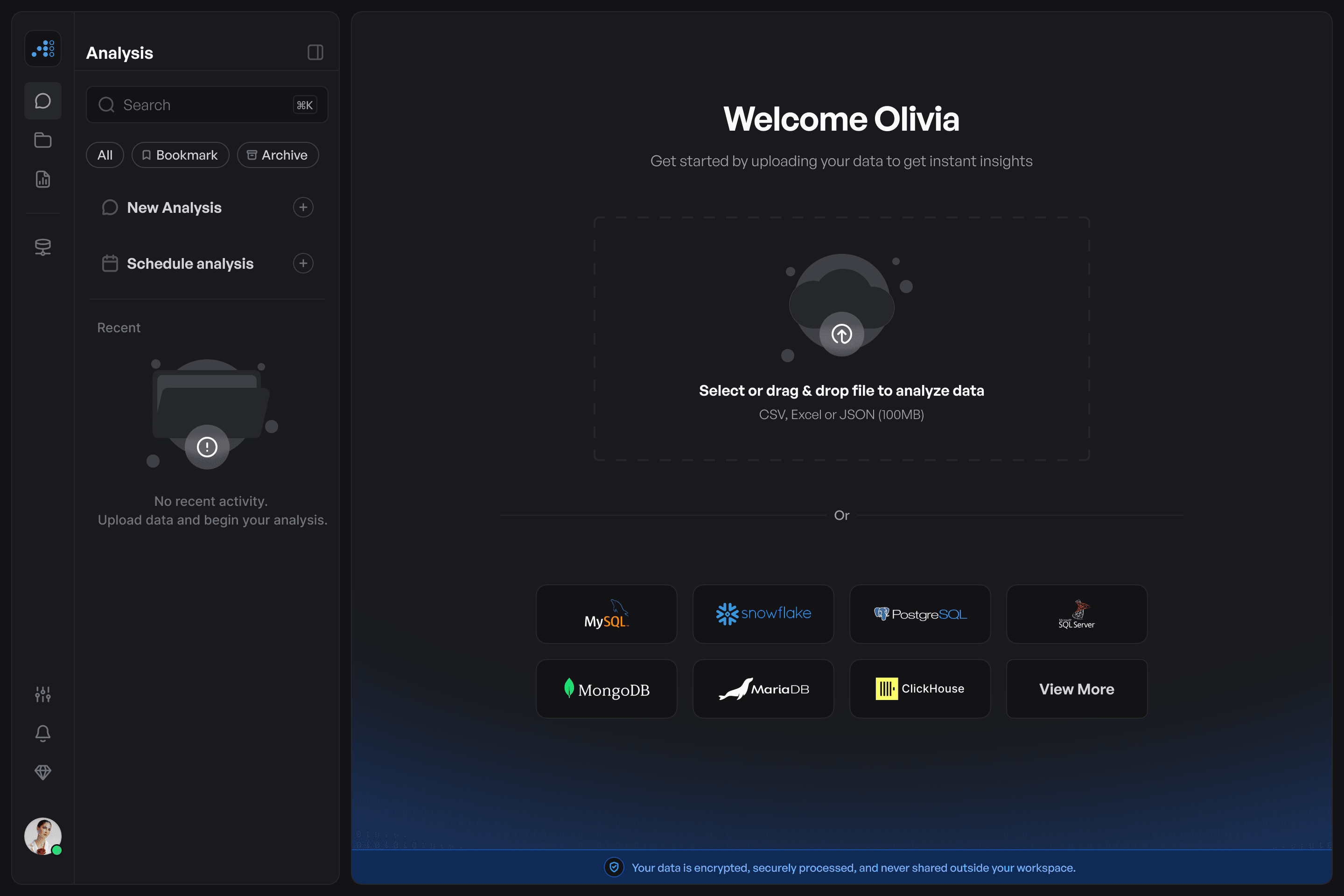
Unified Workspace for Better Context
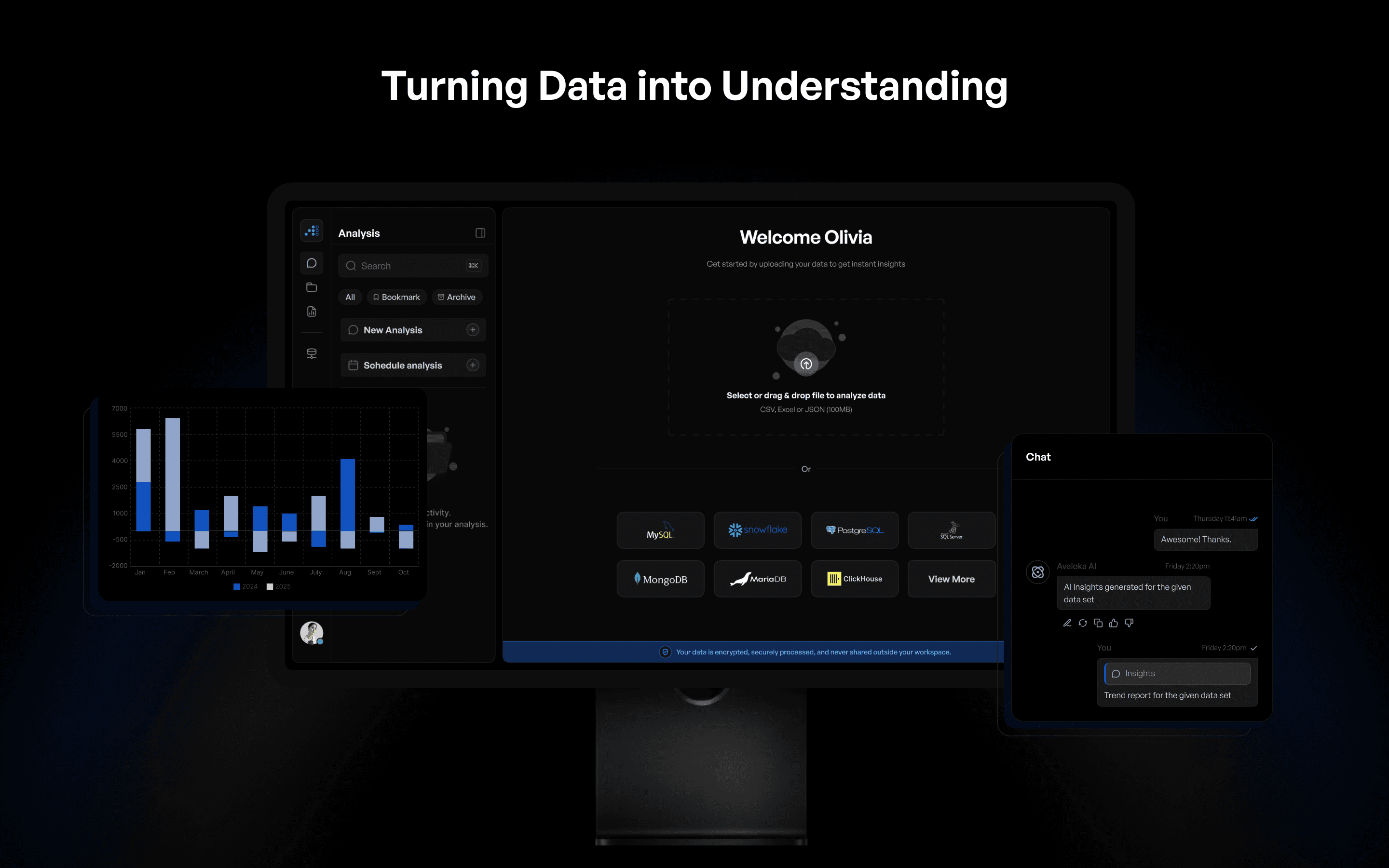
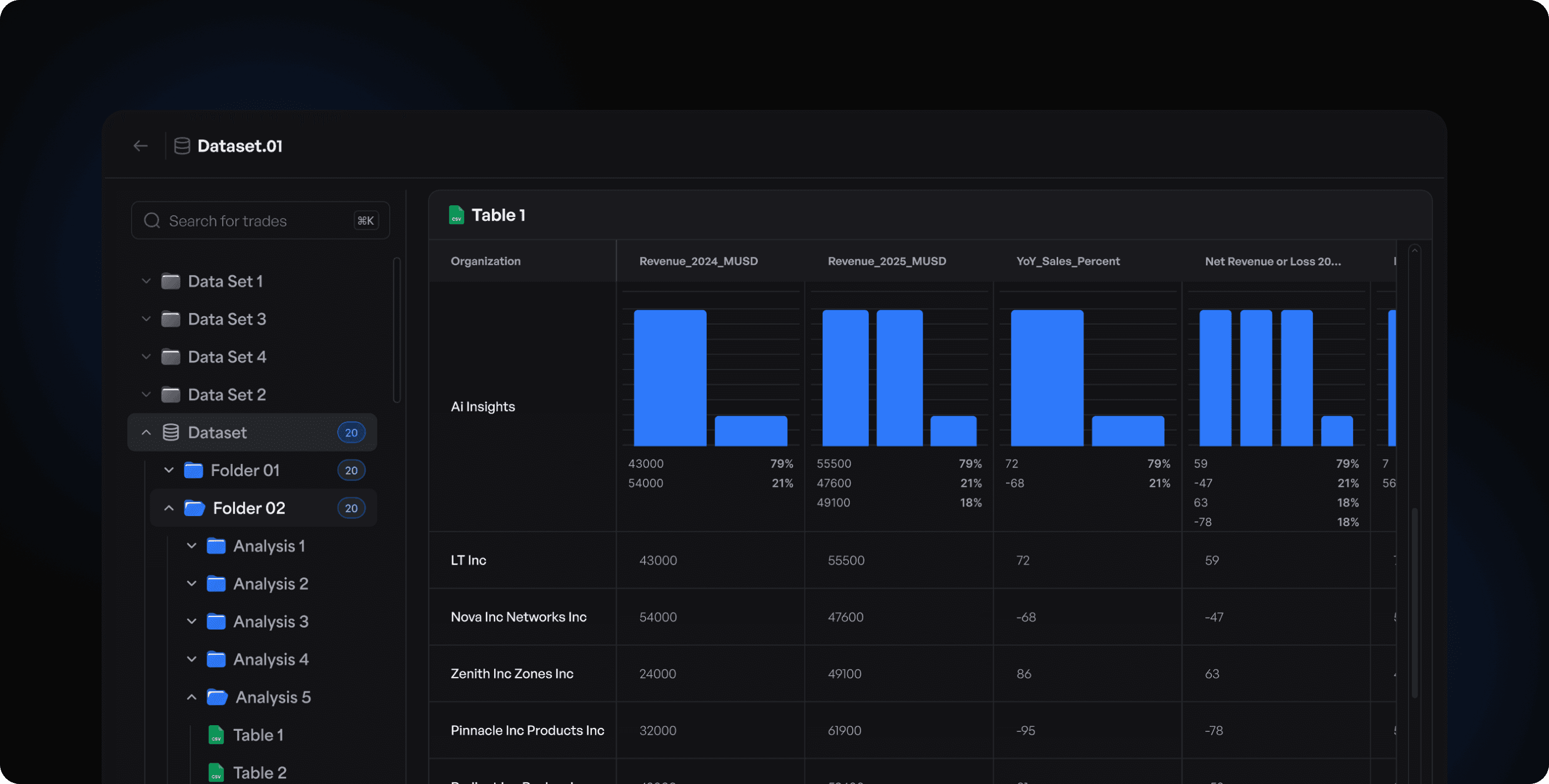
We brought data, insights, and key actions into a single, structured workspace, aligning the interface with how users naturally approach analysis.
Instead of navigating across multiple screens, users can now access everything in one place maintaining context, reducing interruptions, and enabling a smoother, more continuous workflow.
Solution - 3
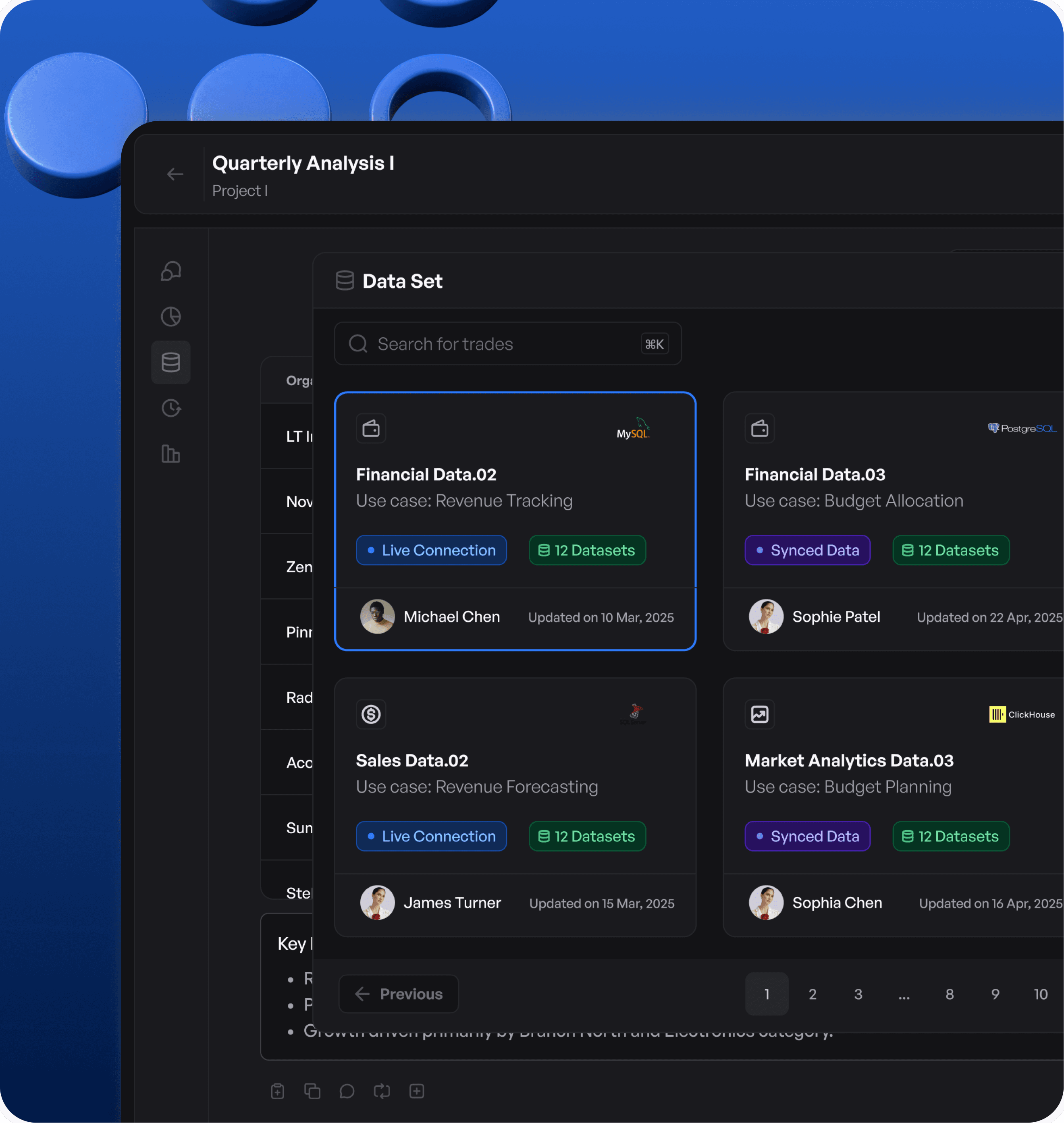
Dedicated Entry Point for Adding Study Details
We introduced a clear and visible starting point for analysis, making it immediately obvious where users should begin whether uploading data, exploring datasets, or interacting with AI.
Instead of searching through multiple options, users can now quickly identify the next step and start their workflow with confidence. This reduces confusion, improves onboarding, and makes the overall experience more intuitive and consistent.
The Solutions We Crafted
We redesigned the experience to streamline workflows, reduce manual effort, and enable faster, more intuitive data exploration.
Solution - 1
Clear Action Hierarchy and Simplified Interface
We redesigned how insights and actions are presented, bringing clarity to what matters most. Instead of overwhelming users with multiple options, the interface now prioritizes key actions and structures information in a more meaningful way.
AI-generated insights are supported with better context, visual clarity, and clear next steps, making them easier to understand and act upon. This reduces the need for manual interpretation and allows users to move from insight to decision more confidently and efficiently.
Solution - 2
Unified Workspace for Better Context
We brought data, insights, and key actions into a single, structured workspace, aligning the interface with how users naturally approach analysis.
Instead of navigating across multiple screens, users can now access everything in one place maintaining context, reducing interruptions, and enabling a smoother, more continuous workflow.
Solution - 3
Dedicated Entry Point for Adding Study Details
We introduced a clear and visible starting point for analysis, making it immediately obvious where users should begin whether uploading data, exploring datasets, or interacting with AI.
Instead of searching through multiple options, users can now quickly identify the next step and start their workflow with confidence. This reduces confusion, improves onboarding, and makes the overall experience more intuitive and consistent.
Problems in the Existing Software
We analyzed the existing experience to identify areas that increased effort, broke workflows, and reduced efficiency.
Problem - 1
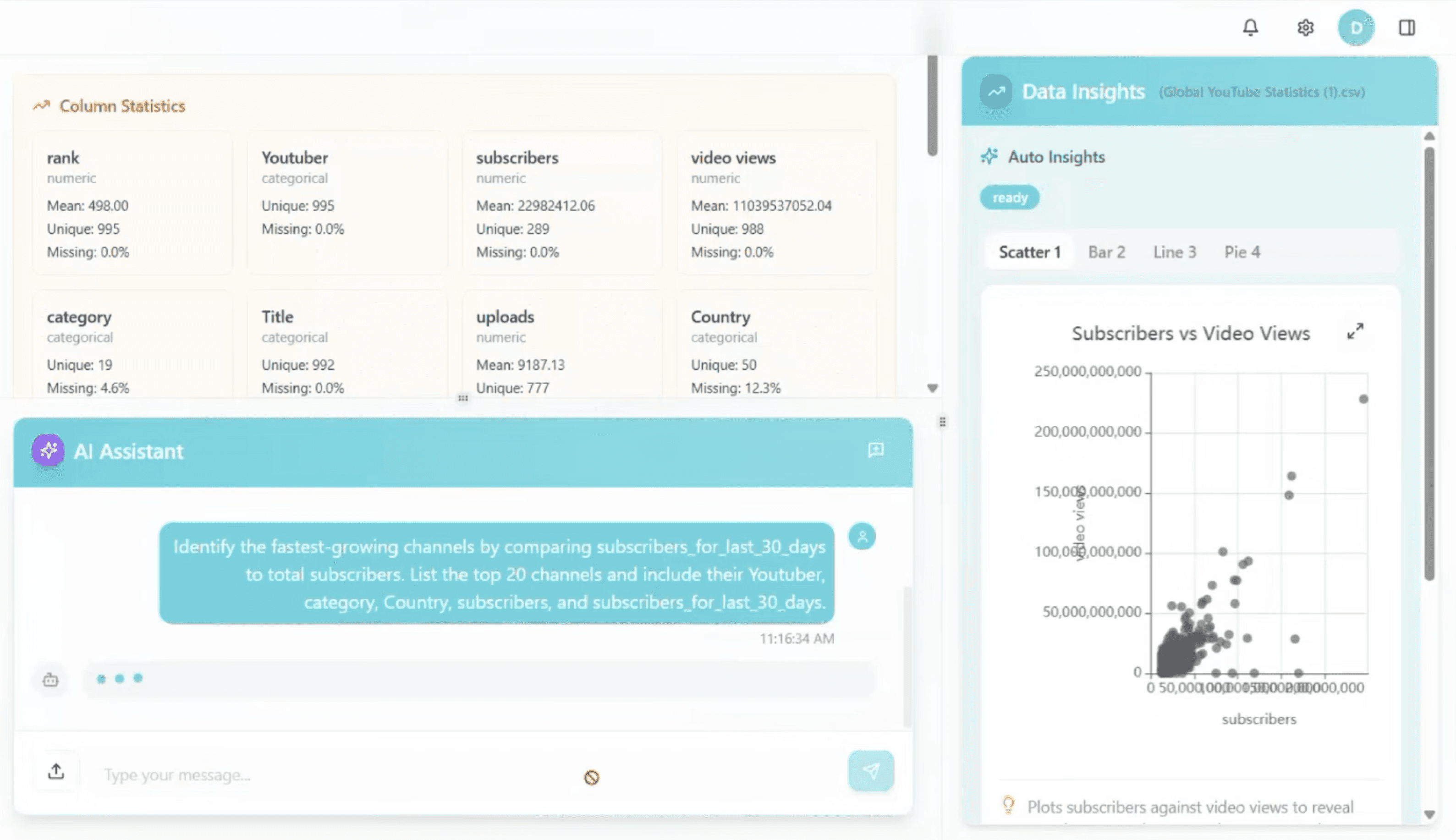
AI Insights Were Not Easily Actionable
Although AI-generated insights were available, they were not presented with enough clarity or context. Users had to interpret what the insights meant, how they were derived, and why they were relevant before taking action.
The lack of structured presentation and visual guidance made it difficult to quickly trust and apply these insights. As a result, users spent additional time validating information manually, slowing down decision-making and reducing the overall effectiveness of the AI.

Problem - 2
No Clear Entry Point to Start Analysis
Users were not guided on how to begin their analysis, whether it was uploading data, exploring datasets, or interacting with AI. This lack of a clear starting point created confusion and hesitation, especially for new users.
Without a defined entry flow, users had to figure out the process on their own, often navigating through multiple screens to get started. This increased effort, slowed down initial interactions, and made the overall experience feel less intuitive and harder to follow.
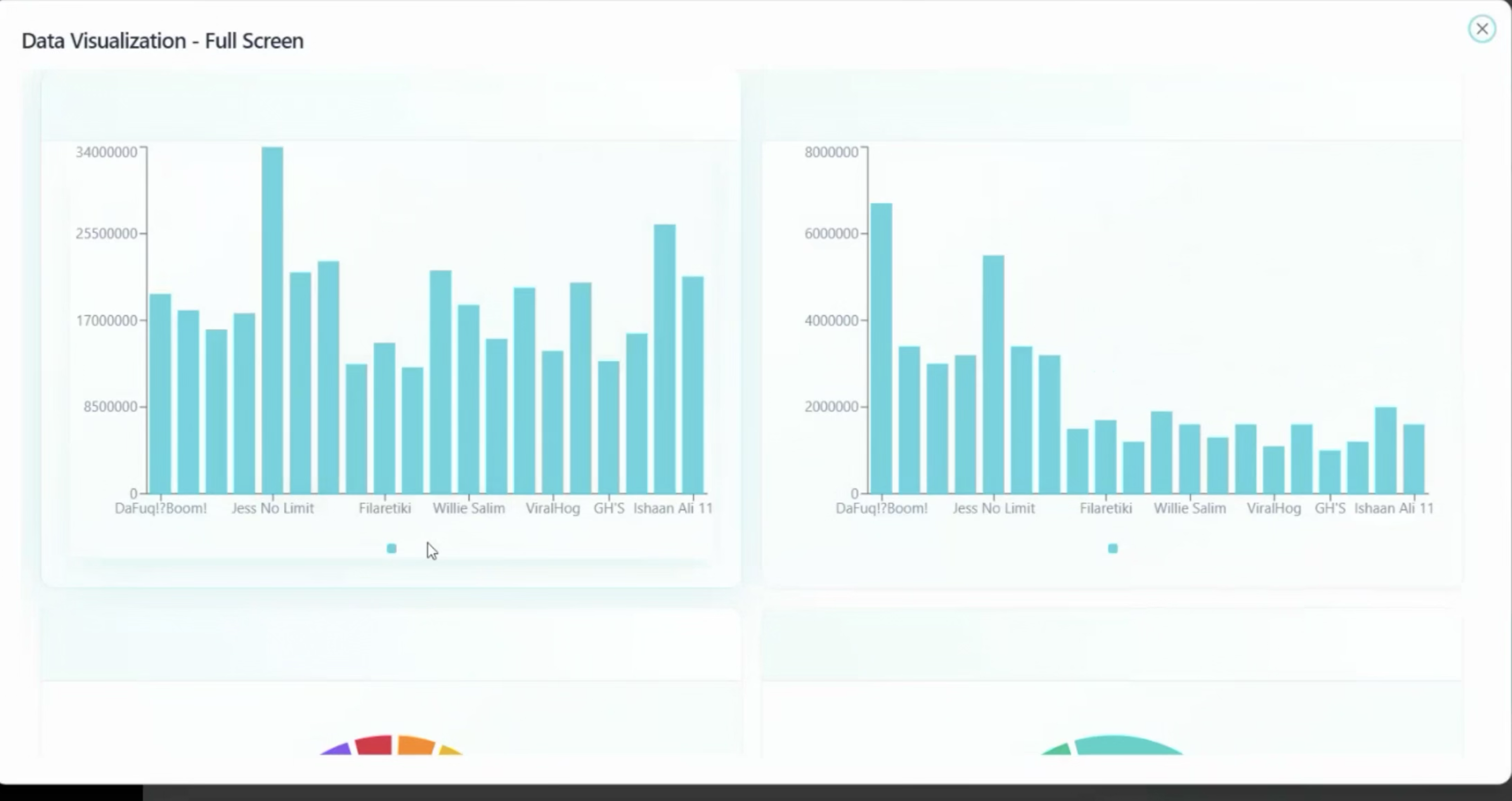
Problem - 3
Frequent Screen Switching
Exploring data required users to move across multiple screens and views to complete a single task. Each action whether accessing datasets, viewing insights, or adjusting parameters often led to a different screen, interrupting the natural flow of analysis.
This constant switching made it difficult to maintain context and track progress. As a result, users had to spend more time navigating the interface, slowing down workflows and making the overall experience feel fragmented and less efficient.
The Solutions We Crafted
We redesigned the experience to streamline workflows, reduce manual effort, and enable faster, more intuitive data exploration.
Solution - 1
Clear Action Hierarchy and Simplified Interface
We redesigned how insights and actions are presented, bringing clarity to what matters most. Instead of overwhelming users with multiple options, the interface now prioritizes key actions and structures information in a more meaningful way.
AI-generated insights are supported with better context, visual clarity, and clear next steps, making them easier to understand and act upon. This reduces the need for manual interpretation and allows users to move from insight to decision more confidently and efficiently.
Solution - 2
Unified Workspace for Better Context
We brought data, insights, and key actions into a single, structured workspace, aligning the interface with how users naturally approach analysis.
Instead of navigating across multiple screens, users can now access everything in one place maintaining context, reducing interruptions, and enabling a smoother, more continuous workflow.
Solution - 3
Dedicated Entry Point for Adding Study Details
We introduced a clear and visible starting point for analysis, making it immediately obvious where users should begin whether uploading data, exploring datasets, or interacting with AI.
Instead of searching through multiple options, users can now quickly identify the next step and start their workflow with confidence. This reduces confusion, improves onboarding, and makes the overall experience more intuitive and consistent.
UI Screens
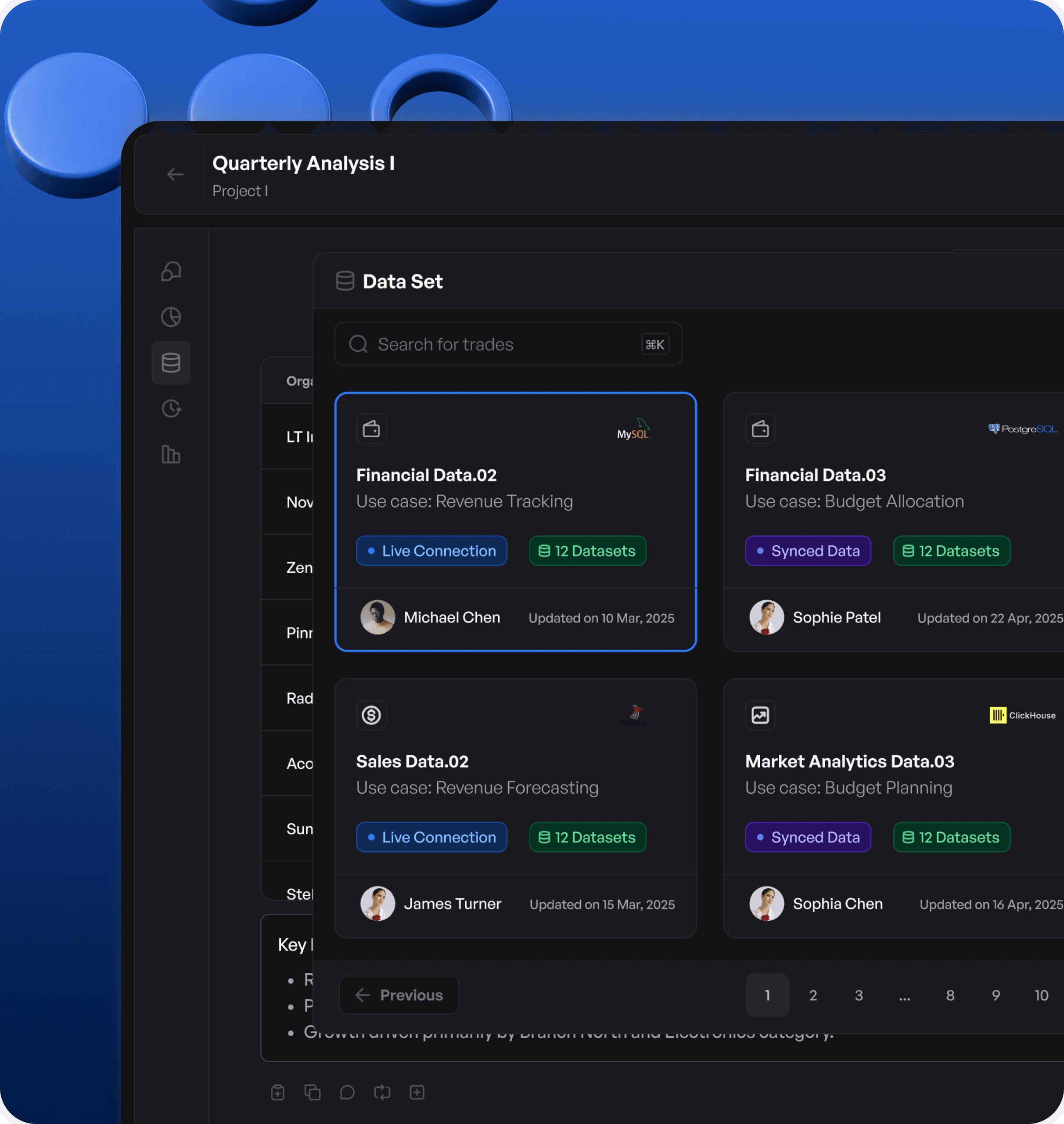
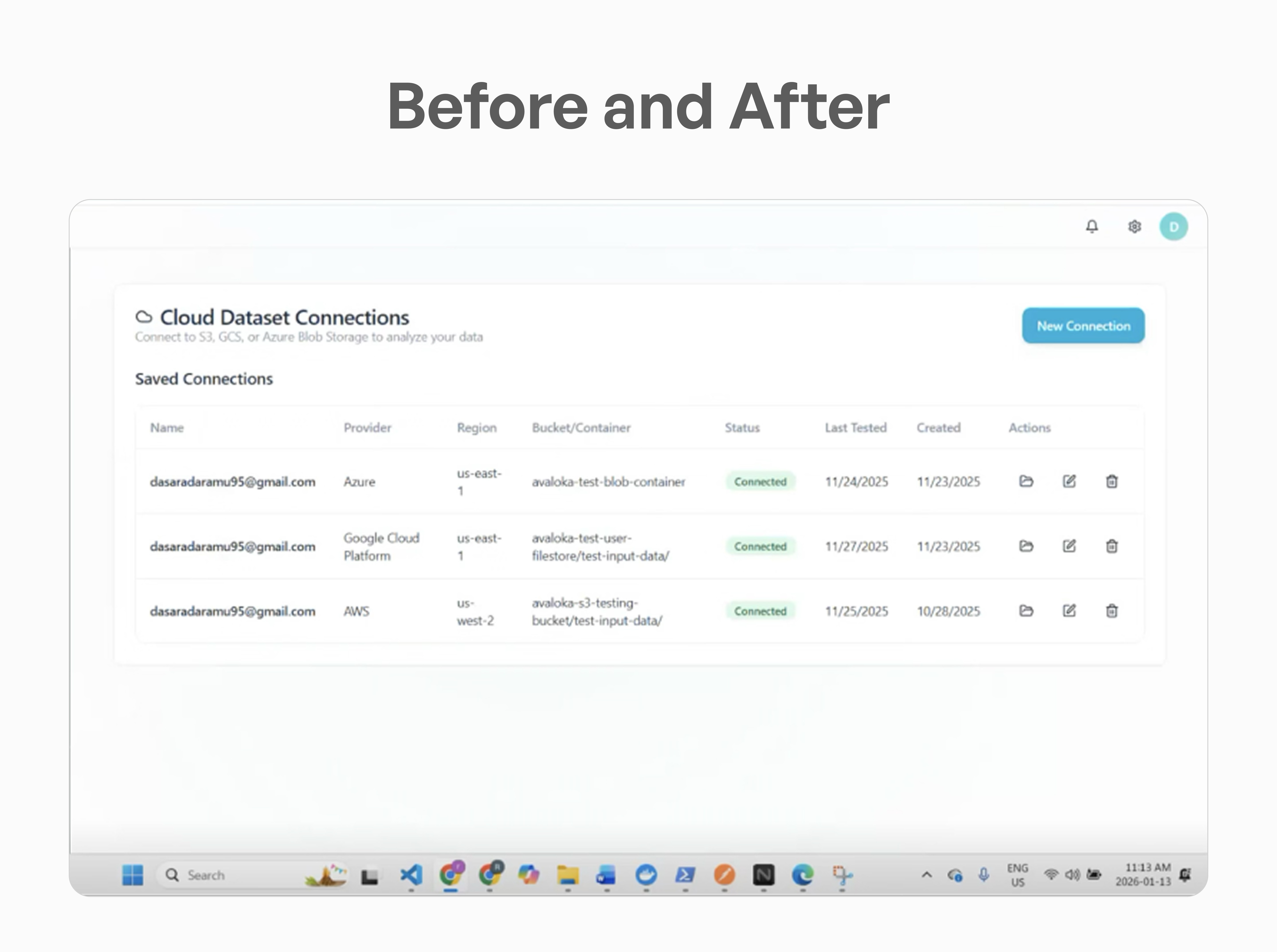
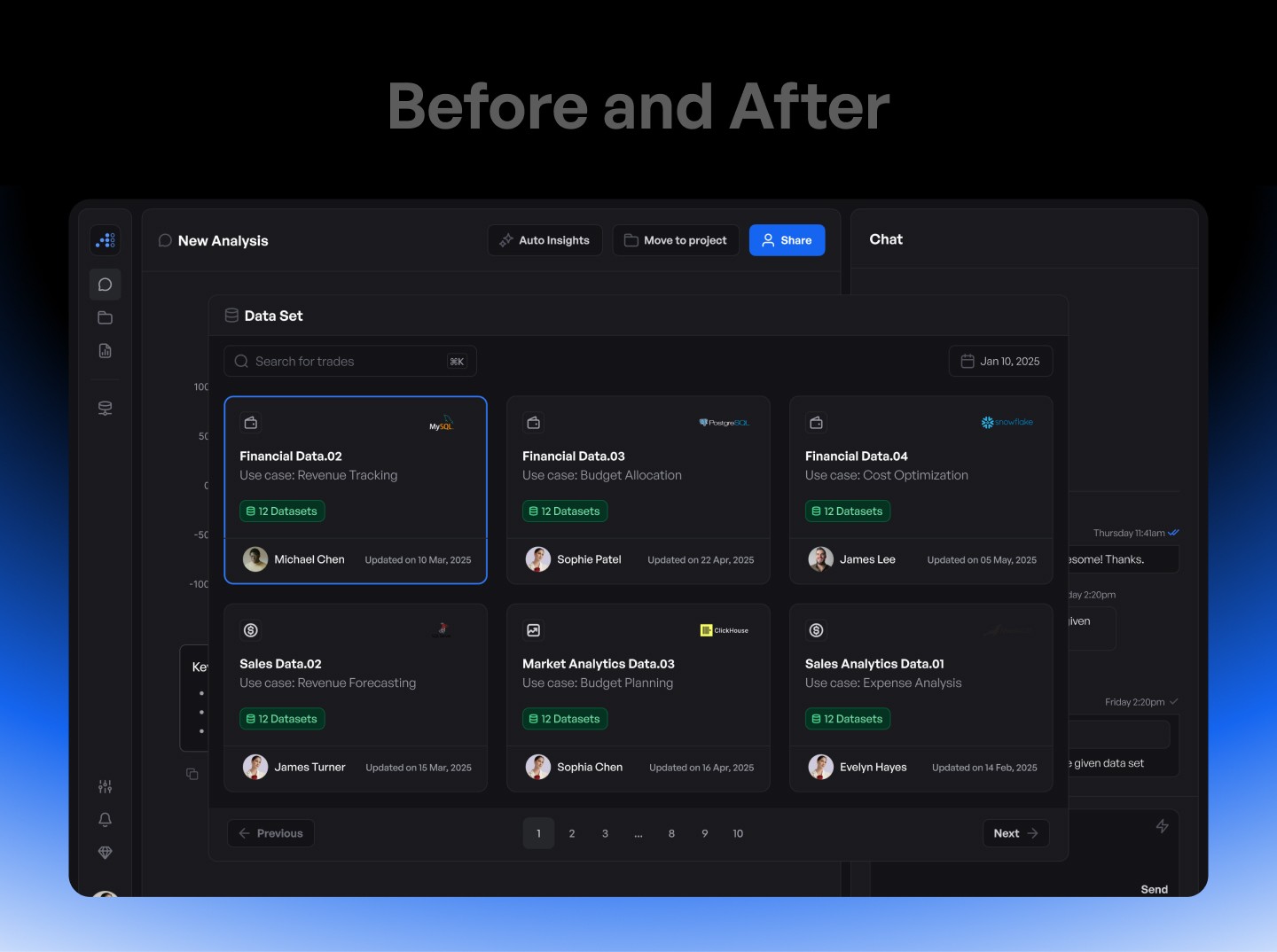
The interface transforms complex workflows into a seamless experience, allowing users to move from data to insights effortlessly. Clear structure, simplified interactions, and connected screens ensure a smoother and more efficient exploration process.
UI Screens
The interface transforms complex workflows into a seamless experience, allowing users to move from data to insights effortlessly. Clear structure, simplified interactions, and connected screens ensure a smoother and more efficient exploration process.
The interface transforms complex workflows into a seamless experience, allowing users to move from data to insights effortlessly. Clear structure, simplified interactions, and connected screens ensure a smoother and more efficient exploration process.
The Solutions We Crafted
The Solutions We Crafted



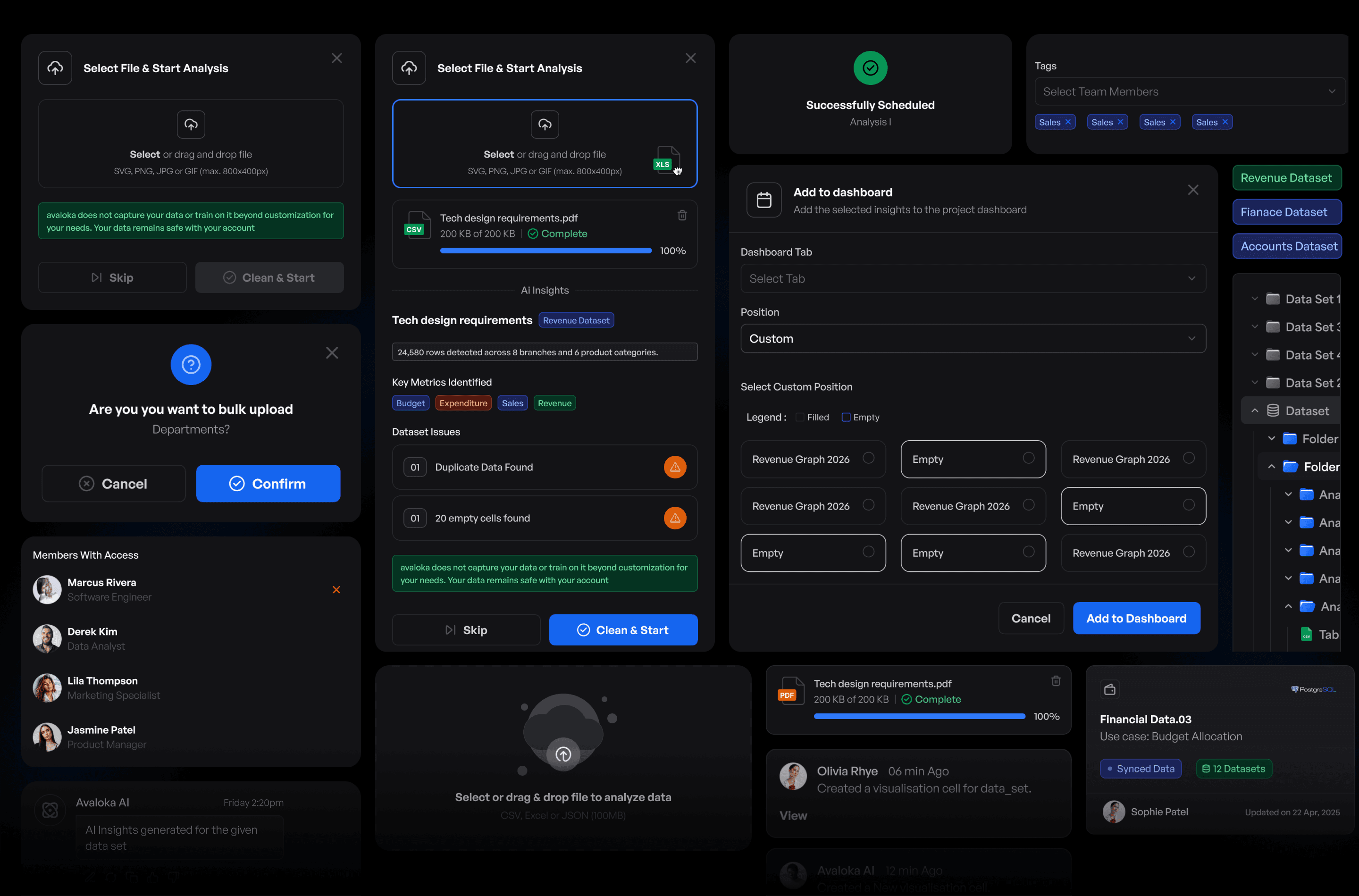
Select File & Start Analysis
Select
or drag and drop file
SVG, PNG, JPG or GIF (max. 800x400px)

Select File & Start Analysis
Select
or drag and drop file
SVG, PNG, JPG or GIF (max. 800x400px)
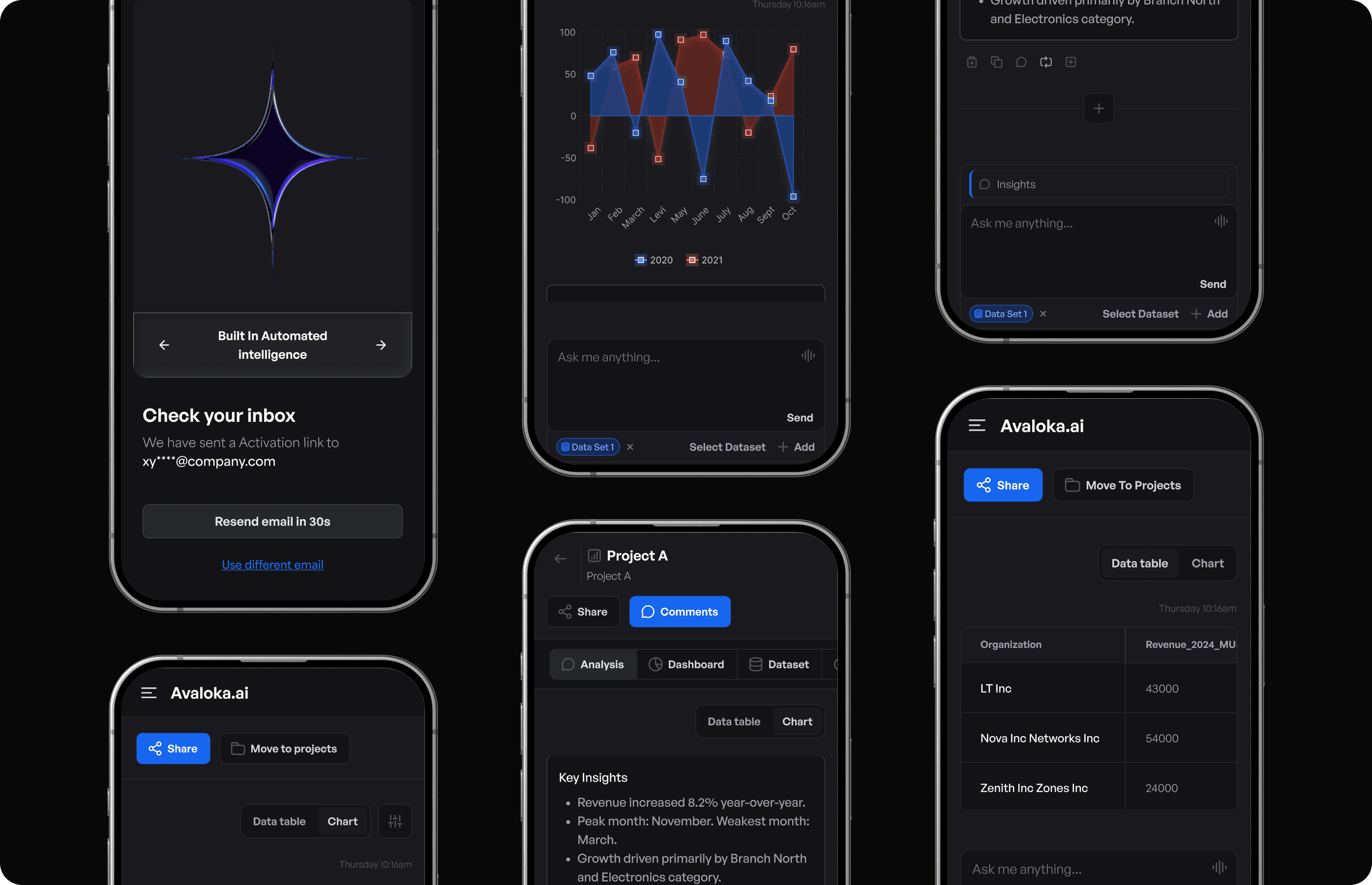
Select File & Start Analysis
Select
or drag and drop file
SVG, PNG, JPG or GIF (max. 800x400px)
Features of
Software
Features of Software
Features of Software
The platform introduces a set of thoughtfully designed features that simplify data interaction, accelerate insight discovery, and create a more intuitive and connected experience. Each feature is built to reduce friction, guide users naturally, and help them move from raw data to meaningful decisions with ease.
The platform introduces a set of thoughtfully designed features that simplify data interaction, accelerate insight discovery, and create a more intuitive and connected experience. Each feature is built to reduce friction, guide users naturally, and help them move from raw data to meaningful decisions with ease.
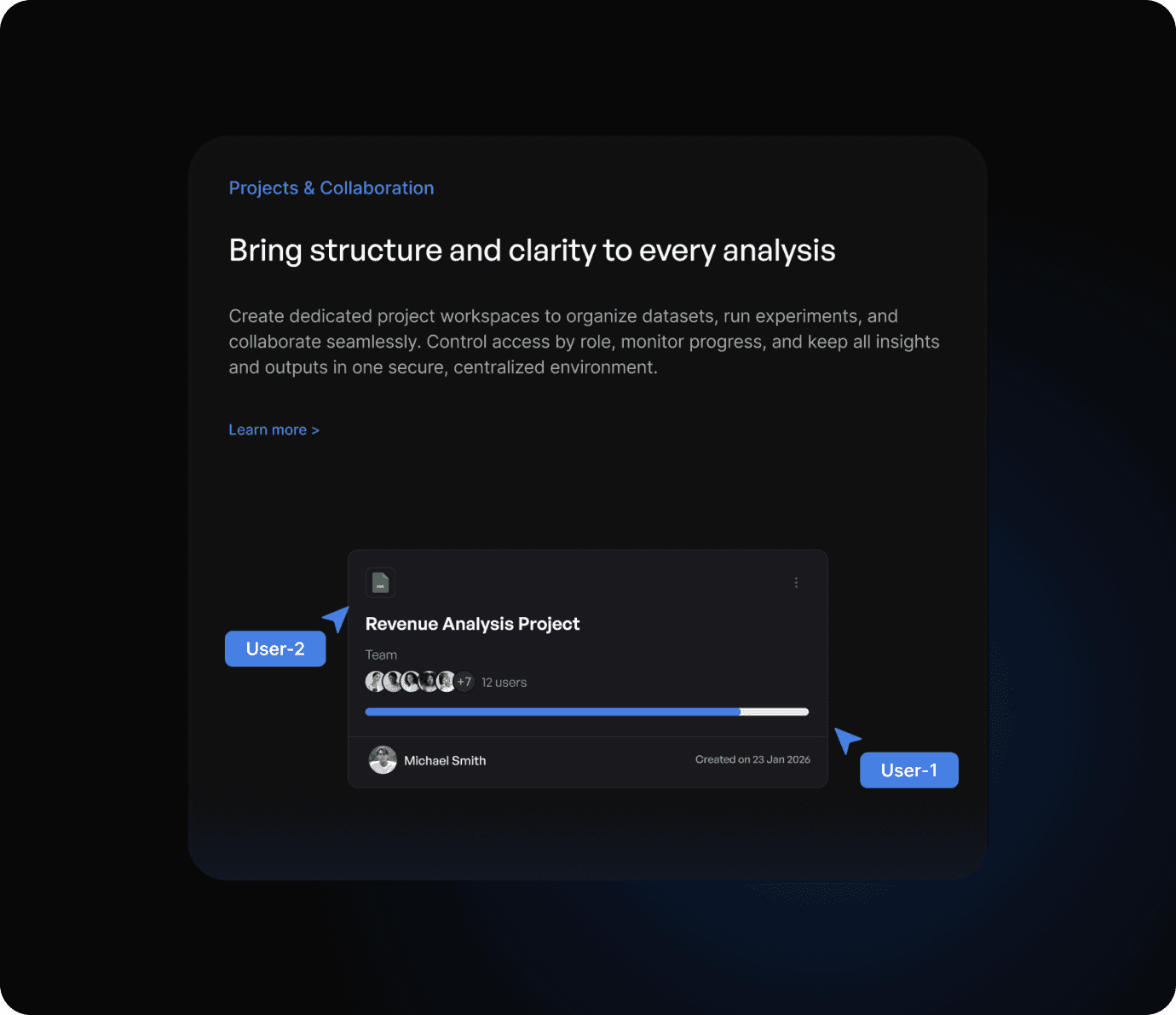
Projects & Collaboration
Projects & Collaboration
Bring structure and clarity to every analysis
Bring structure and clarity to every analysis
Create dedicated project workspaces to organize datasets, run experiments, and collaborate seamlessly. Control access by role, monitor progress, and keep all insights and outputs in one secure, centralized environment.
Create dedicated project workspaces to organize datasets, run experiments, and collaborate seamlessly. Control access by role, monitor progress, and keep all insights and outputs in one secure, centralized environment.
XML
XML
Revenue Analysis Project
Revenue Analysis Project
Team
Team


+7
+7
12 users
12 users

Michael Smith
Michael Smith
Created on 23 Jan 2026
Created on 23 Jan 2026
User-1
User-1
User-2
User-2
Integrations
Integrations
Connect Avaloka to your existing tools
Connect Avaloka to your existing tools
Integrate with SQL warehouses, cloud storage, analytics tools, and enterprise systems. Avaloka fits seamlessly into your existing data stack
Integrate with SQL warehouses, cloud storage, analytics tools, and enterprise systems. Avaloka fits seamlessly into your existing data stack
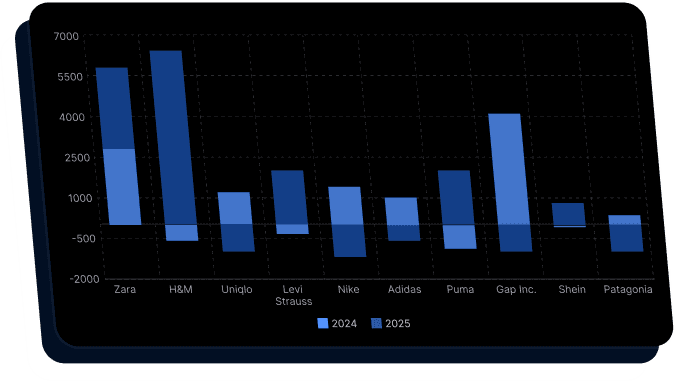
Analyze the last 12 months of revenue across all regions, identify seasonal trends, detect any anomalies, and forecast performance for the next two quarters with key risk factors.
Analyze the last 12 months of revenue across all regions, identify seasonal trends, detect any anomalies, and forecast performance for the next two quarters with key risk factors.


7000
7000
5500
5500
4000
4000
2500
2500
1000
1000
-500
-500
-2000
-2000
Jan
Jan
Feb
Feb
March
March
April
April
May
May
June
June
July
July
Aug
Aug
Sept
Sept
Oct
Oct
2024
2024
2025
2025
Analyze the last 12 months of revenue across all regions, identify seasonal trends, detect any anomalies, and forecast performance for the next two quarters with key risk factors.
Analyze the last 12 months of revenue across all regions, identify seasonal trends, detect any anomalies, and forecast performance for the next two quarters with key risk factors.
Ask anything about data.....
Ask anything about data.....
User
User

Hi how can i help you with your data today
Hi how can i help you with your data today
Insight on Ask
Insight on Ask
Conversations that drive Insights
Conversations that drive Insights
Ask questions in plain language and let Avaloka AI interpret, query, and analyze your data instantly, surfacing trends, anomalies, and insights without complex workflows.
Ask questions in plain language and let Avaloka AI interpret, query, and analyze your data instantly, surfacing trends, anomalies, and insights without complex workflows.
Inference Models
Inference Models
Predict what’s next with real-time AI inference
Predict what’s next with real-time AI inference
Deploy predictive models within Avaloka to forecast outcomes, simulate scenarios, and evaluate future trends helping you make confident, forward-looking decisions.
Deploy predictive models within Avaloka to forecast outcomes, simulate scenarios, and evaluate future trends helping you make confident, forward-looking decisions.
Auto Insights
Auto Insights
Get AI-driven proactive Insights
Get AI-driven proactive Insights
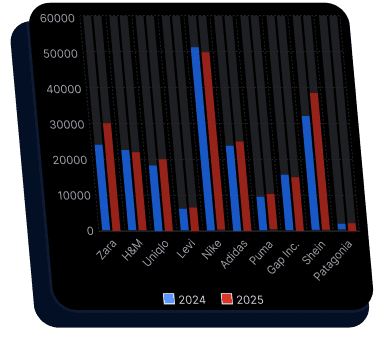
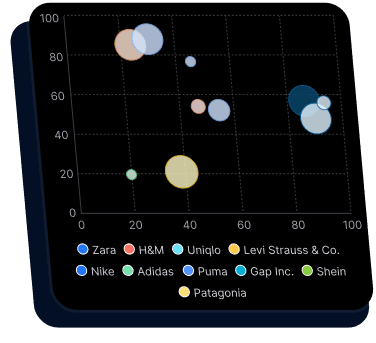
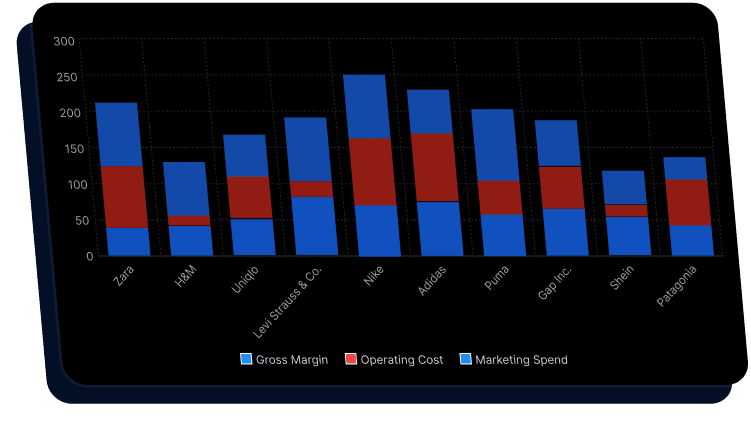
Avaloka continuously scans your datasets to detect trends, anomalies, correlations, and performance shifts. Instead of manually searching for patterns, the platform proactively surfaces key insights and highlights what requires attention.
Avaloka continuously scans your datasets to detect trends, anomalies, correlations, and performance shifts. Instead of manually searching for patterns, the platform proactively surfaces key insights and highlights what requires attention.
7000
7000
5500
5500
4000
4000
2500
2500
1000
1000
-500
-500
-2000
-2000
Jan
Jan
Feb
Feb
March
March
April
April
May
May
June
June
July
July
Aug
Aug
Sept
Sept
Oct
Oct
2024
2024
2025
2025
Projects & Collaboration
Bring structure and clarity to every analysis
Create dedicated project workspaces to organize datasets, run experiments, and collaborate seamlessly. Control access by role, monitor progress, and keep all insights and outputs in one secure, centralized environment.
XML
Revenue Analysis Project
Team
+7
12 users
Michael Smith
Created on 23 Jan 2026
User-1
User-2
Integrations
Connect Avaloka to your existing tools
Integrate with SQL warehouses, cloud storage, analytics tools, and enterprise systems. Avaloka fits seamlessly into your existing data stack
Analyze the last 12 months of revenue across all regions, identify seasonal trends, detect any anomalies, and forecast performance for the next two quarters with key risk factors.
7000
5500
4000
2500
1000
-500
-2000
Jan
Feb
March
April
May
June
July
Aug
Sept
Oct
2024
2025
Analyze the last 12 months of revenue across all regions, identify seasonal trends, detect any anomalies, and forecast performance for the next two quarters with key risk factors.
Ask anything about data.....
User
Hi how can i help you with your data today
Insight on Ask
Conversations that drive Insights
Ask questions in plain language and let Avaloka AI interpret, query, and analyze your data instantly, surfacing trends, anomalies, and insights without complex workflows.
Inference Models
Predict what’s next with real-time AI inference
Deploy predictive models within Avaloka to forecast outcomes, simulate scenarios, and evaluate future trends helping you make confident, forward-looking decisions.
Auto Insights
Get AI-driven proactive Insights
Avaloka continuously scans your datasets to detect trends, anomalies, correlations, and performance shifts. Instead of manually searching for patterns, the platform proactively surfaces key insights and highlights what requires attention.
7000
5500
4000
2500
1000
-500
-2000
Jan
Feb
March
April
May
June
July
Aug
Sept
Oct
2024
2025
Visual
Foundations
Visual Foundations
Visual Foundations
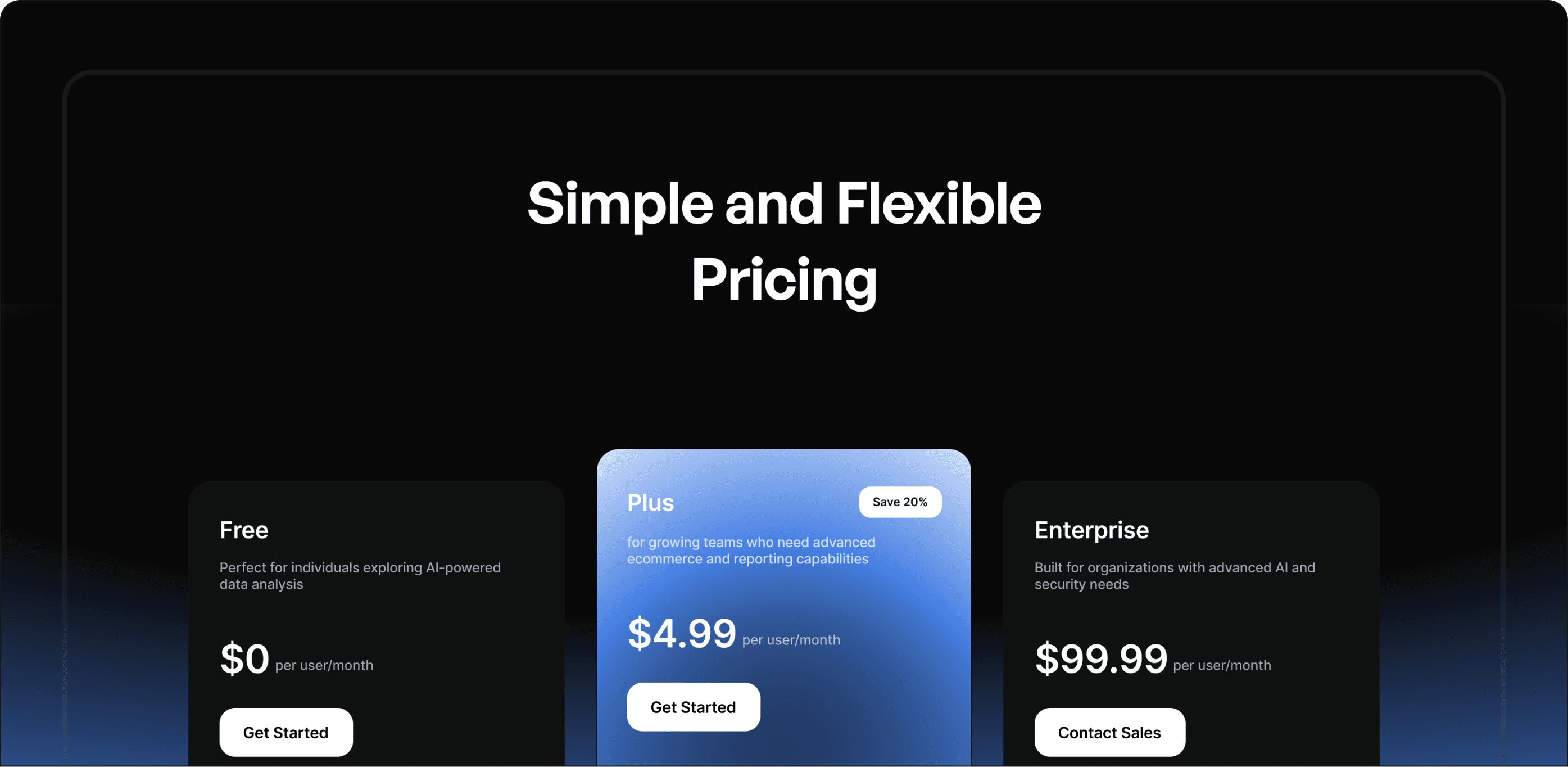
Avaloka’s visual design focuses on clarity, structure, and data readability. A balanced color system, clean typography, and minimal interface elements ensure that complex analytical information is presented in a clear and organized way, helping users easily interpret insights and navigate data workflows.
Avaloka’s visual design focuses on clarity, structure, and data readability. A balanced color system, clean typography, and minimal interface elements ensure that complex analytical information is presented in a clear and organized way, helping users easily interpret insights and navigate data workflows.


Crafting Avaloka’s
AI First Website Experience
Crafting Avaloka’s AI First Website Experience
Crafting Avaloka’s
AI First Website Experience
Avaloka’s visual design focuses on clarity, structure, and data readability. A balanced color system, clean typography, and minimal interface elements ensure that complex analytical information is presented in a clear and organized way, helping users easily interpret insights and navigate data workflows.
Avaloka’s visual design focuses on clarity, structure, and data readability. A balanced color system, clean typography, and minimal interface elements ensure that complex analytical information is presented in a clear and organized way, helping users easily interpret insights and navigate data workflows.
From a Lovable Template to AI-First Experience
From a Lovable Template to AI-First Experience
Avaloka’s visual design focuses on clarity, structure, and data readability. A balanced color system, clean typography, and minimal interface elements ensure that complex analytical information is presented in a clear and organized way, helping users easily interpret insights and navigate data workflows.
Avaloka’s visual design focuses on clarity, structure, and data readability. A balanced color system, clean typography, and minimal interface elements ensure that complex analytical information is presented in a clear and organized way, helping users easily interpret insights and navigate data workflows.
Logo &
Branding
Logo & Branding
Logo & Branding
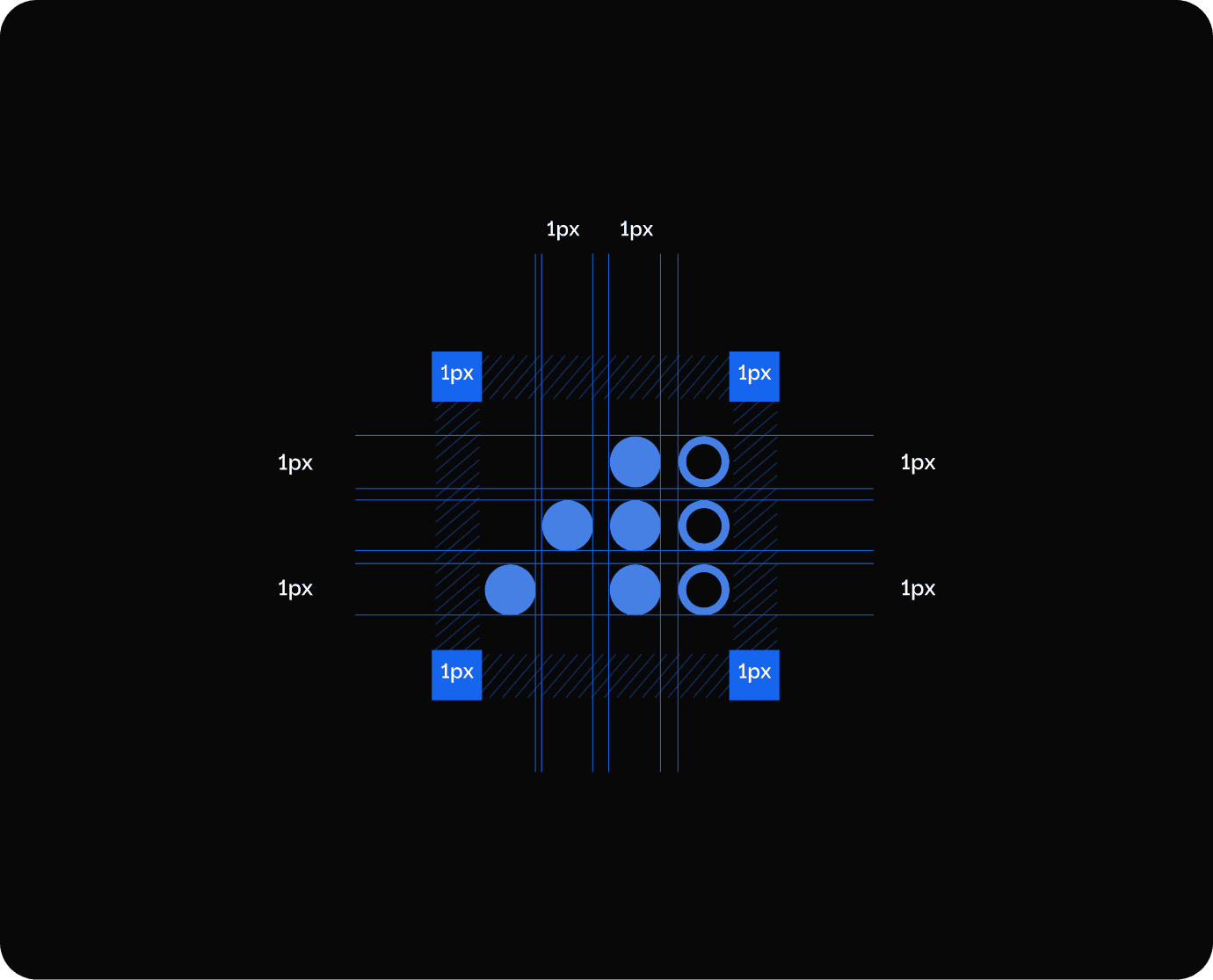
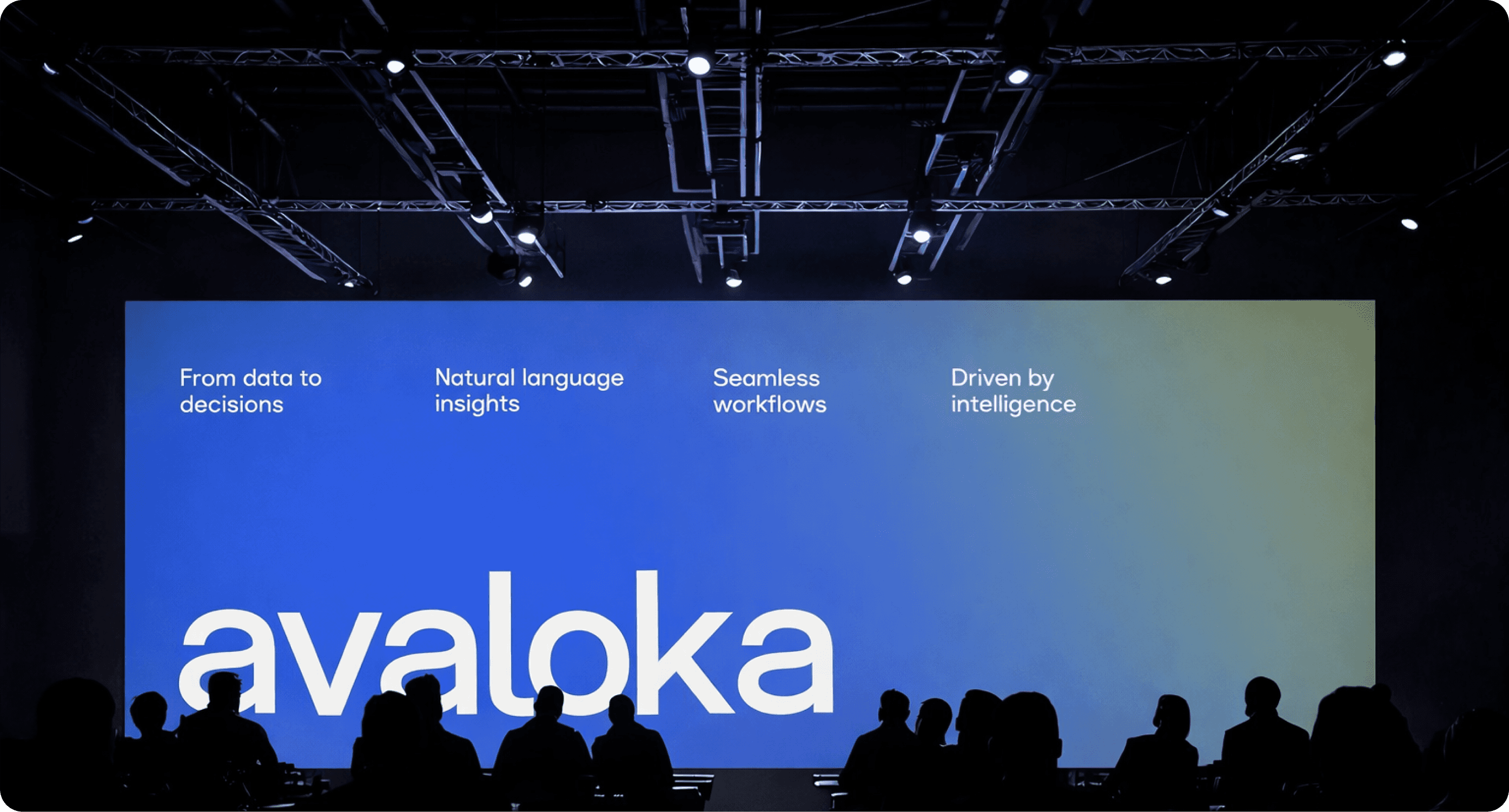
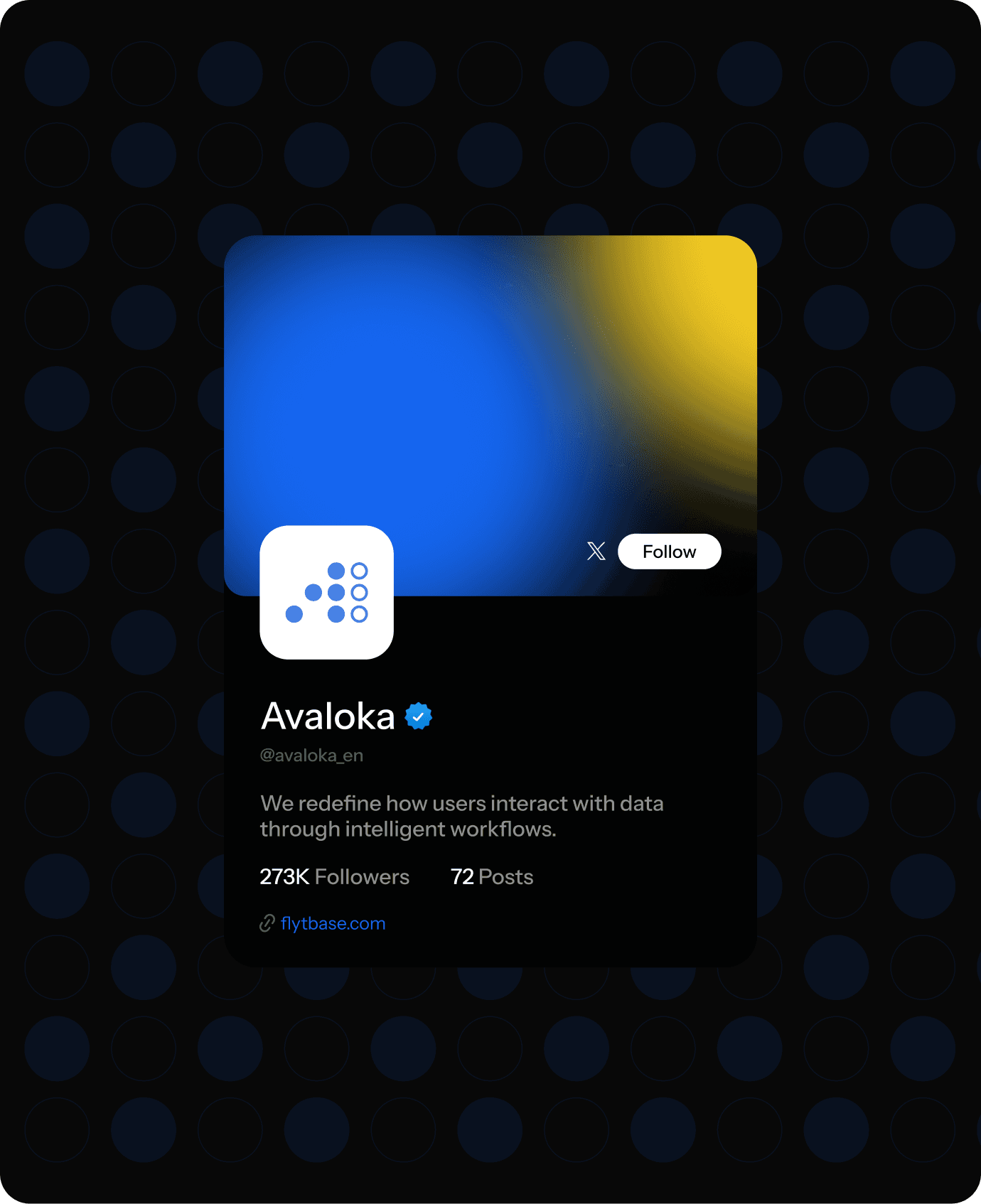
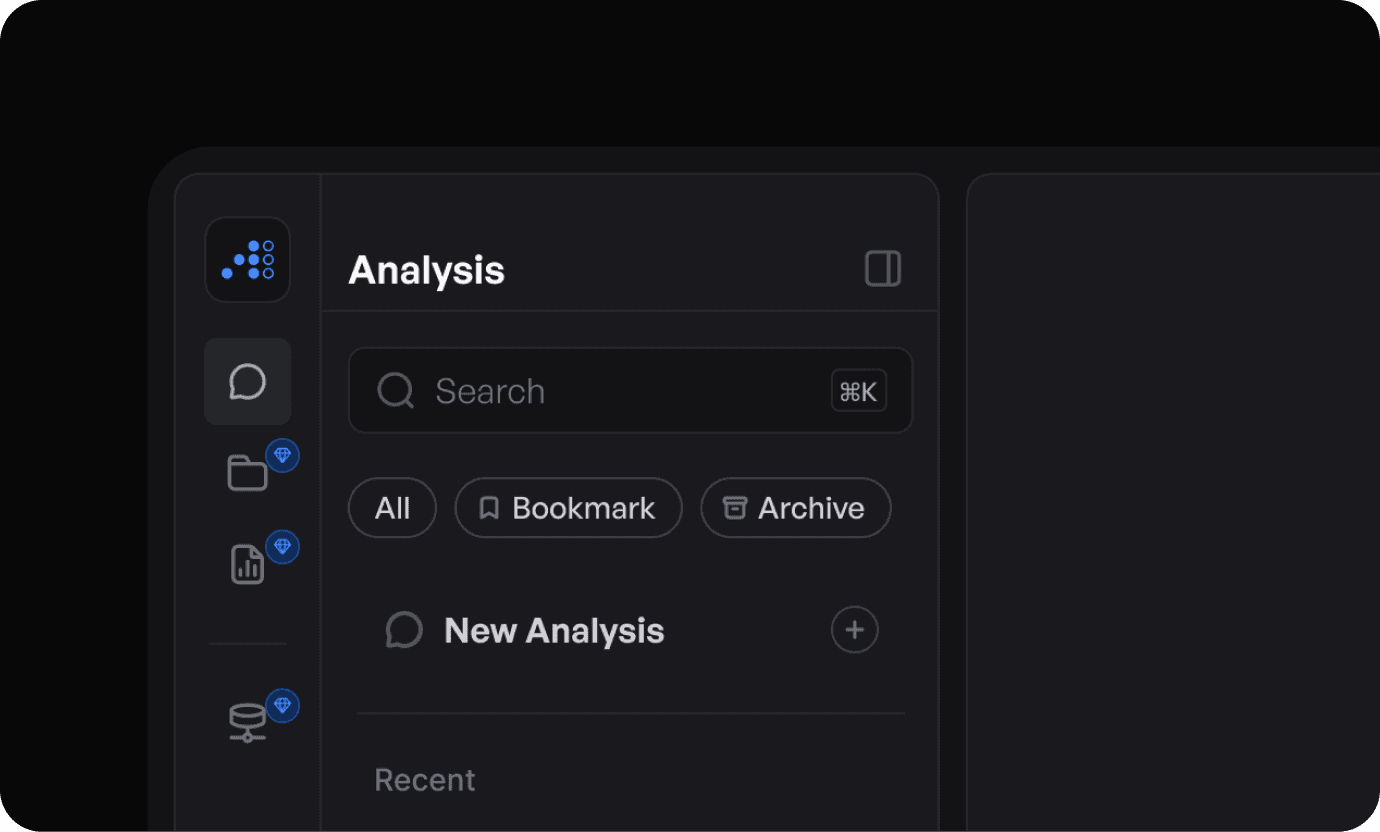
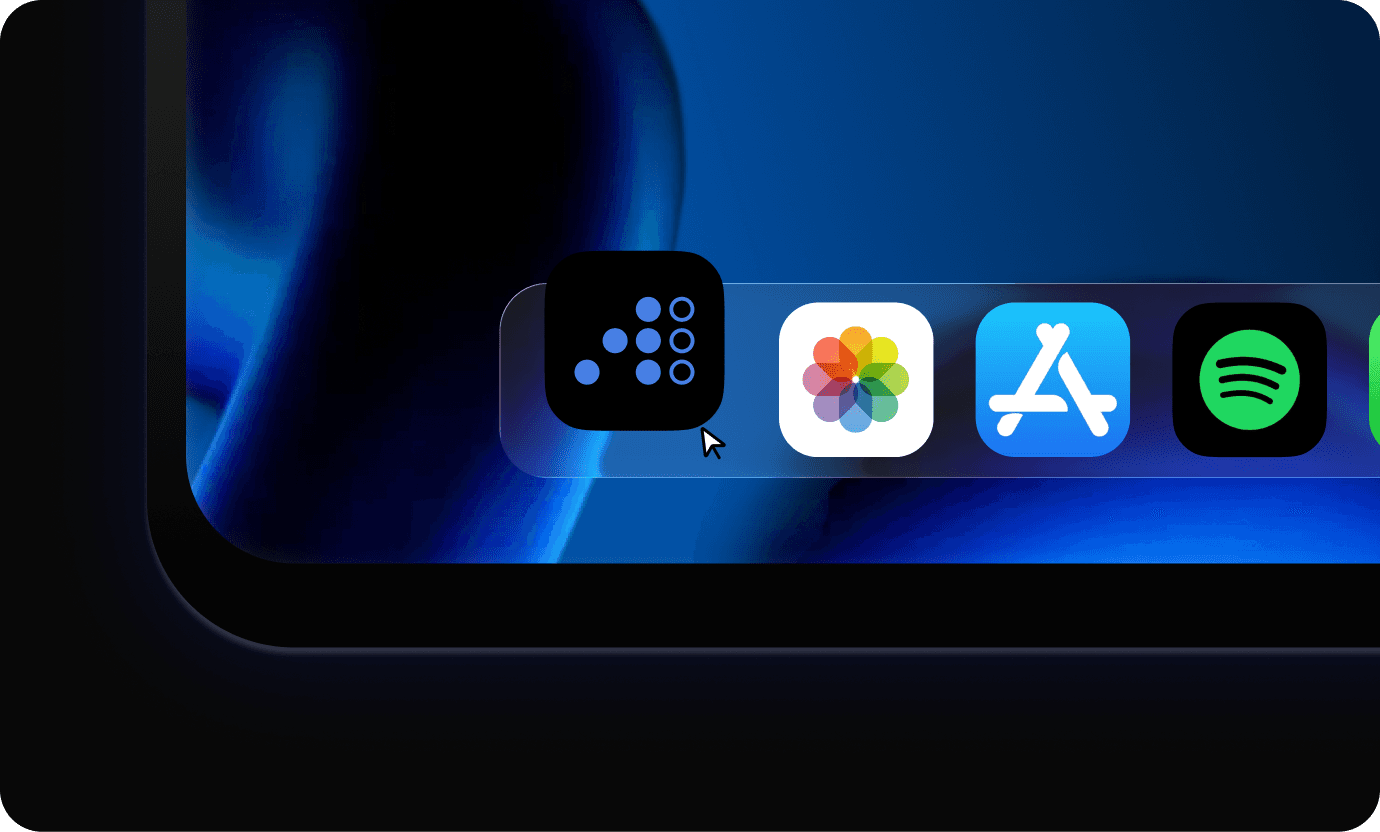
The Avaloka logo reflects the transformation of complex data into meaningful intelligence, focusing on simplicity and a modern AI-driven identity, while the visual system uses clean forms and minimal elements to convey clarity, reliability, and consistency.
The Avaloka logo reflects the transformation of complex data into meaningful intelligence, focusing on simplicity and a modern AI-driven identity, while the visual system uses clean forms and minimal elements to convey clarity, reliability, and consistency.


Impact
Created
Impact Created
Impact Created
The redesigned website improved how Avaloka communicates its AI capabilities making the product easier to understand, more engaging to explore, and more credible as a modern AI platform.
The redesigned website improved how Avaloka communicates its AI capabilities making the product easier to understand, more engaging to explore, and more credible as a modern AI platform.

Improved Decision Making
Improved Decision Making
Improved Decision Making
By transforming raw data into clear insights and visualizations, Avaloka enables teams to make faster and more informed business decisions.
By transforming raw data into clear insights and visualizations, Avaloka enables teams to make faster and more informed business decisions.
By transforming raw data into clear insights and visualizations, Avaloka enables teams to make faster and more informed business decisions.


Faster Insight Generation
AI-driven analysis helps users quickly discover patterns, trends, and anomalies in datasets, reducing the time required to generate meaningful insights.

Simplified Data Exploration
Natural language queries and structured workflows make it easier for users to explore datasets without relying on complex queries or technical expertise.
Faster Insight Generation
Faster Insight Generation
AI-driven analysis helps users quickly discover patterns, trends, and anomalies in datasets, reducing the time required to generate meaningful insights.
AI-driven analysis helps users quickly discover patterns, trends, and anomalies in datasets, reducing the time required to generate meaningful insights.
Simplified Data Exploration
Simplified Data Exploration
Natural language queries and structured workflows make it easier for users to explore datasets without relying on complex queries or technical expertise.
Natural language queries and structured workflows make it easier for users to explore datasets without relying on complex queries or technical expertise.
Want results like these for your Product ?
Talk to us or see how our process works before you decide.
Want results like these for your Product ?
Talk to us or see how our process works before you decide.
Want results like these for your Product ?
Talk to us or see how our process works before you decide.
Problems in the Existing Software
We analyzed the existing experience to identify areas that increased effort, broke workflows, and reduced efficiency.
Problem - 1
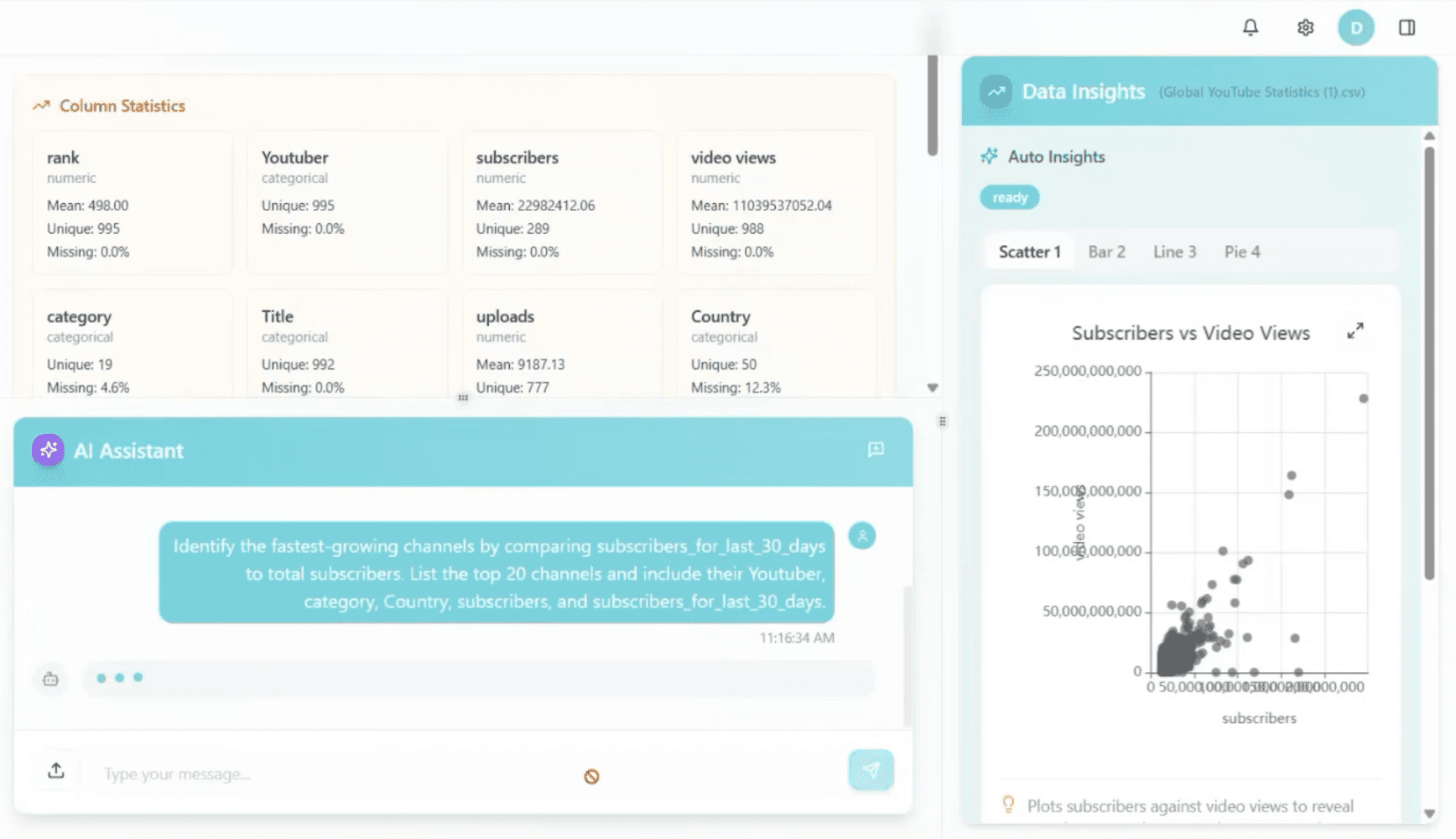
AI Insights Were Not Easily Actionable
Although AI-generated insights were available, they were not presented with enough clarity or context. Users had to interpret what the insights meant, how they were derived, and why they were relevant before taking action.
The lack of structured presentation and visual guidance made it difficult to quickly trust and apply these insights. As a result, users spent additional time validating information manually, slowing down decision-making and reducing the overall effectiveness of the AI.

Problem - 2
No Clear Entry Point to Start Analysis
Users were not guided on how to begin their analysis, whether it was uploading data, exploring datasets, or interacting with AI. This lack of a clear starting point created confusion and hesitation, especially for new users.
Without a defined entry flow, users had to figure out the process on their own, often navigating through multiple screens to get started. This increased effort, slowed down initial interactions, and made the overall experience feel less intuitive and harder to follow.
Problem - 3
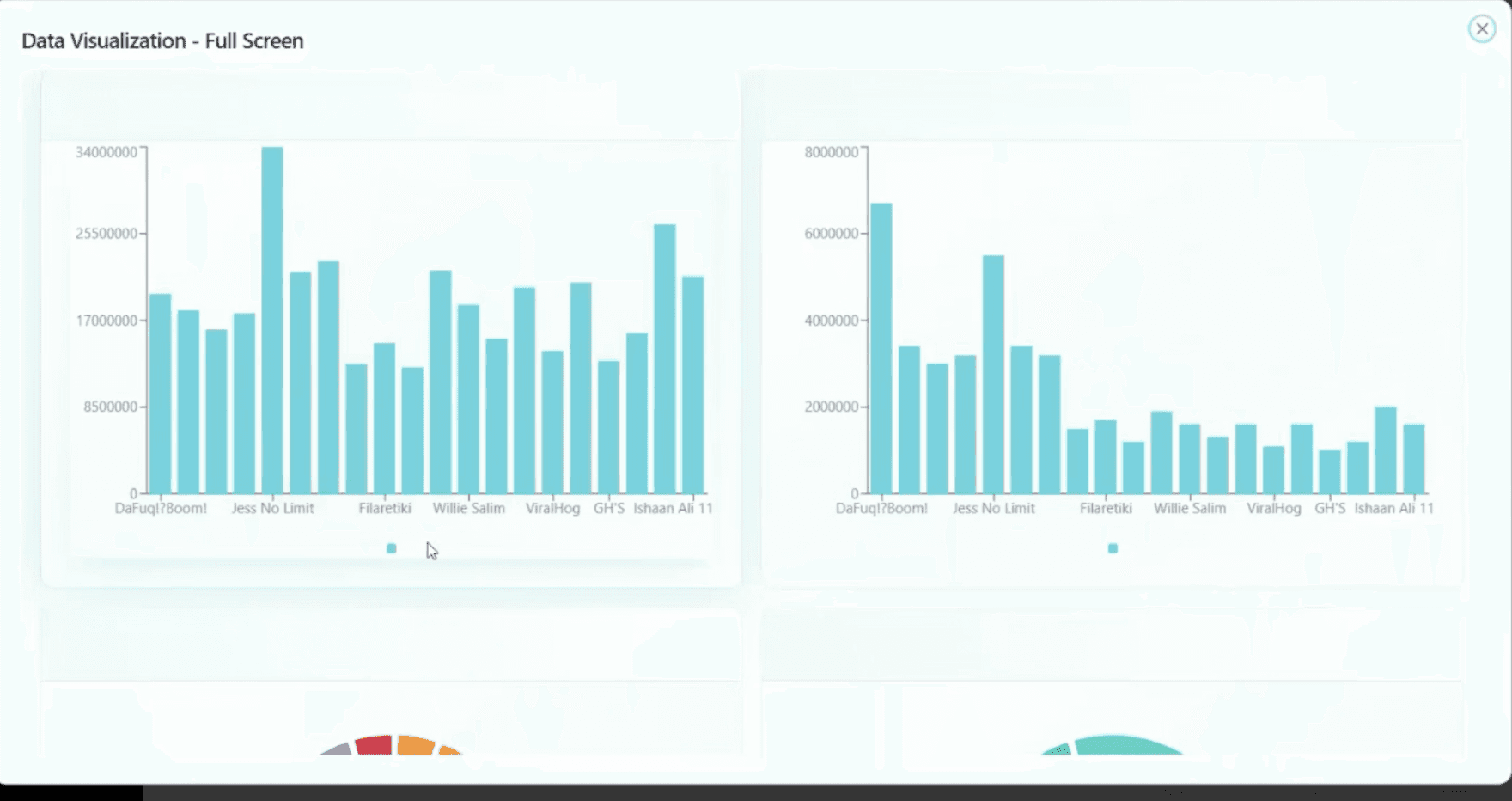
Frequent Screen Switching
Exploring data required users to move across multiple screens and views to complete a single task. Each action whether accessing datasets, viewing insights, or adjusting parameters often led to a different screen, interrupting the natural flow of analysis.
This constant switching made it difficult to maintain context and track progress. As a result, users had to spend more time navigating the interface, slowing down workflows and making the overall experience feel fragmented and less efficient.
The Solutions We Crafted
We redesigned the experience to streamline workflows, reduce manual effort, and enable faster, more intuitive data exploration.
Solution - 1
Clear Action Hierarchy and Simplified Interface
We redesigned how insights and actions are presented, bringing clarity to what matters most. Instead of overwhelming users with multiple options, the interface now prioritizes key actions and structures information in a more meaningful way.
AI-generated insights are supported with better context, visual clarity, and clear next steps, making them easier to understand and act upon. This reduces the need for manual interpretation and allows users to move from insight to decision more confidently and efficiently.

Solution - 2
Unified Workspace for Better Context
We brought key information, actions, and workflows into a single, structured view, aligning the interface with how users naturally work.
Instead of switching between multiple screens, users can now access everything they need in one place, reducing interruptions and maintaining context.
This helps users stay focused, understand their progress, and complete tasks more smoothly.
Solution - 3
Dedicated Entry Point for Adding Study Details
We introduced a clear and accessible “Add Study Details” button as a primary action, making it immediately visible within the interface.
Instead of searching through multiple options, users can now quickly identify where to begin and add study details without confusion.
This simplifies a common task, making the process more direct, consistent, and easier to learn, especially for new users.