What Is the UI UX Design Process?
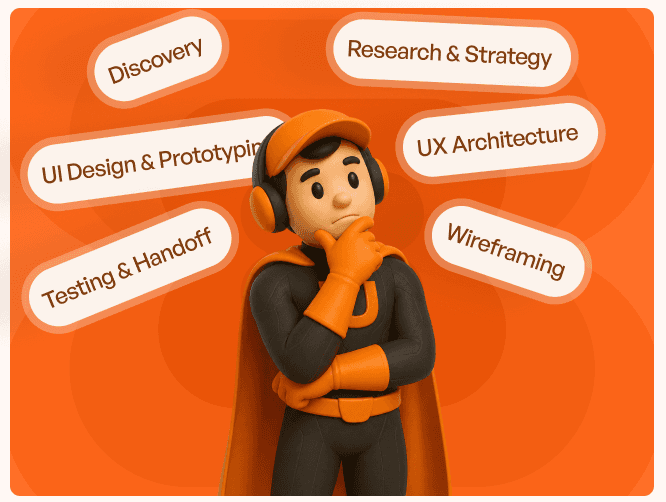
SThe UI UX design process is a structured approach to understanding users, solving problems, and creating usable digital experiences. It involves a series of activities including research, planning, design, testing, and iteration. Contrary to common belief, it is not just about interface creation. Good design begins with understanding users, not designing screens. This user-centered approach ensures that the final product aligns with user expectations and business objectives.
Through comprehensive research, designers gather insights into user motivations, pain points, and goals. This data-driven approach helps in making informed decisions that steer the design process in the right direction. By focusing on user needs first, businesses can avoid costly redesigns and ensure a smoother path to product-market fit.
Why the UI UX Design Process Matters
Adopting a structured UI/UX design process offers numerous benefits, including reducing development rework, improving usability, increasing user adoption, lowering support costs, reducing dependency on customer support teams, and saving valuable business time and resources. These improvements ultimately contribute to higher customer satisfaction, increased revenue, and long-term operational efficiency.
The impact on business metrics is significant. A well-executed UX design process can lead to higher onboarding completion rates, increased feature adoption, improved retention, and higher conversion rates. Furthermore, it can reduce the number of support tickets, as a well-designed product is intuitive and requires less user assistance which saves resources and time.
Design assumptions can often differ from actual user behavior. By incorporating usability testing throughout the design process, Upslide Design Studio validates design decisions early, helping businesses reduce development rework and launch products with greater confidence.
Stage 1: User Research and Discovery
Every successful UI/UX project begins with understanding the business, its users, and the challenges they face. During the discovery phase, Upslide conducts a discovery call followed by knowledge transfer sessions with stakeholders to gain a deep understanding of the product, business objectives, existing workflows, and operational pain points.
The team then maps user journeys, identifies user roles, and performs a UX audit of the existing product. Business Model Canvas (BMC) exercises and information architecture reviews help uncover gaps in navigation, content organization, and overall user experience. Rather than making assumptions, this phase focuses on identifying the root causes of usability issues that affect user adoption and productivity.
For businesses, this stage is critical as it lays the foundation for all subsequent design activities. It helps in aligning product features with user needs and business goals, thereby reducing the risk of launching a product that fails to meet market expectations.
Stage 2: Information Architecture and User Flows
Once user research is complete, the next step is to organize the information and plan user flows. This involves activities such as content organization, navigation planning, workflow mapping, and user journey creation. The aim is to create a logical structure that guides users through the product seamlessly.
Key concepts in this stage include information hierarchy, task prioritization, and mental models. By understanding how users think and interact with digital products, designers can create intuitive navigation systems that reduce cognitive load and improve discoverability.
In the context of SaaS applications, efficient information architecture can significantly enhance user experience. For example, well-planned dashboard navigation, CRM workflows, and analytics platforms can streamline user interactions and boost productivity.
Establishing a strong information architecture is a foundational step in successful UI/UX web design services, ensuring users can navigate products efficiently and intuitively.
Stage 3: Wireframing and Interaction Design
Wireframing and interaction design are crucial for solving usability problems before visual design begins. This stage involves layout planning, interaction design, and workflow visualization. Wireframes serve as blueprints that outline the structure and functionality of the product.
Usability principles, cognitive load reduction, and interaction efficiency are key considerations during this stage. By focusing on these aspects, designers can create interfaces that are not only aesthetically pleasing but also highly functional.
Effective wireframing allows designers to test and iterate on ideas quickly, ensuring that the final product meets user expectations and business objectives. This iterative approach reduces the risk of costly redesigns and accelerates the development process.
For mobile-first products, this stage plays a critical role in validating user journeys before development through specialized mobile app UI/UX design services.
Stage 4: UI Design and Visual Systems
The UI design and visual systems stage involves interface design, component libraries, design systems, and visual hierarchy. The goal is to create a cohesive visual identity that supports usability rather than distracts from it.
A well-executed UI design enhances consistency, trust, and scalability. By adhering to design systems and component libraries, designers can maintain visual consistency across the product, making it easier for users to navigate and interact with.
For businesses, a strong UI design can improve brand perception and user satisfaction. It creates a positive first impression and encourages users to engage with the product, ultimately leading to higher adoption and retention rates.
Stage 5: Prototyping and Usability Testing
Prototyping and usability testing are essential for identifying and resolving potential issues before launch. This stage involves creating interactive prototypes, conducting user testing, and performing task-based evaluations.
Behavioral observation, validation, and friction identification are key components of usability testing. By observing how users interact with prototypes, designers can identify areas of friction and make necessary adjustments.
Testing reveals problems that internal teams often overlook, ensuring that the final product is user-friendly and meets business goals. This proactive approach reduces the risk of launching a product with major usability issues, saving time and resources in the long run.
Stage 6: Iteration and Continuous Improvement
The final stage of the UI UX design process is iteration and continuous improvement. This involves feedback analysis, design refinement, and optimization. Iterative design, continuous learning, and data-driven improvements are essential for long-term success.
In the SaaS context, products evolve after launch and require ongoing UX optimization. By continuously analyzing user feedback and performance data, businesses can identify areas for improvement and implement changes that enhance user experience and business outcomes.
This stage emphasizes the importance of a growth mindset and a commitment to continuous improvement. By adopting an iterative approach, businesses can stay ahead of the competition and ensure that their products remain relevant and valuable to users.
Common Mistakes Businesses Make During the Design Process
Despite the benefits of a structured UI UX design process, many businesses make common mistakes such as skipping research, designing based on assumptions, ignoring user feedback, rushing to development, and treating UI and UX as the same thing.
These mistakes can lead to low adoption, higher churn, expensive redesigns, and usability issues. By prioritizing user research and testing, businesses can avoid these pitfalls and create products that meet user needs and business objectives.
Understanding the distinction between UI and UX is also crucial. While UI focuses on the visual aspects of a product, UX encompasses the overall user experience, including usability, accessibility, and satisfaction.
How Professional UI UX Teams Deliver Better Results
Professional UI UX teams bring structured methodologies, user-centered thinking, objective evaluation, and testing expertise to the design process. Their value lies in solving business and usability problems, not simply creating attractive screens.
By focusing on user needs and business goals, professional teams deliver results that improve usability, adoption, retention, and business outcomes. Their expertise in research, design, and testing ensures that the final product aligns with user expectations and business objectives.
For businesses, collaborating with professional UI UX teams can lead to better products, improved user satisfaction, increased adoption, reduced friction, and scalable growth. By adopting a strategic UI UX design process, businesses can create products that not only look good but also run businesses better.
Conclusion
The UI UX design process is a framework for creating better products, improving user satisfaction, increasing adoption, reducing friction, and supporting scalable growth. A successful digital product is not built through design alone, but through a structured process that aligns user needs with business goals.
Businesses are encouraged to evaluate their current design practices, identify usability gaps, prioritize research and testing, and adopt a strategic UI UX design process before scaling products. By doing so, they can ensure that their products meet user expectations and achieve business success.